
1. Introduction
Thank you for choosing the Oakton pH Meter Model 4330229222. This device is designed for precise pH measurements in various industrial and scientific settings. It features an LCD display, a pH range of 0.00 to 14.00, and automatic temperature compensation for reliable readings. This manual provides essential information for the safe and effective use of your pH meter.
2. Safety Information
- Always handle the pH probe with care to prevent damage.
- Keep the device away from extreme temperatures and direct sunlight.
- Do not attempt to disassemble or modify the meter, as this will void the warranty.
- Ensure the battery compartment is sealed correctly to maintain the IP67 waterproof rating.
- Dispose of batteries and the device according to local regulations.
3. Product Overview
3.1 Components
The Oakton pH Meter consists of a main unit with an LCD display, control buttons, and an integrated pH probe. The display shows pH readings and temperature. The device is designed for ease of use and durability.
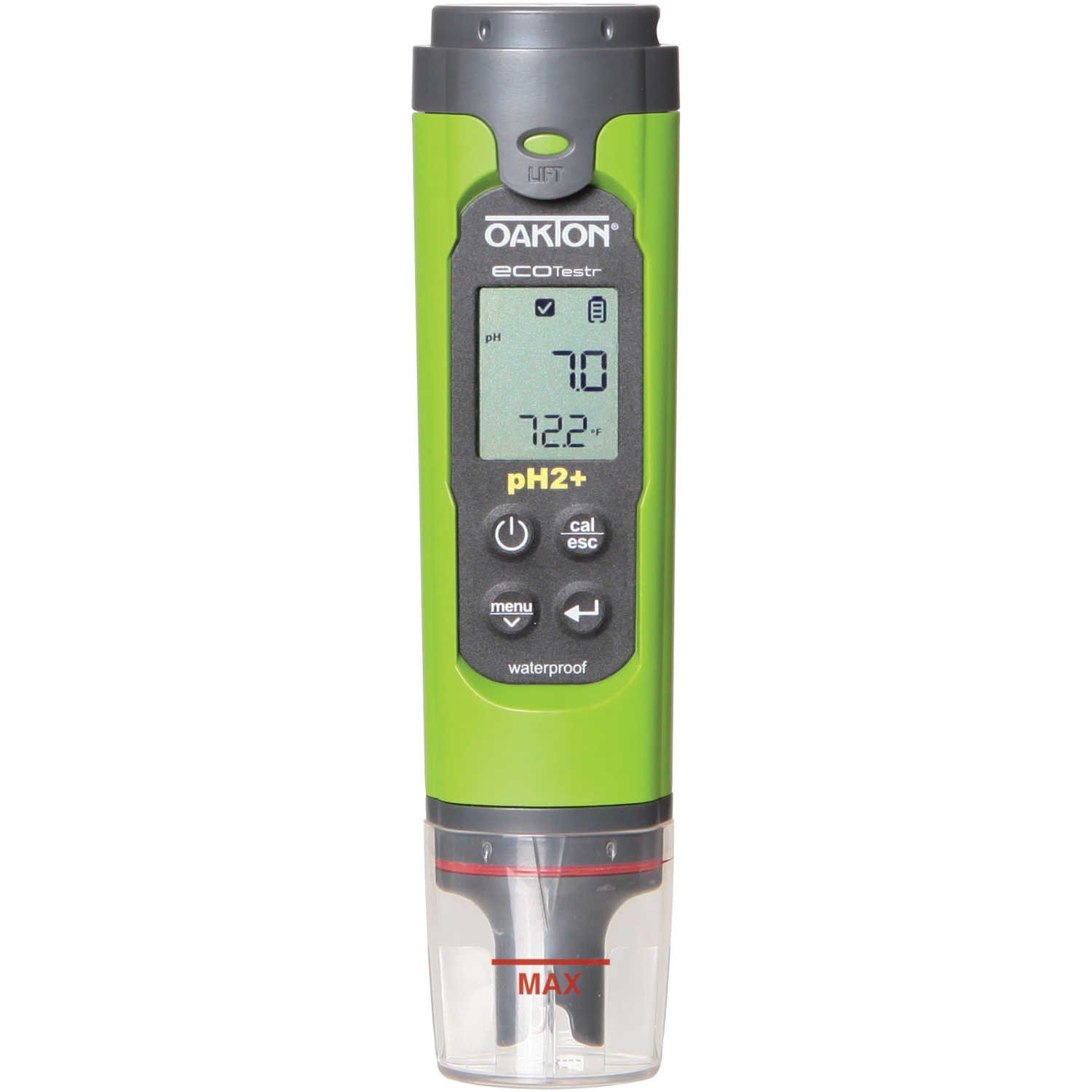
Figure 1: Oakton pH Meter. This image shows the compact design of the pH meter, featuring its clear LCD display, control buttons, and the attached pH sensing probe.
4. Setup
4.1 Battery Installation
- Locate the battery compartment cover on the back of the meter.
- Carefully remove the cover.
- Insert four (4) A76 Alkaline batteries, ensuring correct polarity.
- Replace the battery compartment cover securely to maintain the waterproof seal.
4.2 Initial Preparation
Before first use, ensure the pH probe is clean and conditioned. Refer to the maintenance section for cleaning instructions. If the probe has been stored dry, soak it in a pH 7 buffer solution for at least 30 minutes to rehydrate the glass bulb.
5. Operating Instructions
5.1 Powering On/Off
- To turn on the meter, press the ON/OFF button.
- To turn off the meter, press and hold the ON/OFF button until the display turns off. The meter also features an auto-power-off function to conserve battery life.
5.2 Taking Measurements
- Ensure the probe is clean and calibrated.
- Immerse the pH probe into the sample solution, ensuring the sensor bulb is fully submerged.
- Gently stir the solution to ensure homogeneity and allow the reading to stabilize.
- The LCD will display the pH value (range 0.00 to 14.00) and the temperature (range 0 to 50°C).
- The meter automatically compensates for temperature variations within the 0 to 50°C range.
6. Calibration
Regular calibration is crucial for accurate pH measurements. This meter supports up to 3-point calibration.
- Prepare fresh pH buffer solutions (e.g., pH 4.01, 7.00, 10.01).
- Turn on the meter and enter calibration mode (refer to specific button press sequence in the quick start guide, if available, or typically by pressing a 'CAL' button).
- Rinse the probe with distilled water and immerse it in the first buffer solution (e.g., pH 7.00). Allow the reading to stabilize.
- Confirm the calibration point as prompted by the meter.
- Rinse the probe and repeat the process for the second (e.g., pH 4.01) and third (e.g., pH 10.01) buffer solutions, if performing a multi-point calibration.
- Exit calibration mode. The meter is now calibrated and ready for use.
7. Maintenance
7.1 Probe Cleaning
- After each use, rinse the pH probe thoroughly with distilled or deionized water to remove any sample residue.
- For stubborn deposits, use a mild cleaning solution specifically designed for pH probes. Avoid abrasive materials.
7.2 Storage
- Always store the pH probe in a suitable storage solution or pH 7 buffer solution. Never store the probe dry.
- Store the meter in a cool, dry place, away from direct sunlight and extreme temperatures.
7.3 Waterproof Rating
The meter is rated IP67 waterproof, meaning it is protected from dust and can withstand immersion in water up to 1 meter for 30 minutes. Ensure all caps and covers are securely fastened to maintain this rating.
8. Troubleshooting
| Problem | Possible Cause | Solution |
|---|---|---|
| Inaccurate readings | Uncalibrated meter, dirty probe, expired buffer solutions, damaged probe. | Calibrate the meter with fresh buffer solutions. Clean the probe. Replace the probe if damaged. |
| No display/Meter won't turn on | Dead batteries, incorrect battery installation. | Replace batteries. Check battery polarity. |
| Slow response time | Dry probe, dirty probe, old probe. | Rehydrate the probe in storage solution. Clean the probe. Consider replacing the probe. |
9. Specifications
- pH Range: 0.00 to 14.00
- pH Accuracy: +/-0.1
- pH Resolution: 0.1
- Temperature Compensation: Automatic, 0 to 50°C (32 to 122°F)
- Displayed Temperature Range: 0 to 50°C
- Temperature Accuracy: +/-0.5°C
- Temperature Resolution: 0.1°C
- Display: LCD
- Calibration: Up to 3 points
- Waterproof Rating: IP67
- Auto Power Off: Yes
- Power Source: 4 x A76 Alkaline Batteries (included)
- Item Weight: 1.02 pounds
- Product Dimensions: 9.6 x 5.3 x 1.5 inches
10. Warranty and Support
10.1 Manufacturer's Warranty
This Oakton pH Meter Model 4330229222 comes with a 1-year manufacturer's warranty from the date of purchase, covering defects in materials and workmanship. This warranty does not cover damage caused by misuse, unauthorized modification, or improper maintenance.
10.2 Customer Support
For technical assistance, warranty claims, or to purchase accessories and replacement parts, please contact Oakton customer support. Refer to the official Oakton website or your purchase documentation for current contact information.


