
1. Introduction
This manual provides detailed instructions for the installation, operation, and maintenance of your Hunter 54-inch Contemporary Ceiling Fan. Please read all instructions carefully before beginning installation to ensure safe and proper operation. Retain this manual for future reference.

Figure 1.1: Hunter 54-inch Contemporary Ceiling Fan with remote control.

Figure 1.2: Key features of the Hunter 54-inch Contemporary Ceiling Fan.
2. Safety Information
To reduce the risk of electrical shock, fire, or personal injury, always follow these basic safety precautions:
- Read all instructions before installing the fan.
- All wiring must be in accordance with national and local electrical codes. If you are unfamiliar with wiring, consult a qualified electrician.
- Before installation, disconnect power by turning off the circuit breakers to the fan's electrical box.
- Ensure the outlet box is securely attached to the building structure and can support the fan's weight (approximately 18.1 lbs).
- Do not operate the fan with damaged blades. Replace all blades if one is damaged.
- Avoid placing objects in the path of the fan blades.
- This fan is designed for indoor use only.
3. Package Contents
Verify that all components listed below are included in your package:
- 1 x Fan Motor Assembly
- 3 x Fan Blades (Reversible: Light Gray Oak / Greyed Walnut)
- 1 x Light Kit
- 3 x LED Bulbs (E26 Medium Base)
- 1 x 4-inch Downrod
- 1 x 2-inch Downrod (for standard profile mounting)
- 1 x Handheld Remote Control
- 2 x AAA Batteries (for remote control)
- Hardware Pack (screws, washers, wire nuts, etc.)
4. Setup and Installation
Professional installation is recommended. Ensure power is disconnected at the circuit breaker before proceeding.
4.1 Mounting the Fan
- Securely attach the mounting bracket to the ceiling outlet box. The outlet box must be listed for fan support.
- Select the appropriate downrod (4-inch or 2-inch) for your ceiling height. Insert the downrod through the canopy and connect it to the fan motor assembly.
- Carefully lift the fan assembly and hang it from the mounting bracket.
4.2 Wiring Connections
- Connect the fan's electrical wires to the household wiring according to local electrical codes. Typically, this involves connecting the black (hot) wire from the fan to the black (hot) wire from the ceiling, the white (neutral) wire from the fan to the white (neutral) wire from the ceiling, and the green (ground) wire from the fan to the bare copper (ground) wire from the ceiling.
- Ensure all wire connections are secure using the provided wire nuts.
- Tuck all wires neatly into the outlet box.
4.3 Attaching Blades and Light Kit
- Attach the fan blades to the motor housing using the provided screws. Ensure the desired blade finish (Light Gray Oak or Greyed Walnut) is facing downwards.
- Install the light kit to the bottom of the fan motor assembly, following the specific instructions for your model.
- Screw the three E26 Medium Base LED bulbs into the light kit sockets.
- Attach the glass shade to the light kit.

Figure 4.1: Annotated view of fan components and features.

Figure 4.2: Example of the fan installed in a room.
5. Operating Instructions
Your Hunter ceiling fan is operated using the included handheld remote control.
5.1 Remote Control Functions

Figure 5.1: Handheld Remote Control.
- Fan On/Off & Speed Control: Use the fan speed buttons (up/down arrows) to cycle through the three available fan speeds (low, medium, high) or turn the fan off.
- Light On/Off & Dimming: Press the light bulb button to turn the light on or off. To dim the light, press and hold the light bulb button. Release when the desired brightness is reached.
- Fan Direction (Reversible Motor): The remote control includes a button to reverse the fan's blade direction. This feature allows for seasonal use:
- Downward Airflow (Summer): Creates a cooling effect.
- Upward Airflow (Winter): Circulates warm air trapped near the ceiling.
5.2 Reversible Blades
The fan features reversible blades with Light Gray Oak on one side and Greyed Walnut on the other. You can choose the finish that best complements your room's decor during installation.
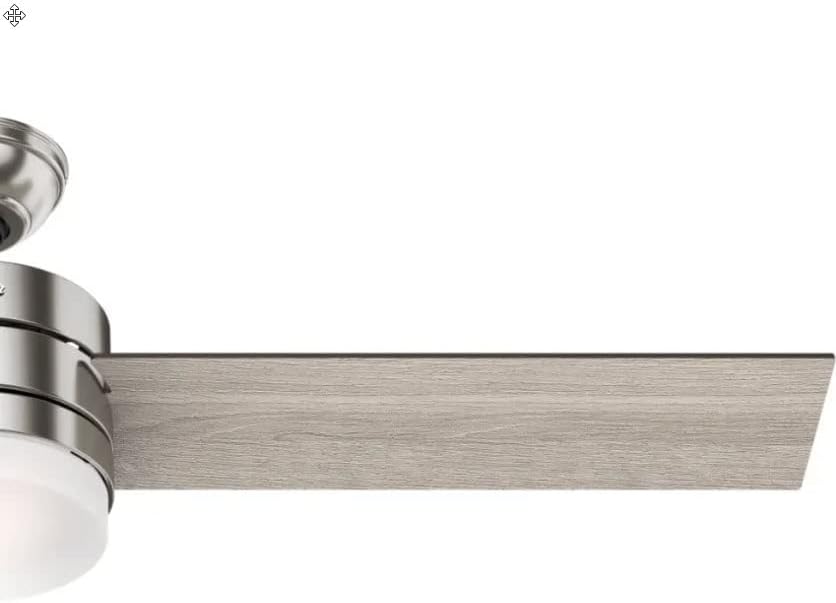
Figure 5.2: Example of the Light Gray Oak blade finish.
6. Maintenance
Regular maintenance ensures optimal performance and longevity of your ceiling fan.
6.1 Cleaning
- Always turn off the power to the fan before cleaning.
- Use a soft, damp cloth to clean the fan blades and motor housing. Avoid abrasive cleaners that may scratch the finish.
- Clean the glass shade with a mild glass cleaner.
6.2 Bulb Replacement
The fan uses E26 Medium Base LED bulbs. When replacing, ensure the power is off and allow bulbs to cool before handling.
- Unscrew the glass shade.
- Carefully unscrew the old LED bulb(s) and screw in new ones.
- Reattach the glass shade.
6.3 Blade Balancing
If the fan wobbles during operation, ensure all blade screws are tight. A balancing kit (often included with fans, though not explicitly listed here) can be used to correct persistent wobbling.
7. Troubleshooting
Refer to the following table for common issues and their solutions.
| Problem | Possible Cause | Solution |
|---|---|---|
| Fan does not start | No power to the fan; Loose wire connections; Remote control battery low. | Check circuit breaker; Verify all wire connections are secure; Replace remote control batteries. |
| Light does not work | Loose wire connections; Faulty bulb(s); Light switch off. | Check wiring to light kit; Replace bulb(s); Ensure light is turned on via remote. |
| Fan wobbles | Loose blade screws; Unbalanced blades; Loose mounting bracket. | Tighten all blade screws; Use a blade balancing kit; Ensure mounting bracket is securely fastened. |
| Remote control not responding | Low or dead batteries; Remote not paired with fan. | Replace AAA batteries; Refer to remote pairing instructions (usually involves cycling power and pressing a button on the remote). |
8. Specifications
| Feature | Detail |
|---|---|
| Brand | Hunter |
| Model Number | CC5C91C61 |
| Size | 54 inches |
| Finish | Brushed Nickel |
| Blade Material | Wood (Reversible: Light Gray Oak / Greyed Walnut) |
| Motor Type | AC Motor, Whisperwind |
| Light Source | Integrated Dimmable LED (3 bulbs) |
| Bulb Base | E26 Medium |
| Color Temperature | 3000 Kelvin |
| Light Output | 800 Lumens |
| Control Method | Remote Control |
| Voltage | 120 Volts |
| Wattage | 44 watts (fan only) |
| Item Weight | 18.1 Pounds |
| Product Dimensions | 54"L x 54"W x 14.5"H |
| Indoor/Outdoor Usage | Indoor |
| Estimated Yearly Energy Cost | $12 (based on 6.4 hours/day, 12 cents/kWh, excluding lights) |
| Airflow | 3,590 Cubic Feet Per Minute |
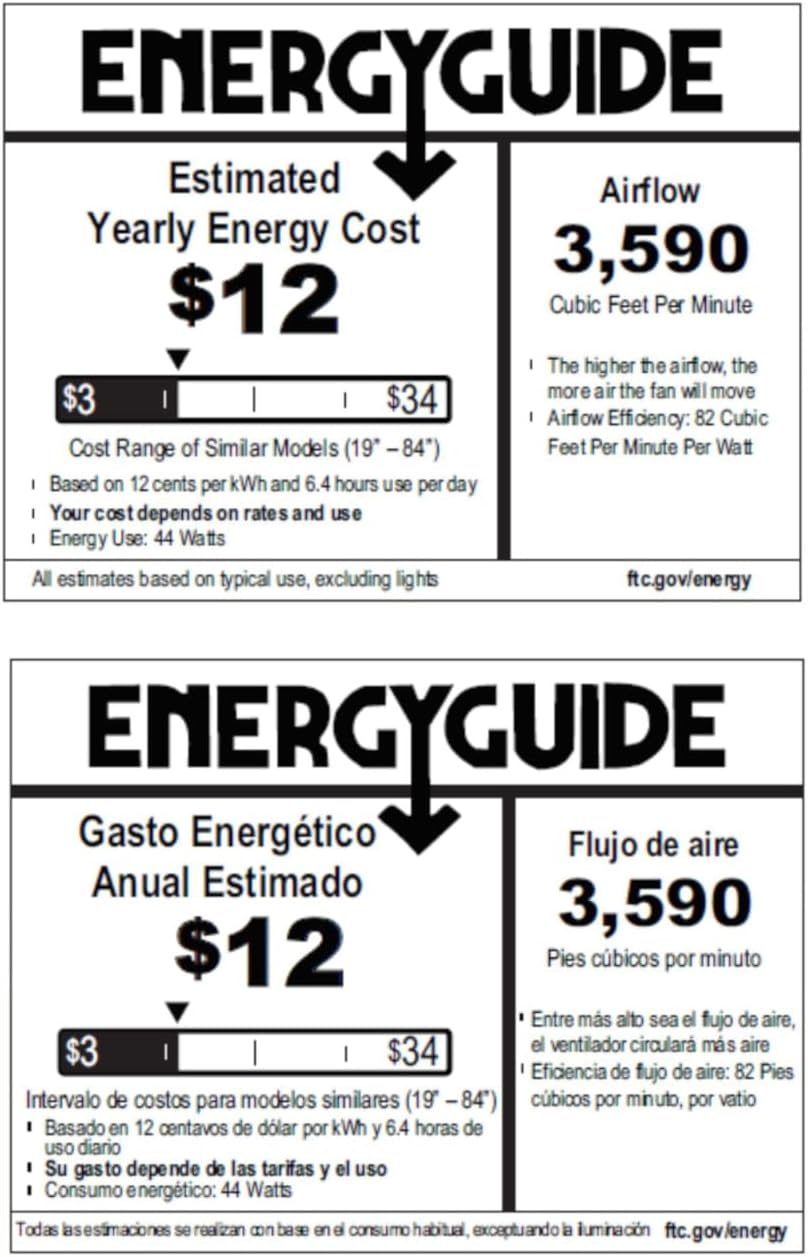
Figure 8.1: Energy Guide for the Hunter 54-inch Ceiling Fan.
9. Warranty and Support
For warranty information or technical support, please refer to the official Hunter website or contact their customer service. Keep your purchase receipt as proof of purchase for any warranty claims.