
TYLT UBTSPKMBGD-TE
TYLT Mini Boom Bluetooth Speaker User Manual
Model: UBTSPKMBGD-TE
Brand: TYLT
Introduction
This manual provides comprehensive instructions for the operation and maintenance of your TYLT Mini Boom Bluetooth Speaker. Please read this manual thoroughly before using the device to ensure proper function and longevity.
The TYLT Mini Boom Bluetooth Speaker is designed to provide powerful audio in a compact, portable form factor. It features Bluetooth 4.2 connectivity, a 3W sound output, and up to 4 hours of playback on a single charge. A built-in microphone allows for hands-free calling.
Package Contents
Verify that all items are present in the package:
- TYLT Mini Boom Bluetooth Speaker
- Micro-USB Charging Cable
- User Guide (this manual)
Product Overview

Front view of the TYLT Mini Boom Bluetooth Speaker, highlighting its compact size and metallic gold finish. The speaker grille is visible at the top.

Rear view of the speaker, displaying the Micro-USB charging port located at the bottom for convenient power input.

Bottom view of the speaker, featuring the primary control button for power and pairing functions.

The speaker being held by a user, illustrating its compact size and ease of handling for various uses, such as connecting to a TV.

The speaker positioned on a wooden surface, showcasing its discreet presence in a home environment.
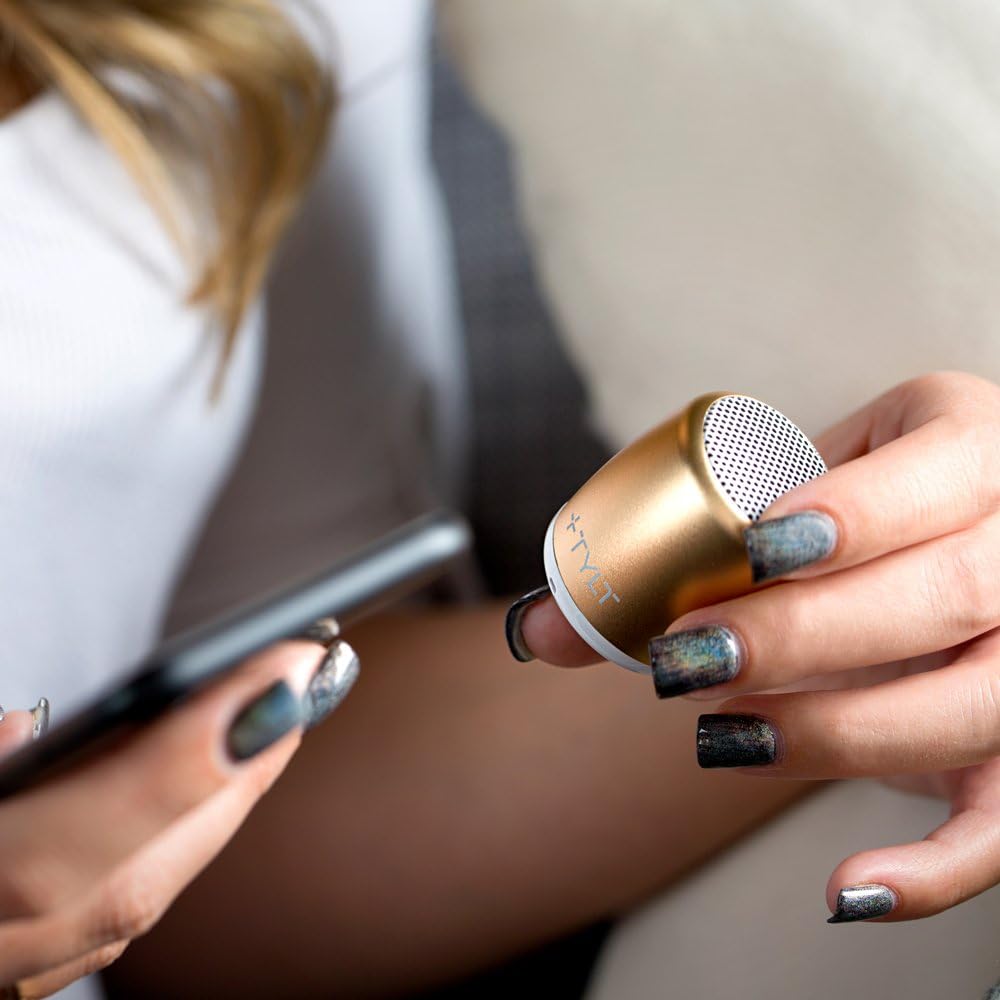
A user holding both the speaker and a smartphone, demonstrating the typical interaction for Bluetooth pairing and music playback.
Setup
Charging the Speaker
Before initial use, fully charge the TYLT Mini Boom speaker. Use the included Micro-USB cable to connect the speaker's charging port to a USB power source (e.g., computer USB port, USB wall adapter).
- A red LED indicator will illuminate during charging.
- The LED will turn off or change color (depending on model) when charging is complete.
- A full charge provides up to 4 hours of playback time.
Powering On/Off
- To Power On: Press and hold the main control button on the bottom of the speaker for approximately 3 seconds until you hear an audible prompt or see an indicator light.
- To Power Off: Press and hold the main control button for approximately 3 seconds until you hear an audible prompt or the indicator light turns off.
Operating Instructions
Bluetooth Pairing
The TYLT Mini Boom speaker uses Bluetooth 4.2 for wireless connection to your devices.
- Ensure the speaker is powered on. It will automatically enter pairing mode if no device is connected, indicated by a flashing blue LED.
- On your smartphone, tablet, or other Bluetooth-enabled device, navigate to the Bluetooth settings.
- Search for available devices. The speaker will appear as "TYLT Mini Boom" or a similar name.
- Select "TYLT Mini Boom" from the list to initiate pairing.
- Once successfully paired, the blue LED will stop flashing and remain solid, and you will hear an audible confirmation.
- The speaker will automatically reconnect to the last paired device when powered on, if the device is within range and Bluetooth is enabled.
Playing Audio
After successful pairing, audio from your connected device will play through the TYLT Mini Boom speaker. Control playback (play/pause, skip tracks) and volume directly from your connected device.
Using the Built-in Microphone
The speaker includes a built-in microphone for hands-free calling.
- When a call comes in, the speaker will ring.
- Press the main control button once to answer an incoming call.
- Press the main control button once during a call to end the call.
- Press and hold the main control button to reject an incoming call.
- The microphone also supports voice assistant functions (e.g., Siri, Google Assistant) when activated from your connected device.
Official product video demonstrating the compact size and sound capabilities of the TYLT Mini Boom Bluetooth Speaker. This video highlights the speaker's portability and ease of use in various settings.
Maintenance
- Keep the speaker dry. Do not expose it to water or excessive moisture.
- Clean the speaker with a soft, dry cloth. Do not use abrasive cleaners or solvents.
- Avoid extreme temperatures.
- Store the speaker in a cool, dry place when not in use for extended periods.
Troubleshooting
| Problem | Possible Cause | Solution |
|---|---|---|
| Speaker does not power on. | Low battery. | Charge the speaker using the Micro-USB cable. |
| Cannot pair with device. | Bluetooth is off on device; speaker not in pairing mode; device too far. | Ensure Bluetooth is enabled on your device. Power cycle the speaker to enter pairing mode. Move device closer to speaker (within 10 meters). |
| No sound or low volume. | Volume on speaker or device is too low; speaker not connected. | Increase volume on both the speaker and your connected device. Ensure the speaker is successfully paired. |
| Call quality is poor. | Interference; microphone obstructed. | Move closer to the speaker. Ensure the microphone is not covered. Reduce environmental noise. |
Specifications
| Model Name | Mini Boom |
| Model Number | UBTSPKMBGD-TE |
| Speaker Type | Portable Bluetooth Speaker |
| Connectivity Technology | Bluetooth, USB |
| Bluetooth Version | 4.2 |
| Bluetooth Range | Up to 10 meters (33 feet) |
| Speaker Output Power | 3 Watts |
| Battery Life | Up to 4 hours |
| Battery Type | Lithium Polymer (1 included) |
| Built-in Microphone | Yes |
| Dimensions (L x W x H) | 1.3 x 1.7 x 1.5 inches |
| Item Weight | 1.41 ounces (0.04 Kilograms) |
| Color | Gold |
Warranty and Support
TYLT warrants this product to be free of defects in design, assembly, material, or workmanship for a period of one year from the original date of purchase. TYLT will repair or replace, at its option, any defective product free of charge (except for shipping charges for the product).
For warranty claims or technical support, please visit the official TYLT website or contact their customer service department. Keep your proof of purchase for warranty validation.
For more information, visit the TYLT Store on Amazon.
Related documentsUBTSPKMBGD-TE

Ask a question about this manual
Ask about setup, troubleshooting, compatibility, parts, safety, or missing instructions. Manuals+ will review the question and use this page’s manual context to help answer it.