
1. Introduction
The JUKI MO-2000QVP is a versatile 4-thread overlocker designed for precision and ease of use. It features an advanced automatic threading system, an intuitive LCD display for stitch settings, and robust construction for consistent performance. This manual provides essential information for setting up, operating, and maintaining your overlocker to achieve professional-quality results.

Figure 1: Front view of the JUKI MO-2000QVP Automatic Needle Overlocker.
2. Setup
2.1 Unpacking and Placement
Carefully remove the overlocker from its packaging. Place the machine on a stable, flat surface with adequate lighting and space for fabric handling. Ensure the power cord is securely connected to a compatible power outlet.
2.2 Initial Threading: Automatic Air Threading System
The MO-2000QVP features a fully automatic threading system for both loopers and needles, utilizing an electric air pump for effortless setup.
- Raise the presser foot and open the front cover of the machine.
- Insert 1-2 centimeters of thread into the designated threading port hole for the looper you wish to thread.
- Press the 'AIR ON' button (air control push button). The air jet will automatically guide the thread through the looper path.
- For needle threading, lower the automatic needle threader lever, hook the thread, and then return the lever to complete threading.

Figure 2: The JUKI MO-2000QVP with thread cones in place, ready for threading.

Figure 3: Detailed threading diagram for the JUKI MO-2000QVP, illustrating thread paths.

Figure 4: Close-up view of the automatic air threading mechanism on the JUKI MO-2000QVP.
Video: Juki MO-1000 Serger Jet Air Looper (Demonstration of Air Threading)
Video 1: This video demonstrates the air threading system, a key feature also present in the JUKI MO-2000QVP, simplifying the threading process for loopers.
3. Operating Instructions
3.1 Stitch Selection and Tension Adjustment
The MO-2000QVP allows for working with 2, 3, or 4 threads. The LCD display provides clear instructions for setting up voltage configurations and selecting stitch patterns. Direct insertion tension adjustment ensures precise control over each thread.

Figure 5: Close-up of the LCD display and tension adjustment dials on the JUKI MO-2000QVP.
3.2 Differential Feed and Knife Adjustment
An adjustable differential feed helps prevent fabric stretching or puckering, ensuring smooth seams on various fabric types. The upper knife retracting lever and adjustable lower knife, combined with a reduced gap between knives and needles, allow for magnificent curved seams and precise cutting.

Figure 6: Side view showing the adjustable differential feed and stitch length dials.
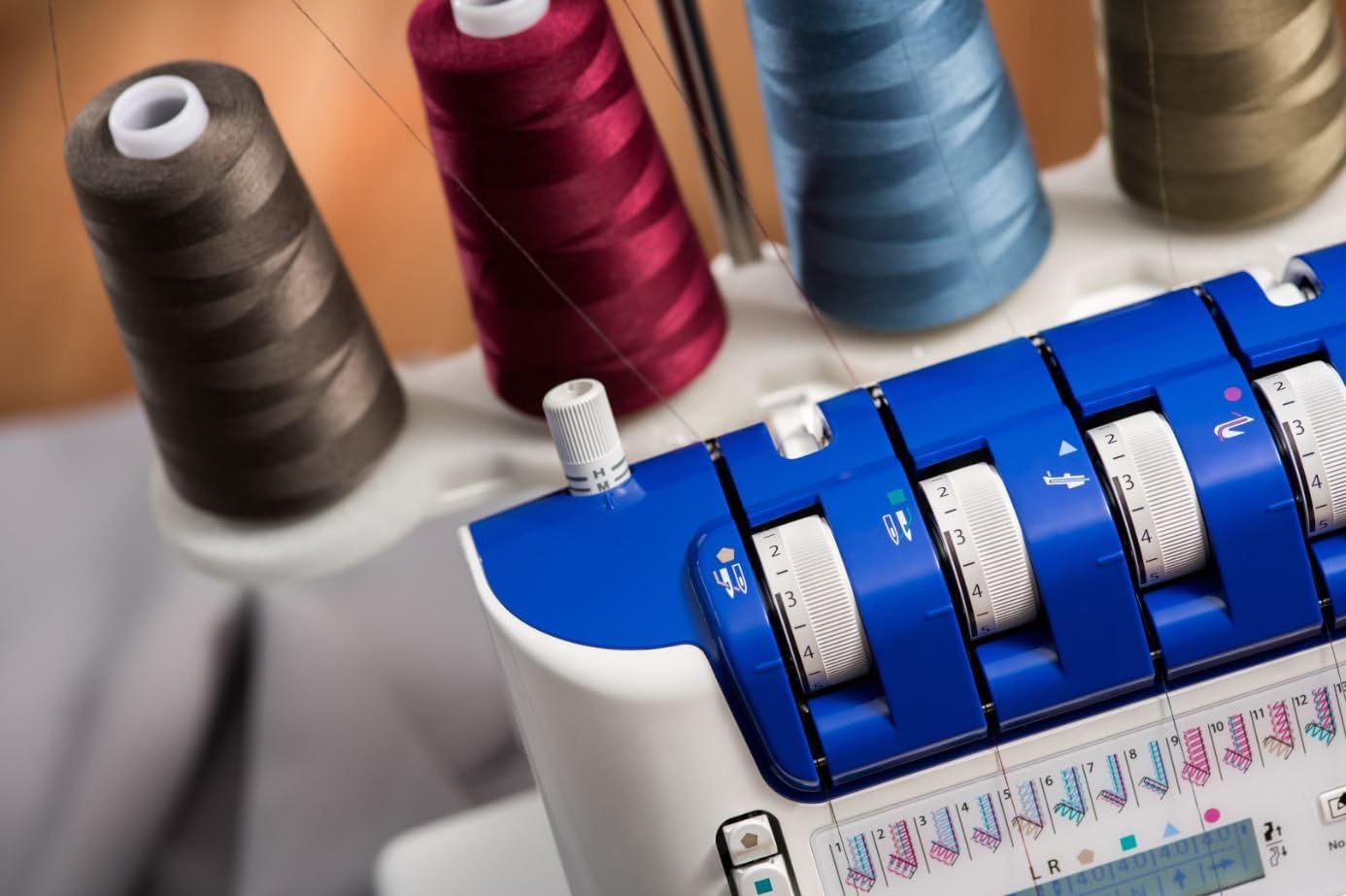
Figure 7: Example of a precisely sewn curved seam, demonstrating the machine's capability.
3.3 Additional Features
- Integrated Switch for Automatic Rolling: Easily switch between 2/3 thread automatic rolling for various hemming techniques.
- Safety Features: The machine includes safety mechanisms that prevent operation when hoods are open or the presser foot is in the high position.
- LED Lighting: Integrated LED lighting illuminates the work area for improved visibility.
- Waste Collection Tray: A large waste collection tray is included to keep your workspace tidy.
4. Maintenance
Regular maintenance ensures the longevity and optimal performance of your JUKI MO-2000QVP overlocker.
- Cleaning: Regularly clean lint and thread debris from the looper area, feed dogs, and knife assembly using a soft brush.
- Needle Replacement: Replace needles frequently, especially when working with different fabric types or if you notice skipped stitches or thread breakage. Use HA-1SP needles, sizes #11-14.
- Lubrication: Refer to the detailed instruction manual (provided with the product) for specific lubrication points and frequency.
5. Troubleshooting
If you encounter issues with your overlocker, consider the following common troubleshooting steps:
- Skipped Stitches: Check if the needles are inserted correctly and are not bent. Ensure the machine is threaded properly and the tension settings are appropriate for your fabric.
- Thread Breakage: Verify that the threads are not tangled, the tension is not too tight, and the needles are not dull or damaged.
- Fabric Puckering/Stretching: Adjust the differential feed settings to match your fabric type. Ensure correct tension settings.
- Machine Not Operating: Check that all covers are closed securely and the presser foot is lowered. Ensure the power is connected.
For more detailed troubleshooting, please consult the comprehensive user manual included with your product.
6. Specifications
| Brand | JUKI |
| Model Number | MO-2000QVP |
| Product Dimensions | 12.99 x 11.02 x 12.2 inches (33 x 28 x 31 cm) |
| Item Weight | 18.7 pounds |
| Color | White |
| Threading System | Fully Automatic (Electric Air Pump) |
| Thread Capability | 2, 3, & 4 Threads |
| Display | LCD Display |
| Lighting | LED Lighting |
7. Warranty and Support
For warranty claims and technical support, please refer to the official JUKI documentation provided with your product. Important Note: This product is intended for France, and therefore the warranty will only cover products sold in France. Please verify warranty terms and conditions based on your region of purchase.
For further assistance, contact JUKI customer service or an authorized service center.