
1. Introduction
This manual provides comprehensive instructions for the Alpine RUX-KNOB.2 Remote Bass Knob. It covers installation, operation, maintenance, and troubleshooting to ensure optimal performance of your device. Please read this manual thoroughly before installation and use.
2. Product Overview
The Alpine RUX-KNOB.2 is an optional remote bass control knob designed to provide convenient, direct subwoofer level adjustments from within your vehicle's cabin. It allows for on-the-fly adjustments to the bass gain of your connected amplifier.
2.1 Compatible Amplifiers
The RUX-KNOB.2 is specifically designed for use with the following Alpine amplifier models:
- MRX-M50
- MRX-M100
- MRX-V60
- PDX-M12
- PDX-M6
2.2 Multiple Amplifier Control
It is possible to control multiple compatible amplifiers using a single RUX-KNOB.2 controller. This requires the use of standard telephone cord adapters, which are readily available from various retailers and are not included with this product.
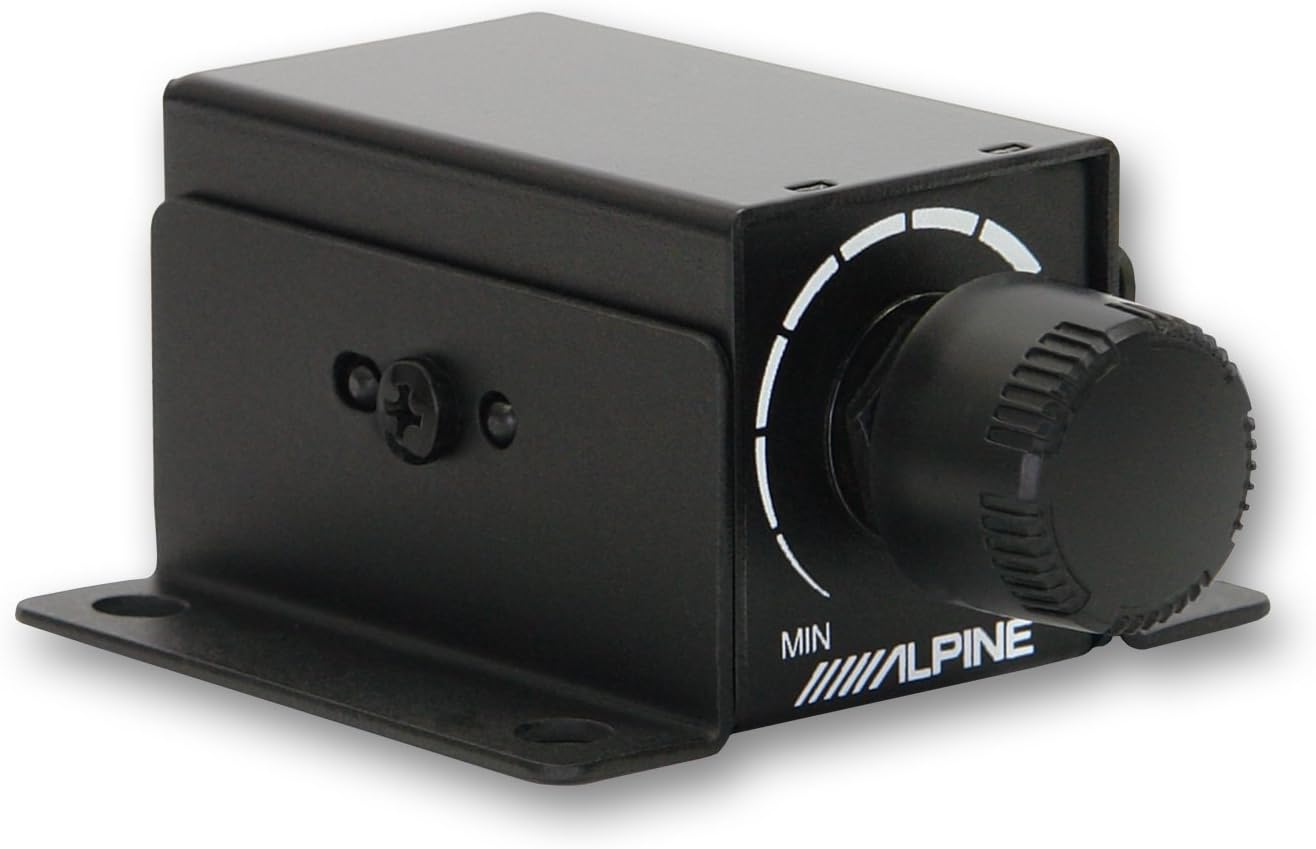
Figure 1: Front angled view of the Alpine RUX-KNOB.2 Remote Bass Knob, showing the control dial and mounting tabs.

Figure 2: Close-up view of the RUX-KNOB.2 control dial, indicating 'MIN' and 'MAX' settings for bass adjustment.
3. Setup and Installation
Proper installation ensures reliable performance and convenient access to the bass control.
3.1 Mounting the Knob
The RUX-KNOB.2 can be mounted in a desired location within the vehicle cabin using either the included adhesive tape or screws. Choose a location that is easily accessible to the driver but does not obstruct driving controls or airbags.
- Adhesive Mounting: Clean the mounting surface thoroughly. Remove the backing from the adhesive tape and firmly press the knob into place.
- Screw Mounting: Use the provided screws to secure the mounting tabs of the knob to a stable surface. Ensure no wires or critical components are behind the drilling location.

Figure 3: Angled view of the RUX-KNOB.2, highlighting the mounting tabs for secure installation.
3.2 Connecting to the Amplifier
The RUX-KNOB.2 connects to your compatible Alpine amplifier using the included cable.
- Locate the dedicated remote bass control port on your Alpine amplifier. Refer to your amplifier's manual for the exact location.
- Connect one end of the provided cable to the port on the RUX-KNOB.2.
- Connect the other end of the cable to the remote bass control port on your amplifier. Ensure both connections are secure.

Figure 4: Rear view of the RUX-KNOB.2, displaying the RJ11 port for connecting the control cable to the amplifier.
4. Operating Instructions
Once installed and connected, operating the RUX-KNOB.2 is straightforward.
- Adjusting Bass Level: Rotate the knob clockwise to increase the bass output from your subwoofer.
- Decreasing Bass Level: Rotate the knob counter-clockwise to decrease the bass output from your subwoofer.
The knob provides a continuous adjustment range, allowing precise control over your amplifier's bass gain setting.
5. Maintenance
The Alpine RUX-KNOB.2 requires minimal maintenance to ensure long-term functionality.
- Cleaning: Use a soft, dry cloth to wipe the surface of the knob. Avoid using harsh chemicals or abrasive cleaners.
- Environmental Conditions: Keep the device dry and avoid exposure to extreme temperatures, direct sunlight for prolonged periods, or excessive moisture.
- Connection Check: Periodically inspect the cable connections at both the knob and the amplifier to ensure they remain secure.
6. Troubleshooting
If you encounter issues with your RUX-KNOB.2, refer to the following common troubleshooting steps:
| Problem | Possible Cause | Solution |
|---|---|---|
| No bass adjustment or control |
|
|
| Intermittent bass control |
|
|
If the problem persists after attempting these solutions, please contact Alpine customer support.
7. Specifications
| Feature | Specification |
|---|---|
| Model Number | RUX-KNOB.2 |
| Brand | Alpine |
| Product Dimensions | 10 x 8 x 2 inches |
| Item Weight | 8 ounces |
| Color | Black |
| Special Feature | Ergonomic design |
| Max Number of Supported Devices | 1 (multiple amps with adapters) |
| Compatible Devices | Alpine MRX-M50, MRX-M100, MRX-V60, PDX-M12, PDX-M6 Amplifiers |
8. Warranty and Support
For detailed warranty information, product registration, and technical support, please visit the official Alpine website or contact Alpine customer service directly. Keep your purchase receipt as proof of purchase for warranty claims.


