
HD Switch 925-1396A, 725-1396
HD Switch Starter Ignition Key Switch User Manual
Models: 925-1396A, 725-1396
Introduction
This manual provides comprehensive instructions for the installation, operation, and maintenance of your HD Switch Starter Ignition Key Switch, designed as a direct replacement for MTD, Troy-Bilt, Cub Cadet, Ryobi, White Outdoor, Huskee, Ranch King, and Wizard equipment. This product includes an upgraded soft-grip umbrella key for enhanced protection against environmental elements.
Please read this manual thoroughly before installation and use to ensure proper function and safety.
Product Features
- Engineered for reliable performance.
- Umbrella Key provides ultimate protection against dust, dirt, and water.
- Premium soft-grip umbrella key for comfortable use.
- Includes original metal keys, mounting hardware, and a carabiner keychain.
Setup and Installation
Before beginning installation, ensure the equipment's battery is disconnected to prevent accidental starting or electrical shock. Refer to your equipment's original service manual for specific wiring diagrams and safety precautions.
Tools Required:
- Wrench or socket set (appropriate size for mounting nut)
- Wire cutters/strippers (if wiring modification is needed)
- Electrical tape or heat shrink tubing (for secure connections)
Installation Steps:
- Disconnect Power: Ensure the equipment is turned off and the battery's negative terminal is disconnected.
- Remove Old Switch: Carefully disconnect the wiring harness from the existing ignition switch. Note the position of each wire before removal, or take a photograph for reference. Unscrew or unclip the mounting nut/clips holding the old switch in place and remove it.
- Install New Switch: Insert the new HD Switch into the mounting hole. Secure it with the provided mounting hardware (nut/clips). Ensure the switch is oriented correctly according to your equipment's design.
- Connect Wiring: Reconnect the wiring harness to the new switch. Match each wire to its corresponding terminal. If the new switch has different terminal labels, consult your equipment's wiring diagram or a professional. Ensure all connections are secure and insulated.
- Reconnect Power: Reconnect the battery's negative terminal.
- Test Functionality: Insert a key and test the switch's positions (OFF, RUN, START) to ensure proper operation before fully assembling the equipment.

Figure 1: The HD Switch Starter Ignition Key Switch with both the standard metal keys and the black soft-grip umbrella key. This image shows the main components included with the product, ready for installation.
Operating Instructions
The HD Switch operates with standard ignition switch positions. Always ensure the equipment is in a safe, clear area before starting.
Key Positions:
- OFF: The engine is off, and all electrical systems are de-energized. The key can be removed in this position.
- RUN: The engine is ready to operate. Electrical systems necessary for engine function are energized.
- START: Momentary position to engage the starter motor. Release the key once the engine starts; it will return to the RUN position.
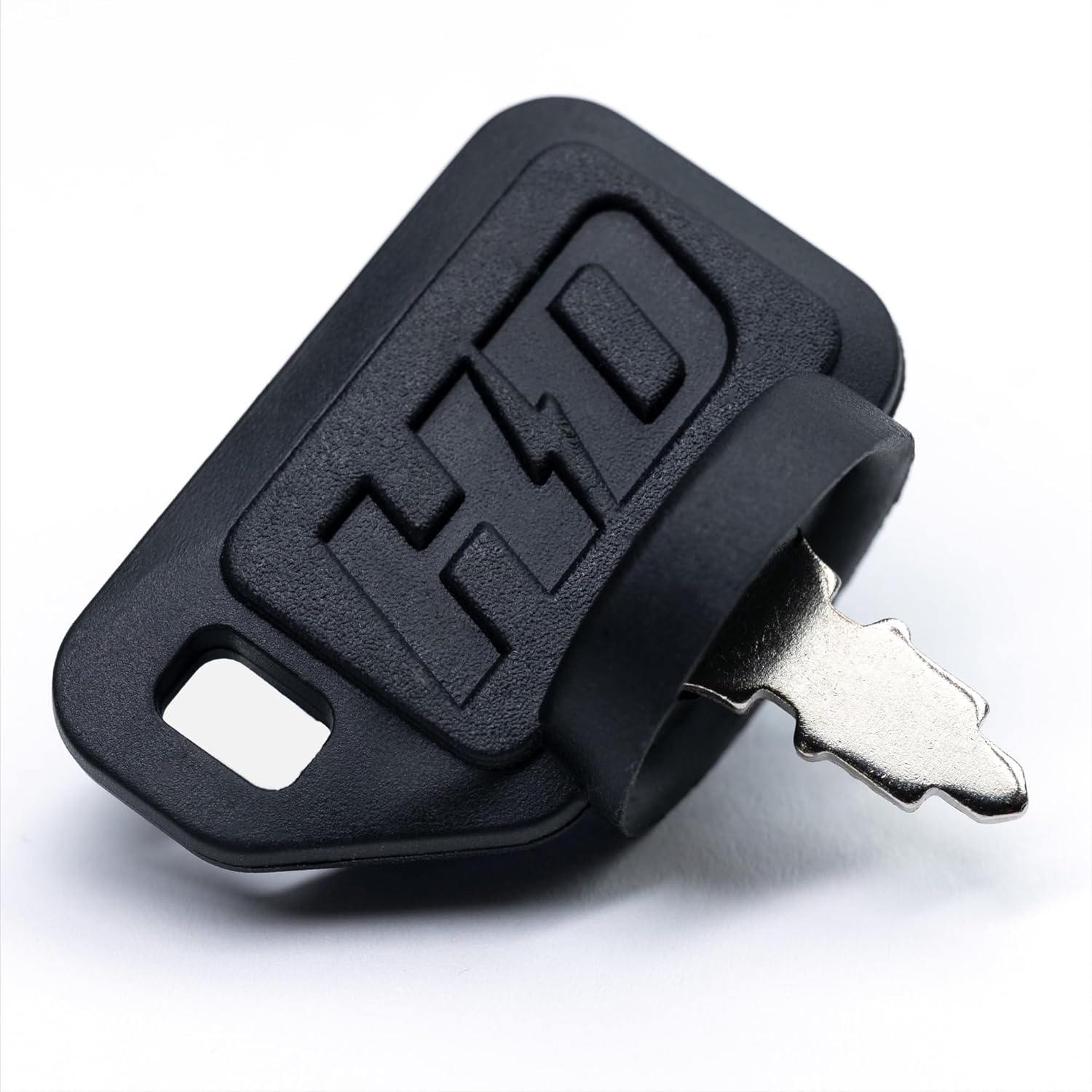
Figure 2: A close-up view of the black soft-grip umbrella key. This key is designed to provide a comfortable grip and enhanced protection for the ignition switch against environmental elements.
Maintenance
The HD Switch is designed for durability and requires minimal maintenance. Regular inspection can prolong its lifespan.
- Keep Clean: Periodically wipe the exposed part of the switch and key with a clean, dry cloth to remove dirt and debris.
- Inspect Connections: Annually, or if issues arise, inspect the wiring connections to the switch to ensure they are secure and free from corrosion.
- Umbrella Key Protection: The umbrella key is designed to protect the switch from dust and water. Ensure the key is fully inserted when in use to maximize this protection.

Figure 3: This image highlights the water-resistant feature of the umbrella key, showing water droplets repelled from its surface. The design helps keep moisture out of the ignition switch mechanism.

Figure 4: This image demonstrates the dust-resistant capability of the umbrella key, with dust particles visible around the key. The key's design helps prevent dust and debris from entering the ignition switch.
Troubleshooting
If you experience issues with your HD Switch, refer to the following common problems and solutions. Always ensure safety precautions are followed before attempting any repairs.
| Problem | Possible Cause | Solution |
|---|---|---|
| Engine does not start when key is turned to START. |
|
|
| Engine runs, but key does not return to RUN position from START. |
|
|
| Key is difficult to turn or remove. |
|
|
Specifications
| Attribute | Detail |
|---|---|
| Model Numbers | 925-1396A, 725-1396 |
| Brand | HD Switch |
| Actuator Type | Ignition |
| Number of Positions | 3 (OFF, RUN, START) |
| Color | Metallic (Switch), Black (Umbrella Key) |
| Unit Count | 1.0 Count (Switch with keys) |
| Compatibility | MTD, Troy-Bilt, Cub Cadet, Ryobi, White Outdoor, Huskee, Ranch King, Wizard (replaces 925-1396A, 725-1396) |
Warranty and Support
For warranty information or technical support, please contact HD Switch directly or refer to the seller's information where the product was purchased. Keep your purchase receipt as proof of purchase.
Manufacturer: HD Switch
For further assistance, you may visit the product page on Amazon: Product Link
Ask a question about this manual
Ask about setup, troubleshooting, compatibility, parts, safety, or missing instructions. Manuals+ will review the question and use this page’s manual context to help answer it.