
1. Product Overview
The Uniden R3 is a high-performance laser/radar detector designed to provide advanced warning of radar and laser signals. It features a built-in GPS for marking locations and voice alerts for convenient operation.
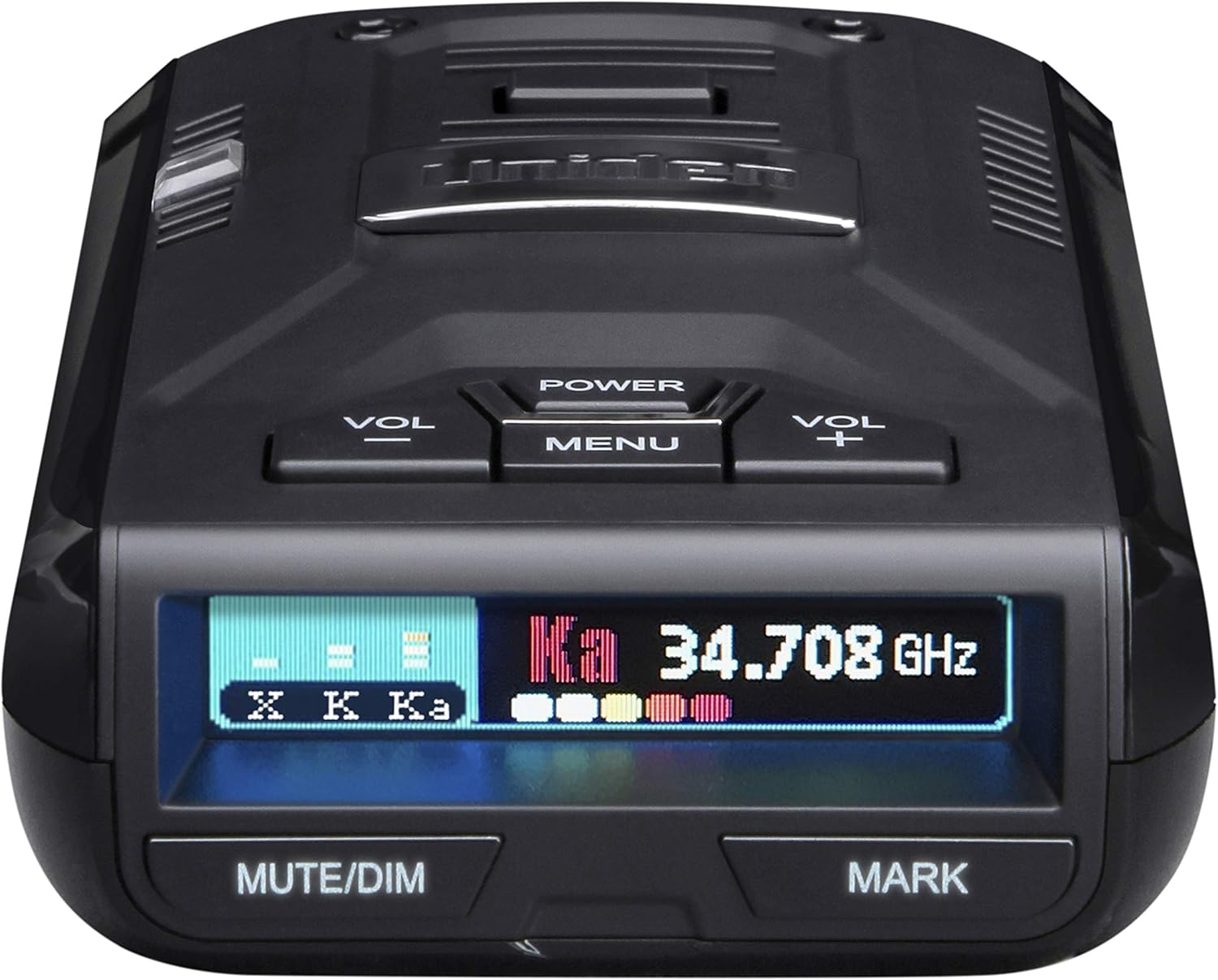
Figure 1: Front view of the Uniden R3 Radar Detector.
This device is engineered for extreme long-range detection and includes advanced false alert filtering to minimize unnecessary warnings from other vehicle systems.
2. What's in the Box
Upon opening the package, verify that all components are present:
- Uniden R3 Radar Detector Unit
- Carrying Case
- Cigarette Adapter with Mute Key and USB Jack
- Single-suction Bracket
- Dual-suction Bracket
- 3M Velcro for mounting

Figure 2: All items included in the Uniden R3 package.
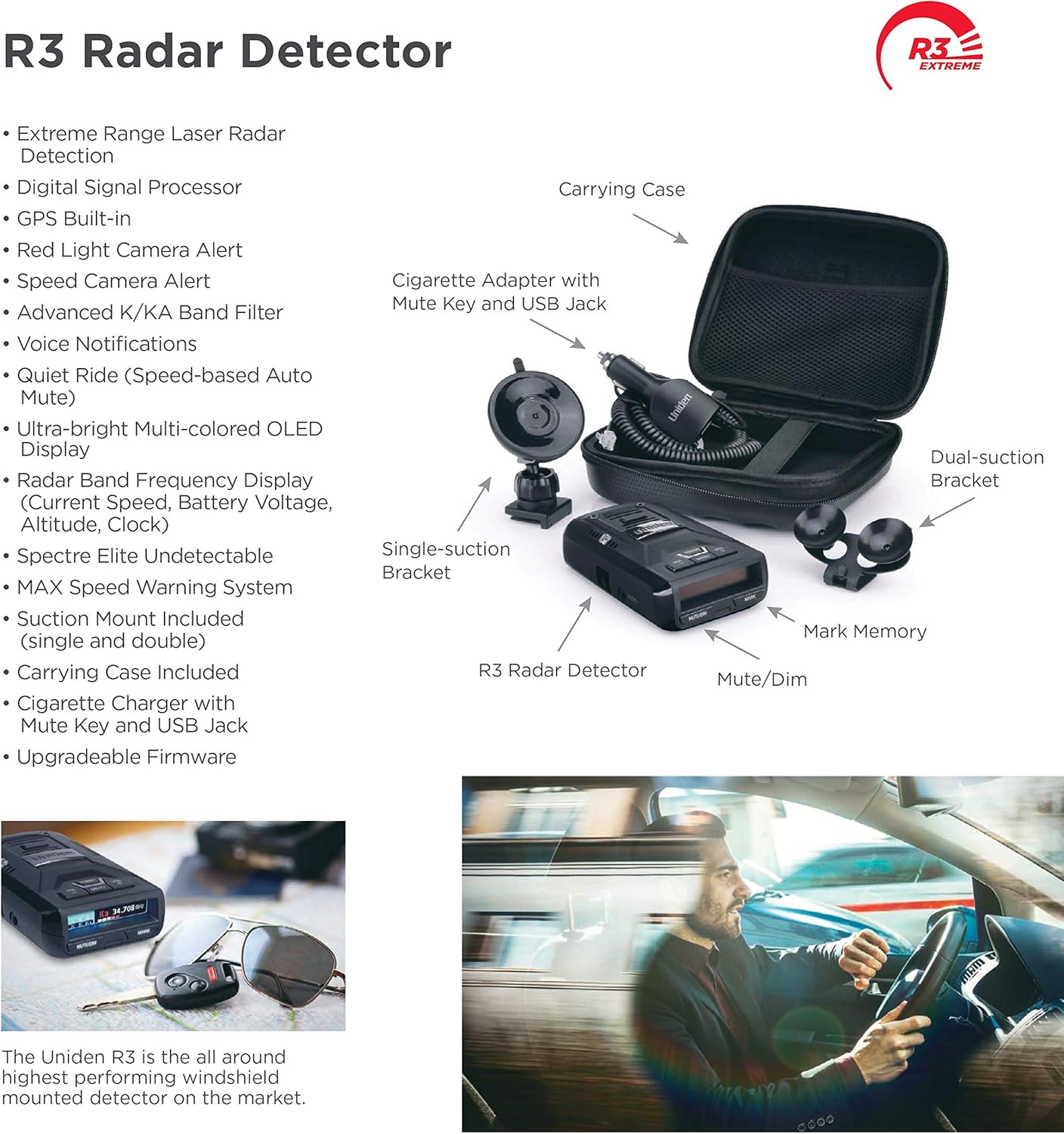
Figure 3: Labeled diagram of the Uniden R3 Radar Detector and its accessories.
3. Setup and Installation
Proper installation ensures optimal performance and safety. Choose a mounting location that does not obstruct your view of the road or interfere with airbag deployment.
3.1 Mounting the Detector
The Uniden R3 offers multiple mounting options:
- Suction Cup Mount: Attach the single or dual suction cup bracket to a clean, dry section of your windshield. Ensure the detector is level and has a clear view of the road ahead and behind.
- 3M Velcro Mount: For a more permanent installation, use the provided 3M Velcro. Clean the mounting surface thoroughly before applying.
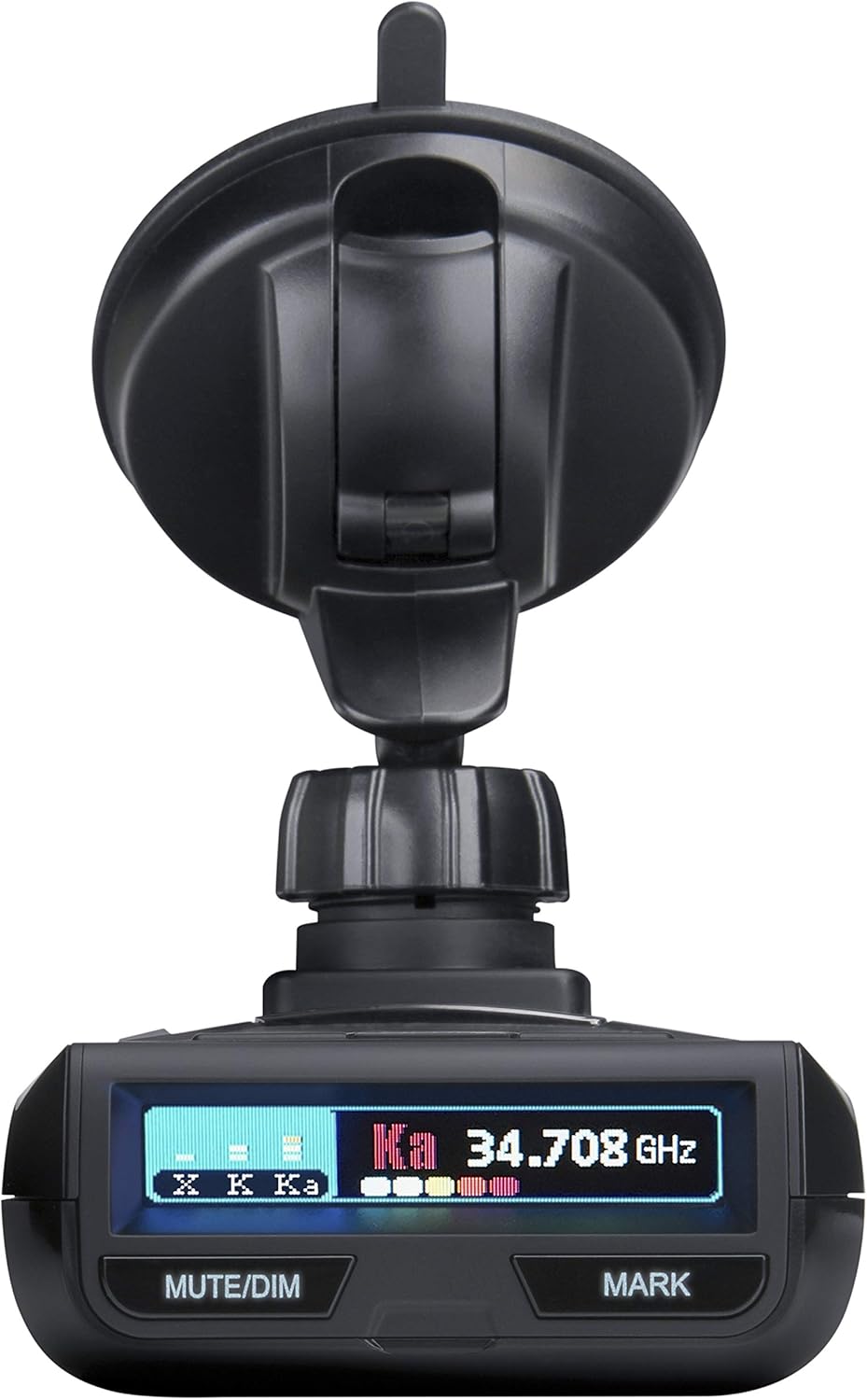
Figure 4: Uniden R3 mounted on a windshield using the suction cup bracket.
3.2 Power Connection
Connect the provided cigarette adapter to the power input on the detector and then into your vehicle's 12V accessory outlet. The unit will power on automatically when the vehicle's ignition is turned on.
3.3 Initial Preparation
Before first use, gently peel off any protective plastic film from the display and sensor lens to ensure clear visibility and optimal performance.
4. Operating the Device
The Uniden R3 is designed for intuitive operation. Familiarize yourself with the controls and display for effective use.
4.1 Controls and Display
The device features several buttons and a multi-color OLED display:

Figure 5: Close-up view of the Uniden R3 display and control buttons.
- POWER: Turns the unit on/off.
- VOL +/-: Adjusts the volume of voice alerts.
- MENU: Accesses the device settings and options.
- MUTE/DIM: Mutes current alerts or adjusts display brightness.
- MARK: Allows you to mark geographical points for future alerts (e.g., speed traps, red light cameras).
- OLED Display: Provides clear, multi-color visual information including detected radar bands and signal strength.
4.2 Key Features
- GPS Technology: Enables the R3 to remember and mute common false alerts (e.g., automatic doors) along frequently traveled routes. It also provides preloaded Red Light and Speed Camera locations.
- Voice Alerts: Provides clear voice notifications for detected threats, allowing for hands-free operation.
- Advanced False Alert Filtering: Minimizes false alerts from Blind Spot Monitoring and Collision Avoidance systems in other vehicles.
- Ka Frequency Voice Alert: Specifically announces Ka band radar detections.

Figure 6: Overview of key features of the Uniden R3 Radar Detector.
4.3 Ports and Connections
The unit includes various ports for power, data, and audio output:
- USB Port: Used for firmware updates and database updates.
- Audio Jack: For connecting external headphones or audio systems.
- Power Input: Connects to the cigarette lighter adapter for power.

Figure 7: Side view of the Uniden R3 showing the USB, Audio, and Power ports.
5. Maintenance
To ensure the longevity and optimal performance of your Uniden R3, follow these maintenance guidelines:
- Cleaning: Use a soft, damp cloth to clean the exterior of the unit and the display. Avoid abrasive cleaners or solvents.
- Sensor Care: Keep the front sensor lens clean and free from obstructions (dust, fingerprints) for accurate detection.
- Firmware Updates: Regularly check the Uniden website for free database and firmware updates to ensure your detector is always up-to-date with the latest features and threat information.
6. Troubleshooting
If you encounter issues with your Uniden R3, consider the following common solutions:
- No Power: Ensure the cigarette adapter is securely plugged into both the detector and the vehicle's 12V outlet. Check the vehicle's fuse for the accessory outlet.
- Frequent False Alerts: Utilize the GPS mute memory feature to mark common false alert locations. Ensure the advanced false alert filtering is enabled in the settings.
- GPS Not Functioning: Ensure the unit has a clear view of the sky for satellite acquisition. Verify GPS settings in the menu.
- No Audio: Check the volume level using the VOL +/- buttons. Ensure the unit is not in mute mode.
For more detailed troubleshooting steps, refer to the official User Manual PDF or contact Uniden Customer Support.
7. Specifications
| Feature | Detail |
|---|---|
| Product Dimensions | 4.5 x 2.81 x 1.25 inches (4.5"L x 2.81"W x 1.25"H) |
| Item Weight | 1.65 pounds |
| Model Number | R3 |
| Power Source | DC (12 Volts) |
| Display Type | Multi-Color OLED |
| Frequency Bands Supported | 34.7 GHz, 24.125 GHz, 10.525 GHz, Laser |
| UPC | 050633600313 |
| First Available | July 20, 2017 |
8. Warranty and Support
Uniden provides customer support to assist with product setup and troubleshooting. For comprehensive information, please refer to the official user manual.
- Official User Manual (PDF): Download PDF
- Uniden Support: Visit the Uniden Store on Amazon for more information and support resources.
Important Legal Disclaimer
Radar detectors are forbidden in the Commonwealth of Virginia, military bases, and nationally for commercial truck drivers.
This product may contain chemicals known to the State of California to cause cancer and birth defects or other reproductive harm. For more information, go to www.P65Warnings.ca.gov.
