
PCE Instruments PCE-PGM 60
PCE-PGM 60 Lustre Tester User Manual
Model: PCE-PGM 60 | Brand: PCE Instruments
1. Introduction
This manual provides comprehensive instructions for the safe and effective operation, maintenance, and troubleshooting of the PCE-PGM 60 Lustre Tester. Please read this manual thoroughly before using the device to ensure proper functionality and to prevent damage.
The PCE-PGM 60 is a precision instrument designed for measuring the gloss of surfaces. It features a 3.5" TFT touchscreen display and internal memory for storing up to 1000 measurement values. The device operates with a 60° measuring geometry, adhering to international standards such as ISO 2813, GB/T 9754, ASTM D 523, and ASTM D 2457.

Figure 1: PCE-PGM 60 Lustre Tester with active display.
2. Safety Information
Always observe the following safety precautions to prevent injury or damage to the device:
- Do not expose the device to extreme temperatures or humidity.
- Avoid dropping or subjecting the device to strong impacts.
- Do not attempt to open or repair the device yourself. Refer to qualified personnel.
- Keep the measuring surface clean and free from dust or debris.
- Use only the original power supply and accessories provided by PCE Instruments.
3. Product Components and Overview
The PCE-PGM 60 Lustre Tester package includes the main unit, a calibration plate, a USB cable, software, and a carrying case.
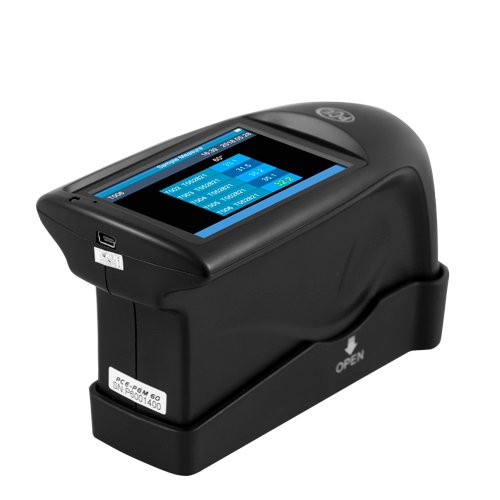
Figure 2: The PCE-PGM 60 device placed in its calibration base.
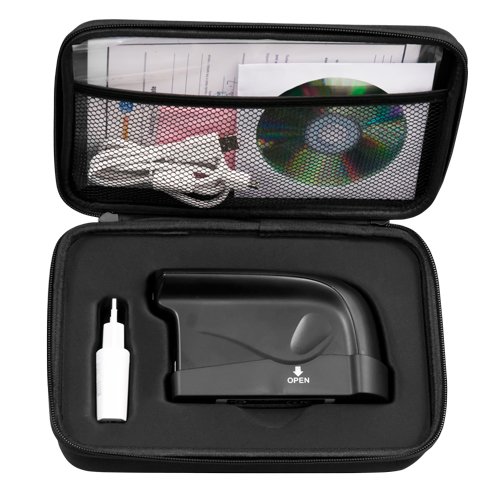
Figure 3: Contents of the PCE-PGM 60 carrying case, including the device, calibration plate, USB cable, and software CD.
Key components:
- Main Unit: The handheld device with the display and measurement sensor.
- 3.5" TFT Touchscreen Display: For viewing measurements, navigating menus, and configuring settings.
- Measuring Aperture: Located at the bottom of the device, where the surface to be measured is placed.
- Calibration Plate: Used for calibrating the device to ensure accurate measurements.
- USB Port: For data transfer and charging the internal Li-ion battery.
4. Setup and Initial Operation
4.1 Charging the Device
The PCE-PGM 60 is powered by a 3200-mAh Li-ion rechargeable battery. Before first use, fully charge the device.
- Connect the provided USB cable to the USB port on the device.
- Connect the other end of the USB cable to a suitable USB power adapter (not included) or a computer's USB port.
- The charging indicator on the display will show the charging status.
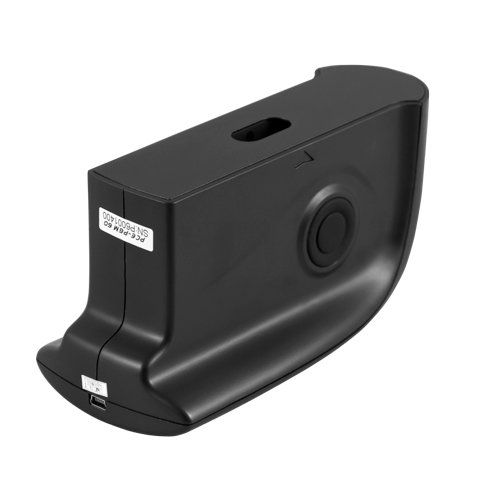
Figure 4: USB port for charging and data transfer.
4.2 Powering On/Off
Press and hold the power button (location not specified in data, assuming standard placement) to turn the device on or off. The 3.5" TFT touchscreen display will illuminate upon startup.
4.3 Calibration
Regular calibration is crucial for accurate measurements. Use the included calibration plate.
- Ensure the calibration plate is clean and free of dust.
- Place the device firmly onto the calibration plate, ensuring the measuring aperture is fully covered.
- Navigate to the "Calibration" menu on the touchscreen display.
- Follow the on-screen instructions to complete the calibration process.
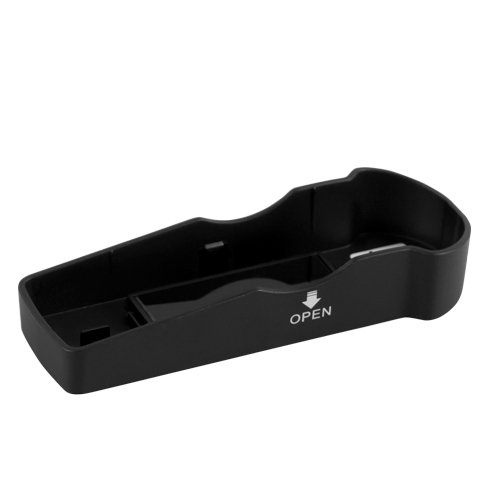
Figure 5: The calibration base, used for accurate device calibration.
5. Operating Instructions
5.1 Taking a Measurement
The PCE-PGM 60 has a quick measuring time of 0.5 seconds.
- Ensure the device is calibrated.
- Place the measuring aperture of the device firmly and flat against the surface to be measured.
- Press the measurement button (or tap the 'Measure' option on the touchscreen).
- The measurement result will be displayed on the screen in GU (Gloss Units).
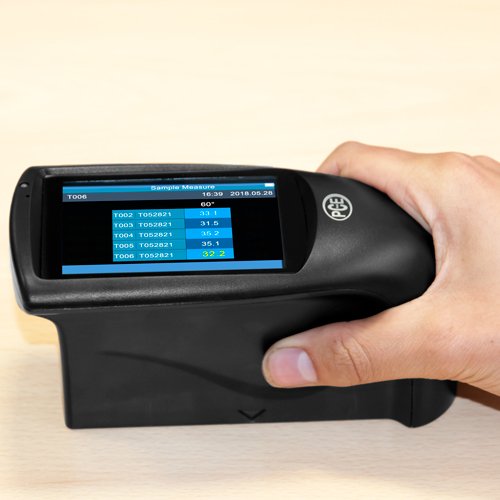
Figure 6: Proper handling of the PCE-PGM 60 during a measurement.
5.2 Navigating the Touchscreen Display
The 3.5" TFT touchscreen display allows for intuitive navigation.
- Tap icons or menu items to select them.
- Swipe to scroll through lists or pages.
- The menu language can be set to English or Chinese.
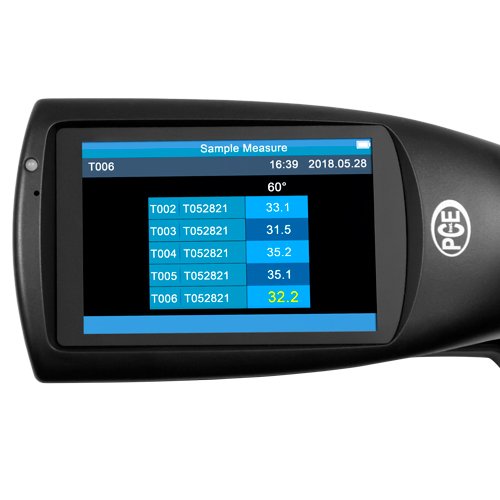
Figure 7: Detailed view of the PCE-PGM 60's touchscreen display showing sample measurement data.
5.3 Data Storage and Transfer
The device has internal memory for up to 1000 baseline measurements. Software is included for data management.
- Measurements are automatically saved to internal memory.
- Connect the device to a computer via the USB or RS-232 interface.
- Use the included software to download, analyze, and manage stored data.
6. Maintenance
6.1 Cleaning
- Wipe the device exterior with a soft, dry cloth.
- For the display, use a microfiber cloth specifically designed for screens.
- Keep the measuring aperture clean and free of dust or residue. Use a soft brush or compressed air if necessary.
- Do not use abrasive cleaners or solvents.
6.2 Storage
When not in use, store the PCE-PGM 60 in its protective carrying case in a cool, dry place, away from direct sunlight and extreme temperatures. The recommended storage temperature is -20 ... 50°C / -4 ... 122°F.
7. Troubleshooting
| Problem | Possible Cause | Solution |
|---|---|---|
| Device does not power on. | Low battery. | Charge the device fully using the provided USB cable. |
| Inaccurate measurements. | Device not calibrated; dirty measuring surface; incorrect placement on sample. | Perform calibration; clean the measuring aperture; ensure firm and flat contact with the sample. |
| Display is unresponsive. | Software glitch; extreme temperature exposure. | Restart the device. If issue persists, contact support. Ensure operating temperature is within 0 ... 40°C. |
| Cannot transfer data to PC. | Incorrect cable connection; software not installed or running. | Check USB/RS-232 cable connection; ensure PCE Instruments software is installed and running on your computer. |
8. Technical Specifications
| Parameter | Value |
|---|---|
| Measurement Geometry | 60° |
| Display | 3.5" TFT touchscreen display |
| Standards | ISO 2813, GB/T 9754, ASTM D 523, ASTM D 2457 |
| Measuring Surface | 9x15 mm / .4 x .6 in |
| Measuring Range | 0 ... 300 GU |
| Readability | 0.1 GU |
| Repeatability (10-100 GU) | ±0.2 GU |
| Repeatability (100-300 GU) | ±0.2 GU (%) |
| Reproducibility (10-100 GU) | ±0.5 GU |
| Reproducibility (100-300 GU) | ±0.5 GU (%) |
| Chromaticity | Fulfils CIE 1931(2°) under a CIE C – lightsource |
| Measurement Accuracy | ±1.5 / ±1.5% |
| Measuring Time | 0.5 second |
| Dimensions | 160 x 75 x 90 mm / 6.3 x 3 x 3.5 in |
| Weight | 350 g / <1 lb |
| Menu Language | English, Chinese |
| Power Supply | 3200-mAh Li-ion rechargeable battery |
| Interface | USB / RS-232 |
| Measuring Storage | Baseline measurement: 1000 |
| Software | Included |
| Operating Temperature | 0 ... 40°C / 32 ... 104°F |
| Storage Temperature | -20 ... 50°C / -4 ... 122°F |
| Relative Humidity | <85% rel. humidity (non-condensing) |
9. Warranty and Support
PCE Instruments provides warranty coverage for the PCE-PGM 60 Lustre Tester against defects in materials and workmanship. For specific warranty terms and conditions, please refer to the documentation included with your purchase or visit the official PCE Instruments website.
For technical support, service, or inquiries regarding your device, please contact PCE Instruments customer service. Contact information can typically be found on the manufacturer's website or in the product packaging.
Manufacturer: PCE Deutschland GmbH
Related documentsPCE-PGM 60


Ask a question about this manual
Ask about setup, troubleshooting, compatibility, parts, safety, or missing instructions. Manuals+ will review the question and use this page’s manual context to help answer it.