
1. Introduction
This manual provides essential information for the safe and efficient operation of your Magic Chef MCSTCW09W1 0.9 cu. ft. Compact Top-Load Washer. Designed for small loads and limited spaces, this appliance offers convenience and effective fabric care. Please read all instructions carefully before use and retain this manual for future reference.

Figure 1: Front view of the Magic Chef MCSTCW09W1 Compact Top-Load Washer.
2. Safety Information
To reduce the risk of fire, electric shock, or injury, observe the following safety precautions:
- Read all instructions before using the appliance.
- Always ensure the lid is closed during operation to prevent injury.
- Never allow children to operate or play in, with, or around the washer.
- Do not wash articles that have been previously cleaned in, washed with, soaked in, or spotted with gasoline, dry-cleaning solvents, or other flammable or explosive substances.
- Keep flammable materials and vapors away from the washer.
- Unplug the appliance from the power outlet when not in use or before cleaning.
3. Setup and Installation
3.1 Unpacking
Carefully remove all packaging materials. Inspect the washer for any damage. Ensure all included components are present: Washer, Bottom cover, Water Supply Hose, Quick Connect Adapter, Screws, Drain Hose.
3.2 Choosing a Location
Select a flat, stable surface for the washer. Its compact design is ideal for apartments, dormitories, or other small living spaces. Ensure adequate clearance around the unit for ventilation and operation.
3.3 Connecting Water Supply
Connect the water supply hose to a cold water faucet using the quick connect adapter. Ensure a secure connection to prevent leaks. The washer is designed for cold water intake only.
3.4 Drain Hose Installation
Position the drain hose to discharge into a sink or a designated drain. Ensure the hose is securely fastened to prevent it from dislodging during the drain cycle.
3.5 Power Connection
Plug the power cord into a grounded 120-volt electrical outlet. Do not use extension cords.
3.6 Leveling the Washer
Adjust the washer's legs to ensure the unit is level. This is crucial for stable operation and to prevent excessive vibration during spin cycles.

Figure 2: Angled view of the washer, showing its compact size.
4. Operating Instructions
4.1 Control Panel Overview
The electronic control panel with an LED display allows for easy selection of wash programs and settings.

Figure 3: Control panel with program dial, load size, wash, rinse, spin buttons, and LED display.
4.2 Loading Laundry
Open the see-through glass lid. Place clothes loosely into the stainless steel inner tub, ensuring not to overload the machine. Overloading can affect wash performance and cause imbalance.
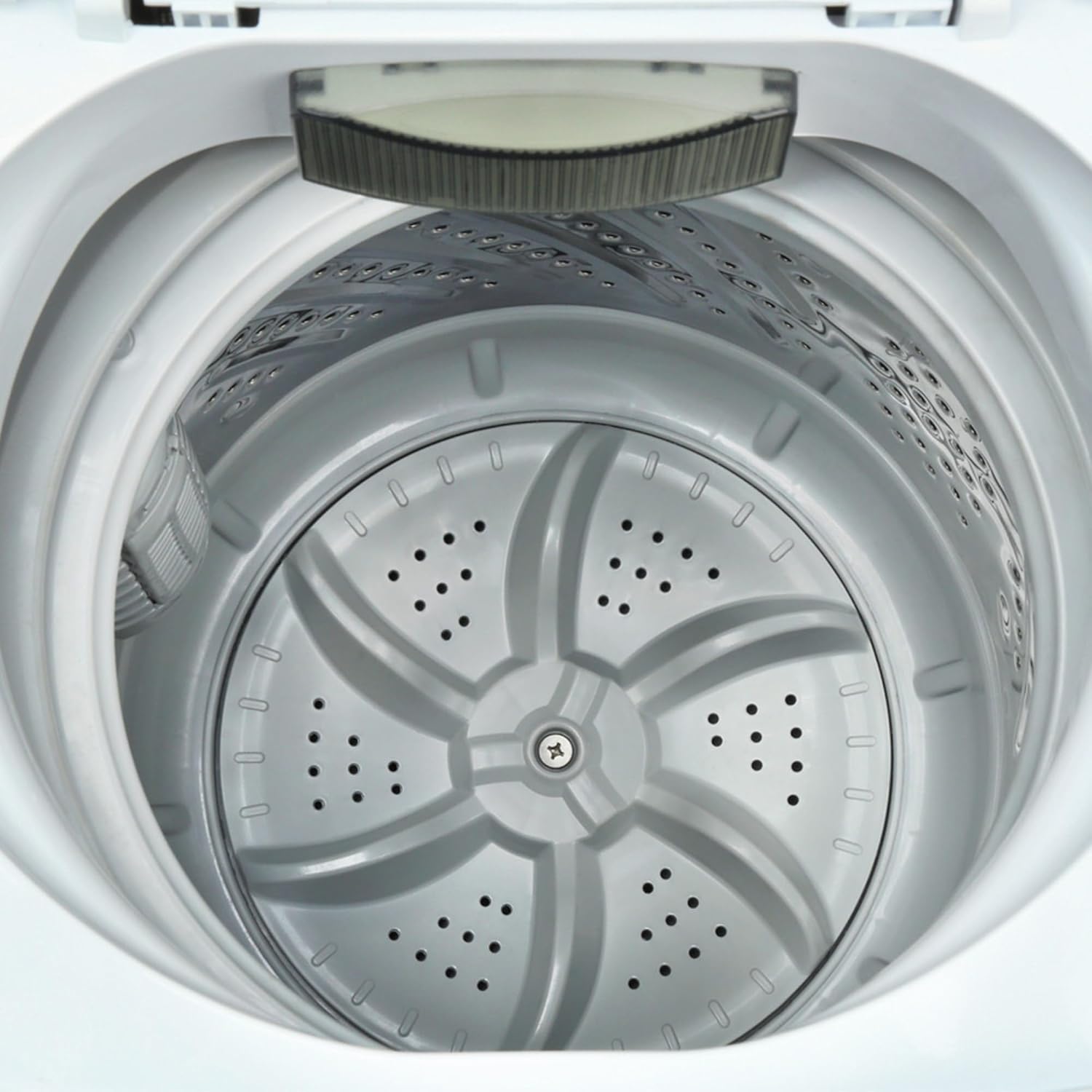
Figure 4: Inside view of the stainless steel inner tub.
4.3 Adding Detergent
Add the appropriate amount of detergent to the detergent dispenser. Refer to your detergent's instructions for recommended quantities based on load size and soil level.
4.4 Selecting a Wash Program
Turn the program dial to select one of the 5 available wash cycles: Normal, Gentle, Heavy, Rapid, or Soak. The LED display will show the estimated remaining time.
4.5 Water Level Selection
Press the 'Water Level' button to choose from 3 water levels (Small, Medium, Large) to match your load size. The machine also features auto unbalance detection to adjust water levels and spin cycles as needed.
4.6 Starting the Wash
Press the 'Start/Pause' button to begin the wash cycle. The machine will automatically fill with water, wash, rinse, and spin. An auto shutoff feature will activate upon completion.
Video 1: Overview of the Magic Chef Compact Top-Load Washing Machine features. Note: This video refers to a 1.7 cu. ft. model, while this manual is for the 0.9 cu. ft. model. General features and controls are similar.
5. Maintenance
5.1 Cleaning the Tub
Regularly clean the stainless steel tub to prevent residue buildup. Use a non-abrasive cleaner and wipe thoroughly. Some models may have a dedicated 'Tub Clean' cycle.
5.2 Cleaning the Detergent Dispenser
Remove and clean the detergent dispenser periodically to prevent clogs and ensure proper detergent distribution.
5.3 Exterior Cleaning
Wipe the exterior of the washer with a soft, damp cloth. Avoid harsh chemicals that could damage the finish.
6. Troubleshooting
If you encounter issues with your washer, refer to the following common problems and solutions:
| Problem | Possible Cause | Solution |
|---|---|---|
| Washer does not start | Power cord unplugged; Lid not closed; 'Start/Pause' not pressed. | Check power connection; Close lid securely; Press 'Start/Pause'. |
| Excessive vibration/noise | Washer not level; Uneven load distribution. | Adjust leveling legs; Redistribute laundry evenly in the tub. |
| Water not filling/draining | Water supply turned off; Hoses kinked or clogged; Drain hose improperly positioned. | Check water supply; Straighten hoses; Ensure drain hose is correctly placed and not blocked. |
| Clothes not clean | Overloading; Incorrect detergent amount; Wrong wash cycle. | Reduce load size; Use recommended detergent; Select appropriate wash cycle. |
7. Specifications
- Brand: Magic Chef
- Model: MCSTCW09W1
- Capacity: 0.9 Cubic Feet
- Item Weight: 44.1 pounds
- Product Dimensions: 20.5 x 20.5 x 33.1 inches
- Max Spin Speed: 1300 RPM
- Installation Type: Freestanding
- Special Features: Compact, Digital Display
- Color: White
- Control Console: Push Button
- Option Cycles: 5 (Normal, Gentle, Heavy, Rapid, Soak)
- Standard Cycles: 5
- Access Location: Top Load
- Voltage: 120 Volts
- Material Type: Plastic (exterior), Stainless Steel (inner tub)
- Included Components: Washer, Bottom cover, Water Supply Hose, Quick Connect Adapter, Screws, Drain Hose
8. Warranty and Support
For warranty information, product registration, or technical support, please refer to the documentation included with your product packaging or visit the official Magic Chef website. Keep your purchase receipt as proof of purchase for warranty claims.


