
Introduction
The Focal SIB EVO 2.0 is a two-way compact bass-reflex loudspeaker, representing an evolution of the original Sib Co range. Designed for both home cinema and high-definition music listening, it features a modern aesthetic and precise acoustic performance. This manual provides essential information for the proper setup, operation, and maintenance of your SIB EVO 2.0 loudspeakers.

Image: Focal SIB EVO 2.0 loudspeakers integrated into a modern living room setup, flanking a wall-mounted television, demonstrating typical placement.
What's in the Box
Upon unpacking your Focal SIB EVO 2.0, please ensure all components are present and in good condition.
- 2 x Focal SIB EVO 2.0 Loudspeakers
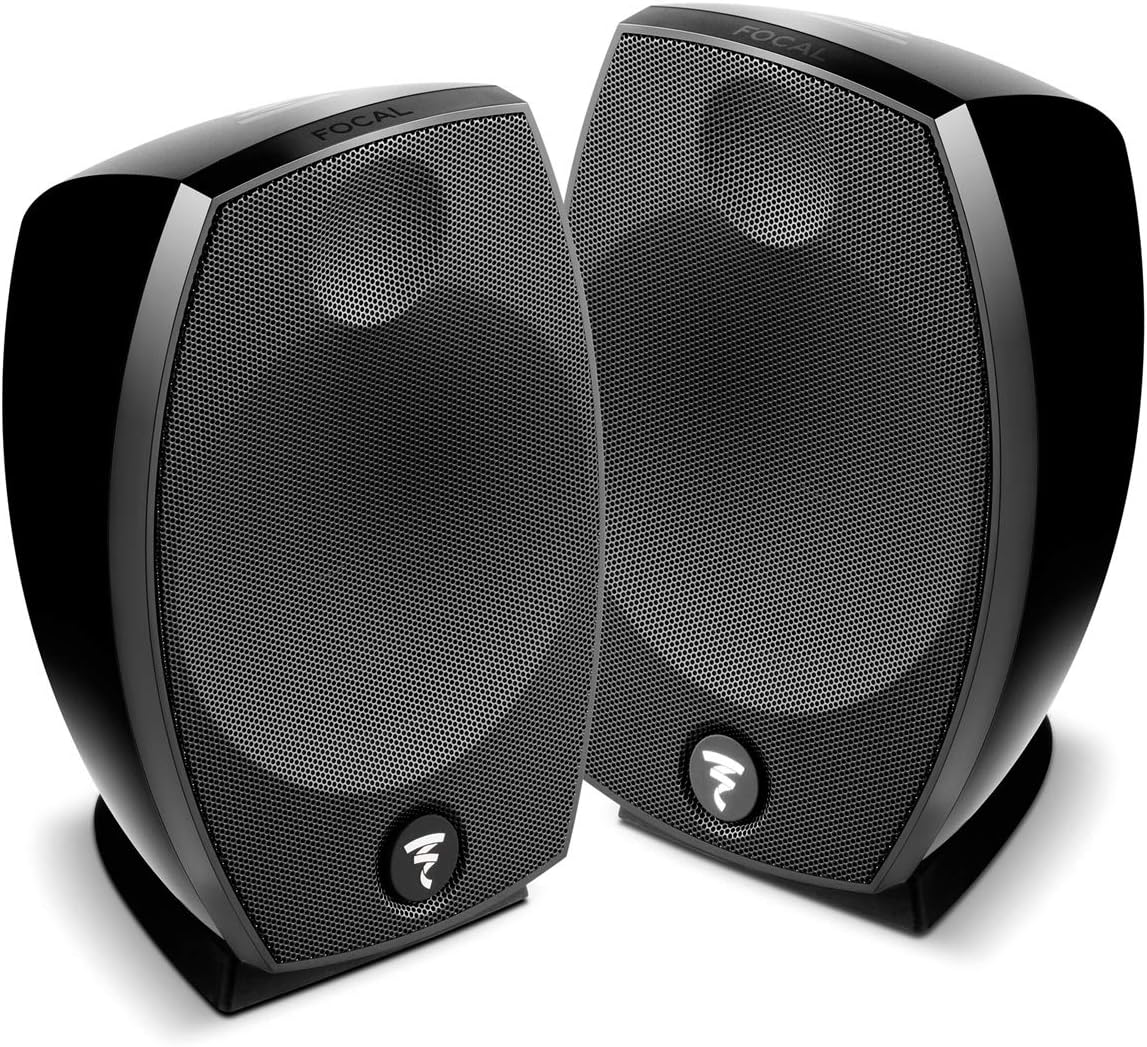
Image: A pair of Focal SIB EVO 2.0 loudspeakers, as typically found in the product packaging.
Setup
Proper setup is crucial for optimal sound performance. Follow these guidelines for installing your SIB EVO 2.0 loudspeakers.
Placement
- Stereo Setup: For a stereo configuration, place the two loudspeakers equidistant from your primary listening position, forming an equilateral triangle.
- Home Cinema Setup: In a home cinema system, these speakers can serve as front, rear, or surround channels. Position them to create an immersive sound field, typically at ear level when seated.
- Wall Mounting: The SIB EVO 2.0 speakers are designed for wall mounting. Use appropriate wall mounts (sold separately) and ensure secure installation according to the mount manufacturer's instructions.
- Avoid Obstructions: Ensure no objects block the front of the speakers to maintain clear sound dispersion.

Image: A single Focal SIB EVO 2.0 loudspeaker, illustrating its design for various placement options.
Connections
- Speaker Cables: Use high-quality speaker cables to connect the SIB EVO 2.0 loudspeakers to your amplifier or receiver. Ensure correct polarity (positive to positive, negative to negative) for each speaker.
- Connectivity: The speakers support Auxiliary and RCA connectivity. Connect the appropriate cables from your audio source or amplifier to the input terminals on the back of each speaker.
- Power Source: These are passive speakers and draw power from your amplifier. Ensure your amplifier is connected to a corded electric power source.
Operating
Once properly set up, operating your Focal SIB EVO 2.0 loudspeakers is straightforward.
- Power On: Ensure your amplifier or receiver is powered on. The loudspeakers will receive the audio signal from the amplifier.
- Volume Control: Adjust the volume using your amplifier or audio source. Avoid excessively high volumes that may cause distortion or damage to the speakers.
- Control Method: While the speakers themselves do not have direct controls, the overall audio experience is managed through your connected devices, which may feature touch controls for volume and source selection.
- Source Selection: Select your desired audio source (e.g., Desktop, Laptop, MP3 Player, Smartphone, Tablet, Television) through your amplifier or receiver.
Maintenance
To ensure the longevity and optimal performance of your Focal SIB EVO 2.0 loudspeakers, follow these simple maintenance guidelines.
- Cleaning: Gently wipe the speaker cabinets with a soft, dry, lint-free cloth. Avoid using abrasive cleaners, solvents, or chemical sprays, as these can damage the finish.
- Dust Removal: Use a soft brush or a vacuum cleaner with a brush attachment to carefully remove dust from the grilles and drivers.
- Environment: Keep the speakers away from direct sunlight, excessive heat, humidity, and moisture. These speakers are designed for indoor usage only and are not waterproof.
- Ventilation: Ensure adequate airflow around the speakers, especially if placed in enclosed spaces, to prevent overheating of connected components.
Troubleshooting
If you encounter issues with your Focal SIB EVO 2.0 loudspeakers, refer to the following common troubleshooting steps.
- No Sound:
- Check all cable connections between the speakers and the amplifier/receiver. Ensure they are secure and correctly polarized.
- Verify that the amplifier/receiver is powered on and the correct input source is selected.
- Confirm the volume level on your amplifier/receiver and audio source is not set to minimum or muted.
- Distorted Sound:
- Reduce the volume level on your amplifier/receiver and audio source. Excessive volume can cause distortion.
- Check speaker cable connections for any loose strands or short circuits.
- Ensure your amplifier's power output is compatible with the speakers' specifications.
- Uneven Sound from Speakers:
- Check the balance settings on your amplifier/receiver.
- Verify that both speakers are connected with correct polarity.
If these steps do not resolve the issue, please consult the support section for further assistance.
Specifications
Detailed technical specifications for the Focal SIB EVO 2.0 Loudspeaker.
| Model Name | SIB EVO 2 |
| Speaker Type | Two-Way, Bass-Reflex |
| Frequency Response | 70-25,000 Hz |
| Tweeter Diameter | 0.75 Inches (Soft Dome) |
| Woofer Diameter | 5 Inches (Polyflex) |
| Connectivity Technology | Auxiliary, RCA (Wired) |
| Speaker Maximum Output Power | 25 Watts |
| Surround Sound Channel Configuration | 2.0 |
| Item Weight | 1.8 Kilograms (3.96 pounds) |
| Product Dimensions | 12.6 x 17.95 x 8.43 inches |
| Indoor/Outdoor Usage | Indoor |
| Control Method | Touch (via compatible devices) |
| Power Source | Corded Electric (via amplifier) |
| Mounting Type | Wall Mount |
| Compatible Devices | Desktop, Laptop, MP3 Player, Smartphone, Tablet, Television |
Warranty
The Focal SIB EVO 2.0 Loudspeaker comes with a limited warranty. For specific details regarding the terms, conditions, and duration of your warranty, please refer to the warranty card included with your product or contact your retailer or Focal customer service directly. Keep your proof of purchase for warranty claims.
Support
For technical assistance, product inquiries, or service requests not covered in this manual, please contact Focal customer support or your authorized dealer. You can typically find contact information on the Focal website or through your product retailer.
- Online Resources: Visit the official Focal website for FAQs, product registration, and additional support materials.
- Authorized Dealers: Your purchasing dealer can often provide immediate assistance and support.


