
1. Introduction
This manual provides comprehensive instructions for the proper use and maintenance of your Glazata EC200 Wireless Bluetooth Headset. Please read this manual carefully before operating the device to ensure optimal performance and longevity. Keep this manual for future reference.
2. Package Contents
Verify that all items listed below are included in your package:
- Glazata EC200 Bluetooth Headset (earpiece body)
- Ear Tips (various sizes)
- Ear Hooks (various sizes)
- Micro USB Charging Cable
- User's Manual
Video: Unboxing the Glazata EC200 Bluetooth Headset and its accessories.

Image: All components of the Glazata EC200 package, including the headset, ear tips, ear hooks, charging cable, and user manual.
3. Product Overview
Familiarize yourself with the main components and controls of your Glazata EC200 headset.

Image: Labeled diagram of the Glazata EC200 headset highlighting the Multifunction key, On/Off switch, and Volume control buttons.
- Multifunction Key: Controls calls and music playback.
- On/Off Switch: Powers the headset on or off.
- "+" Key: Increases volume, next song.
- "-" Key: Decreases volume, previous song.
4. Setup
4.1 Charging the Headset
Before first use, fully charge the headset. Use the provided Micro USB charging cable to connect the headset to a USB power source (e.g., computer, wall adapter). The charging indicator light will show charging status. A full charge typically takes approximately 2 hours.
4.2 Wearing the Headset
The EC200 comes with various ear tips and a 360° rotatable ear hook for a comfortable and secure fit. Choose the ear tip size (L/M/S) that best suits your ear canal. Adjust the ear hook to fit either your left or right ear.
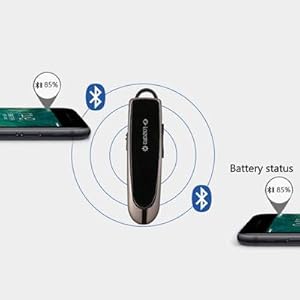
Image: Illustrations demonstrating the 360° rotatable ear hook and how the headset can be worn comfortably on either the left or right ear.
4.3 Pairing with a Device
- Power On: Slide the On/Off switch to the 'On' position. The indicator light will flash, indicating it's in pairing mode.
- Activate Bluetooth: On your smartphone, tablet, or computer, enable Bluetooth.
- Select Device: In the Bluetooth device list, search for 'EC200' and select it to connect.
- Confirmation: Once connected, the indicator light will change, and you may hear an audio prompt.
4.4 Multipoint Connection (Connecting Two Devices)
The EC200 supports connecting to two Bluetooth devices simultaneously, allowing you to switch between them for calls or music.
- Pair the headset with the first device as described in 4.3.
- Disable Bluetooth on the first device. The headset will re-enter pairing mode.
- Pair the headset with the second device.
- Re-enable Bluetooth on the first device. The headset should automatically connect to both devices.

Image: Visual representation of the EC200 headset maintaining simultaneous connections with two separate mobile devices.
5. Operating Instructions
5.1 Power On/Off
- Power On: Slide the On/Off switch to the 'On' position.
- Power Off: Slide the On/Off switch to the 'Off' position.
5.2 Call Functions
- Answer/Hang Up: Tap the Multifunction key once.
- Reject Call: Long-press the Multifunction key for 2 seconds, then release.
- Redial Last Number: Double-tap the Multifunction key.
5.3 Music Playback
- Play/Pause: Tap the Multifunction key once.
- Volume Up: Tap the "+" key.
- Volume Down: Tap the "-" key.
- Next Song: Long-press the "+" key for 2 seconds.
- Previous Song: Long-press the "-" key for 2 seconds.
5.4 Voice Assistant Activation
Activate your device's voice assistant (Siri or Google Assistant) directly from the headset.
- Activate: Press and hold the Multifunction button for 3 seconds until you hear a response, then release.

Image: A user in a car activating their phone's voice assistant (Siri or Android) by pressing the multifunction button on the Glazata EC200 headset.
6. Key Features
- Advanced Qualcomm QCC3020 Smart Chip: Equipped with the industry-leading Qualcomm 3020 smart chip and Bluetooth 5.0 standard, the EC200 ensures stable connectivity and high-quality audio. It supports HSP, AVRCP, HFP, and A2DP Bluetooth profiles.
- Clear Sound with AAC-LC and DSP: The AAC-LC code technology minimizes background noise, delivering pure sound quality. A single microphone with 80MIPS Kalimba digital signal processing (DSP) enhances voice clarity during calls.
- Extended Battery Life: Enjoy approximately 20-30 hours of continuous talk or music playback and up to 60 days of standby time. The built-in sensor enables a power-saving sleep function, automatically turning off after 2 minutes of inactivity.
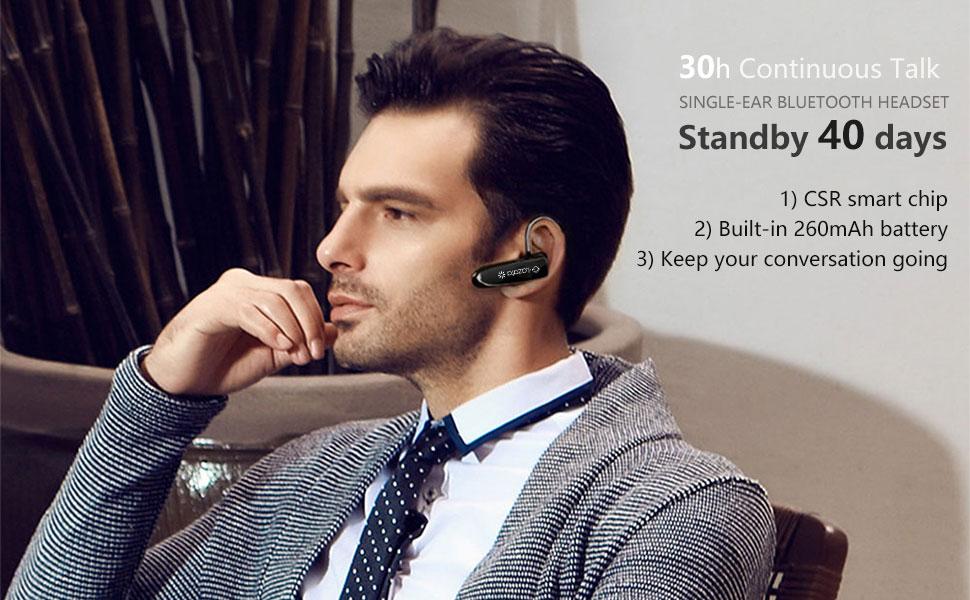
Image: Infographic detailing the Glazata EC200's battery performance, including 60 days standby, 20 hours continuous call, 19 hours music play, and its automatic power-saving sleep function.
- CVC 8.0 Noise Cancellation: Experience reduced ambient noise for clearer conversations and immersive audio.

Image: A visual comparison of audio waveforms before and after CVC 8.0 Noise Cancellation, illustrating its effectiveness in reducing background noise.
- Comfortable and Secure Fit: The headset features medically beneficial ergonomic earplugs in three sizes (L/M/S) and a 360° rotatable ear hook, ensuring a snug and comfortable fit that stays in place.
- Wide Compatibility: The EC200 is compatible with Apple iOS and Android systems, including iPhones, iPads, tablets, and other smartphones and Bluetooth adapters.
Image: The Glazata EC200 headset displayed with various compatible devices, including smartphones, smartwatches, tablets, and laptops, highlighting its broad compatibility.
7. Specifications
| Feature | Detail |
|---|---|
| Model Name | EC200 Bluetooth Earpiece |
| Connectivity Technology | Wireless (Bluetooth) |
| Bluetooth Version | 5.0 Standard (Qualcomm 3020 chip) |
| Bluetooth Range | 10 Meters (33 feet) |
| Battery Life (Talk/Music) | 20-30 Hours |
| Standby Time | Up to 60 Days |
| Charging Time | 2 Hours |
| Charging Port | Micro USB |
| Noise Control | CVC 8.0 Noise Cancellation |
| Microphone | Built-in HD Microphone with 80MIPS Kalimba DSP |
| Control Method | Physical Buttons (Multifunction, Volume +/-, On/Off Switch) |
| Compatible Devices | Apple iOS, Android smartphones, tablets, PCs with Bluetooth |
| Water Resistance Level | Not Water Resistant |
| Dimensions | 2.36 x 0.59 x 0.39 inches |
| Item Weight | 0.48 ounces (0.03 Pounds) |
| FCC ID | 2AMLTEC200 |
8. Troubleshooting
If you encounter issues with your Glazata EC200 headset, please refer to the following common solutions:
- Headset not turning on: Ensure the headset is fully charged. Connect it to a power source using the Micro USB cable.
- Cannot pair with device:
- Ensure the headset is in pairing mode (indicator light flashing).
- Make sure Bluetooth is enabled on your device.
- Place the headset and your device within 1 meter (3 feet) during pairing.
- If previously paired, delete 'EC200' from your device's Bluetooth list and attempt to pair again.
- No sound or poor sound quality:
- Check the volume levels on both the headset and your connected device.
- Ensure the headset is within Bluetooth range (10 meters/33 feet) of your device.
- Try re-pairing the headset with your device.
- Ensure the ear tip is properly seated in your ear for optimal sound.
- Intermittent connection:
- Move closer to your connected device to reduce interference.
- Avoid physical obstructions between the headset and your device.
- Ensure no other strong wireless signals are interfering.
9. Warranty and Support
The Glazata EC200 Headset has been tested and complies with the limits for the Federal Communication Commission (FCC ID: 2AMLTEC200).
For any questions, technical support, or warranty inquiries, please contact Glazata customer service through the retailer where you purchased the product or visit the official Glazata website for contact information.