
1. Introduction and Overview
The Yale Assure Lock SL is a key-free smart lock designed for residential use. It features a touchscreen keypad for code entry and integrates with Apple HomeKit and Siri for enhanced control. This manual provides detailed instructions for the installation, setup, operation, and maintenance of your Yale Assure Lock SL.

Image 1.1: The Yale Assure Lock SL, showcasing its sleek design and key-free functionality.
2. Product Features
- Key-Free Operation: Enter a 4-8 digit PIN code on the backlit touchscreen keypad to unlock.
- Smart Home Integration: Works with Apple HomeKit and Siri for voice control and remote access (requires Apple TV 4th Gen or later for remote access).
- Customizable Access: Create unique PIN codes for family and guests, managed via the Yale Secure app.
- Scheduling: Set daily schedules to ensure the door is locked at specific times.
- Easy Installation: Designed to fit standard doors 1 3/8 inch to 2 1/4 inch thick with 2 1/8 inch face bore holes, typically installed with a screwdriver.
- Battery Backup: Features a 9V battery terminal for emergency power if the main batteries deplete.
Video 2.1: An overview of the Yale Assure Lock SL's key features, including touchscreen operation and smart home compatibility.
3. Package Contents
Verify that all components are present before beginning installation:
- Yale Assure Lock SL (Exterior Keypad and Interior Assembly)
- Yale iM1 Network Module (for Apple HomeKit integration)
- 4 AA Alkaline Batteries
- Mounting Hardware (screws, strike plate, etc.)
- Installation Manual
4. Installation
The Yale Assure Lock SL is designed for straightforward installation. A detailed installation manual is included in your package. Ensure your door meets the following specifications:
- Door Thickness: 1 3/8 inches to 2 1/4 inches (35mm - 57mm)
- Face Bore Hole: 2 1/8 inches (54mm)
Installation typically requires only a screwdriver. Follow the step-by-step instructions provided in the dedicated installation manual for proper fitting and alignment. Incorrect installation can affect lock performance and security.
5. Initial Setup and Configuration
After physical installation, configure your lock for operation:
- Install Batteries: Insert the 4 AA alkaline batteries into the interior assembly.
- Set Master PIN Code: Follow the prompts on the touchscreen keypad to create your initial Master PIN Code. This code is essential for programming and managing other user codes.
- Add User PIN Codes: Use the Master PIN Code to add individual 4-8 digit PIN codes for family members or guests. Refer to the programming section in the included manual for detailed steps.
- Apple HomeKit Integration:
- Ensure the Yale iM1 Network Module is correctly installed in the lock.
- Open the Apple Home app on your iOS device.
- Tap the '+' icon to add an accessory.
- Scan the HomeKit setup code located on the iM1 Network Module or its packaging.
- Follow the on-screen instructions to name your lock and assign it to a room.
- Yale Secure App (if available in your region): Download the Yale Secure app to manage codes, view activity, and receive notifications.
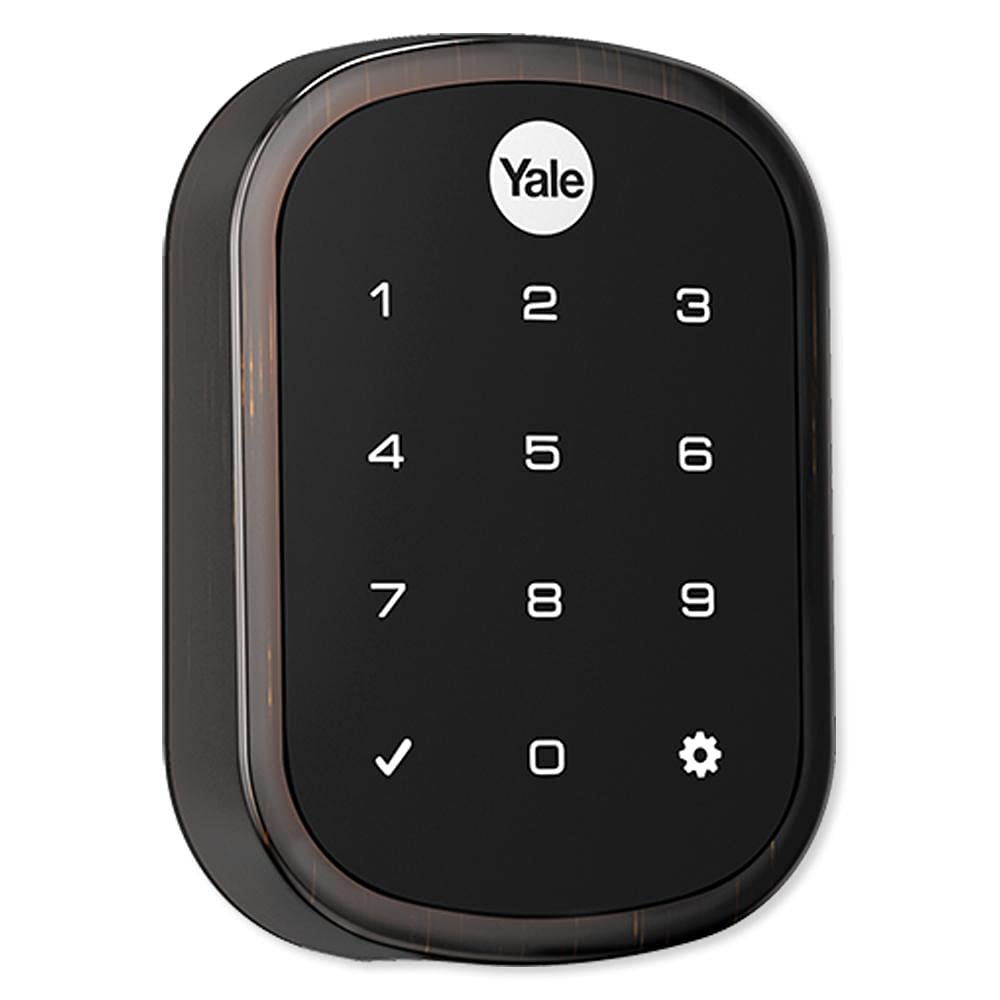
Image 5.1: Managing your Yale Assure Lock SL using the Yale Home app on a smartphone.
6. Operating Instructions
6.1. Locking the Door
- From Exterior: Touch any key on the touchscreen keypad. The lock will extend the deadbolt.
- From Interior: Rotate the thumbturn on the interior assembly to the locked position.
- Via Apple Home App/Siri: Use the Apple Home app or say "Hey Siri, lock the [Lock Name]" (e.g., "front door").
6.2. Unlocking the Door
- From Exterior: Enter your valid 4-8 digit PIN code on the touchscreen keypad. The lock will retract the deadbolt.
- From Interior: Rotate the thumbturn on the interior assembly to the unlocked position.
- Via Apple Home App/Siri: Use the Apple Home app or say "Hey Siri, unlock the [Lock Name]".
7. Maintenance
- Battery Replacement: The lock uses 4 AA alkaline batteries. Replace them when the low battery indicator appears or when the lock provides an audible low battery warning.
- Emergency Power: If batteries are completely depleted, a 9V battery can be temporarily touched to the terminals below the keypad to provide power for a single entry.
- Cleaning: Clean the touchscreen keypad with a soft, damp cloth. Avoid abrasive cleaners or solvents.
- Environmental Conditions: The lock is designed to operate in temperatures ranging from -22°F to 140°F (-30°C to 60°C).
8. Troubleshooting
- Lock Not Responding: Check battery levels. If completely dead, use a 9V battery for temporary power.
- PIN Code Not Working: Ensure the correct PIN code is entered. Verify the Master PIN Code is active.
- HomeKit Connectivity Issues: Ensure your Apple TV (4th Gen or later) is powered on and within range. Check your home Wi-Fi network. Restart the lock by removing and reinserting batteries.
- Deadbolt Not Extending/Retracting Fully: Check for any obstructions in the door frame or strike plate. Ensure the lock is properly aligned and installed.
- Forgotten Master PIN Code: Refer to the factory reset procedure in your detailed installation manual. Note that a factory reset will erase all user codes and settings.
9. Specifications
| Brand | Yale |
| Model Name | YRD256-iM1-0BP |
| Lock Type | Keypad Deadbolt |
| Special Feature | Touchscreen, Apple HomeKit Enabled |
| Material | Alloy Steel |
| Color | Oil Rubbed Bronze |
| Power Source | Battery powered (4 AA batteries) |
| Connectivity Protocol | Bluetooth (for HomeKit module) |
| Item Weight | 3 Pounds |
| Product Dimensions | 1 x 2.5 x 3 inches |
| Operating Temperature | -22°F to 140°F (-30°C to 60°C) |
10. Warranty and Support
The Yale Assure Lock SL comes with a Lifetime Limited Warranty on mechanical and finish components, and a 1-Year Warranty on electronics. For detailed warranty information or technical support, please refer to the official Yale website or contact Yale customer service.
Online Resources: www.yalehome.com


