
Guide Gear GGT20
Guide Gear Heavy-Duty 20' Hunting Tripod Stand
Model: GGT20
Brand: Guide Gear
Introduction
The Guide Gear Heavy-Duty 20' Hunting Tripod Stand is designed to provide an elevated and stable position for hunting, offering a wide field of view and comfortable operation. Its robust steel construction ensures durability and reliability in various outdoor environments. This manual provides essential information for the safe assembly, operation, and maintenance of your tripod stand.
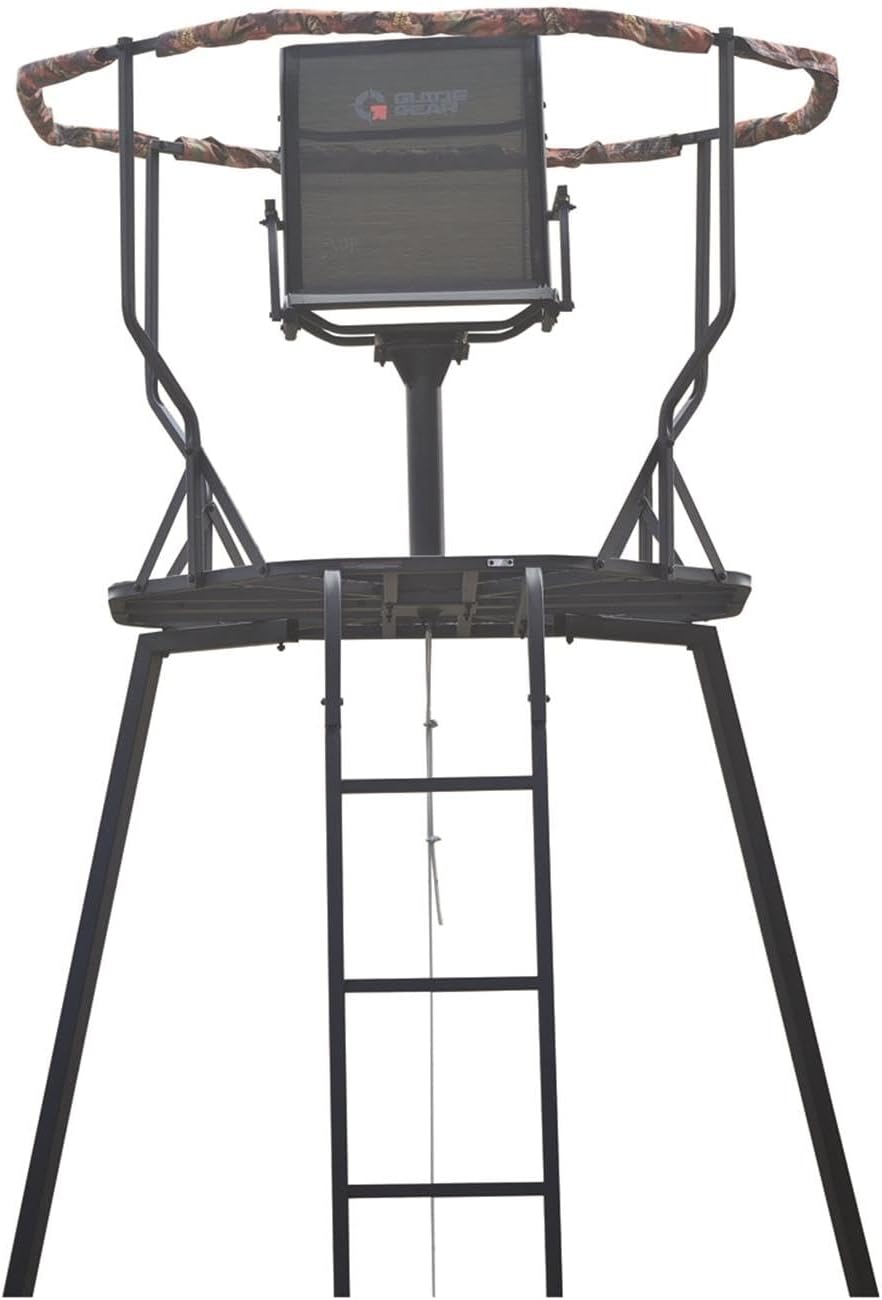
Figure 1: Front view of the assembled Guide Gear Heavy-Duty 20' Hunting Tripod Stand.
Important Safety Warnings
WARNING: Failure to follow these safety instructions may result in serious injury or death.
- Always read and understand the entire instruction manual before assembly, installation, or use.
- This tripod stand is designed for a maximum weight capacity of 300 pounds (136 kg). Do not exceed this limit.
- Always use a full-body safety harness that meets industry standards while ascending, descending, and occupying the stand. Attach the harness to the tree or stand structure as soon as you reach the platform.
- Ensure the tripod stand is assembled on firm, level ground. Uneven terrain can compromise stability. The adjustable legs are designed to assist with minor terrain variations, but significant slopes should be avoided.
- Inspect all components for damage, wear, or loose connections before each use. Do not use the stand if any part is damaged or missing.
- Ensure all bolts, nuts, and fasteners are securely tightened during assembly and checked periodically. Loose connections can lead to instability and collapse.
- Do not attempt to assemble or disassemble the stand alone. Two or more people are recommended for safe setup and takedown.
- Be aware of your surroundings, including weather conditions. Do not use the stand during high winds, lightning, or other severe weather.
- Always maintain three points of contact (two hands and one foot, or one hand and two feet) when climbing or descending the ladder.
- Do not carry firearms or bows while climbing. Use a haul line to raise and lower your equipment after you are securely on the platform.
Parts List
Before beginning assembly, ensure all parts are present and undamaged. Refer to the included hardware pack for specific fastener counts.
- Tripod Leg Sections (multiple, with adjustable lower sections)
- Main Platform Assembly
- Swivel Seat Assembly (including seat, post, and base)
- Ladder Sections
- Shooting Rail (padded)
- X-Braces (for structural support)
- Hardware Pack (bolts, nuts, washers, pins)
- Haul Line

Figure 2: Side view illustrating the full structure of the tripod stand, including ladder and X-braces.
Setup and Assembly
Assembly requires careful attention to detail and is best performed with at least two individuals. Choose a clear, level area for assembly.
- Prepare the Site: Select a location with firm, level ground. Clear any debris or obstacles that could interfere with the stand's stability.
- Assemble Leg Sections: Connect the upper and lower sections of each tripod leg. Ensure all pins and bolts are securely fastened. The lower sections are adjustable to compensate for minor unevenness.
- Attach X-Braces: Secure the X-braces between the leg sections to provide structural rigidity. Ensure all connections are tight.
- Assemble Platform: Connect the platform sections if they are not pre-assembled. The platform has a 42-inch diameter, providing ample space.
- Install Swivel Seat: Mount the swivel seat post onto the designated center point of the platform. Attach the seat to the post, ensuring it swivels smoothly and securely. The seat measures 18"W x 14"D.
- Attach Shooting Rail: Secure the padded shooting rail around the perimeter of the platform. This provides a stable rest for aiming.
- Install Ladder: Attach the ladder sections to the main structure, ensuring they are firmly connected and provide a stable ascent.
- Final Inspection: Before raising the stand, double-check all bolts, nuts, and connections to ensure they are fully tightened. Confirm the stand is stable and level.
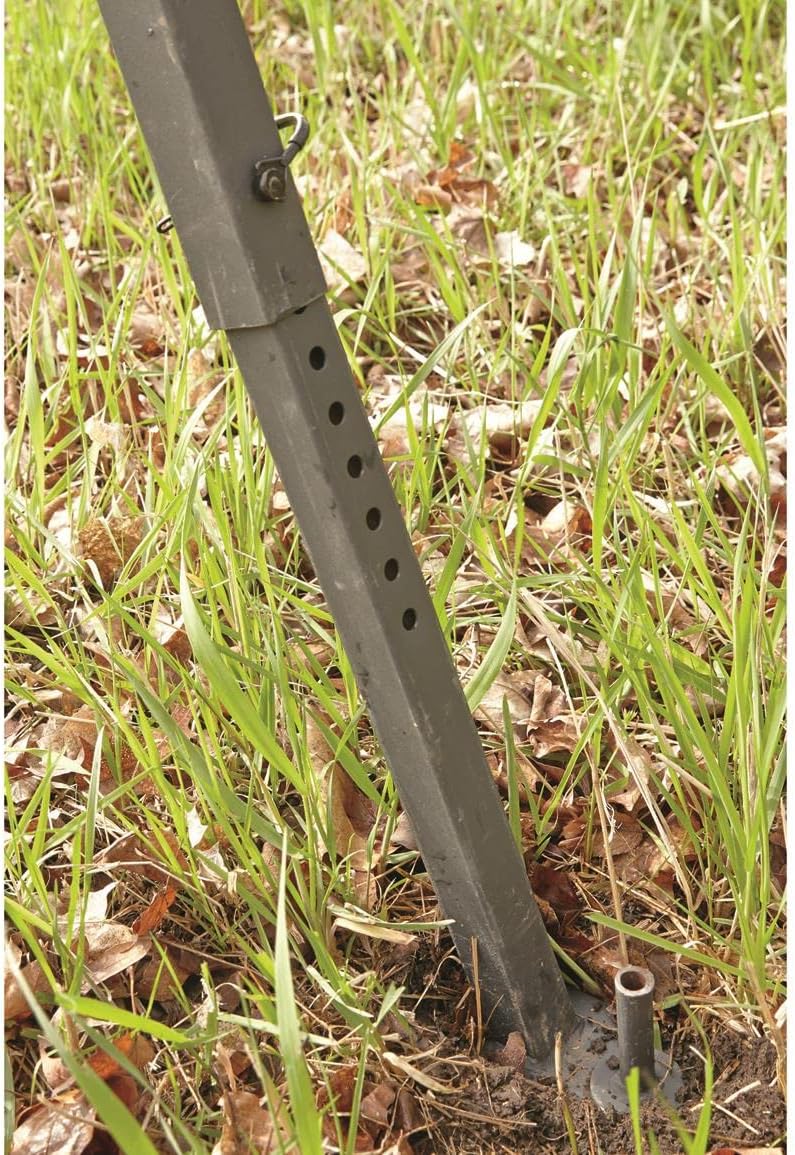
Figure 3: Adjustable leg section for leveling on uneven terrain.

Figure 4: Detail of the roomy metal mesh foot platform.

Figure 5: The 360-degree swivel Comfort-Flex seat.
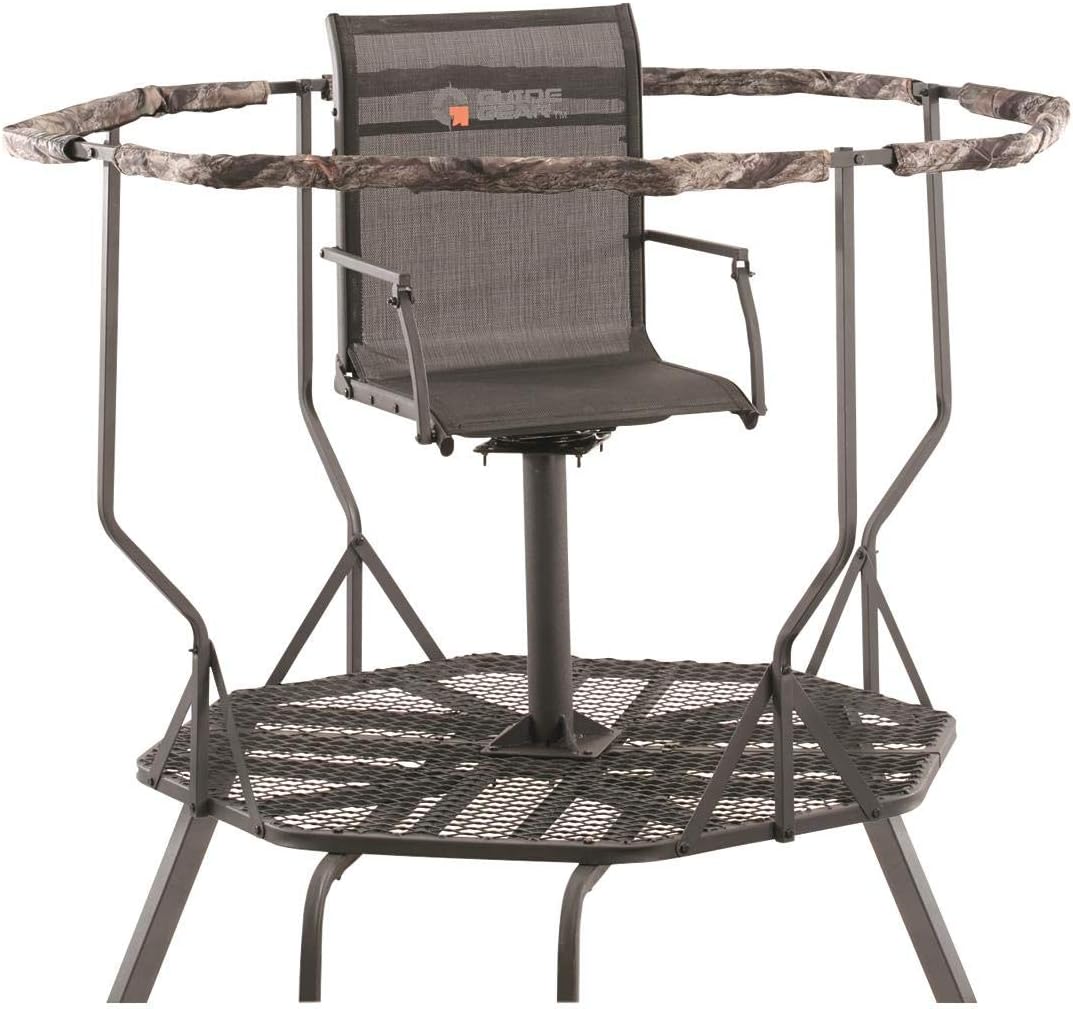
Figure 6: The platform with the swivel seat and padded shooting rail installed.
Operating Instructions
Proper operation ensures safety and effectiveness during your hunt.
- Ascending the Stand:
- Always wear a full-body safety harness.
- Use the provided ladder, maintaining three points of contact at all times.
- Do not carry hunting equipment while climbing. Use the haul line to raise your gear once you are safely on the platform.
- Using the Swivel Seat:
- Once on the platform, securely attach your safety harness to the stand structure.
- The 360-degree swivel seat allows for quiet and smooth rotation, enabling you to track game in any direction without repositioning the entire stand.
- The fold-down mesh seat provides comfort for extended periods.
- Utilizing the Shooting Rail:
- The padded shooting rail offers a stable rest for your firearm or bow, enhancing accuracy.
- The 20-foot height to the shooting rail provides excellent visibility and elevation.
- Descending the Stand:
- Lower your hunting equipment using the haul line before descending.
- Maintain three points of contact on the ladder at all times.
- Ensure a clear path to the ground before starting your descent.

Figure 7: Hunter demonstrating use of the tripod stand for elevated shooting.
Official Product Video: Guide Gear Heavy-Duty 20' Hunting Tripod
Video 1: An overview of the Guide Gear Heavy-Duty 20' Hunting Tripod, highlighting its key features and benefits for hunters.
Maintenance
Regular maintenance will extend the life of your tripod stand and ensure continued safe operation.
- Pre-Season Inspection: Before each hunting season, thoroughly inspect all welds, bolts, cables, and straps for any signs of wear, corrosion, or damage. Replace any worn or damaged parts immediately.
- Post-Use Cleaning: After each use, especially in wet or muddy conditions, clean the stand to remove dirt, mud, and debris. Dry thoroughly to prevent rust.
- Lubrication: Periodically apply a silicone-based lubricant to the swivel seat mechanism to ensure smooth and quiet operation.
- Hardware Check: Regularly check and tighten all nuts, bolts, and fasteners. Vibration and environmental factors can cause them to loosen over time.
- Storage: When not in use, store the tripod stand in a dry, protected area to prevent exposure to harsh weather conditions, which can lead to rust and material degradation.
Troubleshooting
This section addresses common issues you might encounter with your tripod stand.
| Problem | Possible Cause | Solution |
|---|---|---|
| Stand feels unstable or wobbly. | Uneven ground; loose fasteners; improper leg adjustment. | Ensure stand is on firm, level ground. Adjust legs using the multiple height settings to achieve stability. Tighten all bolts and nuts securely. |
| Swivel seat is noisy or stiff. | Lack of lubrication; debris in mechanism. | Clean the swivel mechanism and apply a silicone-based lubricant. |
| Difficulty during assembly. | Parts not correctly oriented; missing hardware; unclear instructions. | Refer to the detailed assembly steps and diagrams. Ensure all parts are correctly aligned. Verify all hardware is present before starting. Consider having a second person assist. |
| Rust or corrosion appearing. | Exposure to moisture; lack of proper drying/storage. | Clean and dry the stand thoroughly after each use. Store in a dry, protected environment. Apply rust-inhibiting paint or coating if necessary. |
Specifications
| Feature | Detail |
|---|---|
| Model Number | GGT20 |
| Brand | Guide Gear |
| Weight Limit | 300 Pounds (136 kg) |
| Height to Shooting Rail | 20 feet (6.1 meters) |
| Platform Diameter | 42 inches (106.7 cm) |
| Seat Dimensions | 18"W x 14"D (45.7 cm W x 35.6 cm D) |
| Material | Alloy Steel |
| Item Weight | 95 Pounds (43.1 kg) |
| UPC | 816153012100 |
Warranty and Support
For specific warranty information or technical support regarding your Guide Gear Heavy-Duty 20' Hunting Tripod Stand, please refer to the warranty card included with your purchase or contact Guide Gear customer service directly. Contact details can typically be found on the manufacturer's official website or on your purchase receipt.
For more information about Guide Gear products, visit the official Guide Gear Store.
Ask a question about this manual
Ask about setup, troubleshooting, compatibility, parts, safety, or missing instructions. Manuals+ will review the question and use this page’s manual context to help answer it.