
1. Product Overview
The Clair-B Portable Air Purifier is designed to provide clean air in various personal spaces, including cars, offices, and small rooms. Utilizing advanced HEPA filtration technology, it effectively captures airborne particles, allergens, and odors, contributing to a healthier environment.

Image: Front view of the Clair-B Portable Air Purifier, showing its cylindrical white body and silver top with the 'clair' logo.
1.1 Important Safety Instructions
- Read all instructions before using the appliance.
- Do not operate the appliance near water or in excessively humid environments.
- Keep the appliance away from heat sources, direct sunlight, and flammable materials.
- Use only the specified power adapter or USB cable.
- Do not block air inlets or outlets.
- Do not attempt to disassemble or repair the appliance yourself. Contact qualified service personnel.
- This appliance is not intended for use by persons (including children) with reduced physical, sensory, or mental capabilities, or lack of experience and knowledge, unless they have been given supervision or instruction concerning use of the appliance by a person responsible for their safety.
2. Package Contents
Please check the package for the following items:
- Clair-B Portable Air Purifier Unit
- USB Power Cable
- User Manual
3. Product Components
Familiarize yourself with the main parts of your Clair-B Air Purifier:
- Air Outlet: Located at the top, where purified air is released.
- Main Body: Contains the filtration system and fan.
- Air Inlet: Located at the bottom sides, where air is drawn in.
- Power Button: Controls power on/off and operating modes.
- USB Power Port: For connecting the power cable.


Images: Side and back views of the Clair-B Portable Air Purifier, highlighting the power button and USB power port.
3.1 Internal Technology Overview
The Clair-B Air Purifier employs a multi-stage purification process:
- Charging Section: Air pollutants are charged by a plasma ionizer to gain polarity.
- Trap Section: 99% of polar air pollutants are trapped within the electret filter.
- Deodorization: The system removes various odors from the air.

Image: Cross-section diagram illustrating the internal air purification process, including charging, trapping, and deodorization stages.
4. Setup
4.1 Placement
Place the Clair-B Air Purifier on a stable, flat surface where air circulation is not obstructed. Ensure there is enough space around the unit for optimal performance.

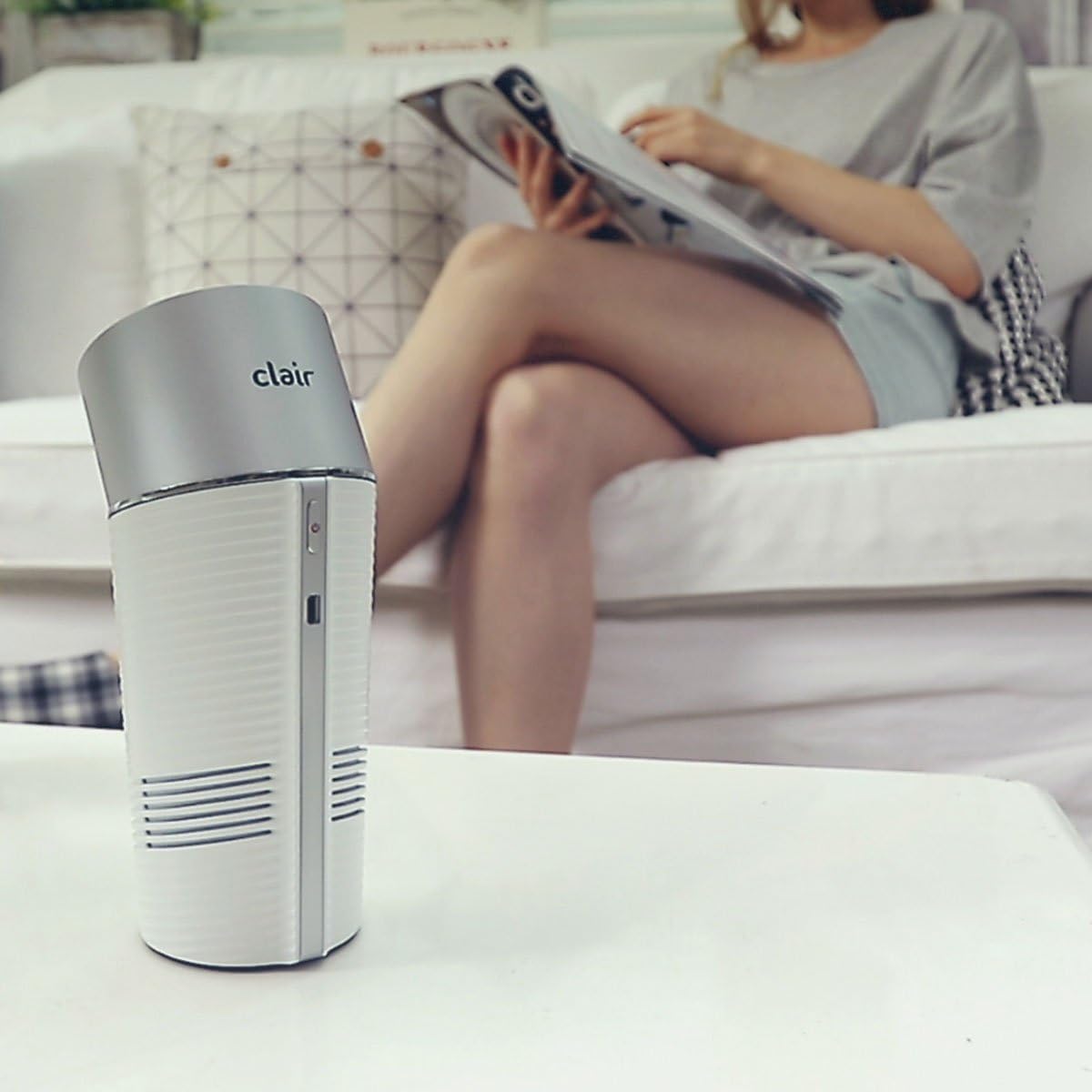
Images: The Clair-B Air Purifier shown in typical usage environments, including a car cup holder and on a table in a home setting.
4.2 Connecting Power
- Insert the small end of the USB power cable into the USB Power Port on the side of the Clair-B unit.
- Insert the larger end of the USB power cable into a compatible USB power source (e.g., car USB port, USB wall adapter, computer USB port).
- Ensure the connection is secure.
5. Operating Instructions
The Clair-B Portable Air Purifier features simple button control for ease of use.
- Power On: Press the Power Button once to turn on the air purifier. The indicator light will illuminate.
- Adjust Fan Speed (if applicable): If your model supports multiple fan speeds, press the Power Button repeatedly to cycle through available speeds (e.g., Low, High).
- Power Off: Press and hold the Power Button for 2-3 seconds to turn off the air purifier. The indicator light will turn off.
Note: For optimal performance, keep the unit running continuously in your desired space.
6. Maintenance
Regular maintenance ensures the longevity and efficiency of your Clair-B Air Purifier.
6.1 Filter Replacement
The Clair-B Air Purifier uses a HEPA filter that requires periodic replacement. The filter life depends on usage and air quality, but generally, it should be replaced every 3-6 months.
- Power Off: Ensure the air purifier is turned off and unplugged from the power source.
- Open Unit: Gently twist the top section of the purifier counter-clockwise and lift it off to access the filter compartment.
- Remove Old Filter: Carefully pull out the used HEPA filter.
- Install New Filter: Insert a new Clair-B compatible HEPA filter, ensuring it is seated correctly.
- Close Unit: Align the top section with the main body and twist clockwise until it locks securely in place.
- Reset Filter Indicator (if applicable): Some models may have a filter reset button or procedure. Refer to specific model instructions if an indicator light persists after replacement.
6.2 Cleaning the Exterior
Wipe the exterior of the unit with a soft, dry cloth. Do not use abrasive cleaners, solvents, or immerse the unit in water.
7. Troubleshooting
If you encounter issues with your Clair-B Air Purifier, please refer to the following common problems and solutions:
| Problem | Possible Cause | Solution |
|---|---|---|
| Unit does not turn on. | No power connection. | Ensure the USB cable is securely connected to both the purifier and the power source. Try a different USB port or adapter. |
| Weak airflow. | Blocked air inlets/outlets; Dirty filter. | Check for obstructions around the air inlets and outlets. Replace the HEPA filter if it is dirty or clogged. |
| Unusual noise. | Unit not on a stable surface; Foreign object inside. | Place the unit on a stable, flat surface. Turn off and unplug the unit, then carefully check for any foreign objects near the fan or filter. |
| Odor persists. | Filter needs replacement. | Replace the HEPA filter. Ensure the new filter is installed correctly. |
If the problem persists after trying these solutions, please contact customer support.
8. Specifications
| Brand | clair |
| Model Name | Clair-B |
| Color | White |
| Filter Type | HEPA |
| Controller Type | Button Control |
| ASIN | B073RVPW6W |
| UPC | 880487693144 |
| Power Source | USB (DC 5V) |
9. Warranty and Support
The Clair-B Portable Air Purifier comes with a limited warranty from the date of purchase. Please retain your proof of purchase for warranty claims.
For technical support, warranty inquiries, or replacement parts, please contact Clair customer service through the retailer where you purchased the product or visit the official Clair website for contact information.
Please note: Unauthorized disassembly or modification of the product will void the warranty.


