
1. Introduction
This manual provides essential information for the safe and effective use of your Superer 45W Charger, designed for HP 17-cn series laptops. Please read these instructions carefully before use and retain them for future reference.
2. Safety Information
Your Superer charger is manufactured to nationally recognized standards for high-level electronic safety. To ensure safe operation, please observe the following:
- Use the charger only with compatible devices as specified in this manual.
- Do not expose the charger to liquids, extreme temperatures, or direct sunlight.
- Avoid dropping or subjecting the charger to strong impacts.
- Do not attempt to disassemble or modify the charger. Refer all servicing to qualified personnel.
- Ensure proper ventilation around the charger during use to prevent overheating.
- Unplug the charger from the power outlet when not in use for extended periods.

Safety Protection: The charger is designed with multiple safety features.

Integrated Protections: Features include Overheating Protection, Overvoltage Protection, and Electrostatic Protection.
3. Package Contents
Verify that your package contains the following items:
- 1 x Power Adapter (45W)
- 1 x Power Cord
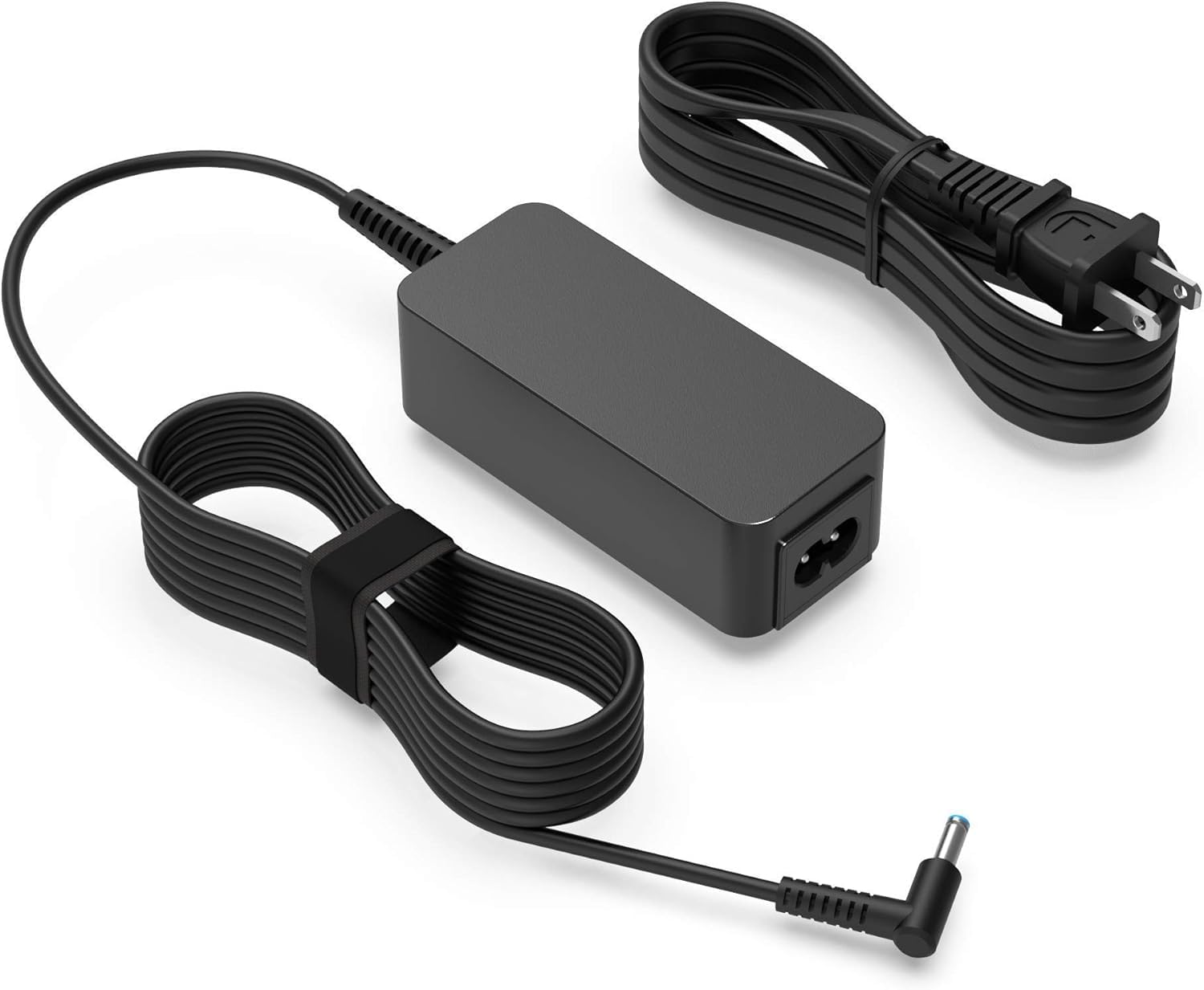
Product Overview: The Superer 45W Power Adapter and its accompanying power cord.
4. Setup
Follow these steps to set up your Superer 45W Charger:
- Connect the detachable power cord firmly into the power adapter unit.
- Plug the power cord's wall plug into a standard electrical outlet (100-240V).
- Carefully insert the round connector of the adapter into the charging port of your HP 17-cn series laptop. Ensure the connector is fully seated.

Charging Port Compatibility: Ensure your laptop's charging port matches the 4.5*3.0mm round connector type.

Connection Example: The charger connected to a laptop, providing consistent power.
5. Operating Instructions
Once connected, the charger will automatically begin supplying power to your laptop and charging its battery. The charging status is typically indicated by an LED light on your laptop or within its operating system.
- Ensure all connections are secure before powering on your laptop or expecting a charge.
- The charger provides a consistent and stable power supply for optimal performance and battery health.
- To disconnect, first unplug the adapter from the laptop, then unplug the power cord from the wall outlet.
6. Compatibility
This Superer 45W Charger is specifically designed for HP 17-cn series laptops requiring 19.5V output at 2.31A (45W) with a round connector (4.5*3.0mm). Compatible models include, but are not limited to:
- HP 17-cn0065cl
- HP 17-cn0079cl
- HP 17-cn2070cl
- HP 17-cn4033cl
- HP 17-cn4065cl
- HP 17-cn3053cl
- HP 17-cn2068cl
- HP 17-cn3003cl
- HP 17-cn2083dx
- HP 17-cn0045cl
- HP 17-cn0058cl
- And other HP 17-cnxxx models with matching specifications.
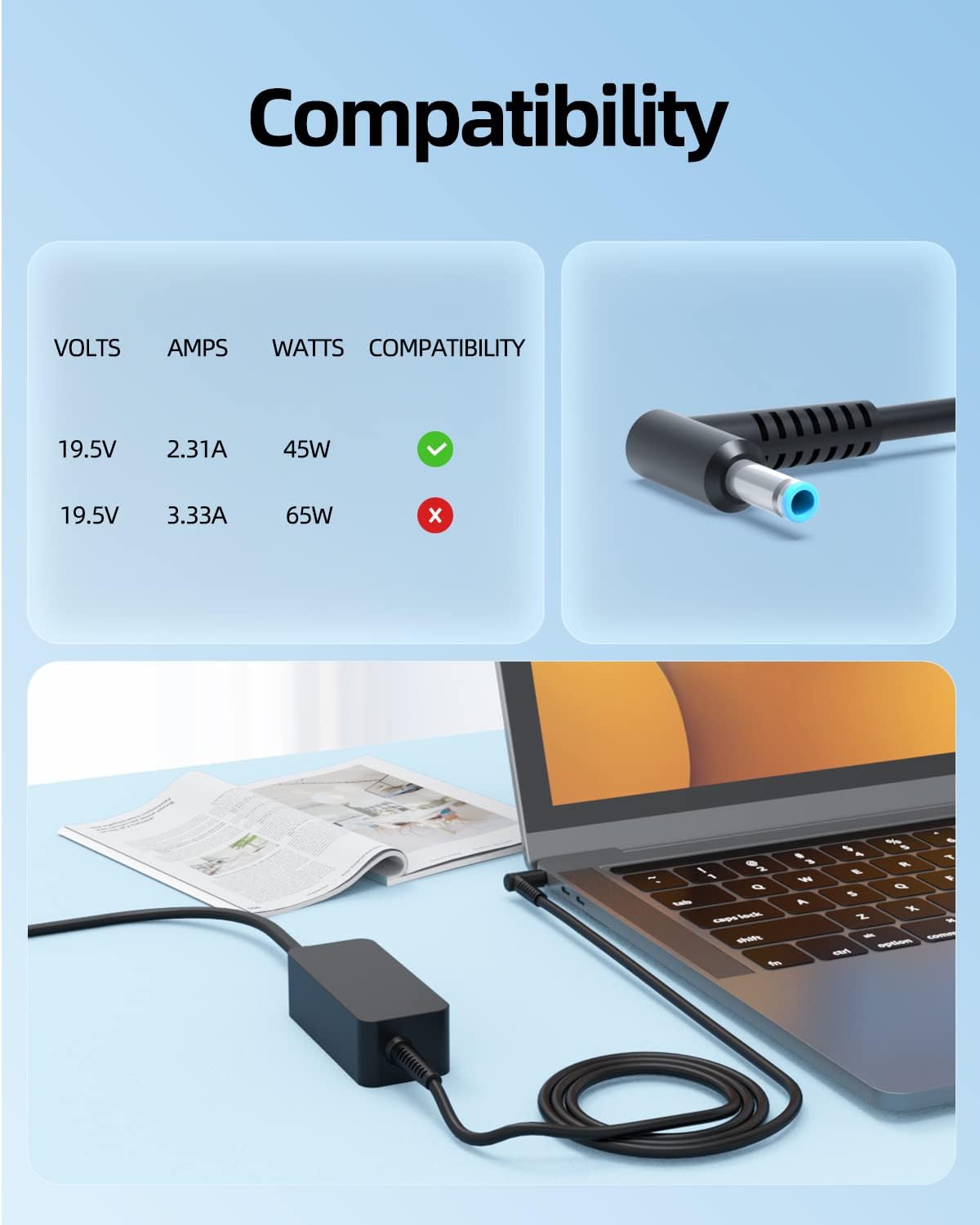
Compatibility Check: Verify your laptop's power requirements match 19.5V, 2.31A, and 45W.
7. Maintenance
Proper maintenance ensures the longevity and performance of your charger:
- Keep the charger and cables clean and dry. Use a soft, dry cloth for cleaning.
- Store the charger in a cool, dry place away from direct heat sources or moisture.
- Avoid tightly wrapping the cables, especially around the adapter, to prevent damage to the internal wires.
- Regularly inspect the cables and connectors for any signs of wear, cuts, or damage. Discontinue use if damage is found.
8. Troubleshooting
If you encounter issues with your charger, refer to the following common problems and solutions:
| Problem | Possible Cause | Solution |
|---|---|---|
| Laptop not charging | Loose connection, faulty outlet, incompatible charger, laptop issue. | Ensure all cables are securely connected. Try a different wall outlet. Verify charger compatibility with your laptop model and specifications. Test with another compatible charger if available. |
| Charger feels warm | Normal operation, poor ventilation, heavy load. | A slight warmth is normal during operation. Ensure the charger is in a well-ventilated area. Avoid covering it. If it becomes excessively hot, discontinue use and contact support. |
| Slow charging | Incorrect charger wattage, background applications, cable damage. | Confirm the charger's wattage (45W) matches your laptop's requirements. Close unnecessary applications on your laptop. Inspect cables for damage. |
| Sparking when plugging in | Normal electrical arc, faulty outlet, damaged plug. | A small spark is often normal. If sparking is excessive or persistent, try a different outlet. Inspect the plug for damage. Do not use if the plug is damaged. |
9. Specifications
Detailed technical specifications for the Superer 45W Charger:
- Model Number: ADP195231D
- Input: 100-240V ~ 1.5A, 50/60Hz
- Output: 19.5V === 2.31A, 45W
- Connector Type: Round Connector (4.5mm x 3.0mm)
- Color: Black
- Item Weight: Approximately 0.28 Kilograms
- Safety Standard: UL Safety Certified, FCC Compliant
- Included Components: Power Adapter, Power Cord
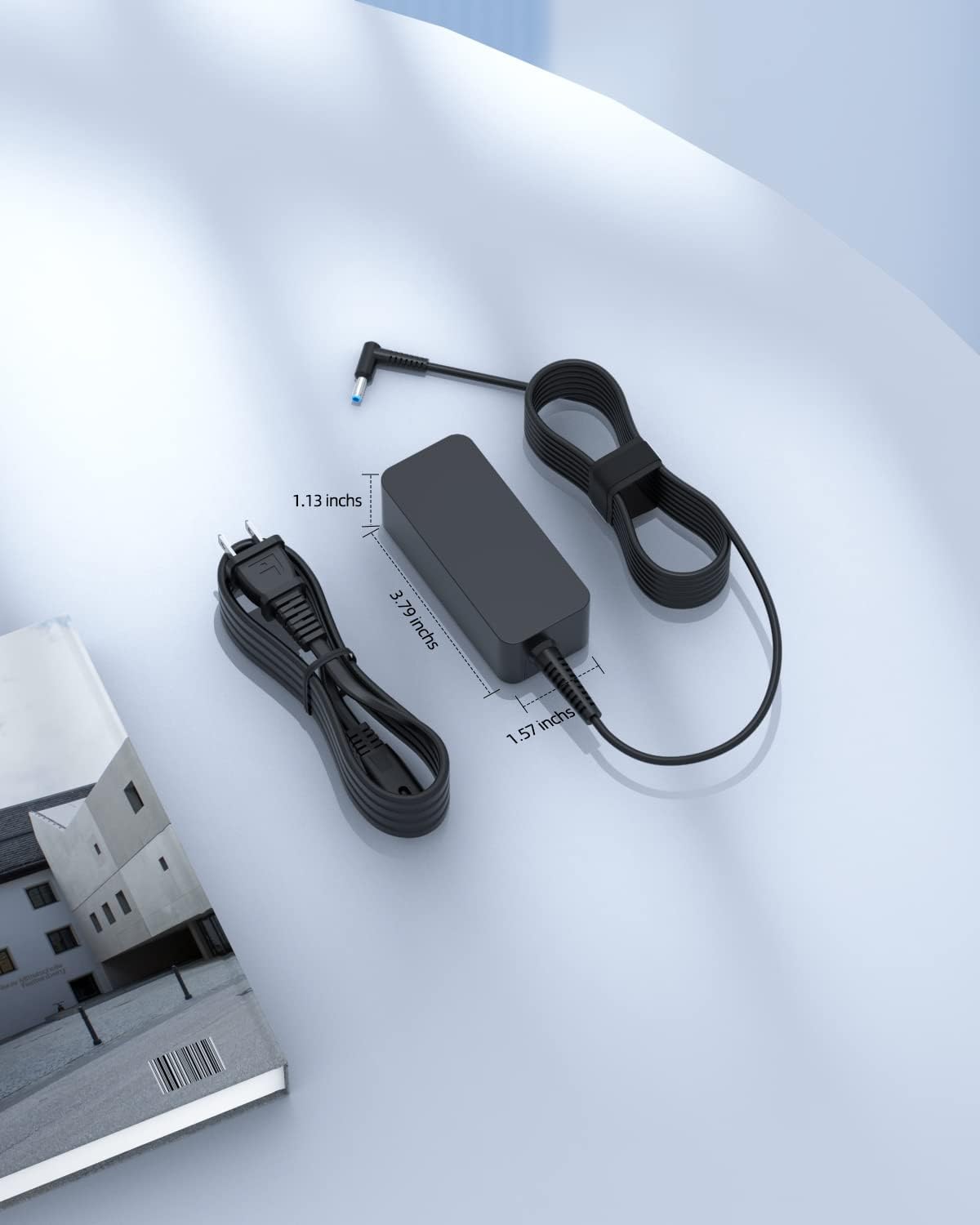
Product Dimensions: The adapter measures approximately 3.79 inches in length, 1.57 inches in width, and 1.13 inches in height.
10. Warranty and Support
Your Superer 45W Charger comes with a 24-month manufacturer warranty from the date of purchase. This warranty covers defects in materials and workmanship under normal use.
For warranty claims, technical support, or any inquiries regarding your product, please contact Superer customer service through the retailer's platform or visit the official Superer website for contact information.
Please have your product model number (ADP195231D) and proof of purchase ready when contacting support.