
1. Introduction
The QardioBase2 is a smart scale and body analyzer designed to provide comprehensive health metrics beyond just weight. It measures body mass index (BMI) and body composition, including body fat percentage, muscle mass, water percentage, and bone mass. Data is automatically synced to the Qardio App via Wi-Fi or Bluetooth for easy tracking and analysis.
This manual provides instructions for setting up, operating, and maintaining your QardioBase2, along with troubleshooting tips and product specifications.
2. Safety Information
- Medical Conditions: Individuals with pacemakers, other implanted medical devices, or who are pregnant should consult their physician before using this device. The body composition analysis feature uses bioelectrical impedance, which may interfere with medical devices.
- Pregnancy Mode: The Qardio App includes a dedicated pregnancy mode for tracking weight during pregnancy. This mode disables body composition analysis for safety.
- Slippery Surface: Ensure the scale surface is dry before stepping on it to prevent slipping.
- Weight Limit: Do not exceed the maximum weight capacity of 396 lbs (180 kg).
- Intended Use: This device is for personal use to monitor health metrics and is not intended for medical diagnosis or treatment.
3. Setup
3.1 Charging the QardioBase2
The QardioBase2 features a rechargeable battery. Before first use, or if the battery is low, charge the device using the provided Micro USB cable. A full charge can last up to 12 months with regular use.
- Connect the Micro USB cable to the charging port on the side of the scale.
- Connect the other end of the cable to a USB power source (e.g., computer, wall adapter).
- The LED display will indicate charging status.
3.2 Downloading the Qardio App
The Qardio App is essential for setting up and using your QardioBase2. It is available for iOS, Android, and Kindle devices.
- Search for "Qardio" in the Apple App Store, Google Play Store, or Amazon Appstore.
- Download and install the free Qardio App.
- Create an account or log in if you already have one.

Image: The QardioBase2 integrates with various health platforms and is managed via the Qardio App, available on major app stores.
3.3 Initial Pairing and Wi-Fi Connection
Follow the in-app instructions to pair your QardioBase2 with your smartphone and connect it to your home Wi-Fi network. This allows for automatic data synchronization.
- Open the Qardio App and navigate to "Add New Device" or "Configure QardioBase".
- Ensure Bluetooth is enabled on your smartphone.
- Step onto the QardioBase2 to activate it.
- The app will guide you through connecting the scale to your Wi-Fi network (2.4 GHz only).
4. Operating Instructions
4.1 Taking a Measurement
For accurate readings, place the QardioBase2 on a hard, flat surface. It is designed to work on various surfaces, including carpet, but a firm surface is recommended for consistency.
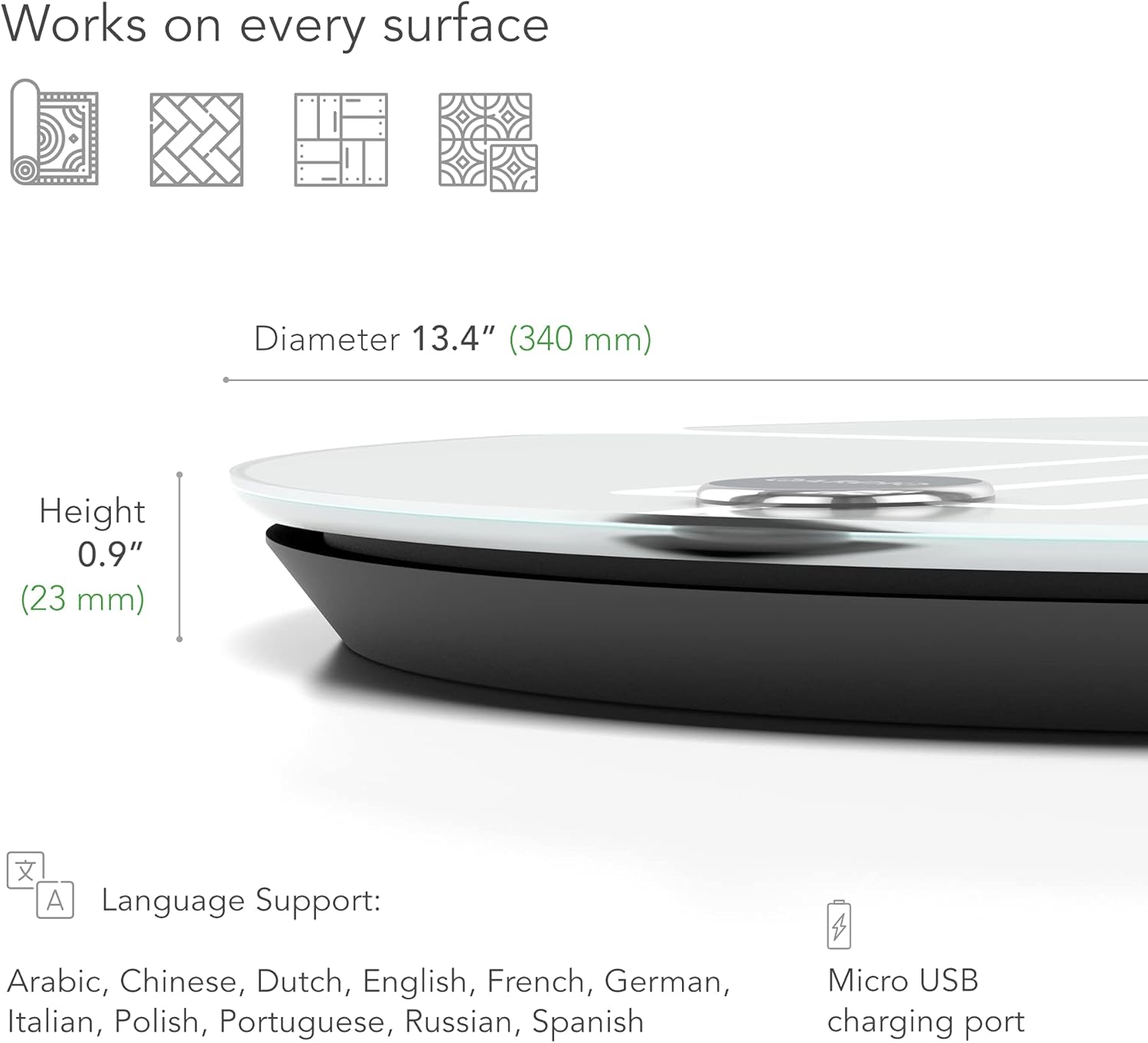
Image: The QardioBase2 is designed to provide accurate measurements on various floor types, including carpet.
- Step onto the center of the scale with bare feet.
- Stand still until the scale vibrates (haptic feedback) and displays your weight.
- Wait for a second vibration, indicating that body composition analysis is complete.
- Step off the scale. Your data will automatically sync to the Qardio App.
4.2 Understanding the Display
The QardioBase2 features an LED display that can show your weight or provide "Smart Feedback" using emojis.
- Normal Mode: Displays your weight in pounds (lb) or kilograms (kg).
- Smart Feedback Mode: Uses emojis (smileys) to indicate progress towards your goals, rather than numerical weight. This mode can be activated or deactivated in the Qardio App settings.
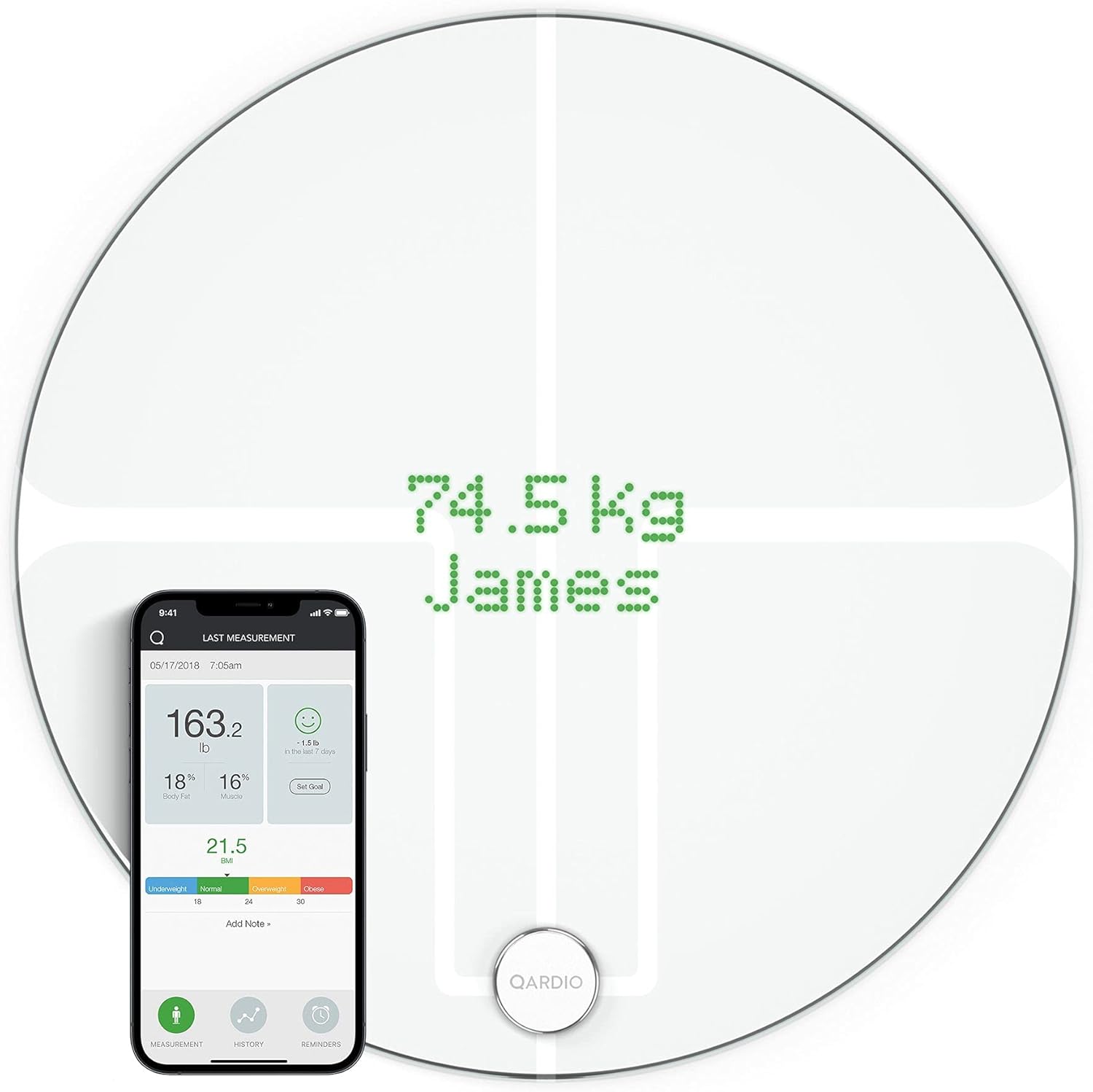
Image: The QardioBase2 LED display shows weight and user identification, while the app provides detailed body composition data.
4.3 Multi-User Recognition
The QardioBase2 can automatically recognize up to 8 unique users within the same household. Ensure each user has a profile set up in the Qardio App on their respective devices.
- When a user steps on the scale, it attempts to identify them based on previous measurements.
- If multiple users have similar weights, the scale may prompt you to confirm your identity via the app.
4.4 Pregnancy Mode
For expectant mothers, the Qardio App offers a special pregnancy mode. This mode tracks weight progress and allows for adding pictures, while disabling body composition analysis for safety.
- Activate pregnancy mode within your profile settings in the Qardio App.
- Enter your due date to track weekly progress.
4.5 Guest Mode
The QardioBase2 can also be used by guests without saving their data to a specific profile.
- To use guest mode, simply step on the scale. If the scale does not recognize you as a registered user, it will display "Guest" and show your weight. This data will not be saved to any user profile.
4.6 Syncing with Other Applications
The Qardio App can integrate with various third-party health and fitness applications to consolidate your data.
- Supported apps include Apple Health, Samsung Health, MyFitnessPal, Google Fit, and Cronometer.
- Enable these integrations within the Qardio App settings.
4.7 Setting Goals
Use the Qardio App to set personal weight and body composition goals. The app provides intelligent tracking and calculates weekly targets to help you stay motivated.

Image: The QardioBase2 measures various body composition metrics and supports multiple users and fitness app synchronization.
5. Maintenance
5.1 Cleaning the Scale
- Wipe the surface of the QardioBase2 with a soft, damp cloth.
- Do not use abrasive cleaners or immerse the device in water.
- Ensure the scale is dry before storage or next use.
5.2 Battery Life and Recharging
The QardioBase2 is powered by a rechargeable Lithium Polymer battery. A single charge can last up to one year with typical usage. Recharge the scale when the battery indicator in the app or on the scale's display shows low power.
- Use the provided Micro USB cable for recharging.
- Avoid prolonged exposure to extreme temperatures, which can affect battery life.
6. Troubleshooting
6.1 Connection Issues
- Scale not connecting to Wi-Fi: Ensure your Wi-Fi network is 2.4 GHz. Check your Wi-Fi password. Try moving the scale closer to your router.
- Bluetooth pairing failure: Ensure Bluetooth is enabled on your smartphone and the scale is activated. Restart both the app and the scale.
6.2 Inaccurate Readings
- Inconsistent weight: Ensure the scale is on a flat, stable surface. Stand still during measurement. Avoid taking measurements immediately after heavy meals or intense exercise.
- Body composition not displayed: Ensure you are stepping on the scale with bare feet. Dry feet may affect conductivity. If pregnancy mode is active, body composition will be disabled.
6.3 App Synchronization Problems
- Data not syncing: Verify the scale is connected to Wi-Fi and your smartphone has an internet connection. Ensure the Qardio App is open or running in the background.
- Incorrect user identification: If the scale misidentifies you, ensure your profile details (e.g., height, age) are accurate in the app.
For further assistance, refer to the Qardio support website or contact customer service.
7. Specifications
| Model Number | B200-IAW |
| Dimensions | 13.4 x 13.4 x 0.9 inches (340 x 340 x 23 mm) |
| Weight | 6.7 Pounds (3.04 kg) |
| Weight Limit | 9 - 396 lbs (5 - 180 kg) |
| Measurement Accuracy | 0.2 lbs (0.1 kg) |
| Power Source | Rechargeable Lithium Polymer battery (USB to Micro USB charging cable included) |
| Connectivity | Bluetooth 4.0, Wi-Fi 802.11 (b/g/n) WPA/WPA2 security protocols |
| Display Type | LED |
| Special Features | Body Fat, Bodyweight, Muscle Mass, Water Percentage, Bone Mass, BMI, Multi-user recognition, Pregnancy Mode, Smart Feedback (emojis) |

Image: Physical dimensions and key features like the Micro USB charging port are highlighted.
8. Warranty and Support
Qardio products are designed for reliability and performance. For information regarding the product warranty, please refer to the official Qardio website or the warranty card included with your purchase.
For technical support, troubleshooting assistance, or any questions about your QardioBase2, please visit the Qardio support page or contact their customer service team. Contact information can typically be found on the Qardio website.
Online Resources:
- Qardio Support Website (Example link, actual link might vary)
- User Manual (PDF)


