
1. Introduction
Thank you for purchasing the Auna Dr. Bang Portable Bluetooth Speaker. This manual provides essential information for the safe and efficient operation of your device. Please read it thoroughly before use and retain it for future reference.
The Auna Dr. Bang is a versatile portable speaker featuring Bluetooth connectivity, USB and AUX inputs, and integrated LED lighting, designed for various audio playback scenarios.
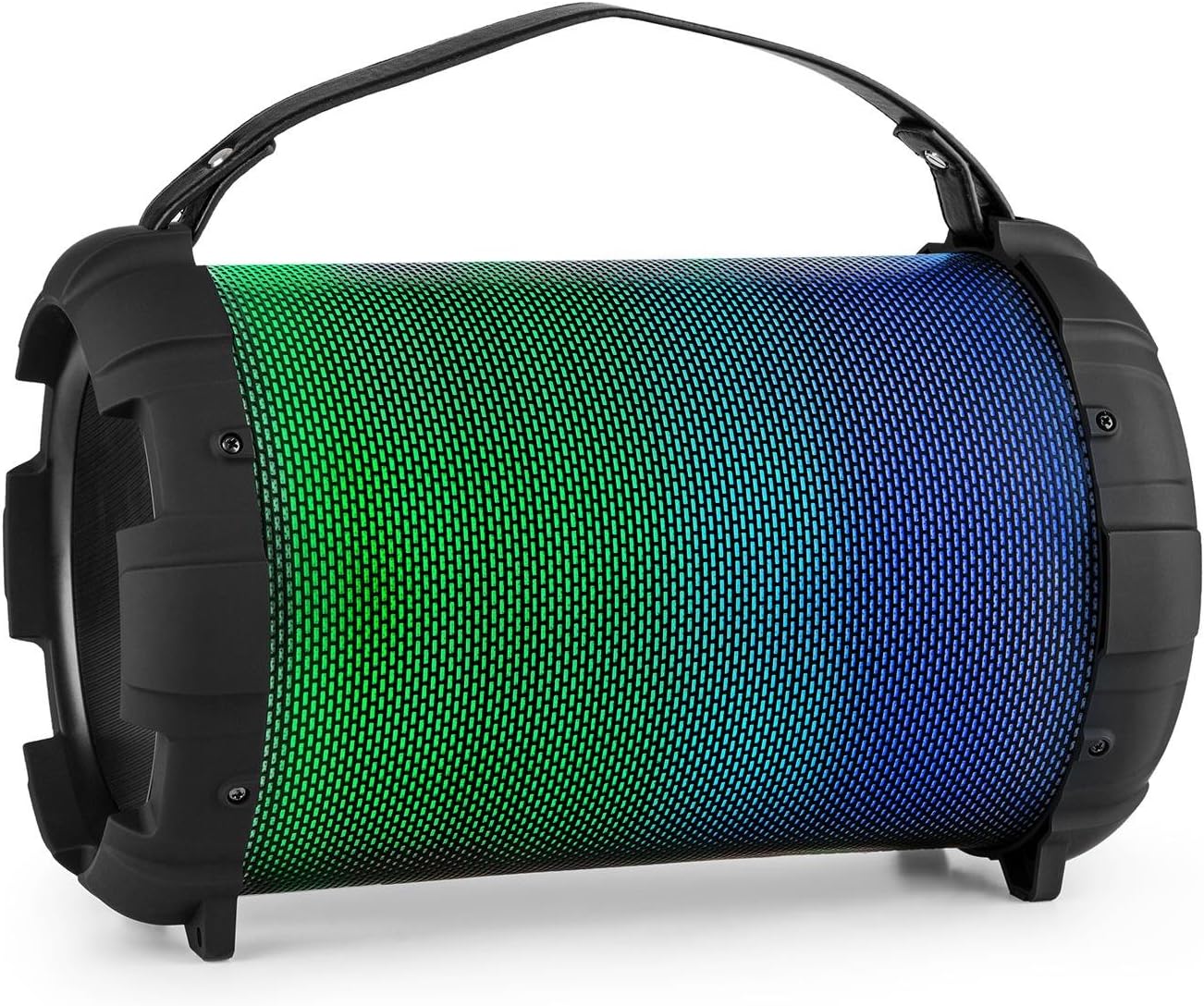
Image: The Auna Dr. Bang portable speaker, showcasing its cylindrical design and vibrant green and blue LED illumination on the front grille.
2. Safety Instructions
- Read all instructions before operating the device.
- Keep the device away from water, moisture, and extreme temperatures.
- Do not attempt to open or repair the device yourself. Refer all servicing to qualified personnel.
- Use only the specified charging cable and power adapter (not included).
- Avoid prolonged exposure to high volume levels to prevent hearing damage.
- Ensure proper ventilation around the speaker during operation.
- Dispose of the device and its battery responsibly according to local regulations.
3. Product Overview
Familiarize yourself with the various parts and controls of your Auna Dr. Bang speaker.

Image: Detailed view of the speaker's control panel, showing buttons for mode, track control, play/pause, microphone inputs, volume, echo, AUX in, USB port, and DC 5V charging port.
Control Panel Layout:
- M/F Button: Mode/Function selection (Bluetooth, USB, AUX).
- Previous Track Button: Short press for previous track, long press for volume down.
- Play/Pause Button: Play or pause audio.
- Next Track Button: Short press for next track, long press for volume up.
- LED Display: Shows current mode and status.
- USB Port: For USB flash drive playback.
- AUX IN: 3.5mm audio input.
- DC 5V: Charging port.
- ON/OFF Switch: Power on/off the speaker.
- MIC 1 Input: 6.3mm microphone input 1.
- MIC 2 Input: 6.3mm microphone input 2.
- MIC ECHO Knob: Adjust microphone echo effect.
- MIC VOL Knob: Adjust microphone volume.
4. Setup
4.1. Charging the Speaker
Before first use, fully charge the speaker. Connect the provided USB charging cable to the DC 5V port on the speaker and the other end to a compatible USB power adapter (not included) or a computer's USB port.
- The LED indicator will illuminate during charging.
- Charging time may vary.
- Disconnect the charger once fully charged to preserve battery life.

Image: Close-up of the USB charging cable and a 3.5mm AUX cable, illustrating the connectivity options for the speaker.
4.2. Powering On/Off
To power on the speaker, slide the ON/OFF Switch to the "ON" position. The LED display will light up, indicating the current mode. To power off, slide the switch to the "OFF" position.
5. Operating Instructions
5.1. Bluetooth Pairing
- Power on the speaker. It will automatically enter Bluetooth pairing mode, indicated by "BLUE" flashing on the LED display.
- Enable Bluetooth on your mobile device (smartphone, tablet, etc.).
- Search for available Bluetooth devices and select "Auna Dr. Bang" from the list.
- Once paired, the speaker will emit a confirmation tone, and "BLUE" will stop flashing.
- You can now play audio from your device through the speaker.
Note: The speaker will attempt to reconnect to the last paired device automatically when powered on.
5.2. USB Playback
- Insert a USB flash drive (formatted to FAT32) containing MP3 audio files into the USB port.
- The speaker will automatically switch to USB mode and begin playing audio. If not, press the M/F Button to select USB mode.
- Use the Previous Track and Next Track buttons to navigate tracks.
- Use the Play/Pause button to control playback.
5.3. AUX Input
- Connect one end of a 3.5mm audio cable (not included) to the AUX IN port on the speaker.
- Connect the other end to the audio output of your external device (e.g., MP3 player, laptop).
- Press the M/F Button to select AUX mode.
- Control audio playback and volume from your external device.
5.4. Microphone Usage
- Connect a microphone (not included) to either the MIC 1 or MIC 2 input.
- Adjust the microphone volume using the MIC VOL Knob.
- Adjust the echo effect using the MIC ECHO Knob.
- You can use the microphones simultaneously with music playback from Bluetooth, USB, or AUX modes.
5.5. LED Light Modes
The speaker features integrated LED lights that can change color. Specific controls for LED modes are not detailed on the control panel image, but typically these speakers cycle through modes automatically or via a dedicated button (if present and not labeled). Observe the speaker for automatic light changes or consult the manufacturer's website for advanced light control if available.

Image: The Auna Dr. Bang speaker with its front grille illuminated in shades of purple and red, demonstrating its dynamic LED lighting feature.
6. Maintenance
6.1. Cleaning
- Wipe the speaker's exterior with a soft, dry cloth.
- Do not use abrasive cleaners, waxes, or solvents.
- Avoid getting moisture into any openings.
6.2. Storage
- Store the speaker in a cool, dry place away from direct sunlight and extreme temperatures.
- If storing for an extended period, charge the battery periodically (e.g., every 3-6 months) to maintain its health.
7. Troubleshooting
| Problem | Possible Cause | Solution |
|---|---|---|
| No power | Battery is depleted; Power switch is off. | Charge the speaker; Ensure the ON/OFF switch is in the "ON" position. |
| No sound | Volume too low; Incorrect mode selected; Device not paired (Bluetooth); Cable not connected (AUX). | Increase speaker and device volume; Press M/F button to select correct mode; Re-pair Bluetooth device; Check AUX cable connection. |
| Bluetooth not connecting | Speaker not in pairing mode; Device too far; Interference. | Ensure speaker is in Bluetooth mode and "BLUE" is flashing; Move device closer to speaker; Turn off other Bluetooth devices. |
| Microphone not working | Microphone not connected; MIC VOL knob too low; Microphone faulty. | Ensure microphone is securely plugged into MIC 1 or MIC 2; Increase MIC VOL; Test with another microphone if possible. |
8. Specifications
| Brand: | AUNA |
| Model: | BTS16-Dr. Bang LED V2 |
| Dimensions: | 22 x 31.5 x 22 cm |
| Weight: | 2.8 kg |
| Output Power: | 40 Watts |
| Connectivity Technology: | Auxiliary, Bluetooth, USB |
| Wireless Communication Technology: | Bluetooth |
| Power Source: | DC & Battery |
| Battery Nominal Power: | 2600 mAh |
| Color: | Black - Multicolor LED |
9. Warranty & Support
For warranty information and technical support, please refer to the documentation provided with your purchase or visit the official Auna website. Keep your proof of purchase for any warranty claims.
Auna Official Store: Visit Auna Store on Amazon