
1. Introduction
This manual provides essential instructions for the safe and effective use of your Kastar NP-20 Li-ion Battery Pack and compatible charger. Please read this manual thoroughly before using the product to ensure optimal performance and safety.
2. Product Overview
The Kastar NP-20 Li-ion Battery Pack is a high-capacity replacement battery designed for various Casio Exilim digital cameras. It features high-quality Japanese cells for extended battery life and an integrated microchip to prevent overcharge and overdischarge. This product is 100% decoded and compatible with original batteries and chargers.
Compatible Camera Models:
- Casio Exilim EX-M1, EX-M2, EX-M20
- Casio Exilim EX-S1, EX-S2, EX-S3, EX-S20, EX-S100, EX-S500, EX-S600, EX-S770, EX-S880
- Casio Exilim EX-Z4, EX-Z5, EX-Z6, EX-Z7, EX-Z8, EX-Z11, EX-Z60, EX-Z65, EX-Z70, EX-Z75, EX-Z77
Product Components:

Image 2.1: Front view of the Kastar NP-20 Li-ion Battery Pack, showing brand and specifications.

Image 2.2: Back view of the Kastar NP-20 Li-ion Battery Pack, displaying important caution and safety information.

Image 2.3: The retail packaging for the Kastar NP-20 Battery, highlighting its high capacity and compatibility.
3. Setup: Charging the Battery
Before first use, fully charge the battery. Use only the provided Kastar charger or a compatible charger designed for NP-20 batteries.
- Insert Battery: Align the battery's metal contacts with the charger's pins. Ensure the positive (+) and negative (-) terminals on the battery match those on the charger. Gently slide the battery into the charging slot until it clicks securely into place.
- Connect Charger: Plug the charger into a standard wall outlet or a compatible USB power source.
- Monitor Charging: The charger typically features an indicator light. A red light usually indicates that the battery is charging. Once charging is complete, the light will change to green or blue, depending on the charger model.
- Remove Battery: Once fully charged, unplug the charger and remove the battery.
Charging Demonstration:
Video 3.1: Demonstration of inserting the NP-20 battery into a portable charger and connecting it to a power source. This video also shows the red light for charging and green light for full charge indicators.
Video 3.2: A guide on how to choose the correct CNP-20 charger and its usage, including proper battery insertion and charging light indications.
4. Operating: Using the Battery
To use the fully charged NP-20 battery in your compatible Casio Exilim camera:
- Open Battery Compartment: Locate and open the battery compartment on your camera.
- Insert Battery: Carefully insert the NP-20 battery into the compartment, ensuring correct orientation according to the markings inside the camera.
- Close Compartment: Close the battery compartment door securely.
- Power On: Turn on your camera. The battery should now power the device.
5. Safety Precautions
To prevent damage to the battery, charger, or personal injury, observe the following important battery precautions:
- Do not expose batteries to heat or fire.
- Never try to disassemble, modify, or apply solder to batteries.
- Never short the terminals of the batteries or carry them together with metal objects that can cause shorting.
- Do not tear or remove the outer label of the batteries.
- Do not connect improperly.
- Do not dispose of in fire or expose to excess heat.
- Do not crush or puncture the battery.
- Keep batteries out of reach of children.
- If the battery shows signs of damage, swelling, or leakage, discontinue use immediately and dispose of it properly.
Image 5.1: Close-up of the battery's reverse side, detailing critical safety warnings.
6. Specifications
| Brand | Kastar |
| Model Name | NP-20 |
| Item Model Number | BA-2B-CNP20. |
| Battery Cell Composition | Lithium Ion (Li-ion) |
| Reusability | Rechargeable |
| Unit Count | 1.0 Count (per battery) |
| Battery Weight | 0.50 oz (approx.) |
| Battery Dimensions | 50.3 x 32.8 x 4.3 mm (1.98" x 1.29" x 0.17") |
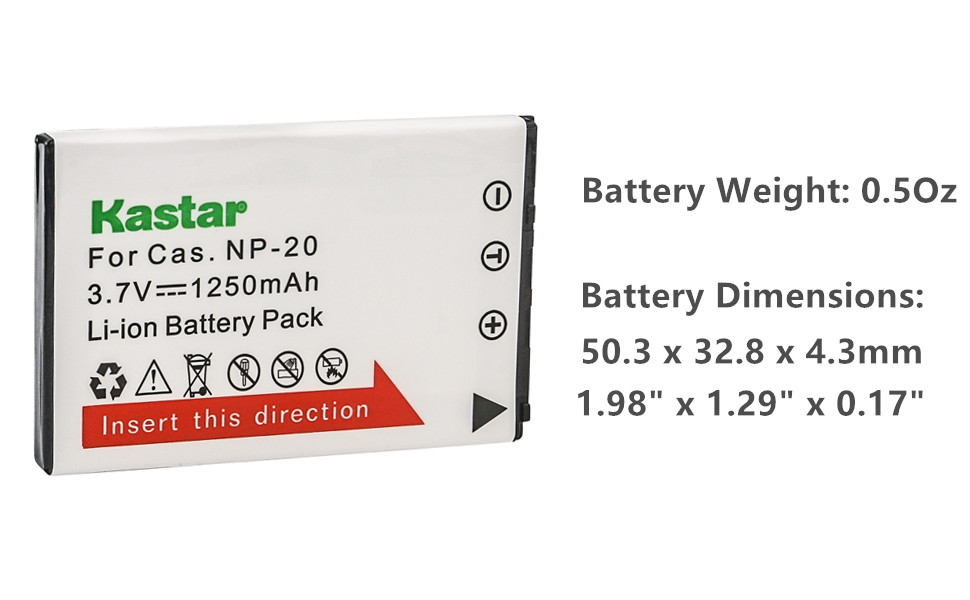
Image 6.1: Visual representation of the Kastar NP-20 battery, including its weight and dimensions.
7. Maintenance and Storage
- Store batteries in a cool, dry place away from direct sunlight and extreme temperatures.
- For long-term storage, it is recommended to store Li-ion batteries with a partial charge (around 50%).
- Clean battery contacts periodically with a dry cloth to ensure good connection.
- Avoid fully discharging the battery frequently, as this can reduce its lifespan.
8. Troubleshooting
- Battery not charging:
- Ensure the battery is inserted correctly into the charger with contacts aligned.
- Verify the charger is properly plugged into a working power outlet or USB port.
- Check for any visible damage to the battery or charger.
- Camera not powering on with charged battery:
- Confirm the battery is fully charged (check charger indicator light).
- Ensure the battery is inserted correctly and securely into the camera's battery compartment.
- If the issue persists, try using another known working battery if available to rule out a camera issue.
9. Warranty and Support
Kastar products are designed for reliability and performance. This product typically comes with an 18-month warranty against manufacturing defects.
For technical support, warranty claims, or further assistance, please contact Kastar customer service through their official website or the retailer where the product was purchased. Please have your product model number (NP-20 or BA-2B-CNP20.) and purchase information ready.

Image 9.1: The Kastar company logo.