
1. Introduction
This manual provides detailed instructions for the installation, operation, and maintenance of your deleyCON Mini Infrared Motion Detector. Please read this manual thoroughly before installation and use to ensure proper function and safety.
The deleyCON infrared motion detector is designed for indoor use, offering reliable motion detection with a 360° field of view and a detection range of up to 6 meters. Its compact, flush-mounted design makes it nearly invisible, ideal for various indoor applications such as automatic lighting control in offices, basements, or residential areas.
2. Safety Instructions
- Electrical Safety: Installation must be performed by a qualified electrician. Disconnect power before installation or maintenance.
- Indoor Use Only: This device is rated IP20 and is intended for indoor use only. Do not expose to moisture or extreme temperatures.
- Voltage: Ensure the supply voltage matches the device's specifications (220-240V AC 50Hz).
- Load Capacity: Do not exceed the maximum load capacity: 800W for incandescent bulbs, 200W for LED and energy-saving lamps.
- Children: Keep the device out of reach of children.
- Disposal: Dispose of the product according to local regulations for electronic waste.
3. Package Contents
Verify that all items are present in the package:
- 1x deleyCON Mini Infrared Motion Detector
- 1x User Manual
4. Product Overview
The deleyCON Mini Infrared Motion Detector consists of a compact control unit and a small, discreet sensor head designed for flush mounting.

Figure 4.1: Main components of the deleyCON Mini Infrared Motion Detector, showing the control unit with wiring and the separate sensor head.
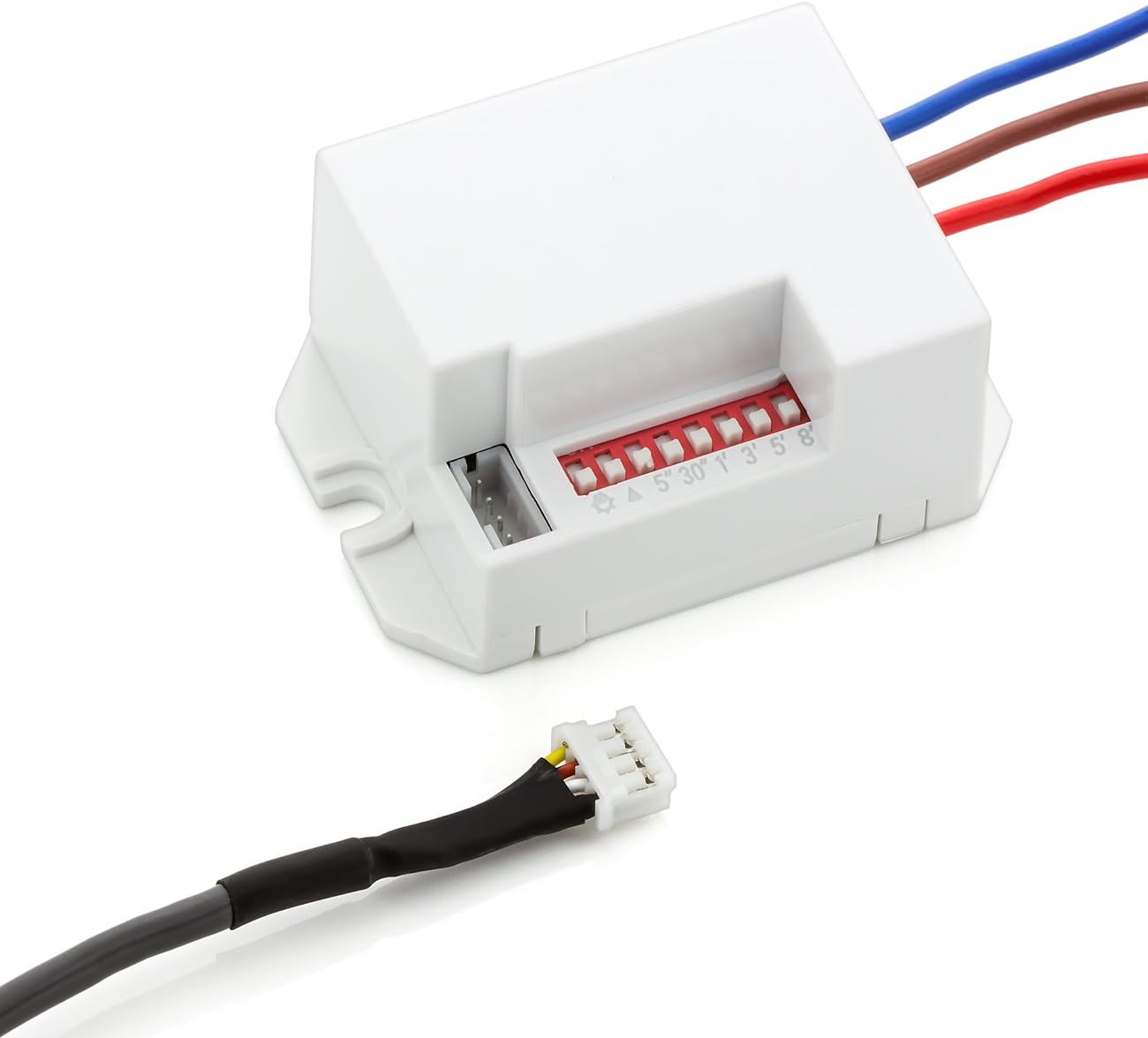
Figure 4.2: Close-up view of the control unit, highlighting the adjustable dip switches for time delay and ambient light sensitivity settings.
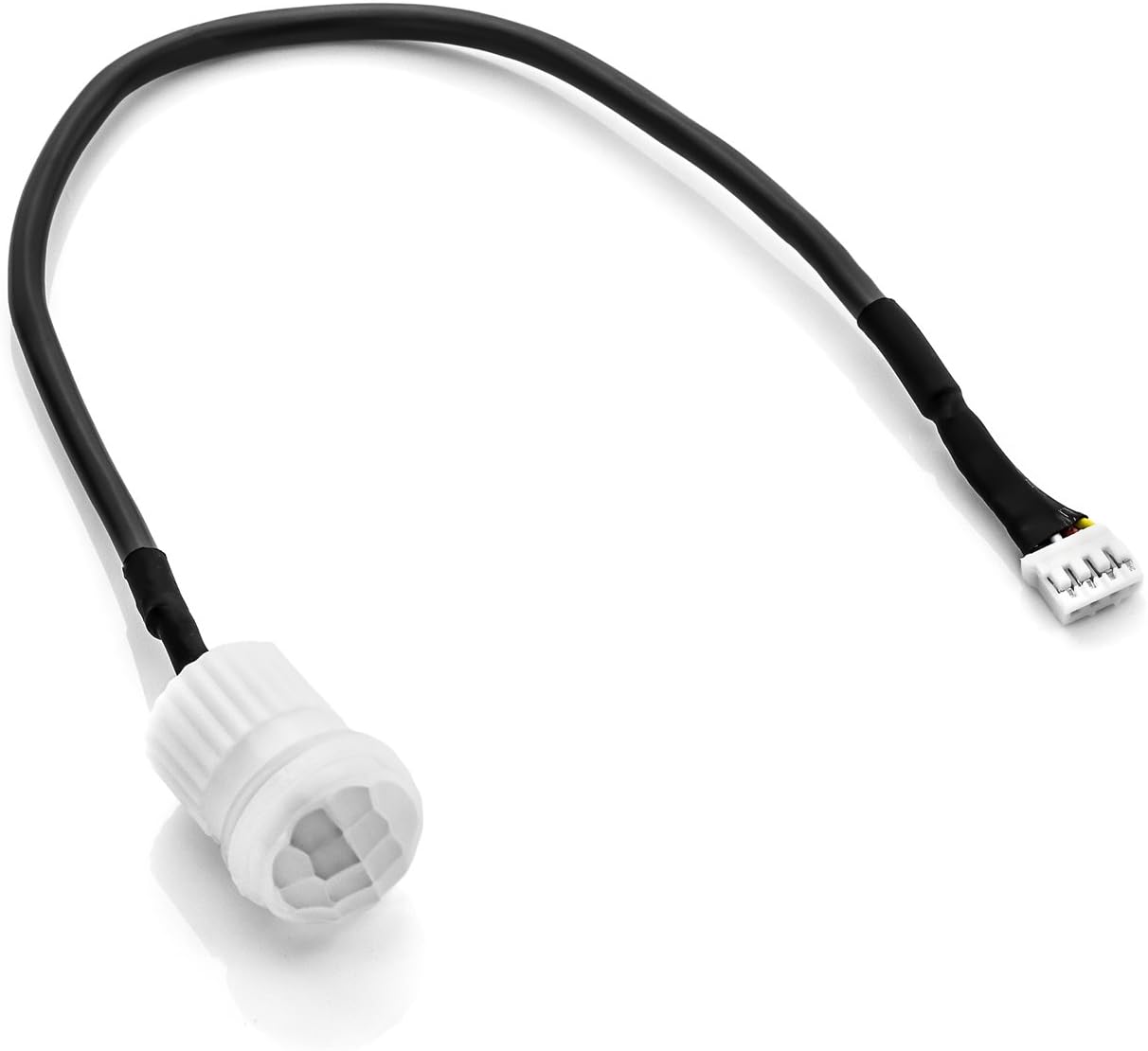
Figure 4.3: The compact sensor head connected via its cable, designed for discreet flush mounting.
Key Features:
- Detection Angle: 120°/360° (depending on mounting)
- Detection Range: Up to 3/6 meters (depending on mounting height and environment)
- Adjustable Time Delay: 5 seconds, 30 seconds, 1 minute, 3 minutes, 5 minutes, 8 minutes
- Adjustable Ambient Light Sensitivity: 10 to 2000 Lux
- Protection Class: IP20 (Indoor use)
- Mounting Type: Flush-mounted
5. Setup and Installation
The deleyCON Mini Infrared Motion Detector is designed for flush mounting. Follow these steps carefully for installation.
5.1 Wiring Diagram
Ensure power is disconnected before proceeding with wiring.

Figure 5.1: Wiring connections for the motion detector. Connect the live (brown), neutral (blue), and switched live (red) wires as indicated.
- Connect the brown wire to the Live (L) input.
- Connect the blue wire to the Neutral (N) input.
- Connect the red wire to the Switched Live (L') output, which connects to your light fixture or other load.
5.2 Mounting the Sensor Head
The sensor head is designed to be flush-mounted into a ceiling or wall. Drill an appropriate size hole (refer to product dimensions for exact size, approximately 25.5mm diameter for the sensor head) and insert the sensor head. The control unit should be placed in a suitable junction box or cavity.

Figure 5.2: Illustration of the 360° detection range and maximum 6m reach, confirming indoor application and IP20 protection class.
Optimal installation height is between 2m and 4m for best detection performance.
5.3 Setting Time Delay and Light Sensitivity
The control unit features dip switches to adjust the time delay and ambient light sensitivity. Refer to Figure 4.2 for the location of these switches.
- Time Delay (Duration): Adjust the duration the connected light remains on after motion is no longer detected. Options include 5 seconds, 30 seconds, 1 minute, 3 minutes, 5 minutes, and 8 minutes.
- Ambient Light Sensitivity (LUX): Set the ambient light level at which the sensor becomes active. This prevents the light from turning on during daylight hours if not desired. The range is adjustable from 10 Lux (dark) to 2000 Lux (daylight).
6. Operating the Device
Once installed and configured, the motion detector operates automatically.
- When motion is detected within the sensor's range and the ambient light level is below the set LUX threshold, the connected light will turn on.
- The light will remain on as long as motion is continuously detected.
- After motion ceases, the light will remain on for the set time delay before turning off.

Figure 6.1: Example applications of the motion detector in various rooms within a house, illustrating its versatility for automatic lighting.
7. Maintenance
The deleyCON Mini Infrared Motion Detector requires minimal maintenance.
- Cleaning: Gently wipe the sensor lens with a soft, dry cloth. Do not use abrasive cleaners or solvents.
- Inspection: Periodically check for any visible damage to the sensor or wiring.
- No User-Serviceable Parts: Do not attempt to open or repair the device. Refer to qualified personnel for any issues.
8. Troubleshooting
| Problem | Possible Cause | Solution |
|---|---|---|
| Light does not turn on when motion is detected. |
|
|
| Light stays on continuously. |
|
|
| Light turns on randomly. |
|
|
9. Specifications
| Parameter | Value |
|---|---|
| Model Number | MK2994 |
| Power Source | 220-240V AC, 50Hz |
| Rated Load (Incandescent) | Max. 800W |
| Rated Load (LED/Energy Saving) | Max. 200W |
| Minimum Load | 1W |
| Ambient Light Setting | 10-2000 Lux (adjustable) |
| Time Delay | 5s, 30s, 1min, 3min, 5min, 8min (adjustable) |
| Detection Angle | 120°/360° |
| Detection Range | 3-6 meters |
| Installation Height | 2m - 4m |
| Protection Class | IP20 |
| Operating Temperature | -20°C to +40°C |
| Operating Humidity | < 93% RH (non-condensing) |
| Dimensions (Control Unit) | 36.8 x 55.4 x 25.5 mm |
| Weight | 48 grams |
10. Warranty and Support
deleyCON products are designed for reliability and performance. For warranty information and technical support, please refer to the official deleyCON website or contact your retailer.
For further assistance, please visit: www.deleycon.com
