
Product Overview
The Sulion Model 078100 is a wireless remote control system designed for ceiling fans. It offers convenient control over fan speeds and lighting, including a specialized sleep function. This system features 3 infrared fan speeds and a programmable shut-off timer, allowing users to set the fan to turn off automatically after 1/2 hour, 1 hour, or 3 hours.
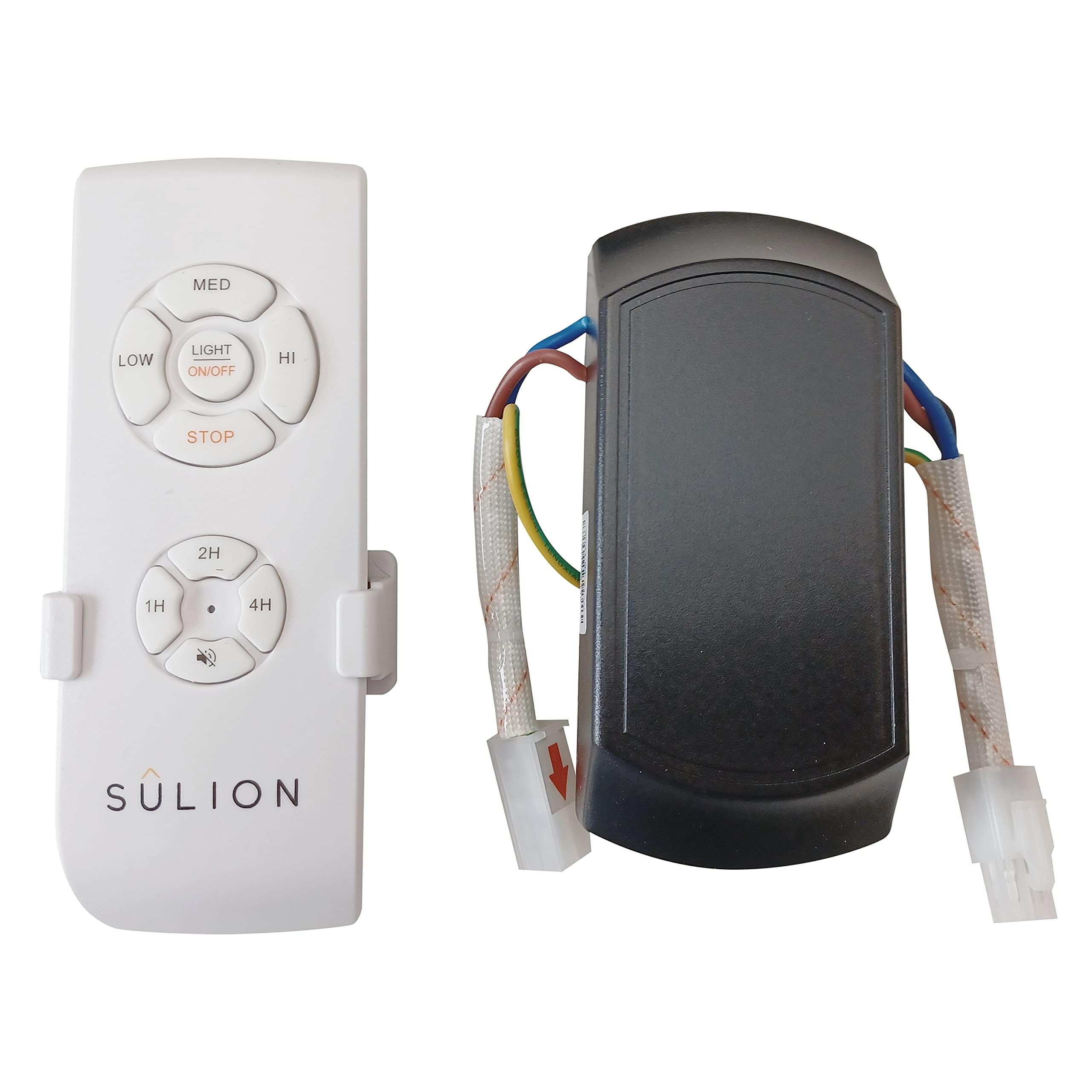
Image: Sulion Ceiling Fan Remote Control Kit, showing the remote and receiver unit.
Safety Information
- Always disconnect power at the main circuit breaker before installing or servicing the fan or remote control system.
- Installation should be performed by a qualified electrician or in accordance with local electrical codes.
- Ensure all electrical connections are secure and properly insulated.
- Do not use this product with dimmer switches or other variable speed controls not specified for ceiling fans.
- Keep the remote control away from water and extreme temperatures.
Package Contents
Verify that all components are present before beginning installation:
- Remote Control Unit
- Receiver Unit
- Remote Control Wall Mount Bracket
- Mounting Screws
- Wiring Connectors
- Instruction Manual
Video: A close-up view of the remote control and receiver unit, demonstrating the components included in the package.
Setup and Installation
1. Wiring the Receiver Unit
Before proceeding, ensure the power supply to the ceiling fan is completely disconnected at the circuit breaker.
- Identify the existing wiring from your ceiling fan and the main power supply.
- Connect the receiver unit's wires to the corresponding fan and power supply wires using appropriate electrical connectors. Typically, this involves connecting the live (L) and neutral (N) wires from the power supply to the receiver's input, and the fan's light and motor wires to the receiver's output. Refer to the wiring diagram provided in the video for detailed connections.
- Securely mount the receiver unit within the fan's canopy or junction box, ensuring it does not interfere with the fan's operation.
2. Remote Control Pairing
After wiring the receiver, you may need to pair the remote control with the receiver.
- Restore power to the ceiling fan at the circuit breaker.
- Within 30 seconds of restoring power, press and hold the "Light" button on the remote control for approximately 5 seconds.
- The fan light should blink or the fan should briefly turn on/off to indicate successful pairing.
3. Smartphone App Pairing (if applicable)
Some models may support smartphone app control. Follow these general steps for pairing:
- Download the recommended smart home app (e.g., Tuya Smart, Smart Life) from your device's app store.
- Ensure your smartphone is connected to a 2.4 GHz Wi-Fi network.
- Open the app and select "Add Device" or "Auto Scan".
- Follow the on-screen instructions to put the device into pairing mode (often involves cycling power or pressing a button on the receiver). The indicator light on the receiver should blink rapidly.
- Confirm the indicator is blinking rapidly in the app and proceed with the pairing process.


