
NuWave Pic Gold Precision Induction Cooktop Model 30201 AR User Manual
Your guide to safe and efficient operation
Introduction
This manual provides essential instructions for the safe and efficient operation, maintenance, and troubleshooting of your NuWave Pic Gold Precision Induction Cooktop, Model 30201 AR. Please read all instructions carefully before use to ensure proper functionality and safety.
Important Safeguards
When using electrical appliances, basic safety precautions should always be followed, including the following:
- Read all instructions before operating the appliance.
- Do not touch hot surfaces. Use handles or knobs.
- To protect against electrical shock, do not immerse cord, plugs, or the appliance in water or other liquid.
- Close supervision is necessary when any appliance is used by or near children.
- Unplug from outlet when not in use and before cleaning. Allow to cool before putting on or taking off parts.
- Do not operate any appliance with a damaged cord or plug or after the appliance malfunctions or has been damaged in any manner.
- The use of accessory attachments not recommended by the appliance manufacturer may cause injuries.
- Do not use outdoors.
- Do not let cord hang over edge of table or counter, or touch hot surfaces.
- Do not place on or near a hot gas or electric burner, or in a heated oven.
- Extreme caution must be used when moving an appliance containing hot oil or other hot liquids.
- Always attach plug to appliance first, then plug cord into the wall outlet. To disconnect, turn any control to "off", then remove plug from wall outlet.
- Do not use appliance for other than intended use.
- This appliance generates heat during use. Proper precautions must be taken to prevent the risk of burns, fires, or other damage to persons or property.
- Ensure proper ventilation around the cooktop during operation.
Parts and Features
The NuWave Pic Gold Precision Induction Cooktop (Model 30201 AR) features a sleek design with advanced cooking capabilities.
- Induction Surface: The primary cooking area where induction-compatible cookware is placed.
- Control Panel: Digital interface for setting temperature, time, and other functions.
- Power Cord: For connecting the unit to an electrical outlet.
- Ventilation System: Located on the underside to ensure proper cooling during operation.

Figure 1: NuWave Pic Gold Precision Induction Cooktop. This image shows the top view of the cooktop, highlighting its black induction surface and digital control panel.
Setup
- Unpacking: Carefully remove all packaging materials from the cooktop. Retain packaging for future storage or transport.
- Placement: Place the cooktop on a flat, stable, heat-resistant surface. Ensure there is adequate clearance around the unit for ventilation (at least 6 inches from walls or other appliances). Do not place on metal surfaces.
- Power Connection: Plug the power cord into a standard electrical outlet. Ensure the outlet matches the voltage requirements of the appliance.
- Initial Cleaning: Before first use, wipe the induction surface with a damp cloth. Ensure it is completely dry before plugging in.
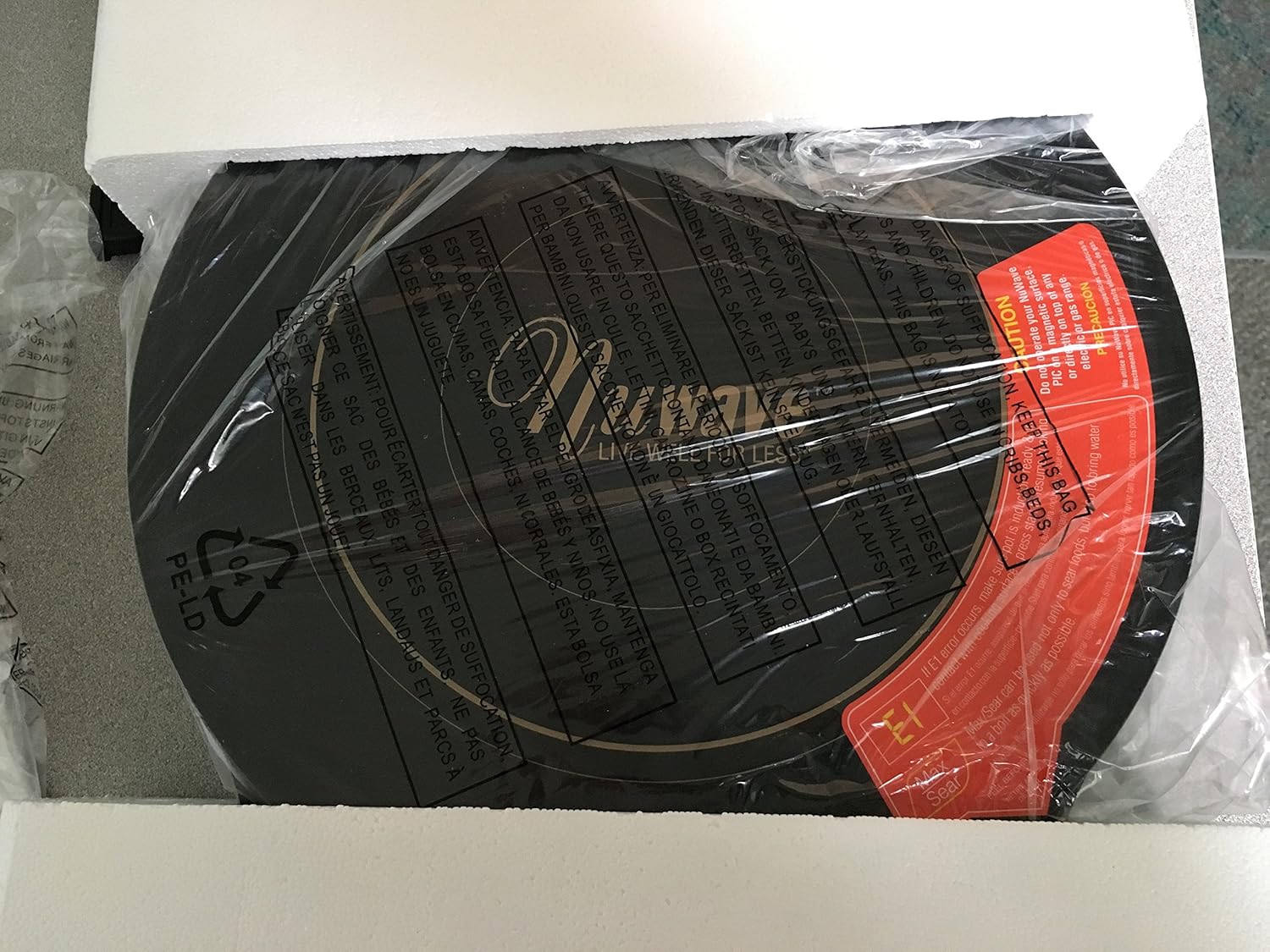
Figure 2: NuWave Pic Gold Cooktop as received in its packaging. This image illustrates how the cooktop is securely packed with protective materials, including a manual and accessories.
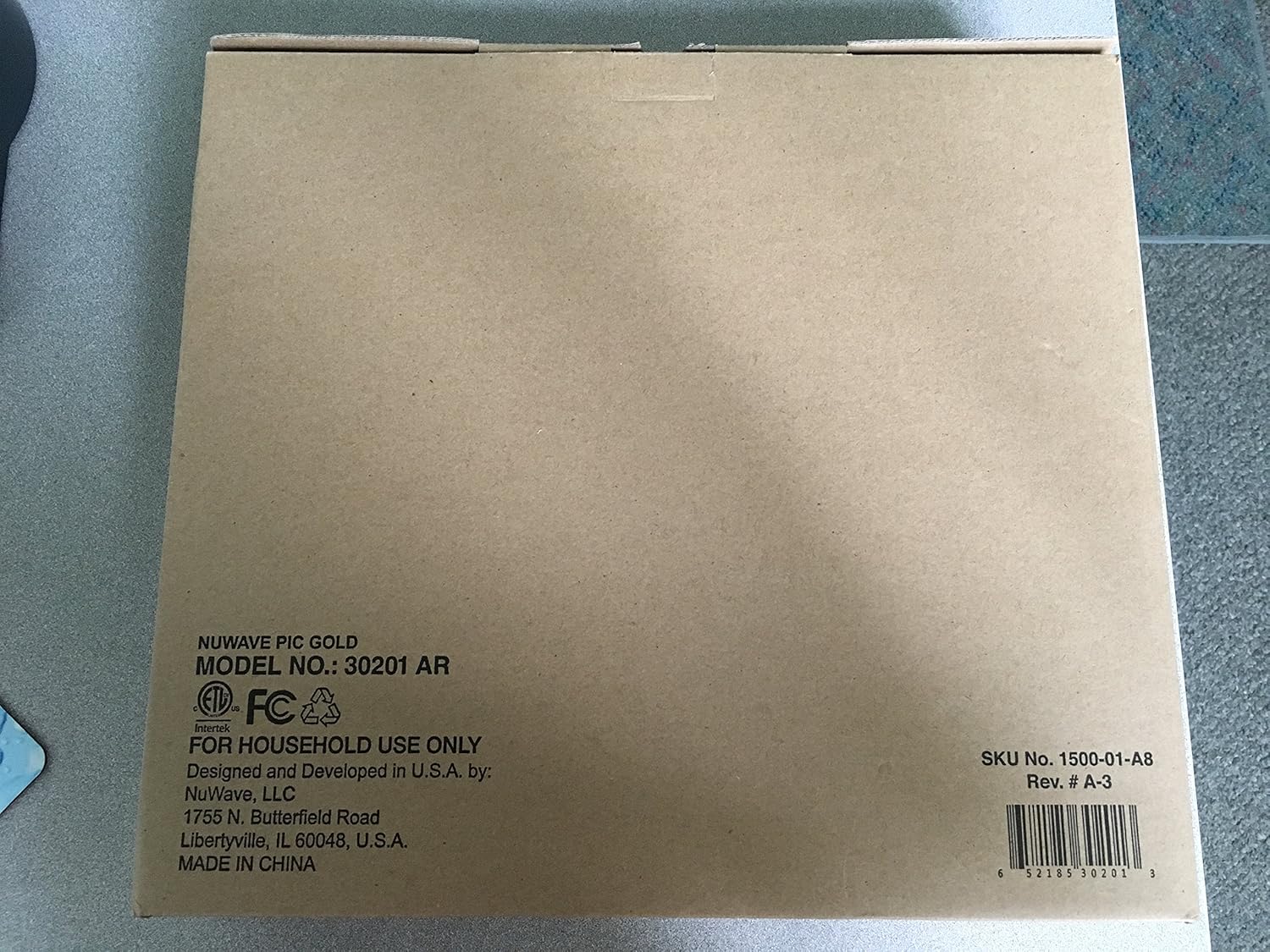
Figure 3: Shipping box label for NuWave Pic Gold Cooktop, Model 30201 AR. This image displays the product model number, manufacturer details, and UPC on the shipping carton.
Operating Instructions
1. Induction-Ready Cookware
The NuWave Pic Gold operates using induction technology, which requires specific cookware. For the cooktop to function, your cookware must be made of a magnetic material (e.g., cast iron, magnetic stainless steel). If a magnet sticks to the bottom of your pot or pan, it is induction-compatible.
Note: Non-magnetic materials like aluminum, copper, glass, or ceramic will not work unless they have an induction-compatible base.
2. Basic Operation
- Place induction-compatible cookware with food on the center of the cooktop surface.
- Press the ON/OFF button to power on the unit.
- Select your desired temperature or power level using the control panel. The cooktop offers a wide temperature range and precise control.
- Set the cooking time if desired. The unit features programmable stage cooking with up to 100 hours of program memory.
- The cooktop will automatically shut off when the pan is removed or after the set cooking time expires.
3. Programmable Stage Cooking
The NuWave Pic Gold allows for advanced cooking programs:
- You can program multiple cooking stages, each with its own temperature and time setting.
- Refer to the full manual for specific steps on setting up multi-stage cooking.
- The unit can store up to 100 hours of program memory.
Maintenance and Cleaning
Regular cleaning and maintenance will ensure the longevity and optimal performance of your NuWave Pic Gold Induction Cooktop.
- Before Cleaning: Always unplug the cooktop from the power outlet and allow it to cool completely before cleaning.
- Cooktop Surface: Wipe the glass surface with a damp cloth and a mild detergent. For stubborn stains, use a non-abrasive cleaner specifically designed for glass cooktops. Rinse with a clean, damp cloth and dry thoroughly.
- Control Panel: Wipe the control panel with a soft, damp cloth. Do not use abrasive cleaners or immerse the unit in water.
- Exterior: Clean the exterior housing with a damp cloth.
- Storage: When not in use, store the cooktop in a clean, dry place.
Do not use steel wool, abrasive pads, or harsh chemical cleaners, as these can damage the surface.
Troubleshooting
| Problem | Possible Cause | Solution |
|---|---|---|
| Cooktop does not turn on. | Not plugged in; power outage; faulty outlet. | Ensure unit is securely plugged in. Check circuit breaker. Try a different outlet. |
| Cooktop turns on but does not heat. | Cookware is not induction-compatible; no cookware on surface; cookware too small/large. | Use induction-compatible cookware. Ensure cookware is centered and covers a sufficient portion of the cooking zone. |
| Display shows an error code. | Specific error condition (e.g., overheating, sensor issue). | Refer to the full manual for a list of error codes and their corresponding solutions. Unplug and allow to cool, then restart. |
| Unusual noise during operation. | Normal fan operation; cookware vibration. | A low hum is normal for induction cooktops. Ensure cookware is flat and stable on the surface. |
Specifications
- Model: 30201 AR
- Brand: Nuwave
- Material: Stainless steel, Duralon
- Heating Elements: 1
- Controls Type: Digital
- Burner Type: Induction
- Product Dimensions: 2.75"D x 13.5"W x 2.75"H
- Item Weight: 6.64 pounds
- Special Features: Wide temperature range, large cooking surface, precise temperature control, energy efficiency, safer home cooking.
- UPC: 652185302013
Warranty and Support
For warranty information, product registration, or technical support, please visit the official Nuwave website or contact their customer service department. Keep your purchase receipt as proof of purchase.
Nuwave Official Store: Visit the Nuwave Store on Amazon


