
1. Introduction
The CHELINK Music Interface AMI MMI AUX 3.5mm Jack Adapter Cable is designed to connect your portable audio devices to your vehicle's Audi Music Interface (AMI) or Volkswagen Media Device Interface (MDI-BOX) system. This cable allows for direct audio playback from any device equipped with a standard 3.5mm headphone jack, providing clear stereo sound through your car's audio system.
2. Compatibility
This adapter cable is compatible with Audi and Volkswagen vehicles equipped with the AMI (Audi Music Interface) or MDI-BOX (Volkswagen Media Device Interface) from approximately 2009-2014. It replaces part #4F0051510L.
Compatible Audi Models: A1, A3, A4L, A5, A6L, A8, Q3, Q5, Q7, TT (for original cars with AMI interface).
Compatible Volkswagen Models: Jetta, GTI, GLI, Passat, Cc, Tiguan, Touareg, EOS, Golf Mk 6, etc. (for original cars with MDI-BOX interface).
Compatible Audio Devices: Any media device with a standard 3.5mm headphone socket, including MP3 players, mobile phones, tablets, and other portable audio players.
3. Package Contents
- 1 x CHELINK Music Interface AMI MMI AUX 3.5mm Jack Adapter Cable (Model MI-3.5-4)
4. Setup Instructions
- Locate the AMI/MDI Port: The Audi Music Interface (AMI) or Volkswagen Media Device Interface (MDI-BOX) port is typically located in the glove box, center console, or under the armrest of your vehicle. Consult your vehicle's user manual or local dealer if you are unsure of its exact location.

Image: Close-up view of the AMI interface port, often found in the glove compartment or center console.

Image: Diagram showing common locations for the AMI/MDI interface in Audi and Volkswagen vehicles, such as the glove box or central box.

Image: A detailed view of the AMI port, showing its specific connector design.
- Connect the Adapter Cable: Plug the AMI/MDI end of the CHELINK adapter cable firmly into the corresponding port in your vehicle. Ensure a secure connection.

Image: The CHELINK adapter cable with its AMI/MDI connector and 3.5mm AUX jack.
- Connect Your Audio Device: Plug the 3.5mm AUX jack of the adapter cable into the headphone port of your MP3 player, smartphone, or other audio device.
- Select Media Source: On your car's MMI controller, press the MEDIA button. Navigate through the options to select the AMI or MDI input as your audio source.
5. Operating Instructions
Once the cable is connected and the correct media source is selected, you can begin playing audio from your connected device. The sound will be transmitted through your car's stereo system.

Image: An audio device (smartphone) connected to the car's media-in port via the 3.5mm AUX cable, illustrating audio playback.
Important Notes:
- This cable transmits audio from your device to the car stereo only.
- It will NOT display album lists, track information, or allow control of the device via the car's MMI controller or steering wheel buttons. All track selection and volume adjustments (for the device itself) must be done directly on your connected audio device.
- This cable does NOT provide charging functionality for your connected device.
6. Maintenance
- Keep the cable clean and free from dust and debris.
- Avoid sharp bends or kinks in the cable to prevent internal damage.
- Store the cable in a cool, dry place when not in use.
- Do not expose the cable to extreme temperatures or direct sunlight for prolonged periods.
7. Troubleshooting
| Problem | Possible Solution |
|---|---|
| No sound from car speakers. |
|
| Poor audio quality (static, distortion). |
|
8. Specifications
- Model: MI-3.5-4
- Connector Type: AMI/MDI to 3.5mm AUX Jack
- Cable Length: Approximately 1 meter (3.28 ft) / 39 inches
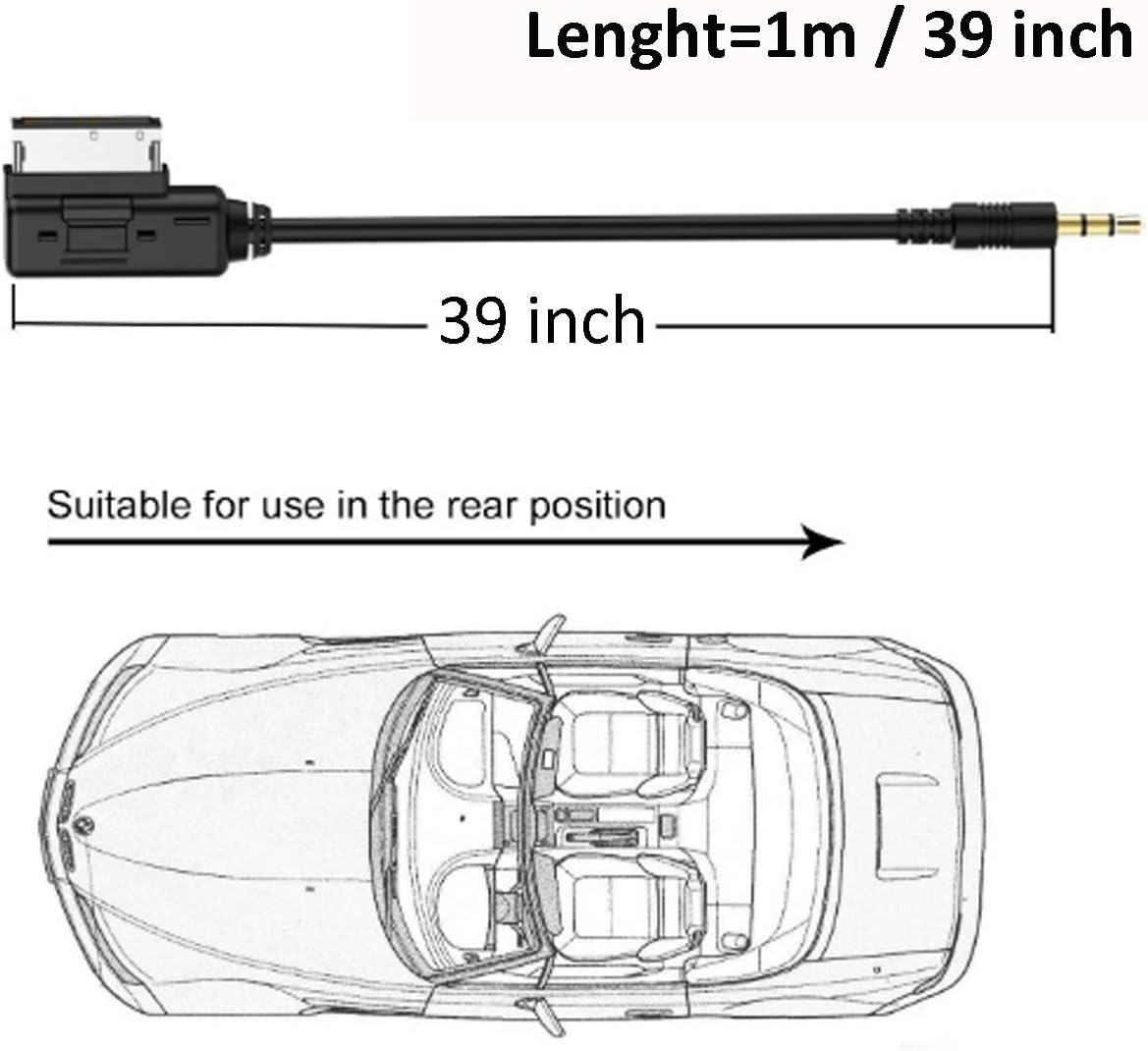
Image: The adapter cable illustrating its length of 1 meter (39 inches).
- Color: Black
- Item Weight: 0.64 ounces
- Product Dimensions: 8.46 x 4.33 x 0.39 inches (packaging/overall)
- Material: Constructed with advanced oxygen-free copper wire for lasting performance.
9. Warranty and Support
For warranty information or technical support, please refer to the product's original packaging or contact CHELINK customer service directly. Keep your purchase receipt for warranty claims.