
ELEGOO EL-CP-021
Contents
ELEGOO 32 Pcs Double Sided PCB Board Prototype Kit
Model: EL-CP-021 | Brand: ELEGOO
1. Product Overview
The ELEGOO 32 Pcs Double Sided PCB Board Prototype Kit is designed for electronic experiments, DIY soldering projects, and is compatible with Arduino kits. This kit provides a versatile platform for prototyping circuits with ease and reliability.

Image: A collection of 32 double-sided PCB prototype boards, showcasing the different sizes included in the kit. The boards are green with pre-tinned holes.
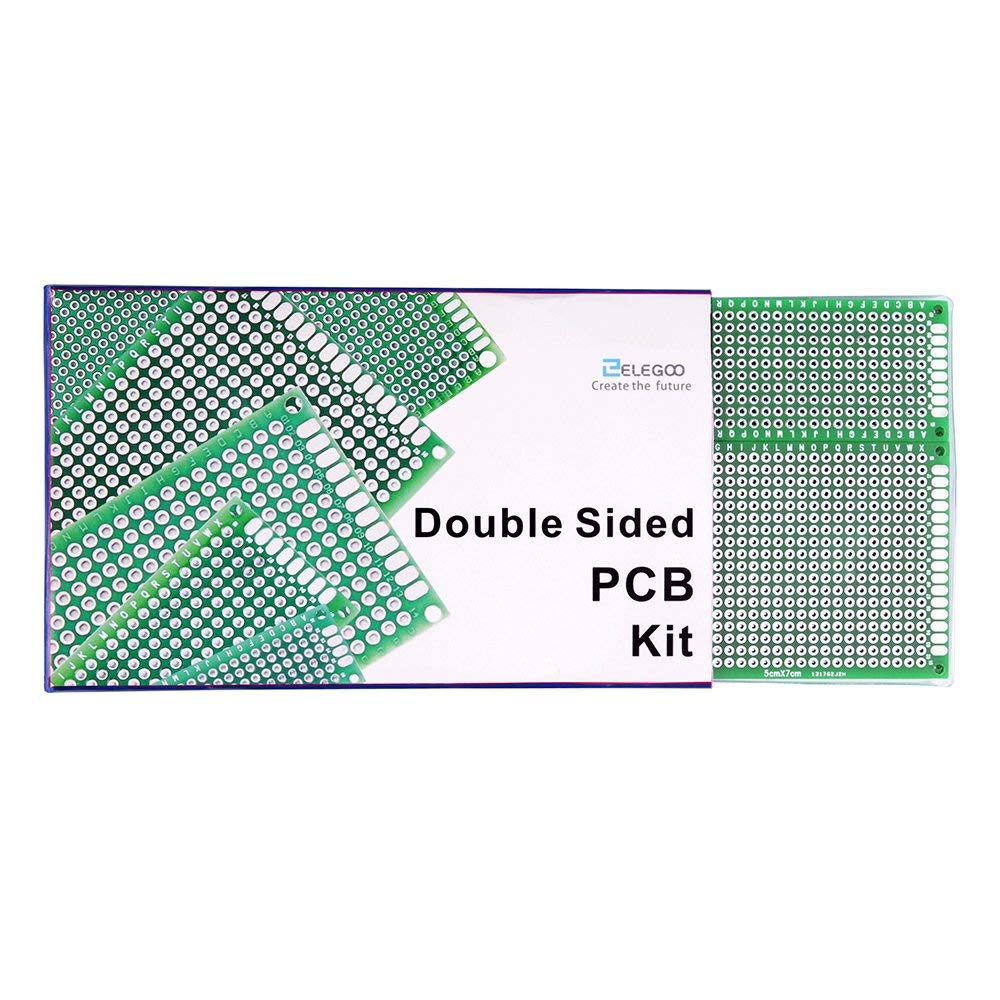
Image: The packaging for the ELEGOO Double Sided PCB Kit, displaying the brand logo and product name, with some boards visible.
2. Kit Contents
The kit includes 32 pieces of double-sided PCB prototype boards, provided in 5 different sizes to accommodate various project requirements. Each board features pre-tinned plated holes for easy soldering and is made from durable FR4 glass fiber material with a 1.6mm thickness.
- 32 x Double Sided PCB Prototype Boards (5 sizes)
- Plastic storage tray

Image: A detailed view of the five different PCB board sizes included in the kit, with their respective dimensions in centimeters and inches.

Image: A close-up of a single PCB board, highlighting the pre-tinned holes and the quality of the board material.
3. Setup and Usage
These prototype boards are designed for easy integration into your electronic projects. Follow these general steps for setup and usage:
- Preparation: Select the appropriate PCB size for your circuit design. Ensure your workspace is clean and well-lit. Gather all necessary components, soldering iron, solder, and safety equipment.
- Component Placement: Insert components into the pre-tinned holes according to your circuit diagram. The double-sided design allows for flexible routing and component placement on both sides of the board.
- Soldering: Solder the component leads to the pads. The pre-tinned holes facilitate easy and reliable solder joints. Ensure proper ventilation during soldering.
- Wiring: Use jumper wires or solder traces to connect components as required by your circuit design. The board's layout with rows and columns of holes simplifies connections.
- Mounting: Each board includes 4 mounting holes at the corners, which are convenient for securing the PCB in enclosures or to other project components.
Video: An official ELEGOO video demonstrating the process of assembling and soldering components onto a PCB board from the kit, followed by testing the completed circuit.
4. Maintenance
Proper maintenance ensures the longevity and reusability of your PCB prototype boards:
- Cleaning: After soldering, clean any flux residue from the board using isopropyl alcohol and a soft brush or cotton swab. This prevents corrosion and ensures proper electrical contact.
- Storage: Store unused boards in a dry, cool environment, preferably in their original plastic tray or an anti-static bag, to prevent oxidation and physical damage.
- Handling: Always handle PCBs by their edges to avoid touching the copper traces or components, which can transfer oils and dirt.
5. Troubleshooting
If you encounter issues during your prototyping process, consider the following common troubleshooting steps:
- Cold Solder Joints: If a component is not functioning, check for dull, lumpy, or cracked solder joints. Reheat the joint and apply a small amount of fresh solder.
- Solder Bridges: Inspect for unintended connections between adjacent pads or traces caused by excess solder. Carefully remove the excess solder using a desoldering wick or pump.
- Component Orientation: Verify that polarized components (e.g., diodes, LEDs, electrolytic capacitors) are installed with the correct polarity as indicated in your circuit diagram.
- Power Supply: Ensure your power supply is providing the correct voltage and current to your circuit. Check all power connections.
- Circuit Design Errors: Double-check your circuit diagram against your physical build for any discrepancies or errors in component values or connections.
6. Specifications
| Feature | Detail |
|---|---|
| Product Dimensions | 5.41 x 3.27 x 0.61 inches |
| Item Weight | 8.82 ounces |
| Item Model Number | EL-CP-021 |
| Manufacturer | ELEGOO |
| Country of Origin | China |
| Material | Durable Glass Fiber (FR4) |
| Board Thickness | 1.6mm |
| Hole Type | Pre-tinned plated holes |
7. Warranty and Support
For any questions, technical assistance, or support regarding your ELEGOO PCB Board Prototype Kit, please contact ELEGOO's customer service. ELEGOO is committed to providing excellent after-sales service and support for their products.
You can typically find contact information on the official ELEGOO website or through the retailer where the product was purchased.
Ask a question about this manual
Ask about setup, troubleshooting, compatibility, parts, safety, or missing instructions. Manuals+ will review the question and use this page’s manual context to help answer it.