
1. Introduction
This manual provides detailed instructions for the safe and proper installation, operation, and maintenance of your Ohmex WMT-2655FIX Wall Mount. This fixed wall mount is designed to securely hold flat screen televisions ranging from 26 to 55 inches with a maximum weight capacity of 30 kg. Please read this manual thoroughly before installation to ensure correct setup and to prevent damage or injury.
The Ohmex WMT-2655FIX is engineered for a secure, low-profile installation, positioning your television approximately 25 mm from the wall. It supports VESA mounting patterns up to 400x400 mm.
2. Safety Information
WARNING: Improper installation or use of this product can result in serious injury or damage. If you do not understand these instructions or have doubts about the safety of the installation, please consult a qualified professional.
- Do not exceed the maximum weight capacity of 30 kg (66 lbs).
- Ensure the wall structure can safely support the combined weight of the mount and the television.
- Always use a stud finder to locate wall studs for secure mounting. Do not mount into drywall alone.
- Verify that the mounting surface is free from electrical wires, plumbing, or other hazards before drilling.
- Use appropriate safety gear, including eye protection, during installation.
- Keep children and pets away during installation.
- This product is intended for indoor use only.
3. Package Contents
Please check that all components are present and undamaged before beginning installation. If any parts are missing or defective, contact Ohmex customer support.
- Wall Plate (1)
- TV Brackets (2)
- Mounting Hardware Kit (Screws, anchors, washers, spacers)
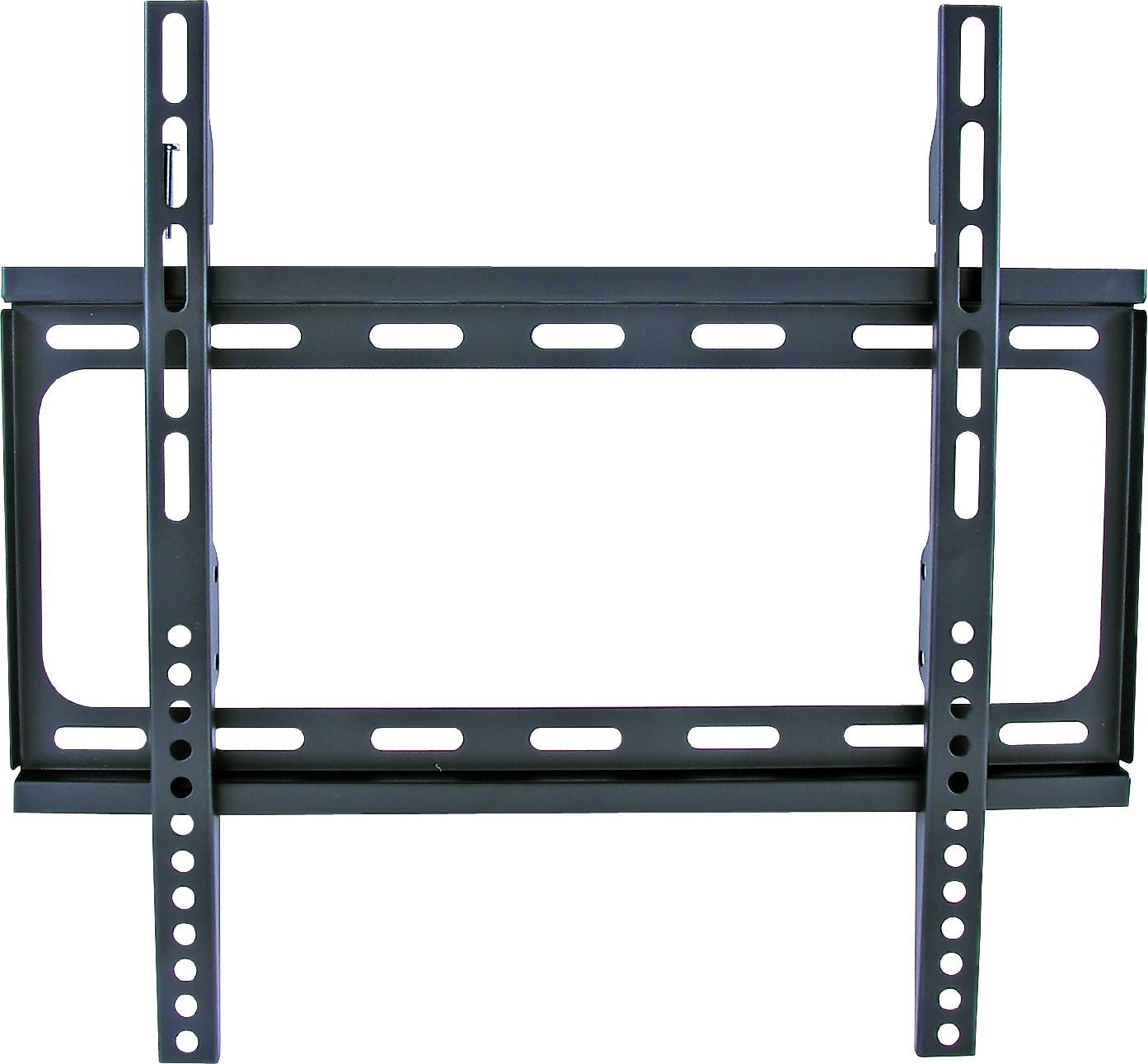
This image displays the Ohmex WMT-2655FIX fixed wall mount. It consists of a rectangular wall plate with horizontal slots and two vertical TV brackets that attach to the wall plate. The mount is black and designed for flat screen televisions.
4. Tools Required for Installation
The following tools are recommended for a successful installation:
- Pencil
- Tape Measure
- Stud Finder
- Drill with appropriate drill bits (for wood studs or concrete/brick)
- Level
- Phillips Head Screwdriver
- Safety Glasses
5. Setup and Installation
IMPORTANT: Two people are recommended for safe installation.
- Prepare the TV:
- Carefully place your TV face down on a soft, clean surface to prevent screen damage.
- Identify the VESA mounting holes on the back of your TV.
- Attach the two TV brackets to the back of your TV using the appropriate screws, washers, and spacers from the mounting hardware kit. Ensure the brackets are centered and securely fastened. Do not overtighten.
- Determine Wall Plate Position:
- Using a stud finder, locate the center of two adjacent wall studs where you intend to mount the TV. Mark these locations with a pencil.
- Hold the wall plate against the wall at the desired height, aligning the mounting holes with the marked stud centers. Use a level to ensure the wall plate is perfectly horizontal.
- Mark the drilling points through the wall plate holes onto the wall.
- Drill Pilot Holes:
- Using an appropriate drill bit (e.g., 5/32" or 4mm for wood studs), drill pilot holes at the marked locations. Ensure the depth is sufficient for the lag bolts.
- If mounting to concrete or brick, use a masonry drill bit and appropriate wall anchors (not always included, may need to be purchased separately).
- Attach Wall Plate to Wall:
- Align the wall plate with the drilled pilot holes.
- Insert the lag bolts with washers through the wall plate and into the pilot holes.
- Tighten the lag bolts securely using a wrench or socket, but do not overtighten to avoid stripping the threads or damaging the wall.
- Mount TV to Wall Plate:
- With assistance, carefully lift the TV with the attached brackets.
- Hook the TV brackets onto the top edge of the wall plate.
- Gently lower the TV until the brackets fully engage with the wall plate.
- Locate the safety screws or locking mechanisms on the bottom of the TV brackets and tighten them to secure the TV to the wall plate. This prevents accidental dislodgement.
- Final Check:
- Gently pull on the top and bottom of the TV to ensure it is securely mounted and does not wobble.
- Confirm the TV is level.
6. Operating the Wall Mount
The Ohmex WMT-2655FIX is a fixed wall mount, meaning it does not offer tilt, swivel, or extension capabilities. Once installed, your television will remain in a static position, approximately 25 mm from the wall.
- Ensure all cables are properly connected and routed before securing the TV to the mount.
- Avoid applying excessive force or hanging objects from the mounted television.
7. Maintenance
Regular maintenance helps ensure the continued safety and stability of your wall mount.
- Periodic Checks: Every 6-12 months, visually inspect the mount and all fasteners. Ensure all screws and bolts are tight and that there are no signs of wear, corrosion, or damage.
- Cleaning: Dust the mount with a soft, dry cloth. Do not use abrasive cleaners or solvents, as these may damage the finish.
- Damage: If any part of the mount appears damaged or compromised, do not use it. Contact Ohmex customer support for assistance.
8. Troubleshooting
- TV is not level after installation:
- Carefully remove the TV from the wall mount.
- Check the wall plate's level. If it's not level, loosen the lag bolts slightly, adjust the plate using a level, and retighten.
- Re-mount the TV and re-check for levelness.
- TV does not fit the mount:
- Verify your TV's VESA mounting pattern matches the mount's compatibility (up to 400x400 mm).
- Ensure your TV's screen size is within the 26-55 inch range and its weight does not exceed 30 kg.
- Missing parts:
- Refer to the "Package Contents" section. If parts are missing, contact Ohmex customer support.
9. Specifications
| Feature | Detail |
|---|---|
| Model Number | WMT-2655FIX |
| Brand | Ohmex |
| Compatible Screen Sizes | 26 to 55 inches (66 cm to 140 cm) |
| Maximum Weight Capacity | 30 kg (66 lbs) |
| Mounting Type | Wall Mount |
| Movement Type | Fixed |
| Wall Distance | 25 mm |
| VESA Compatibility | Up to 400x400 mm |
| Color | Black |
| Product Dimensions | 4 x 30 x 30 cm (Mount only) |
| Item Weight | 1.21 kg |
| Manufacturer | OHMEX |
| GTIN | 07640143162390 |
10. Warranty Information
Specific warranty details for the Ohmex WMT-2655FIX Wall Mount are not provided in this manual. Please refer to the product packaging or contact Ohmex customer support for information regarding warranty coverage and terms.
11. Customer Support
For technical assistance, missing parts, or warranty inquiries, please contact Ohmex customer support. Contact information can typically be found on the product packaging or the official Ohmex website.


