
1. Important Safety Instructions
Please read all instructions carefully before using this appliance and retain them for future reference. Failure to follow these instructions may result in electric shock, fire, or serious personal injury.
- Always unplug the fan from the power outlet before cleaning, assembling, or disassembling parts.
- Do not use the fan near water or in damp environments, such as bathrooms or laundry areas.
- Ensure the voltage indicated on the fan's rating label matches your local power supply before connecting.
- Keep fingers, pencils, or any other objects out of the fan grille when it is operating.
- Do not operate the fan with a damaged cord or plug. If the cord or plug is damaged, contact qualified service personnel for repair or replacement.
- Place the fan on a stable, level surface to prevent it from tipping over.
- This appliance is not intended for use by persons (including children) with reduced physical, sensory, or mental capabilities, or lack of experience and knowledge, unless they have been given supervision or instruction concerning use of the appliance by a person responsible for their safety.
- Children should be supervised to ensure that they do not play with the appliance.
- Do not cover the fan or obstruct its airflow.
- Avoid using extension cords unless absolutely necessary; if used, ensure the cord is rated for the fan's power consumption.
2. Product Overview
The Zilan 16-inch Metal Pedestal Fan is designed to provide efficient air circulation with adjustable settings for optimal comfort.
Components
- Front Grille
- Fan Blades (4 Aluminum)
- Rear Grille
- Motor Housing / Control Panel
- Stand Pole (Adjustable Height)
- Round Base
- Oscillation Knob
- Height Adjustment Knob

Image 2.1: Overview of the Zilan 16-inch Metal Pedestal Fan.
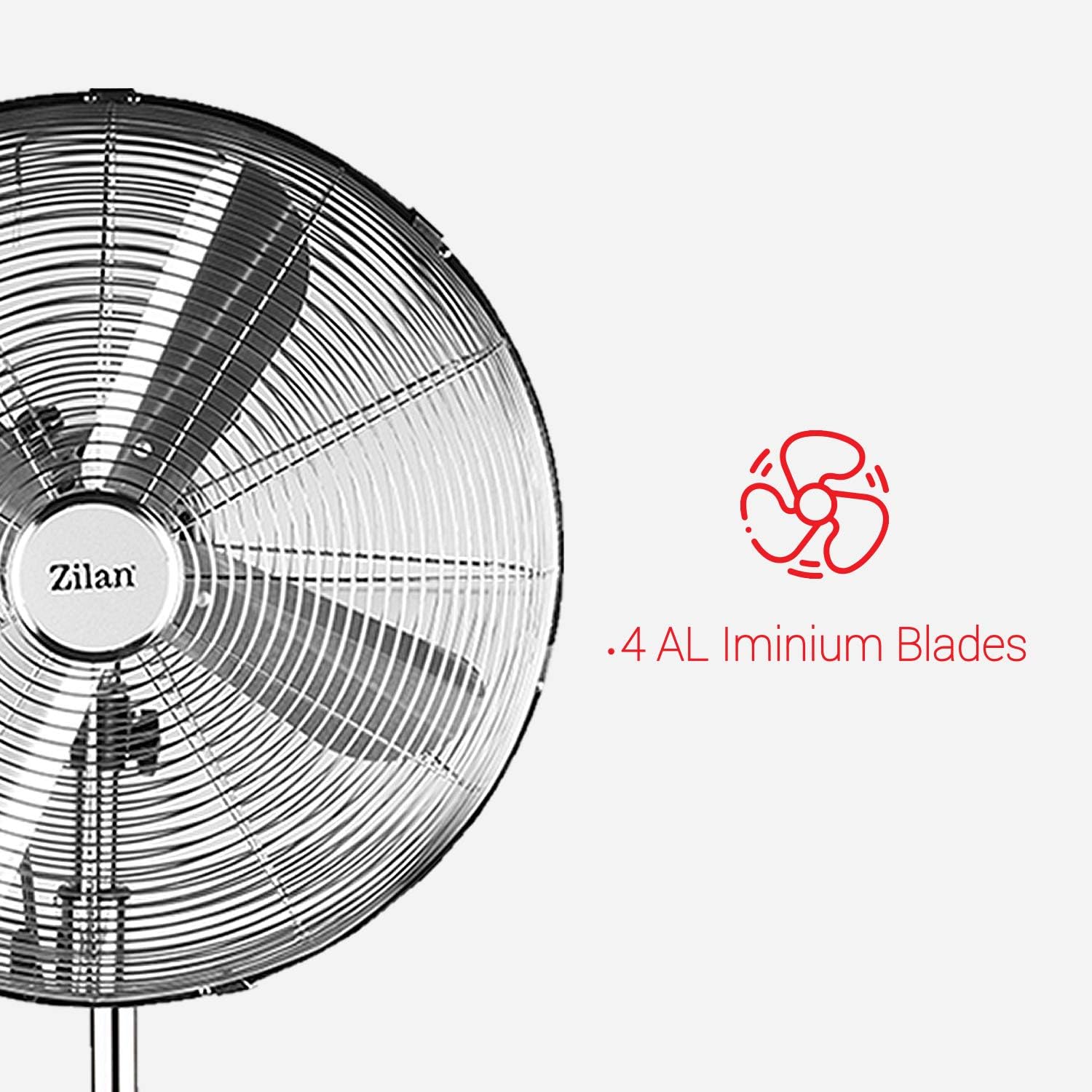
Image 2.2: Detail of the 4 aluminum blades and safety grille.

Image 2.3: The durable round base with chrome finish, providing stability.
3. Assembly Instructions
Follow these steps to assemble your Zilan Pedestal Fan.
3.1 Unpacking
- Carefully remove all components from the packaging.
- Check for any damage during transit. If any parts are damaged or missing, do not proceed with assembly and contact customer support.
- Keep packaging materials away from children.
3.2 Assembling the Base and Stand Pole
- Place the round base on a flat, stable surface.
- Insert the lower part of the stand pole into the central opening of the base.
- Secure the stand pole to the base using the provided screw and washer from underneath the base. Tighten firmly.
- Loosen the height adjustment knob on the stand pole. Extend the inner pole to the desired height.
- Tighten the height adjustment knob to secure the pole at the chosen height.
3.3 Assembling the Fan Head
- Remove the spinner cap and the plastic nut from the motor shaft.
- Place the rear grille onto the motor housing, ensuring the handle is at the top and the alignment pins fit into the corresponding holes.
- Secure the rear grille with the plastic nut, turning it clockwise until tight.
- Slide the fan blades onto the motor shaft, aligning the notch on the blades with the pin on the shaft.
- Secure the blades with the spinner cap, turning it counter-clockwise until tight.
- Place the front grille over the rear grille, aligning the clips.
- Secure the front grille by closing all clips around the edge and tightening the small screw at the bottom of the grille.
4. Operating Instructions
Learn how to use your Zilan Pedestal Fan effectively.
4.1 Power Connection
Plug the power cord into a standard electrical outlet (230V, 50Hz).
4.2 Speed Settings
The fan features 3 speed settings. Use the rotary switch on the motor housing to select your desired airflow:
- 0: Off
- 1: Low Speed
- 2: Medium Speed
- 3: High Speed

Image 4.1: Close-up of the control panel with speed settings (0, 1, 2, 3).

Image 4.2: Visual representation of the three distinct speed settings.
4.3 Oscillation Function
To activate the oscillation function (fan head rotates from side to side), push down the oscillation knob located on top of the motor housing. To stop oscillation and fix the fan in one direction, pull the knob up.

Image 4.3: Illustration of the fan's oscillation and adjustable tilt angle capabilities.
4.4 Height Adjustment
To adjust the fan's height (between 90-120cm), loosen the height adjustment knob on the stand pole. Raise or lower the inner pole to the desired position, then tighten the knob firmly to secure it.

Image 4.4: The fan's adjustable height feature, allowing customization for various spaces.
4.5 Tilt Adjustment
The fan head can be tilted up or down to direct airflow. Loosen the tilt adjustment screw on the side of the motor housing, adjust the fan head to the desired angle, and then tighten the screw to secure it.
5. Care and Maintenance
Regular cleaning and proper maintenance will ensure the longevity and optimal performance of your fan.
5.1 Cleaning
- Always unplug the fan before cleaning.
- Use a soft, damp cloth to wipe the exterior surfaces of the fan. Do not use abrasive cleaners or harsh chemicals, as these may damage the finish.
- To clean the fan blades, you may need to remove the front grille. Refer to the 'Assembling the Fan Head' section for disassembly instructions. Carefully wipe the blades with a damp cloth. Ensure all parts are completely dry before reassembling and operating the fan.
- Do not immerse the fan or its motor in water or any other liquid.
5.2 Storage
When not in use for extended periods, store the fan in its original packaging or a suitable box in a cool, dry place, away from direct sunlight and moisture.
6. Troubleshooting Guide
If you encounter any issues with your fan, please consult the following table before contacting customer support.
| Problem | Possible Cause | Solution |
|---|---|---|
| Fan does not turn on. | No power supply. Fan not plugged in. Speed setting is '0'. | Check power outlet. Ensure fan is securely plugged in. Turn the speed control knob to 1, 2, or 3. |
| Weak airflow. | Low speed setting. Grilles or blades are dirty. | Increase the speed setting. Unplug the fan and clean the grilles and blades as per maintenance instructions. |
| Fan is noisy. | Loose parts. Fan not on a level surface. Blades are dirty or unbalanced. | Check all screws and connections are tight. Place the fan on a stable, level surface. Unplug and clean the blades. Ensure they are properly seated. |
| Oscillation not working. | Oscillation knob not engaged. | Push down the oscillation knob on top of the motor housing. |
7. Product Specifications
Detailed technical specifications for the Zilan 16-inch Metal Pedestal Fan.
| Specification | Detail |
|---|---|
| Brand | Zilan |
| Model Number | ZLN1112 |
| Color | Rundfuss 40 cm / 50 W (Chrome Finish) |
| Product Dimensions (L x W x H) | 41 x 41 x 118 cm (16.1 x 16.1 x 46.5 inches) |
| Power | 50 Watts |
| Voltage | 230V |
| Material | Metal |
| Number of Speeds | 3 |
| Features | Adjustable Height, Oscillating |
| Item Weight | 6.84 Kilograms (15.08 lbs) |
| Electric Fan Design | Pedestal Fan |
| Power Source | Corded Electric |
| Recommended Uses | Cooling, Ventilation |
| Mounting Type | Floor Mount |
| Country of Origin | Turkey |

Image 7.1: Indication of the fan's maximum power consumption of 50 Watts.
8. Warranty and Customer Support
8.1 Warranty Information
This Zilan product is covered by a standard manufacturer's warranty against defects in materials and workmanship. The specific terms and duration of the warranty may vary by region. Please retain your proof of purchase for warranty claims.
8.2 Contact Information
For technical assistance, warranty inquiries, or to report any issues with your product, please contact your retailer or the Zilan customer service department. Refer to the product packaging or the Zilan official website for the most up-to-date contact details.