
Important Safety Information
- The speaker will cease playing music if fully submerged in water due to water pressure.
- A voice alarm will sound every 15 minutes when the speaker's battery is low.
- The speaker will not automatically power off when an audio cable is connected.
Package Contents
Verify that all items listed below are included in your package:
- URPOWER F4 Waterproof Bluetooth Speaker
- USB Charging Cable
- 3.5mm Audio Cable
- User Manual (this document)
- Float Accessory
- Wrist Strap

Image: Contents of the URPOWER F4 Bluetooth Speaker package, including the speaker, cables, float accessory, and wrist strap.
Product Overview
The URPOWER F4 is a portable, waterproof Bluetooth speaker designed for various environments. It features dual drivers for clear sound and multiple connectivity options.

Image: Front view of the URPOWER F4 Bluetooth Speaker, showcasing its black mesh grille and compact design.
Key Features
- IPX7 Waterproof and Dustproof: Designed to withstand immersion in water and protect against dust.
- Stereo Pairing: Connect two F4 speakers for a wider stereo sound experience.
- Long Battery Life: Up to 15 hours of continuous playback on a full charge.
- Bluetooth 4.0 Technology: For stable wireless connection with compatible devices.
- Built-in Microphone: Enables hands-free calling.
- Auxiliary Input: For connecting non-Bluetooth audio sources.
Controls and Ports
Familiarize yourself with the speaker's controls and connection ports:

Image: Diagram illustrating the location of controls and ports on the URPOWER F4 Bluetooth Speaker, including Power On/Off, Volume Up/Track Back, Volume Down/Track Advance, Pause/Play, Aux In Jack, and Micro USB Charging Connector.
- Power On/Off Button: Press to turn the speaker on or off.
- Volume Up / Track Back Button: Short press for volume up, long press for previous track.
- Volume Down / Track Advance Button: Short press for volume down, long press for next track.
- Pause / Play Button: Press to play or pause music.
- AUX In Jack: For wired audio connection.
- Micro USB Charging Connector: For charging the speaker.
Setup
Charging the Speaker
- Connect the provided USB charging cable to the Micro USB Charging Connector on the speaker.
- Connect the other end of the USB cable to a compatible USB power source (e.g., computer USB port, USB wall adapter).
- The indicator light will be red during charging. It will turn off once the speaker is fully charged.
- Charging time is approximately 4 hours for a full charge.
Powering On/Off
- To Power On: Press and hold the Power On/Off button until you hear an audible prompt. The Bluetooth indicator will illuminate.
- To Power Off: Press and hold the Power On/Off button until the speaker powers down.
Operating Instructions
Bluetooth Pairing
To connect your URPOWER F4 speaker to a Bluetooth-enabled device:
- Ensure the speaker is powered on and in pairing mode (the Bluetooth indicator will flash).
- On your device (smartphone, tablet, computer), enable Bluetooth and search for available devices.
- Select "URPOWER-F4" from the list of found devices.
- Once connected, the speaker will provide an audible confirmation, and the Bluetooth indicator will stop flashing and remain solid.

Image: The URPOWER F4 Bluetooth Speaker highlighting its Bluetooth 4.0 technology, compatible with various devices.
Stereo Pairing (Connecting Two F4 Speakers)
For an enhanced audio experience, you can pair two URPOWER F4 speakers together:
- Turn on both URPOWER F4 Bluetooth speakers. The indicator on each speaker will be green, and you will hear "powering on".
- On one of the speakers, press and hold both the Volume Up and Volume Down buttons simultaneously. You will hear a "paired" prompt when the two speakers connect to each other. The Bluetooth indicator on the speaker you pressed will flash green and blue.
- Once the two speakers are paired, turn on Bluetooth on your device and connect to "URPOWER-F4". Only one "URPOWER-F4" will appear in your device's Bluetooth list if the connection is successful.
- Disconnection: To disconnect the two speakers from each other, press the power button on either speaker. This will turn off that speaker.
Note: The two speakers can be connected for stereo pairing within a range of 10 meters (33 feet).

Image: Two URPOWER F4 Bluetooth Speakers placed in a living room setting, demonstrating their stereo pairing capability.
Auxiliary (Wired) Connection
To connect a non-Bluetooth device:
- Connect one end of the 3.5mm audio cable to the AUX In Jack on the speaker.
- Connect the other end of the 3.5mm audio cable to the headphone jack or audio output of your device.
- The speaker will automatically switch to auxiliary input mode.
Hands-Free Calling
When connected via Bluetooth, the built-in microphone allows for hands-free calls:
- Answer/End Call: Press the Play/Pause button to answer an incoming call or end an ongoing call.
- Reject Call: Press and hold the Play/Pause button to reject an incoming call.
Maintenance
- The URPOWER F4 speaker is IPX7 waterproof. This means it can be immersed in water up to 1 meter for 30 minutes. Ensure all ports are securely closed before exposing to water.
- Clean the speaker with a soft, damp cloth. Do not use harsh chemicals or abrasive cleaners.
- Store the speaker in a cool, dry place when not in use for extended periods.
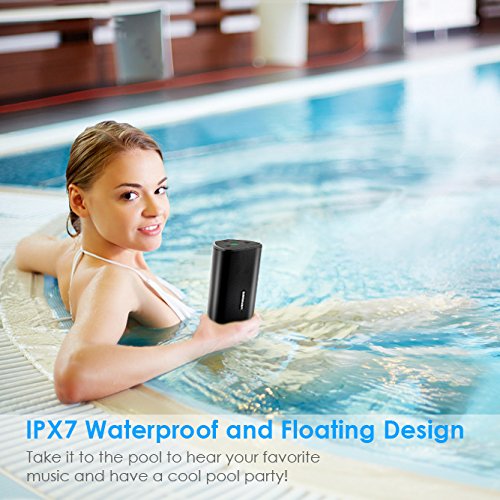
Image: A woman in a swimming pool with the URPOWER F4 Bluetooth Speaker, demonstrating its waterproof capability.
Troubleshooting
- Speaker not powering on: Ensure the battery is charged. Connect the speaker to a power source using the USB cable.
- No sound: Check the volume level on both the speaker and your connected device. Ensure the correct input source (Bluetooth or Aux) is selected.
- Bluetooth connection issues: Ensure the speaker is within 10 meters (33 feet) of your device. Disconnect and re-pair the speaker with your device. Turn off and on your device's Bluetooth.
- Low battery voice alarm: The speaker will announce a low battery warning every 15 minutes. Recharge the speaker promptly.
- Speaker auto-powers off: If an audio cable is connected, the speaker will not auto-power off. If no audio is playing and no cable is connected, the speaker may enter a power-saving mode.
Specifications
| Model | F4 |
| Bluetooth Version | 4.0 |
| Output Power | 20W (Dual Driver) |
| Max Decibel | 80 dB |
| Bluetooth Distance | Up to 10 meters (33 feet) |
| Battery Type | 3.7V Lithium battery |
| Battery Capacity | 2500mAh |
| Working Time | Up to 15 hours (on a full charge) |
| Charging Time | Approximately 4 hours |
| Water Resistance | IPX7 |
| Dimensions | 17.8 cm (L) x 7.6 cm (W) x 7.6 cm (H) |
| Weight | Approximately 524 grams (18.5 oz) |

Image: Diagram showing the dimensions of the URPOWER F4 Bluetooth Speaker: 17.78cm length, 7.62cm width, and 7.62cm height.

Image: An exploded view of the URPOWER F4 Bluetooth Speaker, highlighting its 20W dual drivers for powerful sound output.
Warranty and Support
The URPOWER F4 Bluetooth Speaker comes with a 12-month warranty.
For any questions, technical support, or warranty claims, please contact URPOWER customer service. Refer to the product packaging or the URPOWER official website for contact details.
