
1. Introduction
This manual provides essential information for the safe and effective use of your Satco S9030 LED A15 Light Bulbs. These 5.5-watt LED bulbs are designed to replace traditional 40-watt incandescent bulbs, offering significant energy savings and a long operational lifespan. They feature a frosted finish, emit a warm white light at 2700K, and are dimmable with compatible dimmer switches.
2. Safety Information
WARNING: To avoid electric shock or damage to the bulb, always turn off the power to the fixture before installation, removal, or inspection.
- Ensure the power supply is disconnected before handling the bulb.
- This bulb is designed for indoor use only. Do not expose to water or direct outdoor elements.
- Do not disassemble or modify the bulb. There are no user-serviceable parts inside.
- Use only with compatible dimmer switches. Refer to the dimmer manufacturer's instructions for compatibility.
- Do not use in fully enclosed fixtures unless specified by the fixture manufacturer, as this may shorten bulb life.
- Handle with care. Avoid dropping the bulb.
3. Product Features
- Energy Efficient: Consumes only 5.5 watts, equivalent to a 40-watt incandescent bulb, reducing electricity costs.
- Warm Ambiance: 2700 Kelvin color temperature provides a cozy and inviting warm white light.
- Dimmable Design: Compatible with most standard dimmer switches for adjustable light levels.
- Long Lasting: LED technology ensures an extended operational lifespan with consistent brightness.
- Versatile Use: Features a medium (E26) base, suitable for standard light fixtures such as table lamps, ceiling fans, and general home lighting.
- Frosted Finish: Provides diffused light, reducing glare.
4. Setup and Installation
Follow these steps to install your Satco S9030 LED A15 light bulb:
- Turn Off Power: Locate the light switch or circuit breaker controlling the fixture and turn off the power completely.
- Remove Old Bulb: Carefully unscrew the existing light bulb from the fixture. Allow it to cool if it has been recently in use.
- Inspect Fixture: Ensure the fixture's socket is clean and free of debris.
- Install New Bulb: Gently screw the Satco S9030 LED A15 bulb into the E26 medium base socket until it is snug. Do not overtighten.
- Restore Power: Turn the power back on at the switch or circuit breaker.
- Test: Turn on the light switch to confirm the bulb is working correctly.
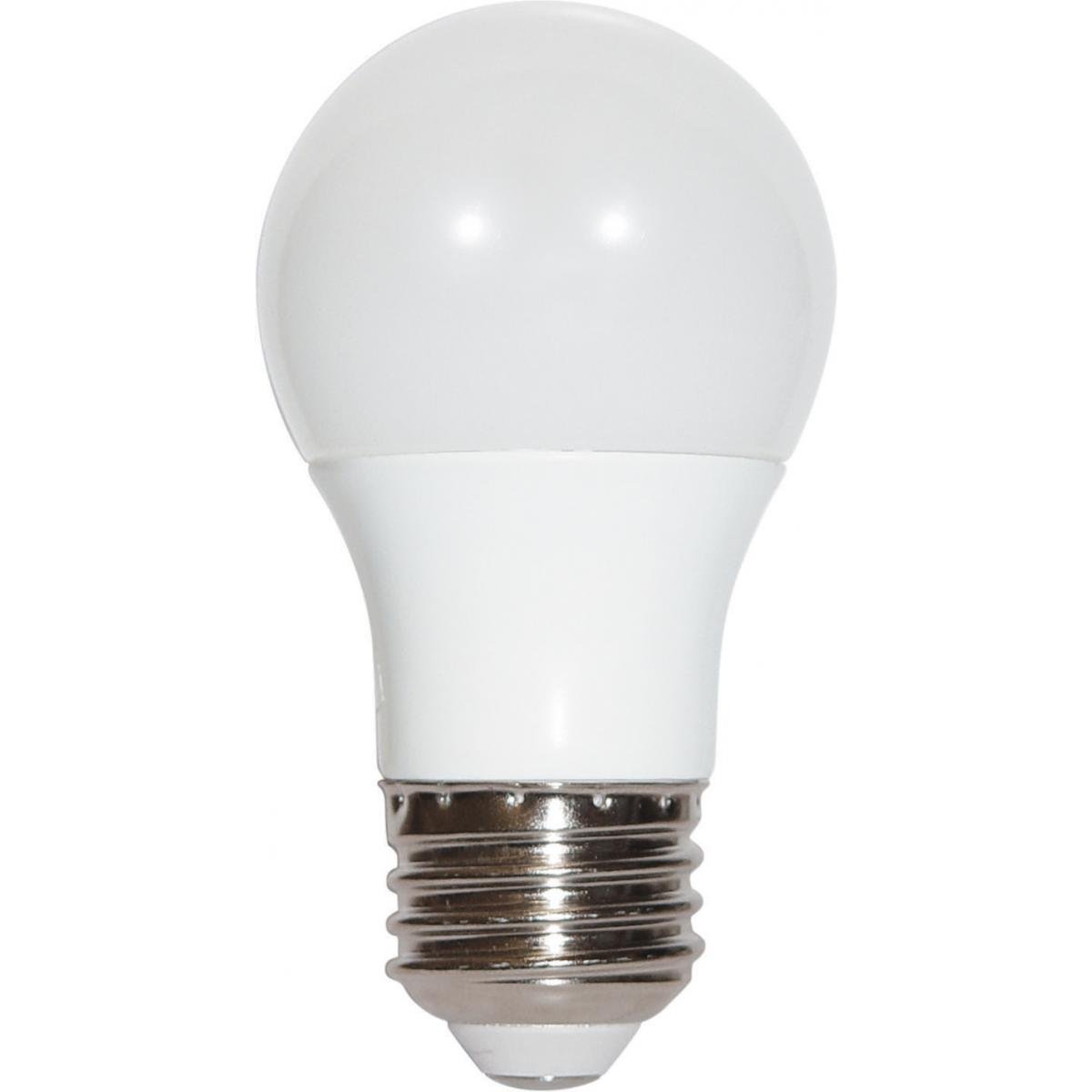
Image 1: Satco S9030 LED A15 Light Bulb. This image shows the frosted bulb with its standard E26 medium base, ready for installation into a compatible fixture.
5. Operating Instructions
Operating your Satco S9030 LED A15 light bulb is straightforward:
- On/Off Function: Use your standard wall switch to turn the light bulb on or off.
- Dimming Function: If connected to a compatible dimmer switch, adjust the dimmer control to achieve your desired brightness level. Ensure your dimmer switch is designed for LED bulbs to prevent flickering or damage.
6. Maintenance
The Satco S9030 LED A15 light bulb requires minimal maintenance:
- Cleaning: Ensure the power is off and the bulb is cool before cleaning. Wipe the bulb with a soft, dry cloth. Do not use liquid cleaners or abrasive materials.
- No User Serviceable Parts: Do not attempt to open or repair the bulb. Any such action will void the warranty.
7. Troubleshooting
If you encounter issues with your Satco S9030 LED A15 light bulb, refer to the following troubleshooting guide:
| Problem | Possible Cause | Solution |
|---|---|---|
| Bulb does not light up | No power to the fixture; Bulb not screwed in properly; Faulty bulb or fixture | Check power switch and circuit breaker. Ensure bulb is securely screwed into the socket. Test the bulb in another working fixture or test the fixture with another working bulb. |
| Bulb flickers or hums | Incompatible dimmer switch; Loose connection; Electrical interference | Ensure your dimmer switch is specifically designed for LED bulbs. Tighten the bulb in the socket. If flickering persists, try the bulb in a non-dimmable fixture to rule out dimmer incompatibility. |
| Bulb does not dim properly | Incompatible dimmer switch; Dimmer not calibrated for LED | Verify that your dimmer switch is compatible with LED bulbs. Some LED dimmers require calibration; consult your dimmer's instruction manual. |
| Reduced light output | Dust accumulation; End of bulb life | Clean the bulb with a dry cloth (ensure power is off). If the bulb is nearing the end of its rated lifespan, replacement may be necessary. |
8. Specifications
| Specification | Value |
|---|---|
| Model Number | S9030 |
| Light Type | LED |
| Wattage | 5.5 Watts |
| Incandescent Equivalent | 40 Watts |
| Bulb Shape Size | A15 |
| Bulb Base | E26 (Medium) |
| Color Temperature | 2700 Kelvin |
| Light Color | Warm White |
| Light Output | 450 Lumens |
| Voltage | 120 Volts |
| Dimmable | Yes |
| Special Feature | Frosted |
| Indoor/Outdoor Usage | Indoor |
| Material | Copper |
| Item Weight | 3.36 ounces |
| Product Dimensions | 7 x 5 x 5 inches (packaging) |
| Color Rendering Index (CRI) | 80 |

Image 2: Energy Efficiency Label for Satco S9030. This label provides details on the bulb's energy consumption and light output.
9. Warranty and Support
For warranty information and customer support, please refer to the official Satco website or contact their customer service directly. Keep your purchase receipt as proof of purchase for any warranty claims.
- Manufacturer: Satco
- Website: www.satco.com (Please check the official website for the most current contact information and warranty details.)


