
Night Cat 8835-EU-BLK
Night Cat Electric Fly Swatter User Manual
Model: 8835-EU-BLK
Introduction
Thank you for choosing the Night Cat Electric Fly Swatter. This device is designed to effectively eliminate flying insects such as flies and mosquitoes using a high-voltage electric grid. Its portable and rechargeable design makes it suitable for both indoor and outdoor use. Please read this manual carefully before use to ensure safe and optimal performance.
Safety Instructions
- Keep out of reach of children and pets.
- Do not touch the inner electric grid when the device is active or charging. The protective outer grids are designed for safety, but direct contact with the inner grid can cause an electric shock.
- Do not use near flammable gases or liquids.
- Do not use in wet environments or allow the device to get wet. This can cause electric shock or damage.
- Do not insert metal objects into the grid.
- Turn off the device before cleaning or storing.
- If the device is damaged, do not attempt to repair it yourself. Contact customer support.
- This device is intended for insect control only. Do not use for any other purpose.
Product Overview
The Night Cat Electric Fly Swatter features a robust design with multiple safety and convenience features.
Components and Features

Figure 1: Key components and features of the Night Cat Electric Fly Swatter. This diagram highlights the triple-layer safety mesh, durable ABS material construction, a dual-action safety switch, an indicator light for operation and charging status, a convenient USB charging port, and an ergonomic anti-slip handle design.
Dimensions and Weight

Figure 2: The Night Cat Electric Fly Swatter is designed to be portable and lightweight. It measures approximately 43 cm (17 inches) in length and 22 cm (9 inches) in width, with a weight of 300 grams. For comparison, its size is similar to a standard 10-inch tablet, making it easy to handle and carry.
Setup
Charging the Device
Before first use, fully charge the electric fly swatter. The device is equipped with a 1200 mAh lithium-polymer battery for extended use.
- Locate the USB charging port on the handle of the fly swatter.
- Connect the provided USB charging cable to the swatter's port.
- Connect the other end of the USB cable to a compatible USB power source, such as a USB adapter (not included) or a power bank.
- During charging, the indicator light will turn red.
- Once fully charged, the indicator light will turn green.
- Disconnect the charging cable once charging is complete.
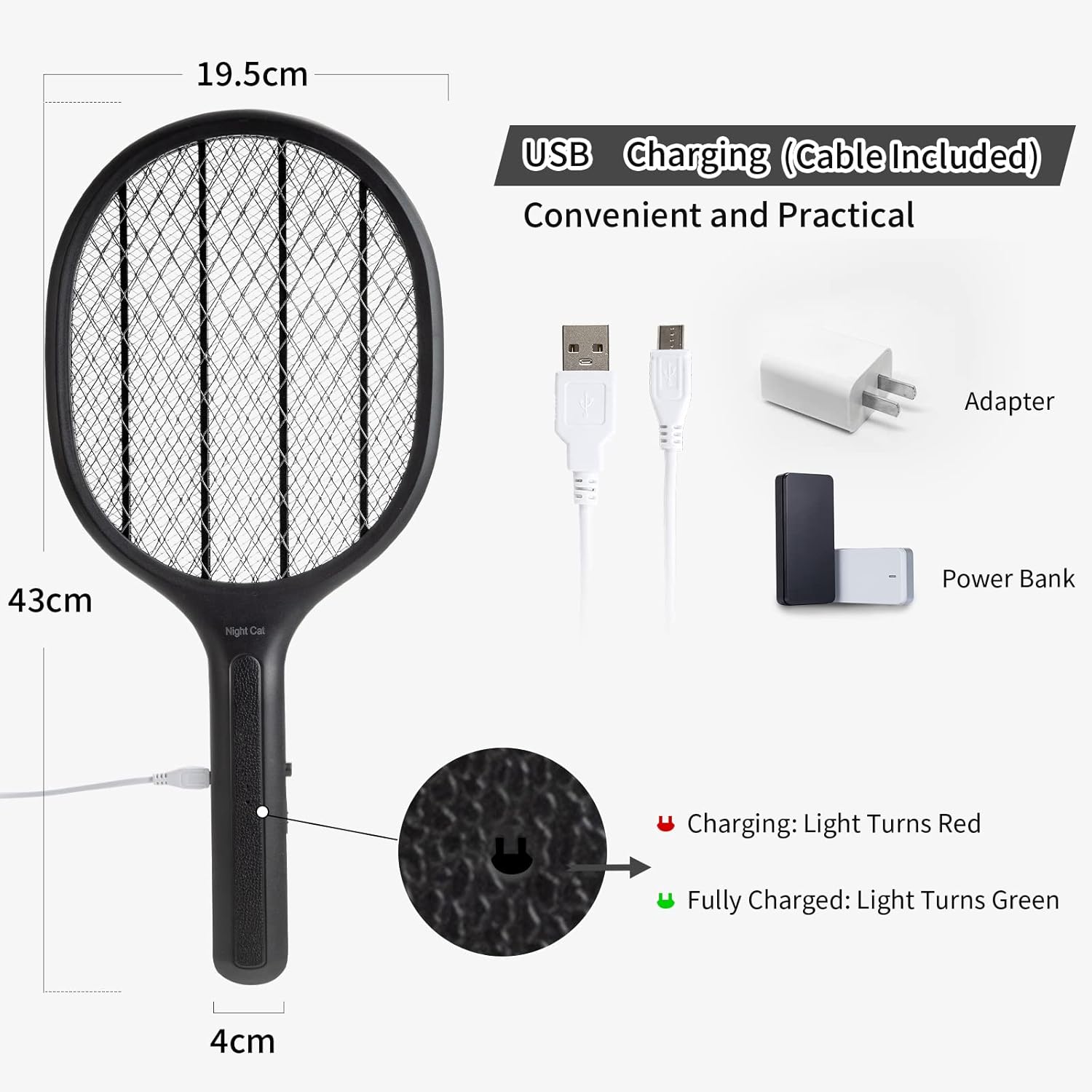
Figure 3: USB charging setup for the Night Cat Electric Fly Swatter. The image illustrates how to connect the device to a USB adapter or power bank for charging. The charging indicator light turns red when charging and green when fully charged.
Operating Instructions
Powering On/Off
The device features a double switch for enhanced safety.
- To activate the electric grid, slide the main power switch to the "ON" position.
- Press and hold the activation button located on the side of the handle. The indicator light will illuminate, signifying that the grid is active and ready for use.
- Release the activation button to deactivate the grid.
- For storage or when not in use, slide the main power switch to the "OFF" position.
Effective Use
The 3000V output voltage ensures effective insect elimination.
- Once the grid is active, swing the swatter towards the target insect.
- Ensure the insect makes contact with the electric grid. A distinct "zap" sound indicates successful elimination.
- For best results, aim for a direct hit.
- The device is effective against various flying insects, including flies, mosquitoes, and other small pests.
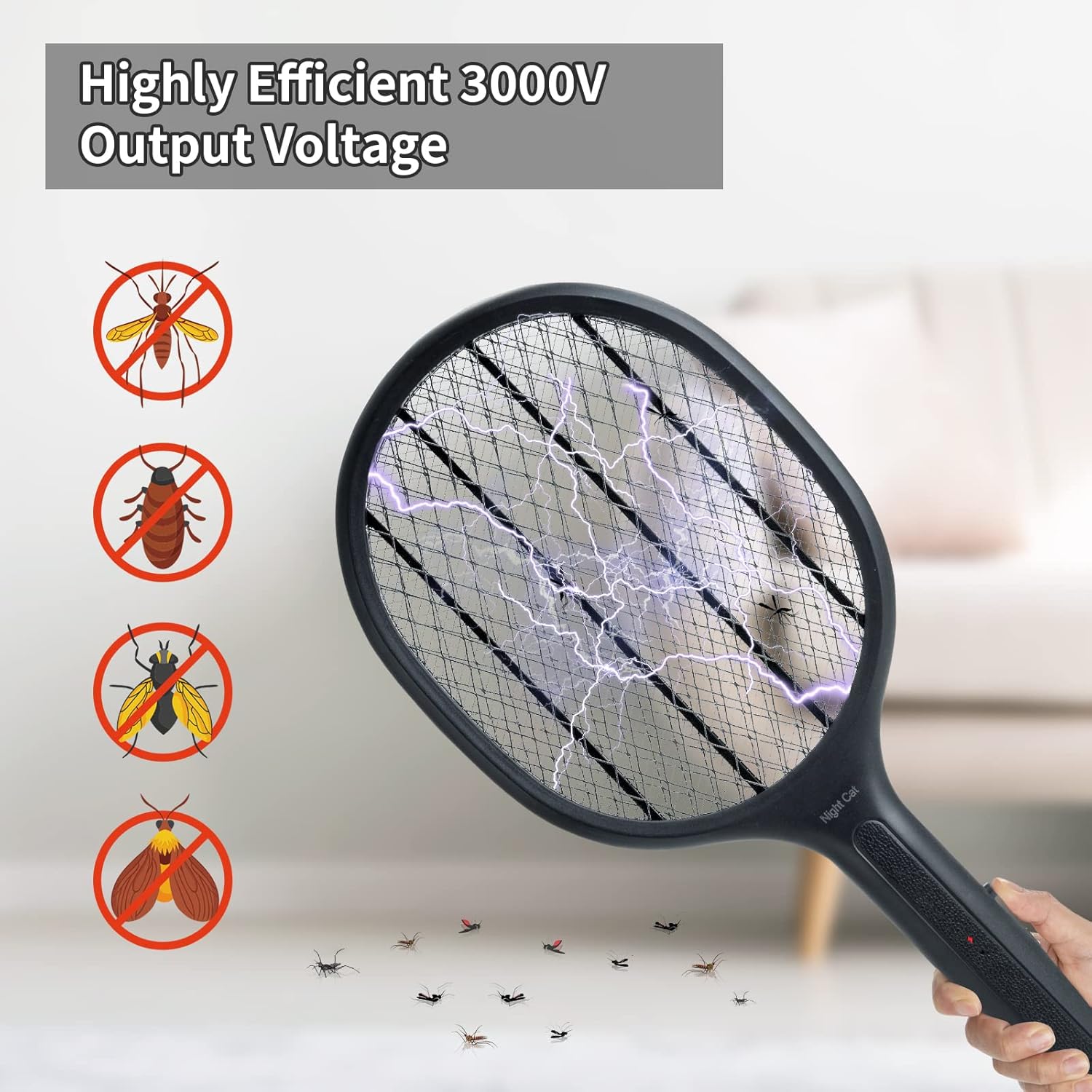
Figure 4: The Night Cat Electric Fly Swatter in action, illustrating its highly efficient 3000V output voltage. The image shows the electric discharge as it eliminates various insects, including mosquitoes, flies, and other small pests.
Maintenance
Cleaning
- Always ensure the device is turned OFF and disconnected from any charging source before cleaning.
- Use a soft, dry brush or cloth to gently remove any insect debris from the grid.
- Do not use water or any cleaning liquids on the electric grid.
- Wipe the handle and exterior with a clean, damp cloth if necessary, then dry thoroughly.
Storage
- Store the fly swatter in a cool, dry place, away from direct sunlight and moisture.
- Ensure the device is fully charged before long-term storage to maintain battery health.
- Keep the device in its original packaging or a protective cover to prevent damage.
Troubleshooting
| Problem | Possible Cause | Solution |
|---|---|---|
| Device not turning on. | Battery is low or depleted. | Charge the device fully using the provided USB cable. |
| Indicator light not illuminating. | Main power switch is OFF or activation button not pressed. | Ensure the main switch is ON and the activation button is pressed and held. |
| No "zap" sound when hitting an insect. | Insect did not make full contact with the inner grid; grid is dirty; battery is low. | Ensure direct contact. Clean the grid. Recharge the device. |
| Device appears damaged or overheated. | Internal malfunction or improper use. | Immediately turn off the device and discontinue use. Contact customer support. |
Specifications
| Feature | Detail |
|---|---|
| Model Number | 8835-EU-BLK |
| Brand | Night Cat |
| Dimensions (L x W x H) | 49 x 22 x 4 cm (19.3 x 8.7 x 1.6 inches) |
| Weight | 300 grams (0.66 lbs) |
| Material | Acrylonitrile Butadiene Styrene (ABS) |
| Output Voltage | 3000V |
| Battery Type | 1200 mAh Lithium-Polymer (Rechargeable) |
| Charging Method | USB |
| Target Species | Flies, Mosquitoes, and other small flying insects |
Warranty and Support
Night Cat products are manufactured with high-quality materials and undergo strict quality control. For any issues or inquiries regarding your Night Cat Electric Fly Swatter, please contact our customer support team. We are committed to providing a satisfactory solution.
Please refer to your purchase documentation for specific warranty terms and contact information.
Ask a question about this manual
Ask about setup, troubleshooting, compatibility, parts, safety, or missing instructions. Manuals+ will review the question and use this page’s manual context to help answer it.