
PRUNUS J-429
PRUNUS J-429 Portable Radio User Manual
Model: J-429
Introduction
Thank you for purchasing the PRUNUS J-429 Portable Radio. This compact and versatile radio offers AM, FM, and SW bands, along with MP3 playback capabilities via USB and TF/SD card, and an AUX input. Designed for ease of use with large buttons and a clear digital display, it provides clear sound quality in a portable form factor. Please read this manual thoroughly before using the product to ensure proper operation and to maximize its lifespan.

Image: The PRUNUS J-429 Portable Radio in red, showing its front panel with large buttons, digital display, and telescopic antenna.
Safety Information
- Do not expose the unit to rain, moisture, or direct sunlight for extended periods.
- Avoid extreme temperatures.
- Do not disassemble or modify the device. Refer all servicing to qualified personnel.
- Keep away from strong magnetic fields.
- Use only the specified charging methods and cables.
- Dispose of batteries properly according to local regulations.
Product Overview
Components and Controls
The PRUNUS J-429 features a user-friendly design with clearly labeled controls.
- 1. Power Switch (ON/OFF): Located on the top, slides to turn the radio on or off.
- 2. Telescopic Antenna: Extend for better radio reception.
- 3. Digital Display: Shows frequency, mode, and other information.
- 4. Numeric Keypad (0-9): For direct frequency input or track selection.
- 5. Scan Button: Automatically searches and saves available radio stations.
- 6. Previous/Next Track Buttons: Navigate through tracks in MP3 mode or fine-tune frequency.
- 7. Play/Pause Button: Controls playback in MP3 mode.
- 8. Mode (M) Button: Switches between FM, AM, SW, MP3 (USB/TF), and AUX modes.
- 9. Volume Knob: Adjusts the audio volume.
- 10. USB Port: For USB flash drive playback.
- 11. TF/SD Card Slot: For TF/Micro SD card playback.
- 12. AUX Input: Connect external audio devices.
- 13. DC 5V Charging Port: For charging the internal battery.
- 14. Charging Indicator LED: Red when charging, Blue when fully charged.
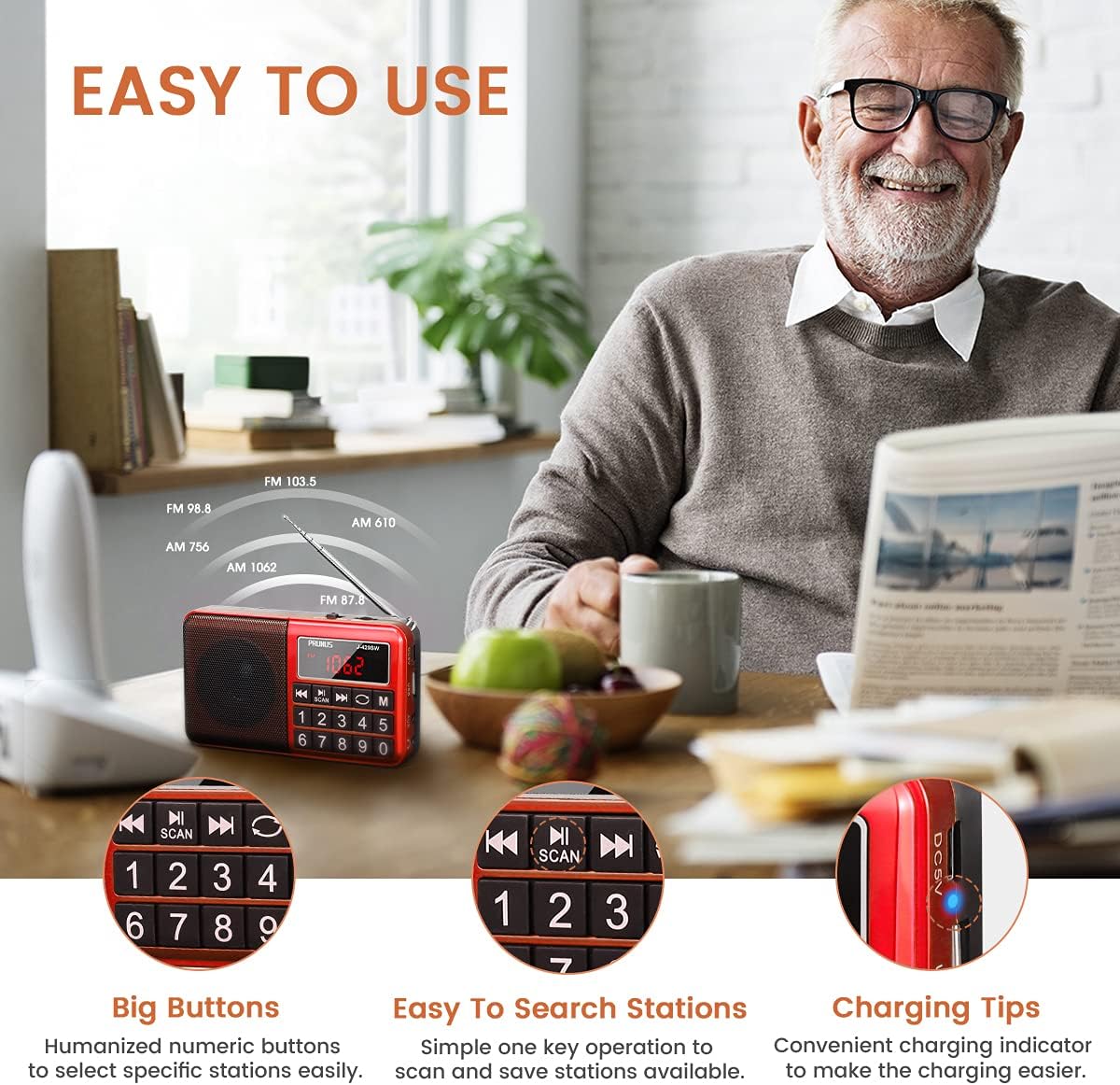
Image: Close-up of the PRUNUS J-429 showing the large numeric buttons, scan button, and charging indicator light.
Setup
Charging the Battery
The PRUNUS J-429 comes with a built-in 1200 mAh BL5C rechargeable Lithium-ion battery. Before first use, it is recommended to fully charge the battery.
- Connect the supplied USB charging cable to the DC 5V charging port on the radio.
- Connect the other end of the USB cable to a USB power source (e.g., a USB wall adapter, computer USB port, car charger, or power bank). (Note: Wall adapter is not included.)
- The charging indicator LED will illuminate RED while charging.
- Once fully charged, the LED indicator will turn BLUE.
A full charge typically takes a few hours. Battery life varies depending on usage (e.g., radio vs. USB playback).
Operating Instructions
Power On/Off
Slide the power switch (located on the top of the unit) to the "ON" position to turn on the radio. Slide it to "OFF" to power down.
Radio Operation (FM/AM/SW)
- Select Mode: Press the "M" (Mode) button repeatedly to cycle through FM, AM, and SW bands. The selected band will be displayed on the digital screen.
- Extend Antenna: For optimal reception, fully extend the telescopic antenna, especially for FM and SW bands.
- Automatic Scan: Press the "SCAN" button to automatically search for and save all available radio stations within the current band. The radio can store up to 297 stations across all bands. (Note: Manual numbering of stored stations is not possible.)
- Manual Tuning/Station Selection:
- Direct Frequency Input: Use the numeric keypad (0-9) to directly enter the desired frequency. For example, to tune to FM 98.8 MHz, press 9-8-8.
- Browse Saved Stations: Use the Previous (◀◀) and Next (▶▶) buttons to cycle through saved stations.
- Adjust Volume: Rotate the volume knob to increase or decrease the sound level.

Image: A person sitting on a bench with the PRUNUS J-429 radio, illustrating its multi-band reception capabilities (FM, AM, SW).
MP3 Playback (USB/TF/SD Card)
The radio supports MP3 format playback from USB flash drives and TF/Micro SD cards.
- Insert a USB flash drive into the USB port or a TF/Micro SD card into the TF/SD card slot.
- Press the "M" (Mode) button until "MP3" or the track number appears on the display. The radio will automatically start playing the first compatible MP3 file.
- Use the Previous (◀◀) and Next (▶▶) buttons to skip tracks.
- Press the Play/Pause button to pause or resume playback.
- Use the numeric keypad to directly select a track number.

Image: Diagram illustrating the universal compatibility of the PRUNUS J-429, showing inputs for FM/AM/SW radio, Micro SD/TF card, USB flash drive, and AUX jack.
AUX Input
Connect external audio devices (e.g., smartphones, MP3 players) to the radio using a 3.5mm audio cable (not included).
- Connect one end of the 3.5mm audio cable to the AUX input port on the radio.
- Connect the other end to the headphone jack or audio output of your external device.
- Press the "M" (Mode) button until "AUX" appears on the display.
- Control playback and volume from your external device.
Maintenance
- Cleaning: Use a soft, dry cloth to clean the exterior of the radio. Do not use abrasive cleaners or solvents.
- Storage: When not in use for extended periods, store the radio in a cool, dry place.
- Battery Care: To prolong battery life, avoid fully discharging the battery frequently. Charge it regularly, even if not in use.
Troubleshooting
| Problem | Possible Cause | Solution |
|---|---|---|
| No power / Unit does not turn on. | Battery is depleted. | Charge the battery fully. Ensure the charging indicator turns blue. |
| Poor radio reception. | Antenna not extended; weak signal area; interference. | Fully extend the telescopic antenna. Try repositioning the radio. Avoid areas with strong electronic interference. |
| MP3 playback not working. | Incorrect file format; USB/TF card not inserted correctly; corrupted files. | Ensure files are in MP3 format. Reinsert the USB drive or TF card. Try a different USB drive or TF card. |
| No sound from AUX input. | Incorrect mode selected; cable not connected properly; external device volume too low. | Press "M" button to select AUX mode. Check cable connections. Increase volume on both the radio and the external device. |
| Battery life is shorter than expected. | High volume usage; frequent mode changes; aging battery. | Reduce volume. Ensure full charge cycles. Battery performance may degrade over time. |
Specifications
| Brand | PRUNUS |
| Model Number | J-429 |
| Color | C-Red |
| Dimensions | 15L x 8W x 3H centimeters (approx. 31 x 126 x 73 mm) |
| Weight | 233 grams (approx.) |
| Connectivity Technology | USB, AUX |
| Special Features | Portable, Rechargeable |
| Supported Radio Bands | FM (76-108 MHz), AM (522-1710 KHz), SW (2300-21950 KHz) |
| Speaker Output | 3W Neodymium Speaker |
| Battery Type | 1200 mAh BL5C Lithium-ion (included) |
| Power Source | Cable Electric (USB charging) |
| Compatible Devices | MP3 players, smartphones, tablets (via AUX); USB flash drives, TF/Micro SD cards (for MP3 playback) |
Warranty and Support
PRUNUS products are designed for reliability and performance. For any issues or questions regarding your J-429 Portable Radio, please contact PRUNUS customer support. Information regarding specific warranty periods and support channels can typically be found on the official PRUNUS website or through your point of purchase.
As a trusted brand on Amazon since 2016, PRUNUS is committed to providing quality products and customer satisfaction. We are loved by over 3M+ customers and offer 24/7 customer support.
For the most up-to-date support information, please visit the PRUNUS brand store on Amazon or their official website.
Ask a question about this manual
Ask about setup, troubleshooting, compatibility, parts, safety, or missing instructions. Manuals+ will review the question and use this page’s manual context to help answer it.