
Sony KD70X690E
Sony KD70X690E 70-Inch 4K Ultra HD Smart LED TV User Manual
Model: KD70X690E
Important Safety Information
Please read all safety and operating instructions carefully before using your television. Keep these instructions for future reference.
- Do not block ventilation openings. Ensure adequate space around the television for proper airflow.
- Do not place the television near heat sources such as radiators, heat registers, stoves, or other apparatus (including amplifiers) that produce heat.
- Protect the power cord from being walked on or pinched, particularly at plugs, convenience receptacles, and the point where they exit from the apparatus.
- Only use attachments/accessories specified by the manufacturer.
- Unplug this apparatus during lightning storms or when unused for long periods of time.
- Refer all servicing to qualified service personnel. Servicing is required when the apparatus has been damaged in any way, such as power-supply cord or plug is damaged, liquid has been spilled or objects have fallen into the apparatus, the apparatus has been exposed to rain or moisture, does not operate normally, or has been dropped.
What's in the Box
Verify that all items listed below are included with your Sony KD70X690E television.
- Sony KD70X690E 70-Inch 4K Ultra HD Smart LED TV
- Remote Control (RMT-TX300U)
- Batteries (R03) for remote control
- AC Power Cord (2pin, Pigtail, US type, straight plug shape Connector)
- Operating Instructions
- Quick Setup Guide / Supplement CUE (GA)
- Table Top Stand (Separate, assembly required)
Setup Guide
1. Attaching the Table Top Stand
The table top stand is provided separately and requires assembly. Place the TV screen face down on a soft, clean surface to prevent damage. Attach the stand components to the designated slots on the TV's bottom using the provided screws. Ensure all screws are tightened securely.

Image: Sony KD70X690E TV with its stand, positioned in a modern living room environment.
2. Connecting Power
Connect the supplied AC power cord to the TV's power input and then to a wall outlet. The TV will enter standby mode.
3. Initial Setup
Upon first power-on, the TV will guide you through an initial setup process. This includes language selection, network connection, and basic TV settings. Follow the on-screen instructions using the remote control.
- Network Connection: The TV features built-in Wi-Fi. Select your home network from the list and enter the password. An Ethernet connection is also available for a wired network.
- Channel Scan: If connecting an antenna or cable directly to the TV, the setup will prompt you to scan for available channels.
4. Connecting External Devices
Your TV provides multiple input ports for connecting various devices.
- HDMI Ports: Connect devices like Blu-ray players, gaming consoles, or cable/satellite boxes to the HDMI ports. This model has 3 HDMI inputs. HDMI port 3 supports Audio Return Channel (ARC) for simplified audio connections to compatible sound systems.
- USB Ports: Connect USB storage devices for media playback. This model has 3 USB 2.0 ports.
- Component/Composite Hybrid Input: Use this input for older devices that require component or composite video connections.

Image: Rear view of the Sony KD70X690E television, highlighting the arrangement of its input ports.
5. Physical Dimensions
Consider the television's dimensions for proper placement and installation.
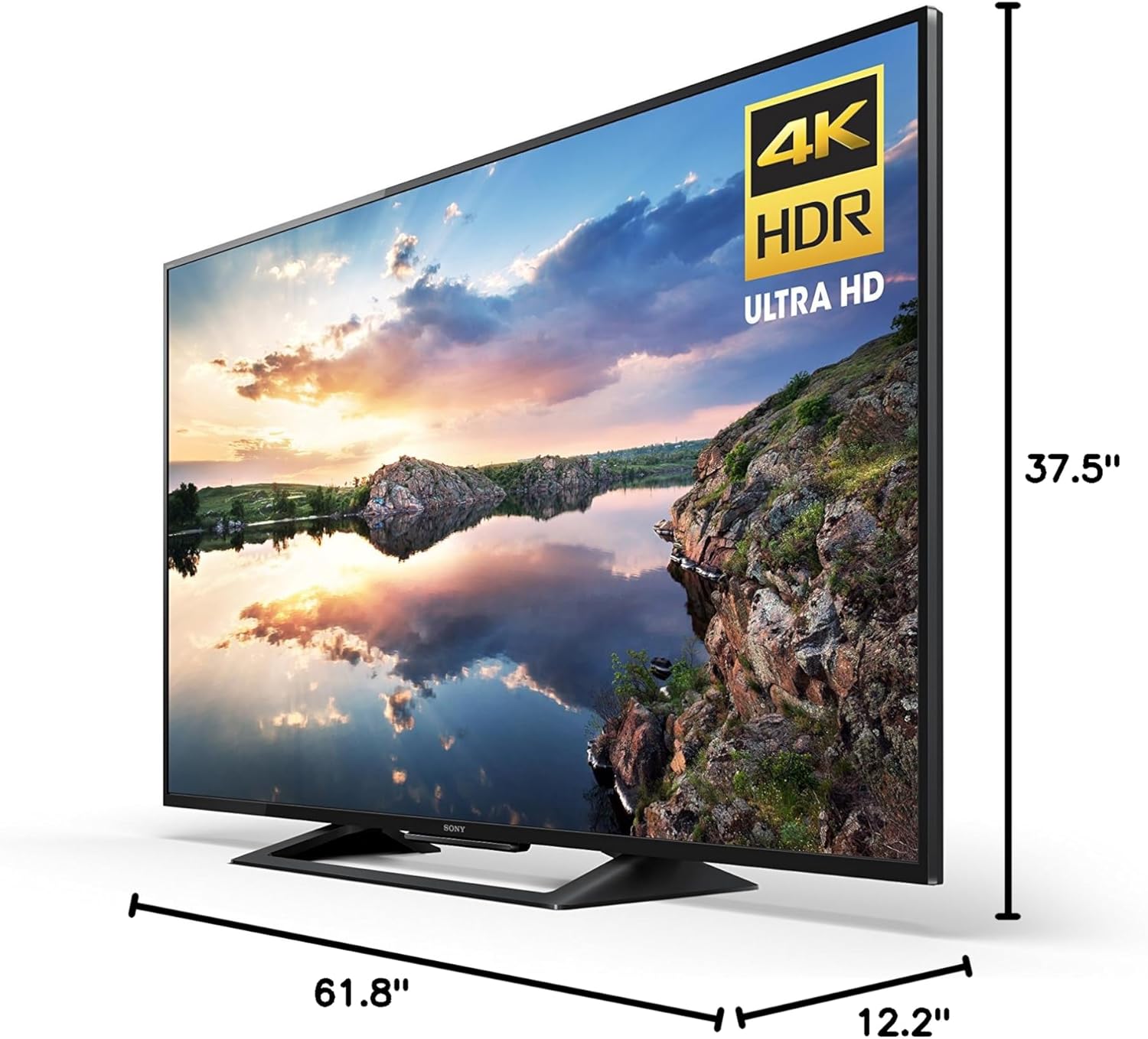
Image: Diagram showing the width, height, and depth measurements of the Sony KD70X690E television.
Operating the Television
Basic Functions
- Power On/Off: Press the power button on the remote control or on the TV.
- Input Selection: Use the "Input" or "Source" button on the remote to switch between connected devices (HDMI 1, HDMI 2, USB, etc.).
- Volume Control: Adjust volume using the +/- buttons on the remote.
- Channel Selection: Use the channel up/down buttons for broadcast channels.
Smart TV Features
Your Sony KD70X690E is equipped with smart functionality, providing access to various online content.
- Pre-installed Apps: Dedicated buttons on the remote provide direct access to popular streaming services like Netflix and YouTube.
- App Access: Navigate through the TV's smart interface to access other available applications such as Amazon Video and Pandora.
- Network Connectivity: Ensure your TV is connected to a stable internet connection for optimal performance of smart features.
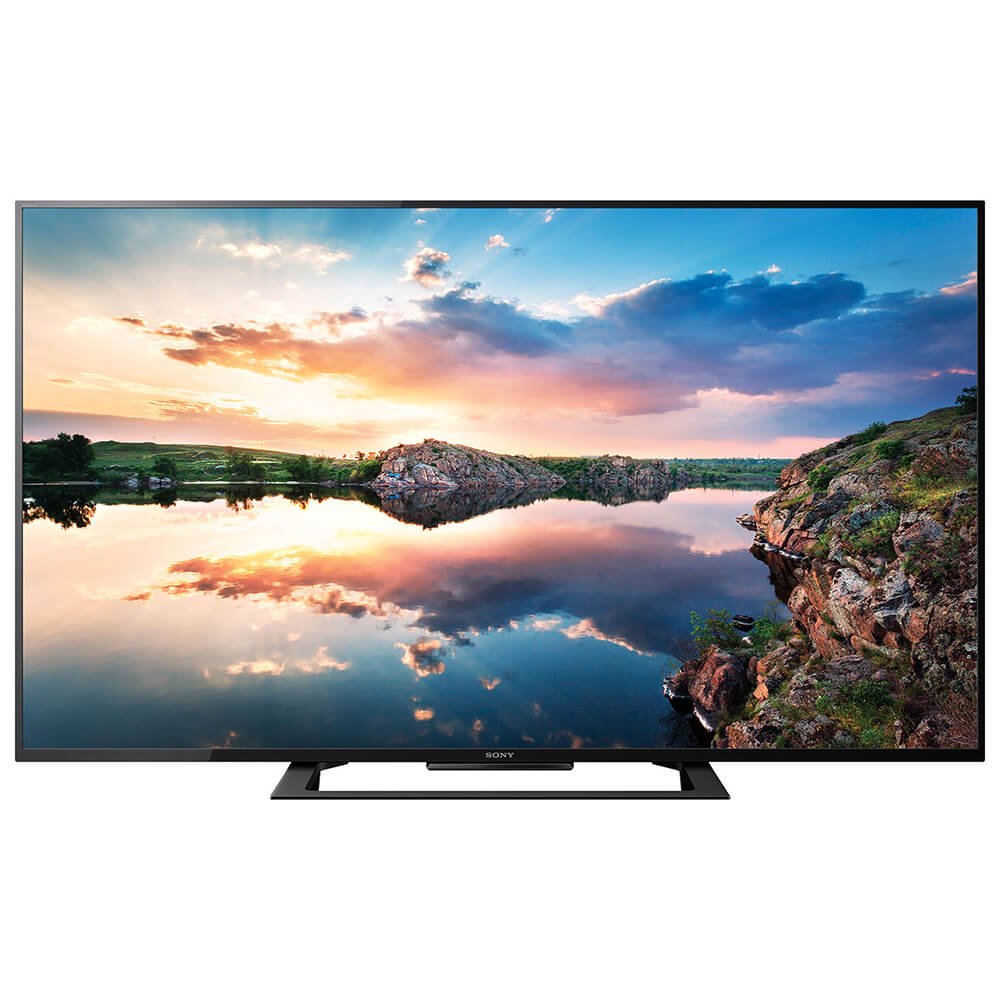
Image: The Sony KD70X690E television showcasing a high-definition nature scene, demonstrating its picture quality.
Picture and Sound Settings
Access the TV's menu to customize picture and sound settings to your preference.
- Picture Modes: Select from various preset picture modes (e.g., Standard, Vivid, Cinema) or adjust settings like brightness, contrast, color, and sharpness manually.
- Sound Modes: Choose sound modes (e.g., Standard, Music, Cinema) or fine-tune bass, treble, and balance.
- 4K HDR: The TV supports 4K Ultra HD with High Dynamic Range (HDR) for enhanced clarity, color, and contrast.
- Motionflow XR: This technology enhances motion clarity for fast-moving content.
Maintenance
Proper maintenance ensures the longevity and optimal performance of your television.
- Screen Cleaning: Gently wipe the screen with a soft, dry, lint-free cloth. For stubborn marks, lightly dampen the cloth with water or a specialized screen cleaner. Avoid harsh chemicals or abrasive materials.
- Cabinet Cleaning: Wipe the TV cabinet with a soft, dry cloth.
- Ventilation: Ensure the ventilation openings on the TV are not blocked to prevent overheating.
- Power Cord: Regularly check the power cord for any signs of damage.
Troubleshooting
This section addresses common issues you might encounter with your television.
No Power / TV Not Turning On
- Ensure the power cord is securely connected to both the TV and a working electrical outlet.
- Check if the outlet is functioning by plugging in another device.
- If the LED indicator on the TV is blinking red, note the number of blinks. This often indicates an internal hardware issue requiring professional service.
No Picture / Poor Picture Quality
- Verify the correct input source is selected (e.g., HDMI 1, HDMI 2).
- Check all cable connections between the TV and external devices.
- Adjust picture settings such as brightness, contrast, and sharpness in the TV menu.
- If using an antenna, ensure it is properly connected and perform a channel scan.
Internet Connectivity Issues
- Ensure your Wi-Fi router is powered on and functioning correctly.
- Go to the TV's network settings and attempt to reconnect to your Wi-Fi network. Re-enter the password if prompted.
- Try restarting both your TV and your Wi-Fi router.
- If possible, try connecting the TV to your router via an Ethernet cable to rule out Wi-Fi signal issues.
- If issues persist, perform a factory reset of the TV (note: this will erase all personalized settings).
Remote Control Not Working
- Replace the batteries in the remote control.
- Ensure there are no obstructions between the remote and the TV's IR sensor.
Specifications
| Model Name | KD70X690E |
| Screen Size | 70 Inches |
| Display Technology | LED |
| Resolution | 4K (3840 x 2160 pixels) |
| Refresh Rate | 60Hz Native (Motionflow XR) |
| HDR Format Supported | HDR10 |
| Connectivity Technology | Built-in Wi-Fi, Bluetooth |
| HDMI Inputs | 3 (1 with ARC support) |
| USB Ports | 3 (USB 2.0) |
| Other Inputs | 1 Component/Composite Hybrid, 1 Composite |
| Operating System | Android |
| Dimensions (W x H x D) with Stand | 61.8" x 37.5" x 12.2" |
| Weight | 86 Pounds |
| VESA Mount Standard | 400 x 300 mm |
| Power Consumption | 20 Watts |
| Model Year | 2017 |
Product Overview Video
Watch this official video for a general overview of the Sony 4K Ultra HD Smart LED TV series, which includes the KD70X690E model.
Video: An official overview of the Sony 4K Ultra HD Smart LED TV series, demonstrating key features and design elements.
Warranty and Support
Your Sony KD70X690E television comes with a limited warranty. The standard warranty period is typically one year from the date of purchase. For specific terms and conditions, please refer to the warranty card included with your product or visit the official Sony support website.
For technical assistance, troubleshooting beyond this manual, or warranty claims, please contact Sony Customer Support. Have your model number (KD70X690E) and serial number ready when contacting support.
You can find additional support resources, FAQs, and software updates on the official Sony support website: www.sony.com/electronics/support
Related documentsKD70X690E


Ask a question about this manual
Ask about setup, troubleshooting, compatibility, parts, safety, or missing instructions. Manuals+ will review the question and use this page’s manual context to help answer it.