
1. Introduction
This manual provides essential information for the safe and efficient operation of your Strongway 36-inch Air Curtain. Please read these instructions thoroughly before installation and use, and retain them for future reference.
The Strongway Air Curtain is designed to create an invisible air barrier across an opening, effectively separating indoor and outdoor environments. This helps maintain desired indoor temperatures, reduces energy loss, and deters flying insects. It is suitable for customer entrances, drive-up windows, and concession stands.
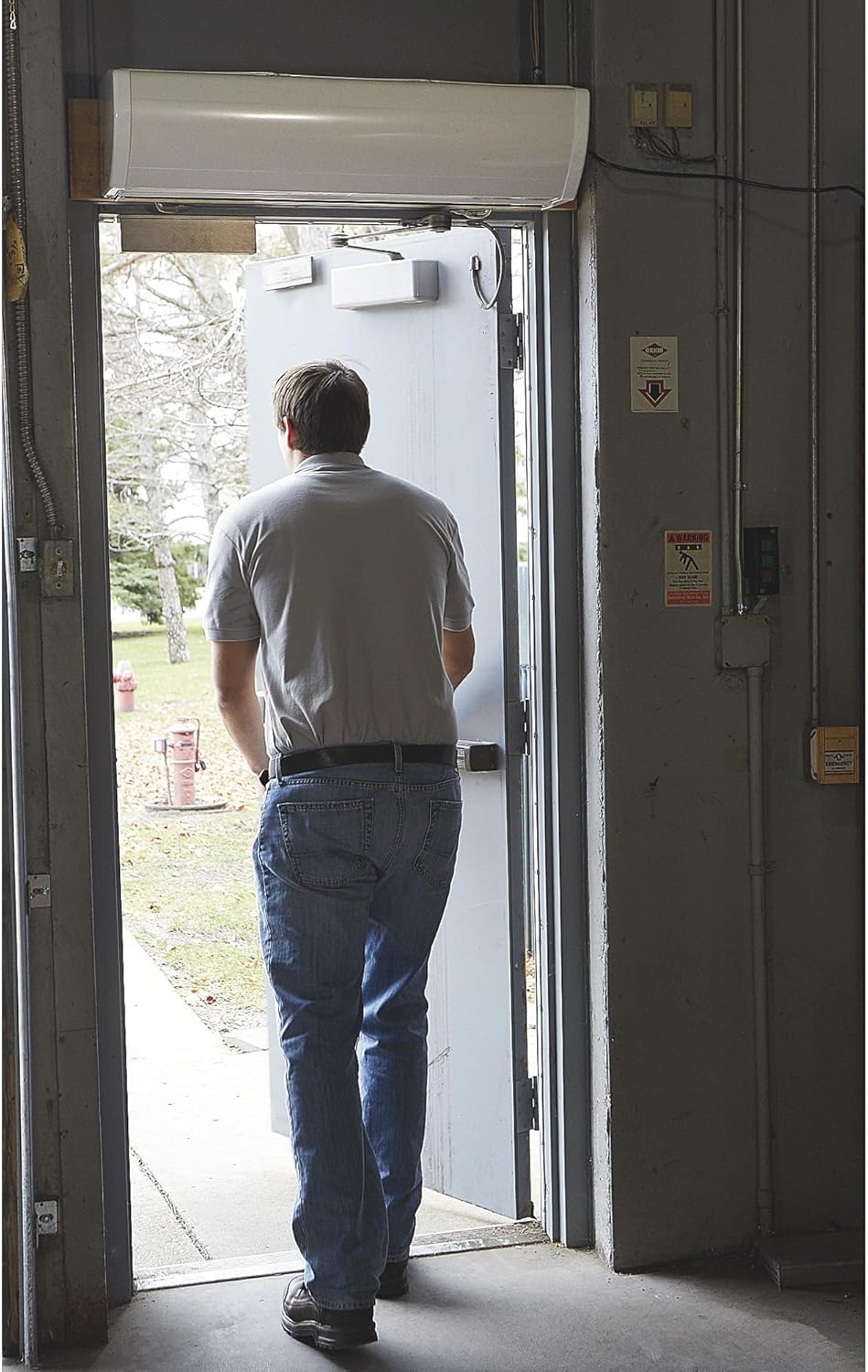
Image 1.1: Strongway Air Curtain in operation above a doorway.
2. Safety Information
Always observe basic safety precautions when using electrical appliances to reduce the risk of fire, electric shock, and personal injury.
- Ensure the power supply matches the unit's requirements (110/120V).
- Do not operate the unit with a damaged cord or plug.
- Keep hands and objects clear of the air intake and outlet during operation.
- Mount the unit securely according to installation guidelines.
- Disconnect power before performing any maintenance or cleaning.
- This appliance is not intended for use by persons with reduced physical, sensory, or mental capabilities, or lack of experience and knowledge, unless they have been given supervision or instruction concerning use of the appliance by a person responsible for their safety.
3. Product Overview
The Strongway Air Curtain features a robust design for effective environmental separation. Key components include the main unit housing, air intake, air outlet, control panel, and remote control.
Key Features:
- Powerful Airflow: 1/2 HP motor with aerodynamically balanced aluminum blades delivers 816 CFM.
- Energy Efficiency: Helps maintain indoor temperatures by blocking outside air, reducing heating and cooling costs.
- Flexible Mounting: Designed to mount up to 8 feet high above door openings.
- Two Speed Settings: Offers two selectable speeds for varied airflow requirements.
- Remote Control: Included for convenient operation.
- Quiet Operation: Engineered to minimize noise in customer-facing environments.
Included Components:
- Strongway Air Curtain Unit (36-inch)
- Remote Control

Image 3.1: Front view of the Strongway Air Curtain.

Image 3.2: Key features of the Strongway Air Curtain.
4. Setup
Proper installation is crucial for the performance and safety of your air curtain.
4.1 Mounting Location
- The air curtain should be mounted directly above the door opening.
- Ensure the mounting surface is sturdy enough to support the unit's weight (approximately 36 lbs).
- The unit can be mounted up to 8 feet (96 inches) high.
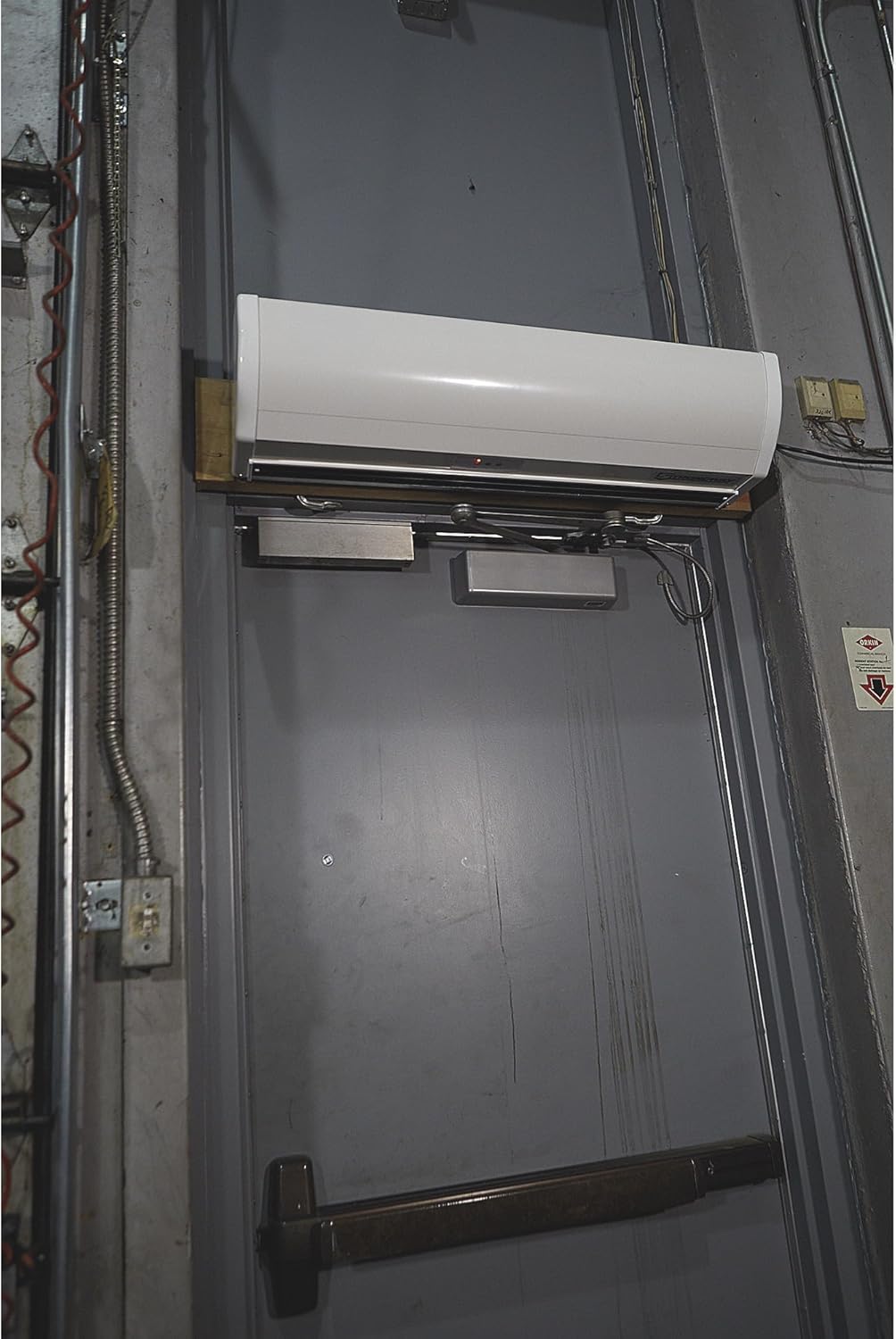
Image 4.1: Air Curtain mounted above a door.
4.2 Installation Steps
- Prepare Mounting Surface: Identify the exact location above the door frame. Mark drilling points for the mounting brackets.
- Install Brackets: Securely attach the mounting brackets to the wall using appropriate hardware (not included, consult a professional if unsure).
- Mount Air Curtain: Carefully lift and attach the air curtain unit to the installed mounting brackets. Ensure it is level and firmly secured.
- Power Connection: Plug the unit directly into a standard 110/120V household outlet. No hardwiring is required. Ensure the power cord is not pinched or damaged.
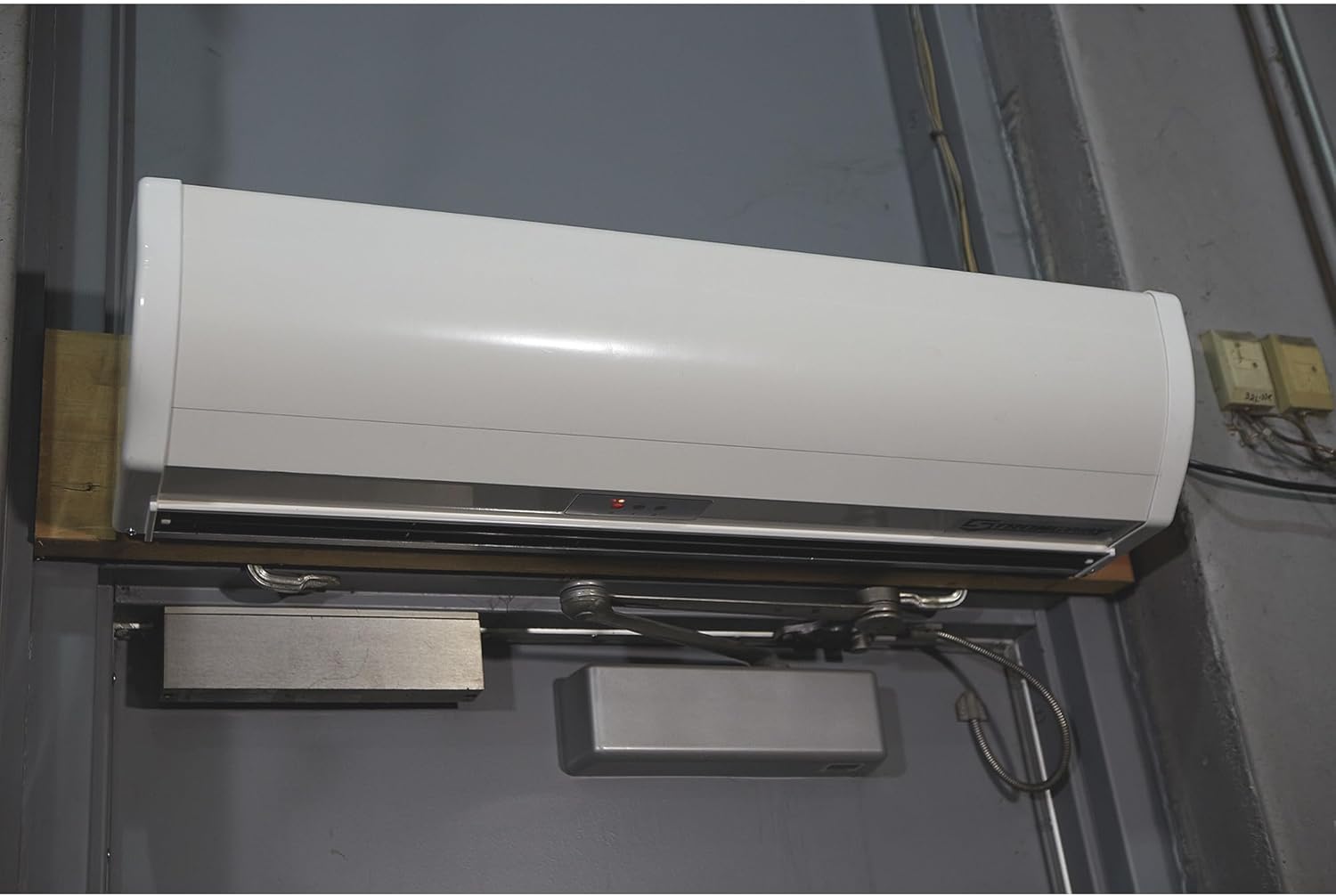
Image 4.2: Close-up of the mounted air curtain.
5. Operation
The Strongway Air Curtain can be operated using the integrated control panel or the included remote control.
5.1 Control Panel
The control panel is located on the unit and features buttons for power and speed selection.
- Power Button (0): Press to turn the unit ON or OFF.
- Speed 1 Button (1): Selects the lower airflow speed (670 CFM).
- Speed 2 Button (2): Selects the higher airflow speed (816 CFM).

Image 5.1: Control panel on the air curtain.

Image 5.2: Operating the control panel.
5.2 Remote Control
The remote control provides convenient operation from a distance.
- Power Button: Turns the unit ON or OFF.
- Speed Buttons: Allows switching between the two available speeds.

Image 5.3: Using the remote control.
6. Maintenance
Regular maintenance ensures optimal performance and extends the lifespan of your air curtain.
- Cleaning: Periodically wipe the exterior of the unit with a soft, damp cloth. Do not use abrasive cleaners or solvents.
- Air Intake/Outlet: Ensure the air intake and outlet grilles are free from dust and obstructions. Use a vacuum cleaner with a brush attachment to remove accumulated debris.
- Internal Cleaning: For internal cleaning, it is recommended to consult a qualified service technician.
- Power Cord: Regularly inspect the power cord for any signs of damage. If damaged, it must be replaced by the manufacturer, its service agent, or similarly qualified persons to avoid a hazard.
7. Troubleshooting
If you encounter issues with your Strongway Air Curtain, refer to the following common problems and solutions:
| Problem | Possible Cause | Solution |
|---|---|---|
| Unit does not turn on. | No power supply. Power cord damaged. Unit switch is off. | Check if the unit is properly plugged into a live outlet. Inspect the power cord for damage; replace if necessary. Ensure the power button on the unit or remote is pressed. |
| Weak airflow. | Air intake/outlet obstructed. Incorrect speed setting. | Clear any obstructions from the grilles. Select a higher speed setting (Speed 2). |
| Unusual noise during operation. | Loose components. Obstruction inside the unit. | Turn off and unplug the unit. Check for any loose parts. If an internal obstruction is suspected, contact customer support. |
| Remote control not working. | Dead batteries. Obstruction between remote and unit. | Replace batteries in the remote control. Ensure a clear line of sight between the remote and the unit's sensor. |
If the problem persists after attempting these solutions, please contact Strongway customer support.
8. Specifications
Detailed technical specifications for the Strongway Air Curtain.

Image 8.1: Strongway Air Curtain Specifications.
| Feature | Detail |
|---|---|
| Brand | Strongway |
| Model Name | Strongway Air Curtain |
| Product Dimensions (D x W x H) | 36" x 36" x 36" (Note: This appears to be a generic dimension, actual unit length is 36") |
| Item Weight | 36 Pounds |
| Voltage | 110/120 Volts |
| Wattage | 373 watts |
| Horsepower (HP) | 1/2 HP |
| Air Delivery (CFM) | 816 CFM (High Speed) |
| Number of Speeds | 2 |
| Control Method | Remote Control, On-unit buttons |
| Installation Type | Above Door/Window |
| Maximum Mount Height | 8 Feet (96 Inches) |
| Color | White |
9. Warranty
The Strongway Air Curtain comes with a Limited Warranty. For specific terms and conditions, please refer to the warranty card included with your product or contact Strongway customer support. Keep your purchase receipt as proof of purchase for warranty claims.
10. Customer Support
For technical assistance, replacement parts, or any questions regarding your Strongway Air Curtain, please contact Strongway customer support. Refer to the contact information provided in your product packaging or visit the official Strongway website.
Manufacturer: Strongway