
Alphasonik CORE GRAY
Alphasonik CORE Bluetooth Speaker User Manual
Model: CORE GRAY
Introduction
The Alphasonik CORE is an ultra-portable Bluetooth speaker designed to deliver powerful audio with enhanced bass. It features professionally tuned drivers and AlphaBass technology for a balanced sound experience. This manual provides essential information for setting up, operating, maintaining, and troubleshooting your Alphasonik CORE speaker.
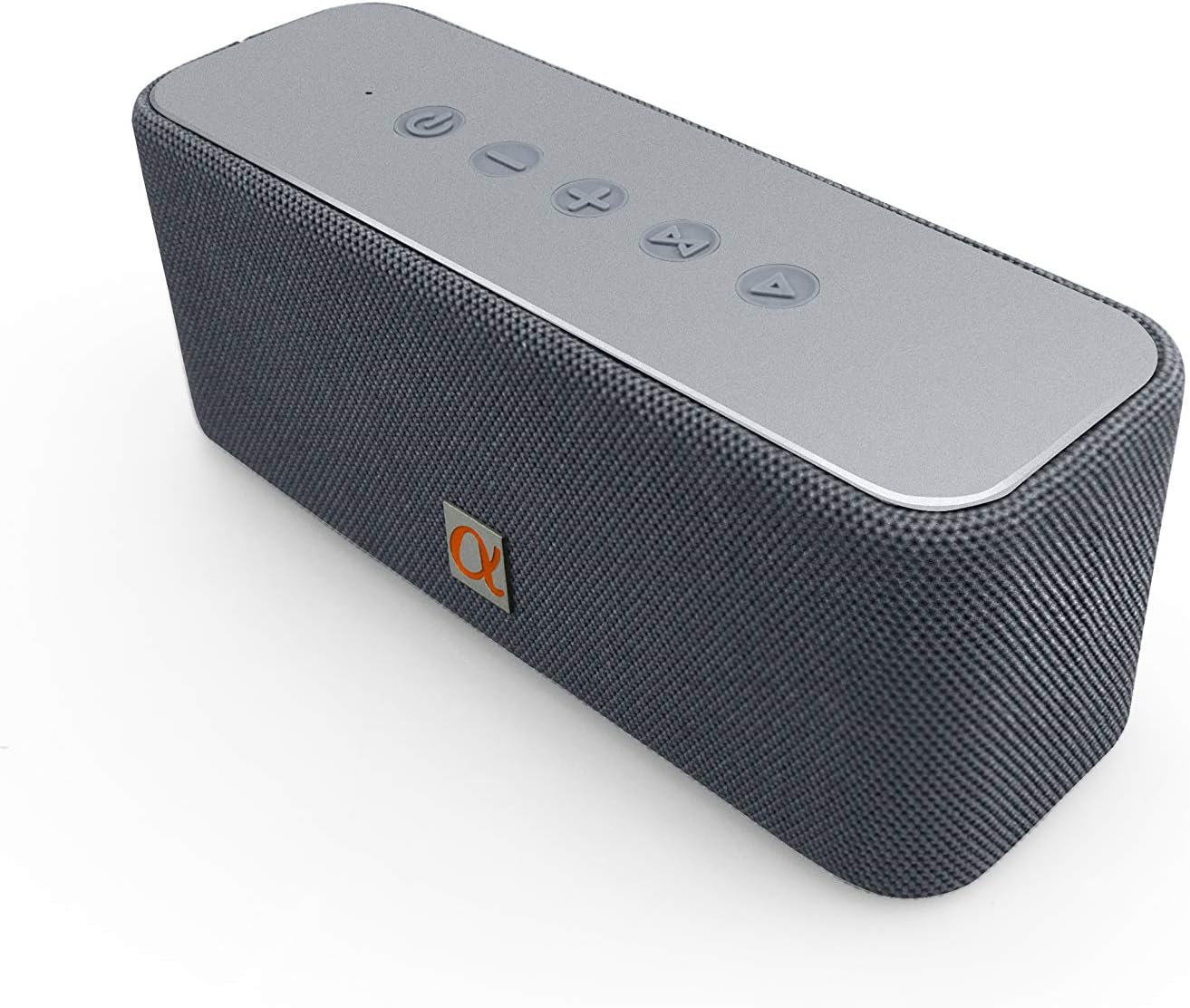
Figure 1: Alphasonik CORE Bluetooth Speaker
Setup
1. Charging the Speaker
Before first use, fully charge the Alphasonik CORE speaker. The built-in 2000mAh Li-battery provides up to ten hours of uninterrupted entertainment on a full charge. Approximate charge time is 3-4 hours. The LED battery indicator will turn off once fully charged.
2. Powering On/Off
Locate the power button on the speaker's control panel. Press and hold to power on or off the device.
3. Bluetooth Pairing
The Alphasonik CORE uses Bluetooth 4.2 technology for wireless connection. To pair:
- Ensure the speaker is powered on and in pairing mode (indicated by a blinking Bluetooth light).
- On your device (smartphone, tablet, etc.), enable Bluetooth and search for available devices.
- Select "Alphasonik CORE" from the list. Once connected, the Bluetooth light will become solid.
The speaker offers a wireless range of up to 66 feet.

Figure 2: Connectivity options including USB, AUX, and Micro SD ports.
4. Stereo Pairing (TWS Function)
You can pair two Alphasonik CORE speakers to a single source for an expanded sound range:
- Ensure both CORE speakers are powered on and not connected to any device.
- On one speaker, press and hold the TWS (True Wireless Stereo) button until you hear a prompt.
- The two speakers will automatically connect to each other.
- Once connected, pair your device to one of the speakers via Bluetooth as described above.

Figure 3: Seamless connection for stereo pairing.
Operating the Speaker
1. Controls
The Alphasonik CORE features touch controls on its top panel for managing playback, volume, and calls.
2. Audio Playback
- Bluetooth: Connect your device wirelessly as described in the Setup section.
- Auxiliary Input: Connect any device with a 3.5mm audio cable to the AUX port.
- Micro SD Card: Insert a micro SD card with music files into the designated slot for direct playback.
3. Hands-Free Calling
The speaker includes a built-in microphone for hands-free calling. When a call comes in, music playback will pause, and you can answer/end calls using the speaker's controls.

Figure 4: Advanced audio components for full-bodied stereo sound.
Maintenance
1. Cleaning
Wipe the speaker with a soft, damp cloth. Do not use harsh chemicals or abrasive cleaners. Ensure all port covers are securely closed before cleaning with moisture.
2. Water Resistance
Important Note:
While the product description mentions "Waterproof", the detailed specifications state "Water Resistance Level: Not Water Resistant". To ensure the longevity of your device, it is recommended to avoid exposing the speaker to water or high humidity. If accidental exposure occurs, ensure the speaker is completely dry before charging or further use.
3. Storage
Store the speaker in a cool, dry place away from direct sunlight and extreme temperatures. If storing for an extended period, charge the battery periodically to maintain its health.

Figure 5: Enjoy extended playtime with your Alphasonik CORE speaker.
Troubleshooting
If you encounter issues with your Alphasonik CORE speaker, refer to the following common problems and solutions:
- Speaker does not power on:
Ensure the battery is charged. Connect the speaker to a power source using the provided USB cable and allow it to charge for at least 30 minutes before attempting to power on again. - No sound or low volume:
Check the volume levels on both the speaker and your connected device. Ensure the speaker is properly paired via Bluetooth or the auxiliary cable is fully inserted. Try playing audio from a different source or device. - Bluetooth connection issues:
Make sure the speaker is within the 66ft range of your device. Disconnect and re-pair the speaker with your device. Clear the Bluetooth history on your device and try connecting again. Ensure no other devices are actively connected to the speaker. - Sound distortion:
Reduce the volume on both the speaker and your device. Ensure the audio source is not corrupted. If using a micro SD card, try a different card or audio files.
Specifications
| Feature | Detail |
|---|---|
| Brand | Alphasonik |
| Model Name | AOMAIS GO (CORE GRAY) |
| Speaker Type | Subwoofer |
| Connectivity Technology | Auxiliary, Bluetooth |
| Wireless Communication Technology | Bluetooth |
| Bluetooth Range | 10 Meters (33 feet) / Max 66 Feet |
| Power Source | Battery Powered |
| Battery Life | Up to 10 Hours |
| Speaker Maximum Output Power | 30 Watts |
| Item Weight | 4.19 pounds |
| Product Dimensions | 13.5 x 7.5 x 3.8 inches |
| Water Resistance Level | Not Water Resistant |
| Control Method | Touch |
Warranty and Support
The Alphasonik CORE Bluetooth Speaker comes with a ONE-YEAR WARRANTY. For any support inquiries or assistance, please contact Alphasonik customer service. You can find more information and support resources by visiting the official Alphasonik Store on Amazon: Alphasonik Store.
For California Residents Only: Warning - Cancer and Reproductive Harm – P65Warnings ca gov
Ask a question about this manual
Ask about setup, troubleshooting, compatibility, parts, safety, or missing instructions. Manuals+ will review the question and use this page’s manual context to help answer it.