
Product Overview
This manual provides instructions for the safe and effective use of the Accessory USA AC DC Adapter, specifically designed for the Kaito WiFi Radio models IR-168 and KA-IR168. This adapter functions as a power supply cord, converting alternating current (AC) from a wall outlet to direct current (DC) required by your radio.
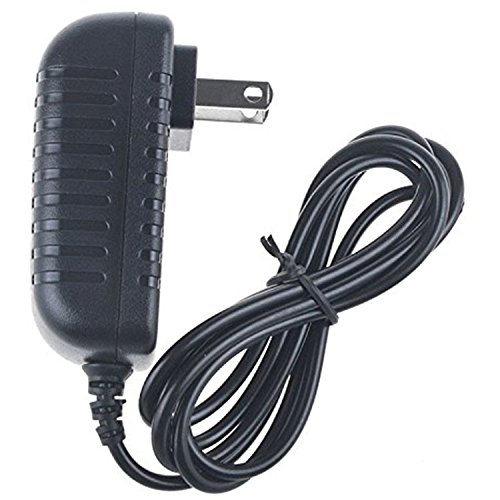
Image: The Accessory USA AC DC Adapter, featuring a black power brick with an attached power cord and a connector plug.
Safety Information
Please read and understand all safety instructions before using this product to prevent injury or damage.
- Over Voltage Protection (OVP): The adapter is designed to protect your device from excessive voltage.
- Over Current Protection (OCP): Built-in safeguards prevent damage from overcurrent conditions.
- Short Circuit Protection (SCP): The adapter includes protection against short circuits.
- Certifications: This product is CE, FCC, and RoHS certified, indicating compliance with health, safety, and environmental protection standards.
- Quality Assurance: The adapter has been tested by the manufacturer to meet or exceed original equipment manufacturer (OEM) specifications.
- Proposition 65 Warning: This product may contain chemicals known to the State of California to cause cancer and birth defects or other reproductive harm. Wash hands after handling.
Compatibility
This AC DC Adapter is specifically designed for use with the following Kaito WiFi Radio models:
- Kaito WiFi Radio IR-168
- Kaito WiFi Radio KA-IR168
Note: Always verify the model number of your device before connecting any power supply to ensure compatibility and prevent damage.
Setup
Follow these steps to set up your AC DC Adapter:
- Carefully unpack the Accessory USA AC DC Adapter from its packaging.
- Before connecting, visually inspect the adapter and its cable for any signs of damage. Do not use if damaged.
- Ensure the power outlet you intend to use is easily accessible, properly grounded, and provides the correct voltage for your region.
Operating Instructions
To power your Kaito WiFi Radio using the adapter:
- Locate the power input port on your Kaito WiFi Radio IR-168 or KA-IR168.
- Gently insert the small connector end of the AC DC adapter cable into the radio's power input port. Ensure a snug fit.
- Plug the AC plug of the adapter into a standard wall power outlet.
- Confirm that your Kaito WiFi Radio powers on correctly. If not, refer to the Troubleshooting section.
- To disconnect, first unplug the adapter from the wall outlet, then carefully remove the cable from the radio.
Maintenance
Proper maintenance ensures the longevity and safe operation of your adapter:
- Keep the adapter clean and dry. Avoid exposure to moisture, liquids, or extreme temperatures.
- Do not attempt to open, modify, or repair the adapter. This can void the warranty and pose safety risks. Refer all servicing to qualified personnel.
- Regularly inspect the adapter's casing and cable for any signs of wear, cuts, or damage. Discontinue use immediately if damage is observed and replace the adapter.
- When storing, coil the cable loosely to prevent kinks or damage.
Troubleshooting
If your Kaito WiFi Radio does not power on or function correctly with the adapter, consider the following:
Device Not Powering On
- Check Power Connections: Ensure the adapter is securely plugged into both the wall outlet and the power input port of your Kaito WiFi Radio.
- Verify Outlet Functionality: Test the wall outlet with another known working device to confirm it is supplying power.
- Confirm Compatibility: Double-check that this specific adapter model (IR-168 KA-IR168) is the correct power supply for your Kaito WiFi Radio. Incorrect adapters can prevent operation or cause damage.
- Inspect for Damage: Carefully examine the adapter's cable and housing for any visible signs of damage. If any damage is found, discontinue use and replace the adapter.
- Radio's Power Button: Ensure the power button on your Kaito WiFi Radio is pressed or switched to the 'On' position.
Specifications
| Brand | Accessory USA |
| Model | IR-168 KA-IR168 |
| Power Source | Corded Electric |
| Specification Met | CE, FCC, RoHS |
| UPC | 769043410916 |
| ASIN | B0723BCX7Y |
| GTIN | 769043410916 |
Warranty and Support
Your Accessory USA AC DC Adapter comes with the following warranty:
- 30 Days Money Back Guarantee
- 60 Days Free Exchange (with paid return label)
- 365 Days Anytime Worry-Free Warranty!
For technical assistance, warranty claims, or further inquiries, please refer to your purchase documentation for specific contact details for Accessory USA customer service.