
1. Introduction
This manual provides essential information for the safe and efficient operation of your Blastking BPS18II Powered Subwoofer. Please read this manual thoroughly before using the product to ensure proper setup, operation, and maintenance. Retain this manual for future reference.
The Blastking BPS18II is an active 18-inch 1200-watt subwoofer designed for various professional audio applications. It delivers high output and low distortion, making it suitable for portable PA systems, clubs, houses of worship, mobile DJ setups, and stage monitoring.
2. Safety Information
Always observe the following safety precautions to prevent electric shock, fire, or injury:
- Power Source: Connect the unit only to a power supply of the type specified in this manual and on the unit itself.
- Grounding: Ensure the power cord is properly grounded to prevent electric shock. Do not defeat the safety purpose of the polarized or grounding-type plug.
- Ventilation: Do not block any ventilation openings. Install in accordance with the manufacturer's instructions. Maintain adequate space around the unit for proper airflow.
- Water and Moisture: Do not expose this apparatus to rain or moisture. Do not use this apparatus near water.
- Heat: Do not install near any heat sources such as radiators, heat registers, stoves, or other apparatus (including amplifiers) that produce heat.
- Cables: Protect the power cord from being walked on or pinched, particularly at plugs, convenience receptacles, and the point where they exit from the apparatus.
- Servicing: Refer all servicing to qualified service personnel. Servicing is required when the apparatus has been damaged in any way, such as power-supply cord or plug is damaged, liquid has been spilled or objects have fallen into the apparatus, the apparatus has been exposed to rain or moisture, does not operate normally, or has been dropped.
- Mounting: Use only with the cart, stand, tripod, bracket, or table specified by the manufacturer, or sold with the apparatus. When a cart is used, use caution when moving the cart/apparatus combination to avoid injury from tip-over.
- Hearing Protection: Prolonged exposure to high sound pressure levels can cause permanent hearing damage. Use caution when operating at high volumes.
3. What's in the Box
Upon unpacking your Blastking BPS18II, please ensure all items are present and in good condition:
- One (1) Blastking BPS18II 18-inch BPS Series Powered Subwoofer
- One (1) Power Cable (VDE connection)
- Instruction Manual (this document)
4. Product Features
The Blastking BPS18II Powered Subwoofer offers the following key features:
- Integrated 1200 Watt Amplifier
- High Maximum SPL of 128dB
- Phase Mode Switch for optimal sound alignment
- 18-inch Woofer with a 3-inch Voice Coil
- 4 Ohm Impedance
- Balanced XLR Input and Output Connectors
- Durable Painted Finish Cabinet
- Equipped with Pole Mount Hardware
- Four (4) Integrated Handles for portability (two on each side)
5. Specifications
| Category | Specification |
|---|---|
| Product Type | Active 18" Subwoofer |
| Amplifier Power (Low Frequency) | 1200 Watts |
| Max SPL @ 1m | 128 dB |
| Frequency Response | 35Hz - 120Hz |
| Woofer Size | 18" ferrite with 3" voice coil |
| Impedance | 4 Ohm |
| Input/Output Connectors | XLR (balanced) |
| Input Sensitivity | 4 dB |
| Crossover Frequencies | 120 Hz |
| Protection | Thermal |
| Controls | Volume, Phase Reverse |
| Power Supply | Switching |
| Cooling | Convection/Forced |
| Power Connection | VDE |
| Height | 660mm (26") |
| Width | 530mm (20.8") |
| Depth | 540mm (21.2") |
| Weight | 44kg (97 Lbs.) |
| Cabinet Finish | Painted |
| Hardware | Pole mount |
| Handles | 4 (2 each side) |
| Color | Black |
6. Setup
6.1 Placement
Position the subwoofer on a stable, flat surface or use a compatible pole mount. Ensure adequate space around the unit for ventilation. Avoid placing the subwoofer directly against walls or in corners if it causes undesirable bass buildup, unless specifically desired for acoustic effect.
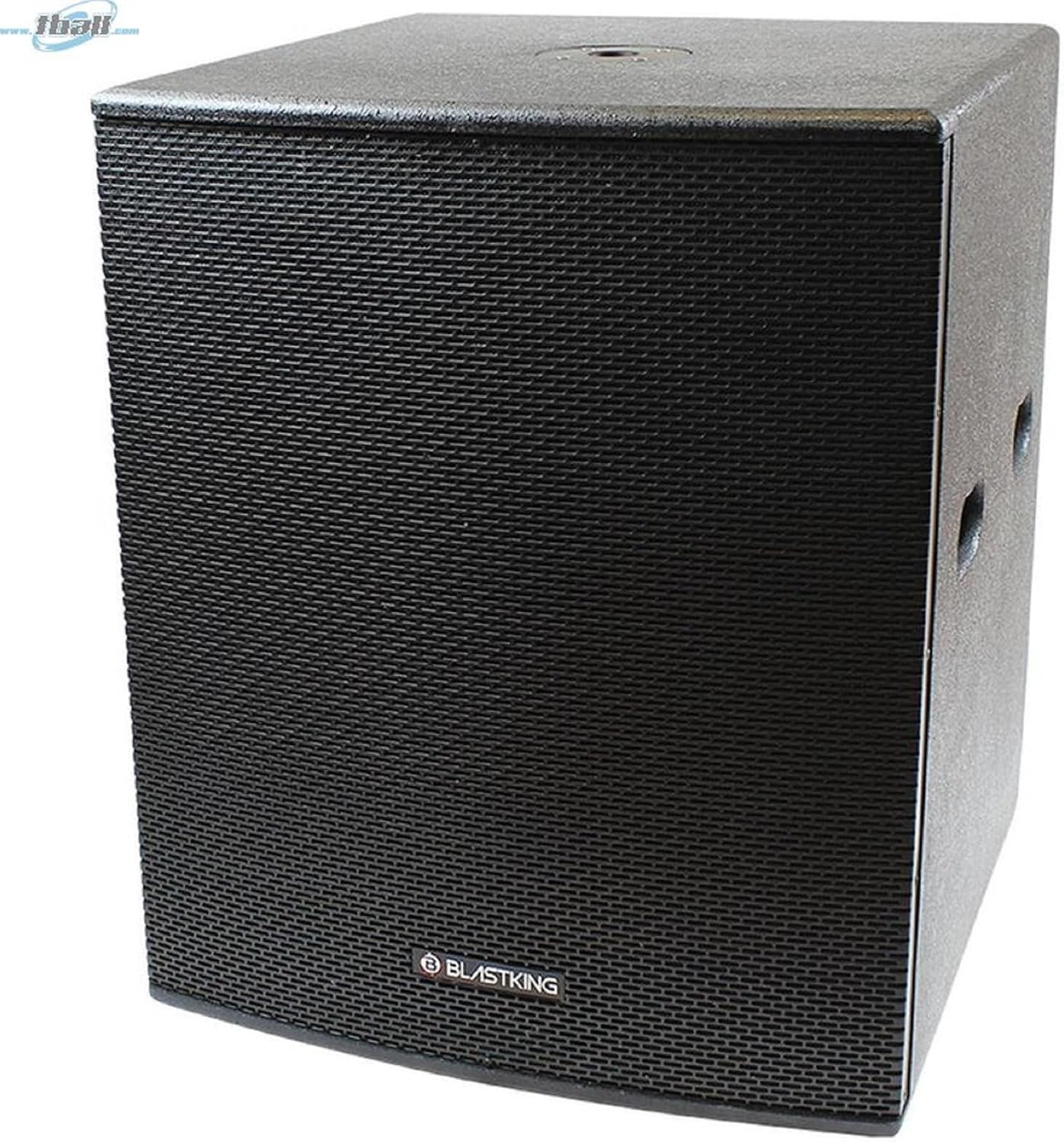
Image: Front view of the Blastking BPS18II Powered Subwoofer, showing the protective grille and Blastking logo.
6.2 Connections
The BPS18II features balanced XLR input and output connectors for audio signals.
- Audio Input: Connect your audio source (e.g., mixer, PA system output) to the XLR INPUT connector on the rear panel using a balanced XLR cable.
- Audio Output (Link): To connect additional powered speakers or subwoofers, use an XLR cable from the XLR OUTPUT connector to the input of the next device. This allows for daisy-chaining multiple units.
- Power: Connect the supplied VDE power cable to the power inlet on the rear panel, then plug the other end into a suitable grounded AC power outlet.

Image: Rear view of the Blastking BPS18II Powered Subwoofer, highlighting the input/output panel with XLR connectors, volume control, phase switch, and power inlet.
6.3 Initial Power-Up
Before powering on, ensure all connections are secure and the volume control on the subwoofer is set to its minimum position. Power on your audio source first, then power on the BPS18II. When powering down, turn off the subwoofer first, then your audio source.
7. Operating Instructions
7.1 Volume Control
The volume knob on the rear panel adjusts the output level of the subwoofer. Start with the volume at minimum and gradually increase it to achieve the desired bass level in conjunction with your main speakers.
7.2 Phase Mode Switch
The Phase Mode switch (0°/180°) allows you to invert the phase of the subwoofer's output. This is crucial for proper acoustic alignment with your main speakers. Experiment with both settings to find the one that provides the most coherent and impactful bass response in your listening environment. Incorrect phase can lead to cancellation and weak bass.
7.3 Applications
The BPS18II is versatile and suitable for:
- Portable PA & Near Field Applications
- Clubs, House of Worship, Mobile DJ Setups, Retail Environments
- Permanent Installations
- Stage Monitoring, Front Fill, and Side Fill
8. Maintenance
8.1 Cleaning
Clean the exterior of the subwoofer with a soft, dry cloth. Do not use abrasive cleaners, waxes, or solvents. Ensure no liquids enter the cabinet or control panel.
8.2 Storage
When not in use for extended periods, store the subwoofer in a dry, dust-free environment. If transporting, use appropriate protective covers or cases to prevent damage.
8.3 Inspection
Periodically inspect the power cable for any signs of damage. Check all audio cables for secure connections and wear. Ensure ventilation openings are clear of obstructions.
9. Troubleshooting
If you encounter issues with your BPS18II subwoofer, refer to the following common troubleshooting steps:
- No Power:
- Check if the power cable is securely connected to both the subwoofer and the AC outlet.
- Verify that the AC outlet is functional by plugging in another device.
- Check for tripped circuit breakers.
- No Sound:
- Ensure the subwoofer is powered on.
- Check that the audio input cable is securely connected to both the source and the subwoofer.
- Increase the volume control on the subwoofer and your audio source.
- Confirm that your audio source is sending a signal.
- Distorted Sound:
- Reduce the volume level on the subwoofer and/or your audio source.
- Check audio cables for damage or improper connection.
- Ensure the input signal is not overdriving the subwoofer.
- Weak Bass / Phase Issues:
- Adjust the Phase Mode switch (0°/180°) to see which setting provides a stronger, more coherent bass response with your main speakers.
- Ensure the subwoofer is positioned optimally in the room.
If the problem persists after trying these steps, please contact Blastking customer support.
10. Warranty and Support
The Blastking BPS18II Powered Subwoofer comes with a Standard Warranty. For specific details regarding warranty coverage, duration, and terms, please refer to the warranty card included with your purchase or visit the official Blastking website.
For technical support, service, or replacement parts, please contact Blastking customer service through their official channels. Have your product model number (BPS18II) and purchase information ready when contacting support.