
1. Introduction
This manual provides instructions for the Kastar NP-130/NP-130A Battery and LCD USB Charger. This product includes two high-capacity batteries and a smart LCD charger designed for portability and efficient charging. The charger features an intelligent LCD display that shows charging status and battery capacity. It can be powered via various USB sources, including wall adapters, car chargers, and computers. The product is certified with FCC, CE, and ROHS standards.
The batteries and charger are compatible with Casio NP-130 and NP-130A batteries, and a wide range of Casio Exilim camera models, including but not limited to:
- Casio Exilim EX-10, EX-100, EX-H30, EX-H35, EX-SC100, EX-FC300S, EX-FC400, EX-FC400S
- Casio Exilim EX-ZR100, EX-ZR200, EX-ZR300, EX-ZR310, EX-ZR320, EX-ZR400, EX-ZR410, EX-ZR500, EX-ZR510, EX-ZR700, EX-ZR710, EX-ZR750, EX-ZR800, EX-ZR850
- Casio Exilim EX-ZR1000, EX-ZR1100, EX-ZR1200, EX-ZR1300, EX-ZS1500, EX-ZR1600, EX-ZR1700, EX-ZR1750, EX-ZR1800, EX-ZR2000
- Casio Exilim EX-ZR3000, EX-ZR3100, EX-ZR3200, EX-ZR3500, EX-ZR4000, EX-ZR5000, EX-ZR5100
2. Package Contents
Please verify that all items are present in your package:
- 2 x Kastar NP-130/NP-130A Compatible Batteries
- 1 x Kastar LCD USB Charger
- 1 x Micro USB Cable
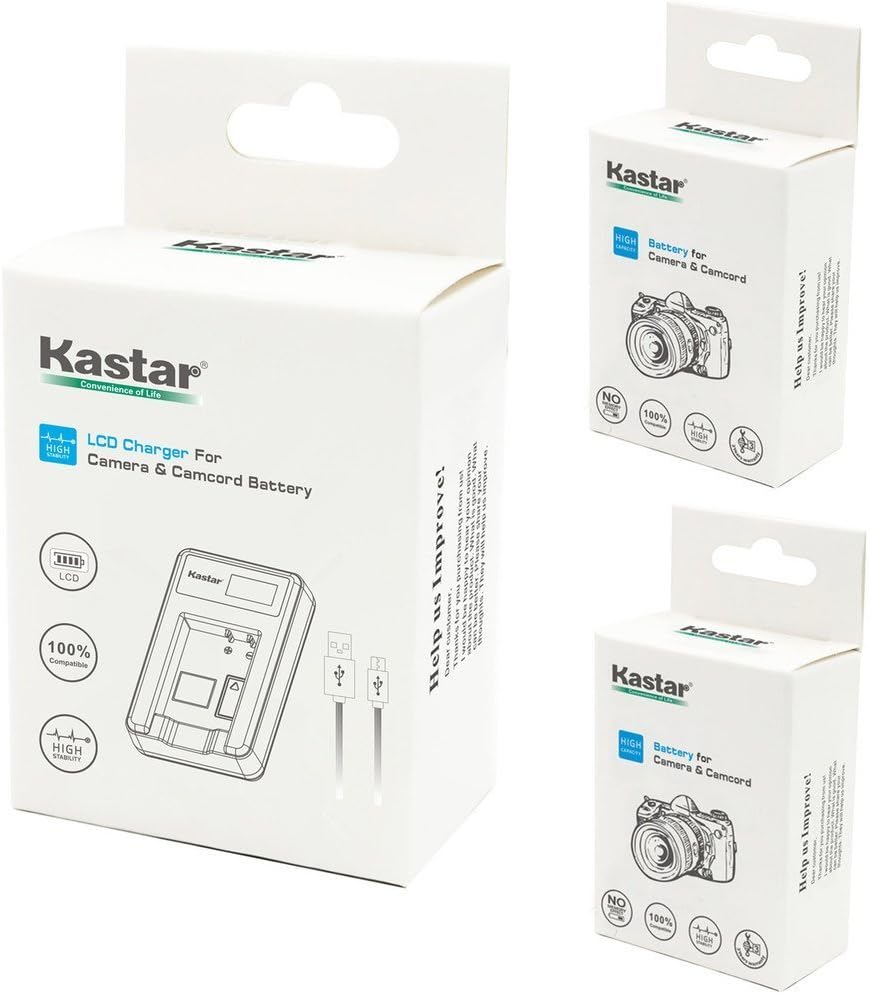
Image: The Kastar battery and charger packaging, showing the charger and two batteries. This image illustrates the typical retail packaging for the product.
3. Safety Information
To ensure safe operation and prevent damage, please observe the following safety guidelines:
- Do not open or modify the charger. Tampering with the device can lead to malfunction or injury.
- Do not immerse the charger in water or any other liquid. This product is not waterproof and exposure to liquids can cause electric shock or damage.
- Use the charger in a dry location only. Avoid humid or wet environments.
- Use only compatible batteries. This charger is designed for Casio NP-130/NP-130A type batteries. Using incompatible batteries may cause damage to the battery or charger.
- Keep out of reach of children.
- Dispose of batteries and charger according to local regulations. Do not dispose of in household waste.
4. Setup
Follow these steps to set up your Kastar LCD USB Charger:
- Insert Battery: Align the battery with the charging slot on the charger. Gently push the battery into the slot until it is securely seated. The charger is designed to hold one battery at a time.
- Connect Power: Insert the Micro USB cable into the charger's Micro USB port. Connect the other end of the USB cable to a compatible 5V USB power source. This can be a USB wall adapter, a car charger, a computer USB port, or a power bank.
- Verify Connection: Once connected, the LCD screen on the charger should illuminate, indicating that it is receiving power and beginning the charging process if a battery is inserted.

Image: The Kastar LCD USB Charger displaying battery charging status. Below it are illustrations of various compatible power sources: a laptop, an AC adapter, a car charger, and a power bank, all connected via a Micro USB cable.
5. Operating Instructions
The Kastar LCD USB Charger features an intelligent display to keep you informed about the charging process.
5.1 Understanding the LCD Display
The LCD screen on the charger provides real-time information about the battery's charging status and capacity. The display uses a battery icon with segments to indicate the charge level:
| Indicator Status | Power Ratio | Statements |
|---|---|---|
| Empty Battery Icon | No power | No power |
| One Segment Filled | 6% - 25% | One LED on |
| Two Segments Filled | 26% - 50% | Two LED on |
| Three Segments Filled | 51% - 75% | Three LED on |
| Four Segments Filled | 76% - 100% | Four LED on |
5.2 Charging Process
Once the battery is inserted and the charger is connected to a power source, the charger will automatically begin charging. The LCD display will show the progress. When the battery icon on the LCD shows all segments filled and stops blinking, the battery is fully charged. Disconnect the charger from the power source and remove the battery.
6. Maintenance
Proper care and maintenance will extend the life of your batteries and charger:
- Storage: Store batteries and charger in a cool, dry place away from direct sunlight and extreme temperatures.
- Cleaning: Use a soft, dry cloth to clean the charger and battery terminals. Do not use liquid cleaners or solvents.
- Battery Care: For optimal battery life, avoid fully discharging lithium-ion batteries frequently. Recharge them before they are completely depleted.
- Charger Environment: Always use the charger in a dry environment to prevent damage.
7. Troubleshooting
If you encounter issues with your Kastar charger or batteries, refer to the following common problems and solutions:
- Charger LCD is not illuminating:
- Ensure the Micro USB cable is securely connected to both the charger and the power source.
- Verify that the power source (e.g., wall adapter, computer USB port) is active and providing power.
- Try a different Micro USB cable or power source to rule out cable or power supply issues.
- Battery is not charging:
- Ensure the battery is correctly inserted into the charger slot, making proper contact with the terminals.
- Check the LCD display for any error indicators or if it shows a full charge prematurely.
- Confirm that the battery is a compatible NP-130/NP-130A type.
- If the battery is severely depleted, it might take a few minutes for the charger to register and begin charging.
- Charger or battery feels excessively hot during charging:
- It is normal for the charger and battery to become slightly warm during charging. However, if they become excessively hot, immediately disconnect the charger from the power source and remove the battery.
- Ensure the charger is in a well-ventilated area and not covered.
- If the issue persists, discontinue use and contact customer support.
8. Specifications
Detailed specifications for the Kastar NP-130/NP-130A Battery and LCD USB Charger:
- Model Number: CH-LCD1-2B-CNP130
- Product Dimensions: Approximately 4 x 3 x 2 inches (Charger: 3.5 x 1.75 x 0.7 inches)
- Item Weight: Approximately 4 ounces
- Input Voltage: 5V
- Input Current: 2A
- Output Voltage: 4.2V / 8.4V
- Output Current: 600mA
- Battery Type: Lithium Ion (2 included)
- Compatible Battery: Casio NP-130, NP-130A
- Certifications: CE, FCC, RoHS

Image: The Kastar LCD Slim USB Charger shown with its approximate dimensions: 3.5 inches in length, 1.75 inches in width, and 0.7 inches in thickness.
9. Warranty and Support
Kastar products are backed by an 18-Month Manufacturer Warranty. This warranty covers defects in materials and workmanship under normal use.
For warranty claims, technical support, or any questions regarding your product, please contact Kastar customer service through the retailer where the product was purchased or visit the official Kastar website for contact information.
Please retain your proof of purchase for warranty service.