
Introduction
The Amazon Echo (2nd Gen) is a smart speaker that connects to the Alexa voice service to play music, make calls, set alarms and timers, ask questions, check your calendar, weather, traffic, and more. It is designed to make your daily life easier and more connected through simple voice commands.
What's in the Box
- Amazon Echo (2nd Gen) Device
- Power Adapter (15W)
- Quick Start Guide
Product Overview
The Echo (2nd Gen) features a fabric design and a powerful 360-degree omnidirectional speaker. It includes a light ring at the top that indicates its status and microphone activity.
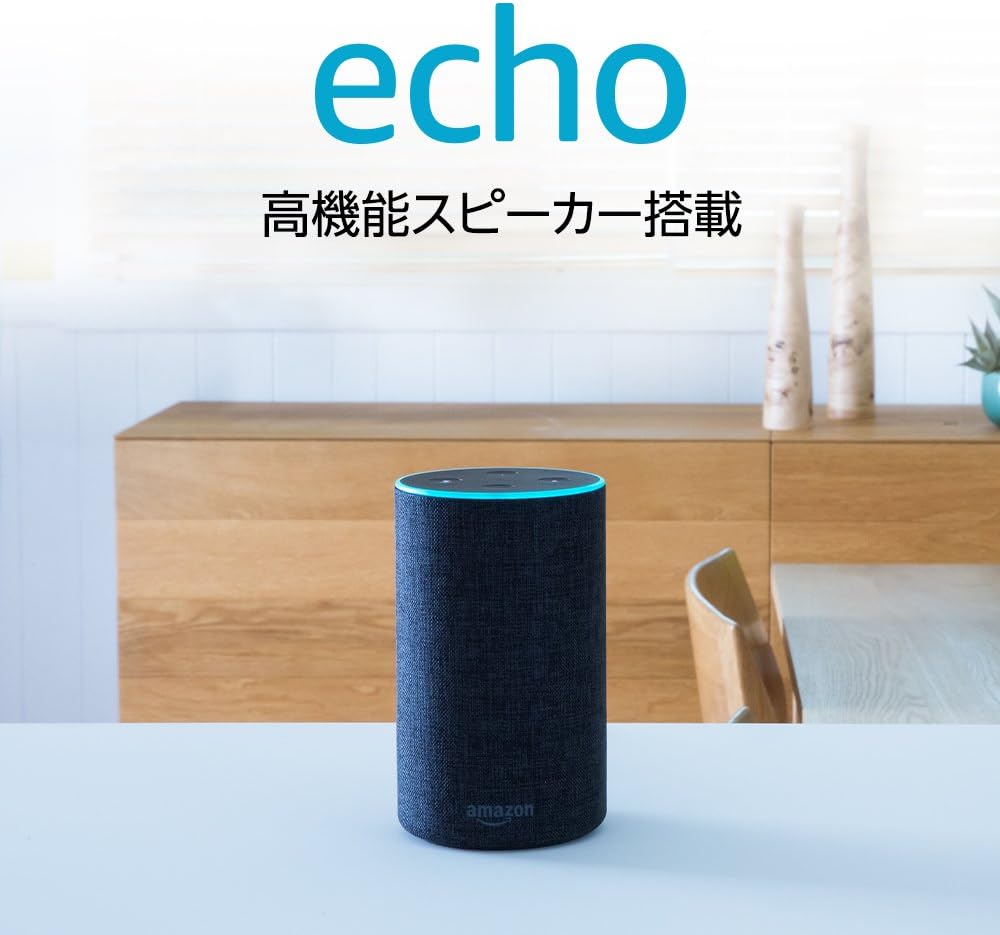
Figure 1: Amazon Echo (2nd Gen) Smart Speaker in Charcoal fabric finish.
Controls and Indicators
- Action Button: Used to wake Alexa without saying the wake word, or to turn off an alarm.
- Volume Buttons (+/-): Adjust the speaker volume.
- Microphone Off Button: Turns the microphones on or off. When off, the light ring will turn red.
- Light Ring: Indicates device status (e.g., blue for listening, red for microphone off, orange for setup mode).
Setup
Follow these steps to set up your Amazon Echo (2nd Gen) device:
- Plug In Your Echo: Connect the power adapter to your Echo device and then to a power outlet. The light ring will turn orange, indicating it's in setup mode.
- Download the Alexa App: On your smartphone or tablet, download the Amazon Alexa app from your device's app store (iOS or Android).
- Connect to Wi-Fi: Open the Alexa app and follow the on-screen instructions to connect your Echo to your Wi-Fi network. You will need your Wi-Fi password.
- Register Your Device: The app will guide you through registering your Echo to your Amazon account.

Figure 2: The Echo's internal speaker design provides 360-degree audio.
Operating Your Amazon Echo
Once set up, you can interact with your Echo using voice commands. Simply say the wake word "Alexa" followed by your request.
Basic Voice Commands
The Echo allows for easy operation of various functions by voice.
- "Alexa, what's the weather?"
- "Alexa, tell me the news."
- "Alexa, set a timer for 10 minutes."
- "Alexa, what time is it?"

Figure 3: Interact with Alexa for daily information like weather and news.
Music Playback
Enjoy music from various services. Prime members can access over a million songs from Prime Music without additional fees.
- "Alexa, play some music."
- "Alexa, play [artist name]."
- "Alexa, volume up/down."

Figure 4: Easily enjoy music with simple voice commands.
Smart Home Control
With an Alexa-compatible smart home controller (sold separately), you can control various home appliances like TVs and air conditioners using your voice.
- "Alexa, turn on the living room light."
- "Alexa, set the thermostat to 22 degrees."

Figure 5: Control compatible smart home devices with your voice.
Maintenance
- Cleaning: Use a soft, dry, lint-free cloth to clean your Echo device. Do not use abrasive cleaners or sprays.
- Software Updates: Your Echo device automatically receives software updates over Wi-Fi. Ensure your device is connected to the internet for these updates.
- Placement: Place your Echo on a stable surface, away from heat sources, direct sunlight, and liquids.
Troubleshooting
| Issue | Solution |
|---|---|
| Echo is not powering on or light ring is off. | Ensure the power adapter is securely connected to both the Echo and a working power outlet. Try a different outlet if necessary. |
| Echo cannot connect to Wi-Fi. | Check your Wi-Fi password. Make sure your Echo is within range of your Wi-Fi router. Restart your router and then try setting up Wi-Fi again through the Alexa app. |
| Alexa is not responding to voice commands. | Ensure the microphone is not muted (light ring should not be red). Speak clearly and directly to the device. Try moving closer to the Echo. |
| Audio quality is poor. | Adjust the volume using the +/- buttons or voice commands. Ensure the Echo is not placed in an enclosed space that might muffle sound. |
Specifications
| Feature | Detail |
|---|---|
| Model Name | Amazon Echo (2nd Gen) |
| Connectivity | Dual-band Wi-Fi (2.4 GHz and 5 GHz), Bluetooth |
| Audio | 2.5-inch woofer, 0.6-inch tweeter, Dolby processing, 360° omnidirectional audio |
| Microphones | Seven-microphone array with beamforming technology |
| Dimensions | Approximately 148 mm x 88 mm x 88 mm (5.8" x 3.5" x 3.5") |
| Weight | Approximately 821 grams (29 oz) |
| Power Adapter | 15W |
Warranty and Support
Your Amazon Echo (2nd Gen) is covered by a limited warranty. For specific warranty details, please refer to the warranty information provided with your product or visit the official Amazon support website.
For further assistance, troubleshooting, or to contact customer support, please visit the Amazon Device Support page or use the Amazon Alexa app.


