
1. Introduction
This manual provides instructions for the Disney-Pixar film 'Cars 3' on Blu-ray disc. 'Cars 3' features Lightning McQueen facing new challenges from a new generation of racers, requiring him to adapt with the help of Cruz Ramirez. This product includes a Blu-ray disc, a DVD disc, and a digital code for multi-screen access.
2. Setup
To begin enjoying your 'Cars 3' Blu-ray, follow these steps:
- Unpack the Discs: Carefully remove the Blu-ray disc, DVD disc, and digital code insert from the packaging.
- Prepare Your Player: Ensure your Blu-ray player is properly connected to your television or display and your audio system.
- Insert the Blu-ray Disc: Gently insert the 'Cars 3' Blu-ray disc into your Blu-ray player with the label side facing up. Ensure it is fully seated in the disc tray or slot.
- Power On: Turn on your Blu-ray player and television/display.
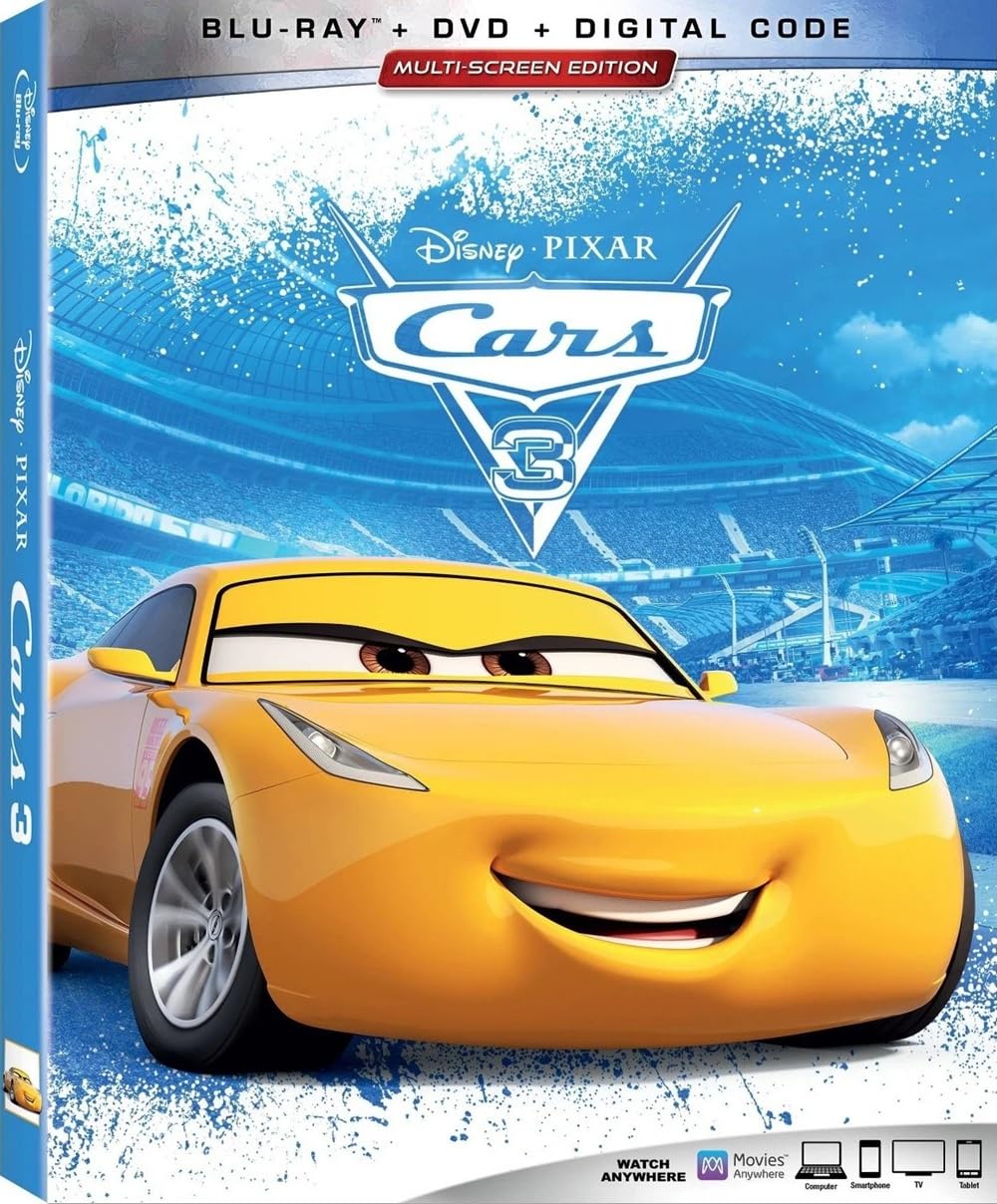
Image 1: Front cover of the Cars 3 Blu-ray disc case, showing Lightning McQueen and the Blu-ray + DVD + Digital Code branding.
3. Operating (Playback)
Once the disc is loaded, the main menu should appear on your screen. If not, press the 'Menu' button on your remote control.
- Language Selection: From the main menu, select your preferred audio language and subtitle options. Available languages include English (DTS-HD High Res Audio), French (Dolby Digital 5.1), and Spanish (Dolby Digital 5.1). Subtitles are available in English, French, and Spanish.
- Play Movie: Select 'Play Movie' to start the main feature. The film has a run time of 2 hours.
- Bonus Features: Navigate to the 'Bonus Features' section to explore additional content. These may include:
- Let's Get Crazy
- Ready For The Race
- Cruz Ramirez: The Yellow Car That Could
- Generations: The Story Of Cars 3
- Deleted Scenes
- Mini-Movie: Lou
- Digital Code Redemption: Use the included digital code to access the movie on compatible platforms via Movies Anywhere. Follow the instructions on the digital code insert for redemption.

Image 2: Back cover of the Cars 3 Blu-ray disc case, detailing bonus features, technical specifications, and digital code information.
4. Maintenance (Disc Care)
Proper care of your Blu-ray and DVD discs will ensure their longevity and optimal performance:
- Handling: Always hold discs by their edges or by placing a finger through the center hole. Avoid touching the playing surface.
- Storage: Store discs in their original case when not in use to protect them from dust, scratches, and direct sunlight.
- Cleaning: If a disc becomes dirty, gently wipe the playing surface with a soft, lint-free cloth. Wipe from the center of the disc outwards in a straight line, not in a circular motion. Do not use abrasive cleaners or solvents.
- Avoid Extreme Conditions: Do not expose discs to extreme temperatures, high humidity, or direct sunlight for extended periods.
5. Troubleshooting
If you encounter issues while using your 'Cars 3' Blu-ray disc, consider the following solutions:
- Disc Not Playing:
- Ensure the disc is inserted correctly into a Blu-ray compatible player. Standard DVD players cannot play Blu-ray discs.
- Check the disc for visible smudges or scratches. Clean the disc as described in the Maintenance section.
- Try playing another Blu-ray disc to confirm your player is functioning correctly.
- No Audio or Video:
- Verify that all cables (HDMI, audio) connecting your Blu-ray player to your TV/audio system are securely connected.
- Check your TV and audio system's input settings to ensure the correct source is selected.
- Digital Code Issues:
- Ensure you are entering the code exactly as printed, paying attention to case sensitivity.
- Visit the Movies Anywhere website or contact their customer support for assistance with digital code redemption.
6. Specifications
| Product Title | Cars 3 |
| ASIN | B071Z1D23B |
| Item Model Number | 786936854510 |
| Media Format | Blu-ray, DVD, Digital Code |
| Number of Discs | 3 |
| Run Time | 2 hours |
| Aspect Ratio | 2.39:1 |
| MPAA Rating | G (General Audience) |
| Audio Languages | English (DTS-HD High Res Audio), French (Dolby Digital 5.1), Spanish (Dolby Digital 5.1) |
| Subtitles | English, French, Spanish |
| Director | Brian Fee |
| Release Date | November 7, 2017 |
| Studio | DISNEY/PIXAR |
| Product Dimensions | 0.6 x 5.4 x 6.7 inches; 8.32 ounces |
7. Support
For technical support related to disc playback or player compatibility, please refer to your Blu-ray player's instruction manual or contact its manufacturer.
For assistance with digital code redemption or issues related to the Movies Anywhere platform, please visit the official Movies Anywhere website for their support resources.
For general inquiries about the 'Cars 3' film or Disney-Pixar products, please visit the official Disney or Pixar websites.

