
Important Safety Instructions
Please read all instructions carefully before assembly and use. Keep this manual for future reference.
- Do not exceed the maximum weight capacity of 125 lbs (56.7 kg).
- Ensure your TV's VESA mounting pattern is compatible with this stand (200x100mm to 800x400mm).
- Verify that the TV size is within the recommended range of 27-55 inches.
- Assemble the stand on a soft, clean surface to prevent scratches.
- Always use the provided hardware. If any parts are missing or damaged, contact customer support.
- Do not overtighten screws, as this may cause damage.
- Ensure the stand is placed on a stable, level surface to prevent tipping.
- Keep children and pets away during assembly.
Package Contents
Verify that all components are present before beginning assembly.
- 2 x TV Stand Legs (Left and Right)
- Mounting Brackets
- Various TV Screws (M4, M6, M8)
- Spacers and Washers
- Assembly Tools (Wrench, Hex Key)
- Instruction Manual
Tools Required
- Phillips Head Screwdriver (not included)
- Included Hex Key
- Included Wrench
Setup and Assembly Instructions
Follow these steps carefully to assemble your Hemudu Universal Table Top TV Stand.
Step 1: Verify TV Compatibility and VESA Pattern
Before assembly, confirm your TV's VESA mounting pattern and size. This stand supports VESA patterns from 200x100mm to 800x400mm and TVs from 27 to 55 inches.

Image: Back of TV with VESA pattern measurements (Length x Width) and a selection of included TV lock screws, spacers, and washers. This diagram helps identify the correct mounting hardware for your television.
Step 2: Assemble the Stand Legs
Attach the vertical support arms to the base feet using the provided screws and hex key. Ensure the non-slip pads are correctly positioned on the bottom of the feet.

Image: Detailed dimensions of the stand components, illustrating the height of the vertical support (26.1 inches) and the length of the base (13.8 inches), along with the adjustable height mechanism.
Step 3: Attach Mounting Brackets to TV
Carefully place your TV face down on a soft, clean surface. Identify the correct size screws (M4, M6, or M8) and spacers for your TV's VESA holes. Attach the mounting brackets to the back of your TV. Ensure they are securely fastened but do not overtighten.
Step 4: Mount TV to Stand Legs
With assistance, carefully lift the TV and hook the attached mounting brackets onto the vertical support arms of the stand legs. Secure the TV to the stand using the provided locking screws or bolts.

Image: A 27-55 inch television displayed on the assembled Hemudu TV stand, demonstrating its application on a table top.
Operating Instructions
Height Adjustment
The stand offers 3 levels of height adjustment. To adjust the height, loosen the screws securing the mounting brackets to the vertical support arms, slide the TV to the desired height, and re-tighten the screws securely. Always ensure both sides are adjusted evenly.
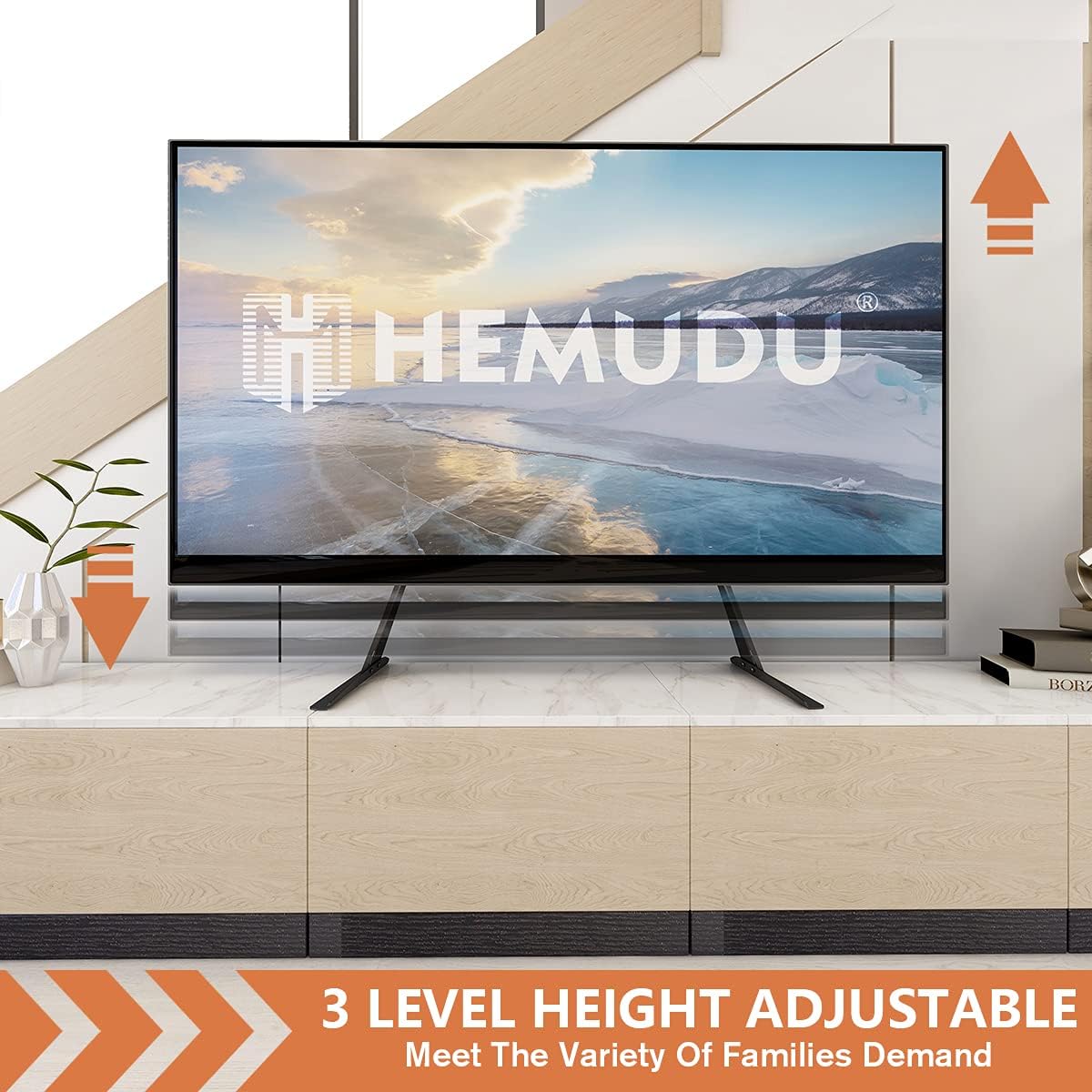
Image: Visual representation of the 3-level height adjustment capability, allowing users to customize the TV's viewing height.
Angle Adjustment
The stand allows for a 5-degree forward tilt, vertical, or 5-degree backward tilt. To adjust the angle, loosen the tilt mechanism screws on the mounting brackets, set the TV to the desired angle, and re-tighten the screws firmly.

Image: Illustration of the angle adjustment feature, demonstrating the ability to tilt the TV 5 degrees backward, keep it vertical, or tilt it 5 degrees forward for optimal viewing.
Cable Management
Utilize the integrated cable management clips or channels on the stand legs to route and organize your TV cables. This helps maintain a tidy appearance and prevents cable clutter.

Image: A visual comparison demonstrating the effectiveness of the integrated cable management system, transforming a cluttered cable area into a clean and organized setup.
Maintenance
- Cleaning: Wipe the stand with a soft, dry cloth. Avoid abrasive cleaners or solvents that may damage the finish.
- Periodic Checks: Regularly inspect all screws and connections to ensure they remain tight and secure. Re-tighten if necessary.
- Stability: Ensure the stand remains on a stable and level surface.
Troubleshooting
TV is not stable / wobbles
- Ensure all screws are securely tightened, especially those connecting the mounting brackets to the TV and the stand legs.
- Verify the stand is placed on a flat, level, and sturdy surface.
- Check that the TV's weight does not exceed the stand's maximum capacity of 125 lbs.
Cannot attach mounting brackets to TV
- Confirm your TV's VESA pattern is within the supported range (200x100mm to 800x400mm).
- Ensure you are using the correct size screws (M4, M6, or M8) and appropriate spacers for your TV model. Refer to your TV's manual for VESA screw specifications.
TV is too low/high after adjustment
- Re-adjust the height by loosening the bracket screws, sliding the TV to the desired position, and re-tightening. Ensure both legs are adjusted symmetrically.
Specifications
| Feature | Specification |
|---|---|
| Model Number | HT01B-001 |
| Compatible TV Sizes | 27-55 inches |
| Max Weight Capacity | 125 lbs (56.7 kg) |
| VESA Compatibility | 200x100mm to 800x400mm |
| Height Adjustment | 3 levels |
| Tilt Angle | 5 degrees forward, vertical, 5 degrees back |
| Material | Alloy Steel |
| Product Dimensions | 17.33 x 5.12 x 2.48 inches (packaged) |
| Item Weight | 4.77 pounds |
Warranty and Support Information
Hemudu products are designed for durability and performance. For specific warranty details, please refer to the warranty card included with your purchase or visit the official Hemudu website.
If you encounter any issues or have questions regarding the assembly or operation of your TV stand, please contact Hemudu customer support. Our team is available to assist you.
Customer Support: Please refer to your purchase documentation or the manufacturer's website for contact information.


