1. Introduction
Thank you for choosing the Hotpoint FA2 530 H BL Multifunction Built-in Oven. This manual provides essential information for the safe and efficient use, installation, and maintenance of your appliance. Please read these instructions carefully before using the oven and keep them for future reference.
2. Safety Information
Always follow basic safety precautions when using electrical appliances to reduce the risk of fire, electric shock, and injury. This appliance is intended for domestic use only. Ensure the appliance is correctly earthed. Do not allow children to play with the appliance. Do not store flammable materials in or near the oven. Always use oven mitts when handling hot items.
3. What's in the Box
- Hotpoint FA2 530 H BL Oven Unit
- Instruction Manual
- Oven Racks and Trays
- Mounting Screws and Accessories
4. Setup and Installation
Installation of this appliance should only be carried out by a qualified technician in accordance with local safety regulations. Incorrect installation can lead to hazards. Ensure the cabinet dimensions are appropriate for the oven. The appliance requires a dedicated electrical connection.
Key Installation Steps:
- Unpack the oven carefully, removing all packaging materials and internal accessories.
- Check the oven for any damage. Do not install if damaged.
- Connect the oven to the electrical supply as per local regulations.
- Slide the oven into the prepared cabinet opening, ensuring it is level and securely fastened.
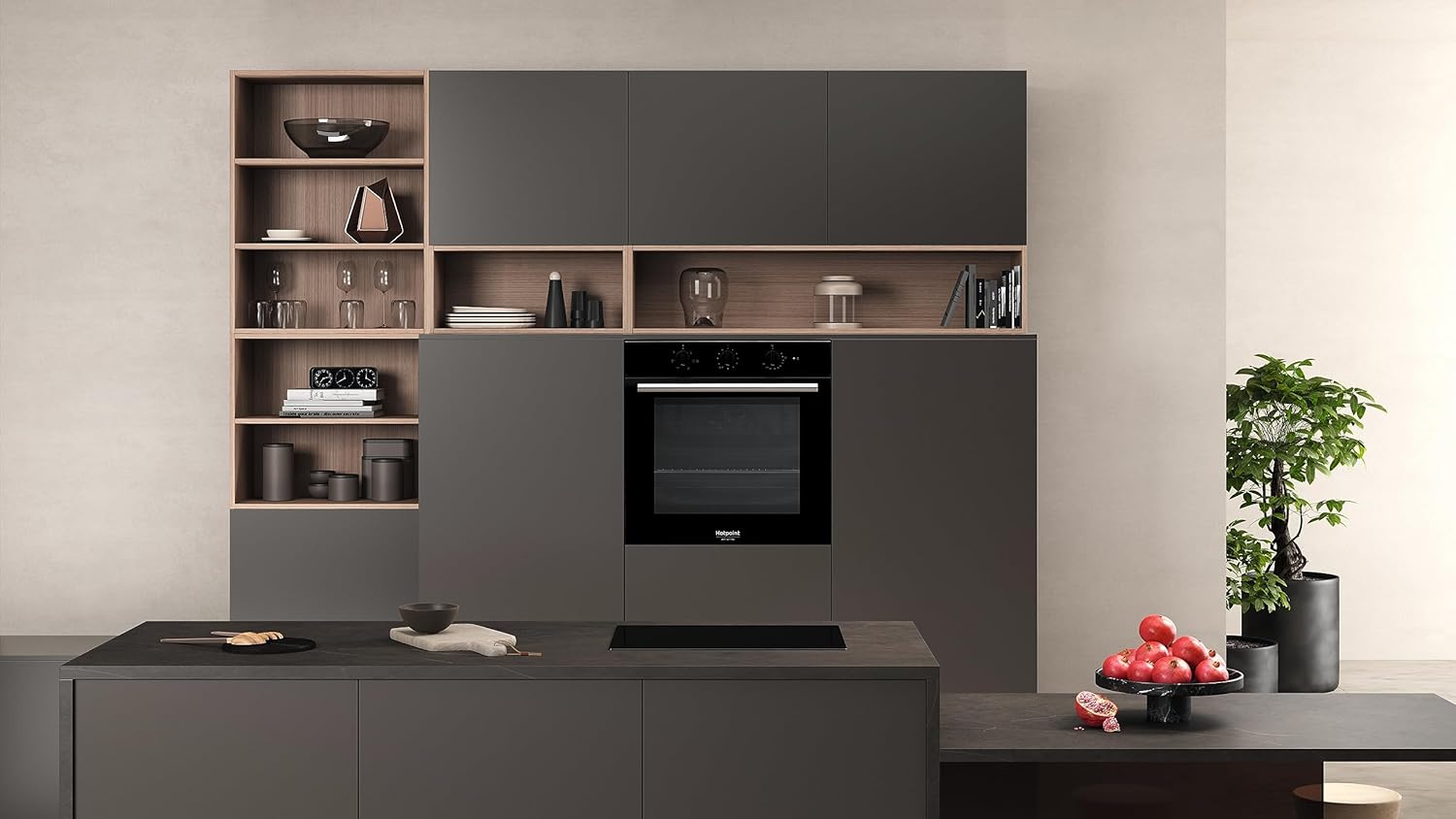
Image: Hotpoint FA2 530 H BL Oven installed in a kitchen cabinet, showcasing its sleek black and stainless steel design.
Video: General guide on how to install a built-in oven. This video provides visual steps for unpacking, preparing the cabinet, and securing the oven. While it features an Electrolux oven, the installation principles are broadly applicable to similar built-in models like the Hotpoint FA2 530 H BL.
5. Operating Instructions
Your Hotpoint FA2 530 H BL oven offers 5 cooking functions to cater to various culinary needs. Familiarize yourself with the control panel and its settings before first use.
First Use:
- Clean the interior of the oven with a damp cloth.
- Heat the empty oven to its maximum temperature for approximately one hour to burn off any manufacturing residues and odors. Ensure good ventilation during this process.
General Operation:
- Function Selector: Use the left knob to select the desired cooking function (e.g., conventional, fan-assisted, grill).
- Temperature Selector: Use the right knob to set the desired cooking temperature.
- Timer: The central display and buttons allow you to set the cooking time or a minute minder.

Image: Close-up of the Hotpoint FA2 530 H BL Oven control panel, showing the function and temperature knobs, and the digital timer display.
6. Maintenance and Cleaning
Regular cleaning and maintenance will ensure the longevity and optimal performance of your oven.
Diamond Clean (Hydrolytic Cleaning):
The Hotpoint FA2 530 H BL features Diamond Clean, a hydrolytic cleaning system that uses the power of steam to clean the oven without harsh detergents. This process takes approximately 35 minutes.
- Ensure the oven is cool.
- Pour approximately 200ml of water into the bottom cavity of the oven.
- Select the Diamond Clean function (refer to your control panel for the specific symbol).
- Run the cleaning cycle.
- Once the cycle is complete and the oven has cooled, wipe away any softened residues with a soft cloth.
Video: Demonstration of an AquaClean (hydrolytic) cleaning function in an oven. This video illustrates the process of adding water and running a steam-assisted cleaning cycle, which is similar to the Diamond Clean feature of the Hotpoint FA2 530 H BL oven.
General Cleaning:
- Clean the exterior surfaces with a soft, damp cloth and mild detergent.
- Remove oven racks and trays for separate cleaning in warm, soapy water.
- Avoid abrasive cleaners or scourers that can damage surfaces.
7. Troubleshooting
If you encounter issues with your oven, refer to the following common problems and solutions before contacting customer service.
| Problem | Possible Cause | Solution |
|---|---|---|
| Oven does not heat up | No power supply; incorrect settings | Check power connection and circuit breaker. Verify function and temperature settings. |
| Uneven cooking | Incorrect rack position; overloaded oven | Use recommended rack positions. Avoid overcrowding the oven. |
| Oven light not working | Bulb needs replacement | Replace the oven light bulb (refer to the full manual for specific bulb type and replacement instructions). |
8. Specifications
- Brand: Hotpoint
- Model Number: FA2 530 H BL
- Product Dimensions (HxWxD): 59.5 x 59.5 x 55.1 cm
- Capacity: 66 liters
- Color: Black
- Heating Method: Convection
- Fuel Type: Electric
- Energy Efficiency Rating: A
- Special Features: Diamond Clean (Hydrolytic Cleaning), 5 cooking functions
9. Warranty and Support
Hotpoint offers a 10-year warranty on spare parts for this appliance. Please register your product to activate the warranty. For further assistance, technical support, or to claim warranty service, please contact Hotpoint customer service through their official website or the contact details provided in your product registration documentation.


