
1. Product Overview
The iFrogz Coda Wireless Bluetooth Earbuds offer a convenient and high-quality audio experience. Designed for comfort and portability, these in-ear headphones feature Bluetooth connectivity for wireless listening and an integrated microphone for hands-free communication. The included wireless clip provides secure wear and easy cable management.
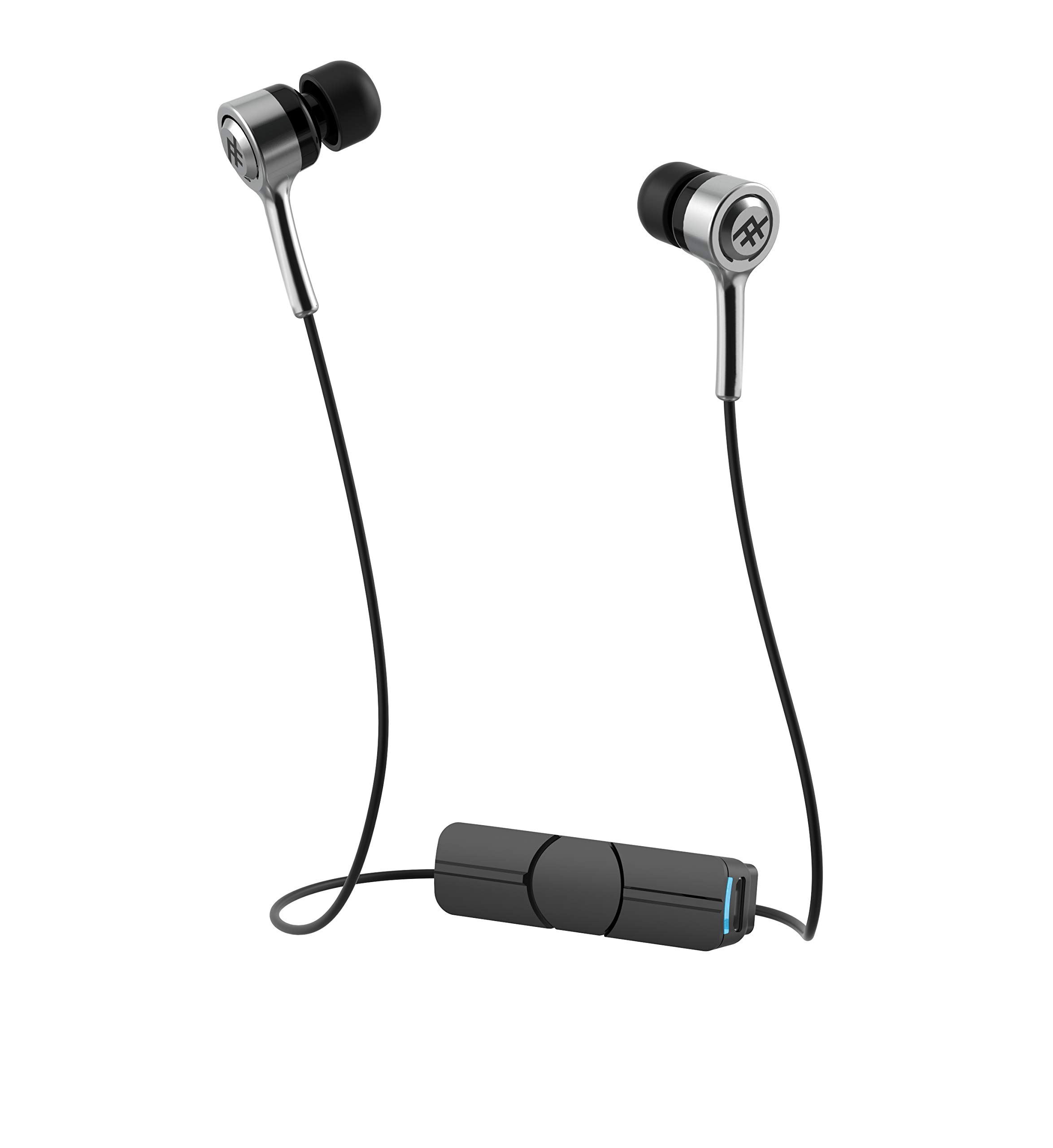
Image 1.1: iFrogz Coda Wireless Earbuds product packaging, showcasing key features like wireless control, cable management, up to 10-hour battery life, and IPX-2 sweat resistance.
Key Features:
- 9mm drivers for clear audio.
- Wireless Bluetooth connectivity for seamless pairing with MP3 players and smartphones.
- Wireless clip for secure attachment to clothing and convenient cable management.
- Up to 10 hours of battery life.
- IPX-2 sweat resistance.
- Limited lifetime warranty on earbud tips (Earbud Tips for Life program).
2. Package Contents
Please verify that all items are present in your package:
- 1 pair of iFrogz Coda Wireless Earbuds
- 3 pairs of ear tips (small, medium, large)
- 1 Micro USB charging cable
- 1 Quick Start Guide

Image 2.1: The iFrogz Coda Wireless Earbuds with the integrated control clip, which also serves for cable management.
3. Setup
3.1 Charging the Earbuds
- Locate the Micro USB charging port on the wireless control clip.
- Connect the provided Micro USB cable to the charging port.
- Plug the other end of the USB cable into a compatible USB power source (e.g., computer USB port, USB wall adapter).
- The LED indicator on the control clip will illuminate during charging. It will change color or turn off once fully charged.
- A full charge typically takes approximately 1-2 hours.
Note: Ensure the earbuds are fully charged before first use for optimal battery performance.
3.2 Bluetooth Pairing
- Ensure the earbuds are charged and turned off.
- Press and hold the multi-function button on the wireless control clip until the LED indicator flashes red and blue, indicating pairing mode.
- On your device (smartphone, MP3 player), enable Bluetooth and search for available devices.
- Select "iFrogz Coda" from the list of available devices.
- Once paired, the LED indicator will typically flash blue slowly or turn solid blue. A voice prompt may also confirm successful pairing.
- If prompted for a password, enter "0000".
Note: The earbuds will automatically attempt to reconnect to the last paired device when powered on.
4. Operating Instructions
4.1 Power On/Off
- Power On: Press and hold the multi-function button for approximately 3 seconds until the LED flashes blue and a power-on tone is heard.
- Power Off: Press and hold the multi-function button for approximately 5 seconds until the LED flashes red and a power-off tone is heard.
4.2 Music Playback
- Play/Pause: Press the multi-function button once.
- Next Track: Press and hold the Volume Up (+) button.
- Previous Track: Press and hold the Volume Down (-) button.
4.3 Call Management
- Answer/End Call: Press the multi-function button once during an incoming call or an active call.
- Reject Call: Press and hold the multi-function button for approximately 2 seconds during an incoming call.
- Redial Last Number: Double-press the multi-function button when not on a call.
4.4 Volume Control
- Increase Volume: Press the Volume Up (+) button.
- Decrease Volume: Press the Volume Down (-) button.

Image 4.1: The iFrogz Coda Wireless Earbuds showing the compact design with the cable coiled around the control clip for easy storage.
5. Maintenance
- Cleaning: Gently wipe the earbuds and control clip with a soft, dry, lint-free cloth. Do not use harsh chemicals or abrasive materials.
- Ear Tips: Remove ear tips periodically and clean them with a damp cloth. Ensure they are completely dry before reattaching.
- Storage: When not in use, store the earbuds in a cool, dry place, away from extreme temperatures and direct sunlight. Use the cable management feature of the clip to keep the cables tidy.
- Battery Care: To prolong battery life, avoid fully discharging the earbuds frequently. Charge them regularly, even if not in constant use.
- Water Exposure: While the earbuds are IPX-2 sweat resistant, avoid submerging them in water or exposing them to heavy rain.
6. Troubleshooting
| Problem | Possible Cause | Solution |
|---|---|---|
| Earbuds do not power on. | Low battery. | Charge the earbuds using the provided Micro USB cable. |
| Cannot pair with device. | Earbuds not in pairing mode; Bluetooth off on device; device too far. | Ensure earbuds are in pairing mode (flashing red/blue LED). Turn on Bluetooth on your device. Move device closer to earbuds (within 10 meters). |
| No sound or poor sound quality. | Volume too low; earbuds not properly seated; device not playing audio. | Increase volume on both earbuds and connected device. Adjust earbud position. Ensure audio is playing on the connected device. |
| Intermittent connection. | Interference; device too far; low battery. | Move away from sources of interference (Wi-Fi routers, other Bluetooth devices). Keep device within range. Charge earbuds. |
7. Specifications
- Model Number: IFOPWE-SV0
- Connectivity: Bluetooth Wireless
- Driver Size: 9mm
- Battery Life: Up to 10 hours (may vary with usage)
- Sweat Resistance: IPX-2 Rating
- Material: PU
- Compatible Devices: Smartphones, MP3 Players
- Color: Silver
- Form Factor: In-Ear

Image 7.1: A close-up view of the iFrogz Coda Wireless Earbuds, highlighting the in-ear design and the iFrogz logo on the earbud housing.
8. Warranty and Support
Earbud Tips for Life Limited Warranty: iFrogz offers a limited lifetime warranty on the earbud tips. If your ear tips become worn or damaged, iFrogz will replace them. Please visit the official iFrogz website for details on how to claim this warranty.
For further assistance, troubleshooting, or warranty claims beyond the earbud tips, please refer to the official iFrogz support channels or contact their customer service directly. Contact information can typically be found on the iFrogz website or in the original product packaging.

