
iLC BR18-SH4Q
iLC RGBW LED Bulb User Manual
Model: BR18-SH4Q
1. Introduction
This manual provides detailed instructions for the safe and efficient operation of your iLC RGBW LED Bulb. Please read this manual thoroughly before use and retain it for future reference.
The iLC RGBW LED Bulb combines RGB (Red, Green, Blue) color capabilities with a dedicated white light, offering versatile lighting options for various environments. It features dual memory, timer functions, and control via a 21-key remote control or wall switch.
2. Package Contents
Please check the package contents upon unboxing to ensure all items are present:
- 1 x iLC RGBW LED Bulb
- 1 x 21-Key Remote Control
- 1 x User Manual (this document)

Image: The iLC RGBW LED Bulb shown alongside its 21-key remote control, illustrating the product and its primary control accessory.
3. Setup
Installation:
- Ensure the power to the light fixture is turned OFF before installation.
- Carefully screw the iLC RGBW LED Bulb into a standard E27 socket.
- Turn the power to the light fixture ON. The bulb should illuminate in its last used setting or default white light.
Remote Control Preparation:
- The remote control typically comes with a battery pre-installed, often with a plastic tab to prevent discharge. Remove this tab before first use.
- Point the remote control directly at the bulb for optimal response.
4. Operating Instructions
4.1 Remote Control Functions
The 21-key remote control allows for comprehensive control over the bulb's functions:

Image: Detailed diagram of the 21-key remote control, showing the layout and function of each button, including power, color selection, mode changes, and timer settings.
- On/Off: Power button to turn the bulb on or off.
- R, G, B Buttons: Directly select Red, Green, or Blue light.
- Color Palette Buttons: Select from 12 preset colors.
- Brightness Adjustment: Increase or decrease brightness for any color or white light.
- Dynamic Modes:
- Flash Mode (C): Rapidly cycles through colors.
- Smooth Mode (S): Smoothly transitions between colors.
- Fade Mode: Fades through colors.
- Strobe Mode: Flashes a single color.
- Speed Adjustment: Adjust the speed of dynamic modes.
- Timer Function:
- 1H: Sets the bulb to turn off after 1 hour.
- 24H: Sets the bulb to turn off after 24 hours (daily cycle).
- Memory Function: The bulb remembers the last color or dynamic mode setting when turned off and on again (dual memory).
4.2 Wall Switch Control
The iLC RGBW LED Bulb can also be controlled using a standard wall switch. Turning the switch off and on quickly will cycle through basic white light and potentially the last used color setting.
5. Features
Key features of the iLC RGBW LED Bulb include:
- RGB + W Lighting: Combines vibrant RGB colors for ambiance with a dedicated bright white light (5700K) for general illumination. The white light is significantly brighter than the RGB white.
- Multiple Color Modes: Offers 12 distinct colors and 4 dynamic modes (Fade, Smooth, Flash, Strobe) with adjustable speed settings.
- Dual Control Options: Can be controlled via the included 21-key remote control or a standard wall switch.
- Timer Functionality: Program the bulb to turn off after a set period (1 hour) or on a daily cycle (24 hours).
- Dual Memory Feature: The bulb retains the last selected color or dynamic mode setting even after being powered off, eliminating the need for frequent resetting.
- Energy Efficient: 10W LED bulb with an E27 base, designed for long lifespan and low power consumption.

Image: A living room setting demonstrating the bulb's capability to produce both vibrant colorful lighting and clear white light, highlighting its versatility.
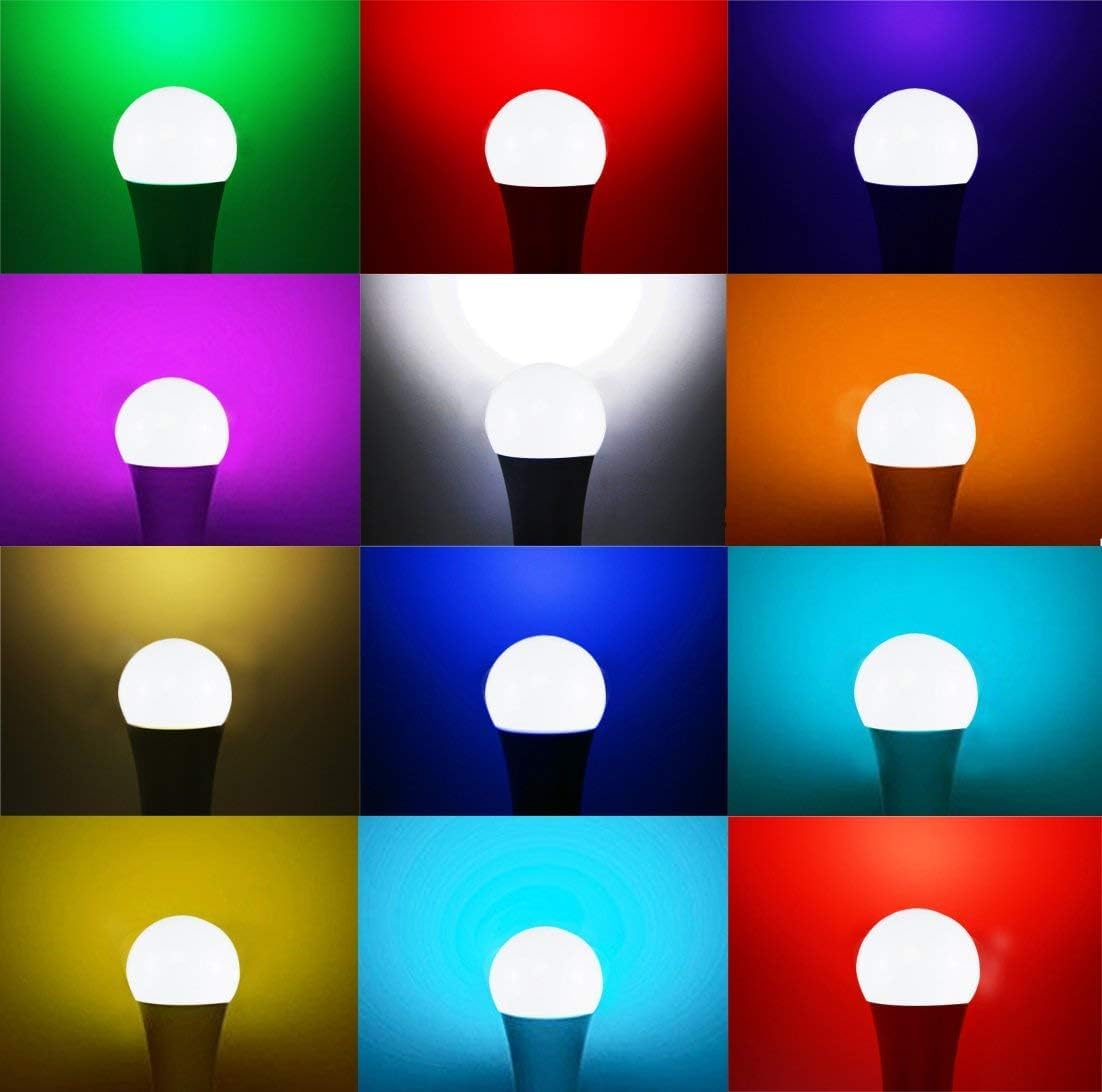
Image: A grid display showcasing the wide range of colors the iLC RGBW LED Bulb can produce, including various shades of red, green, blue, purple, yellow, and white.
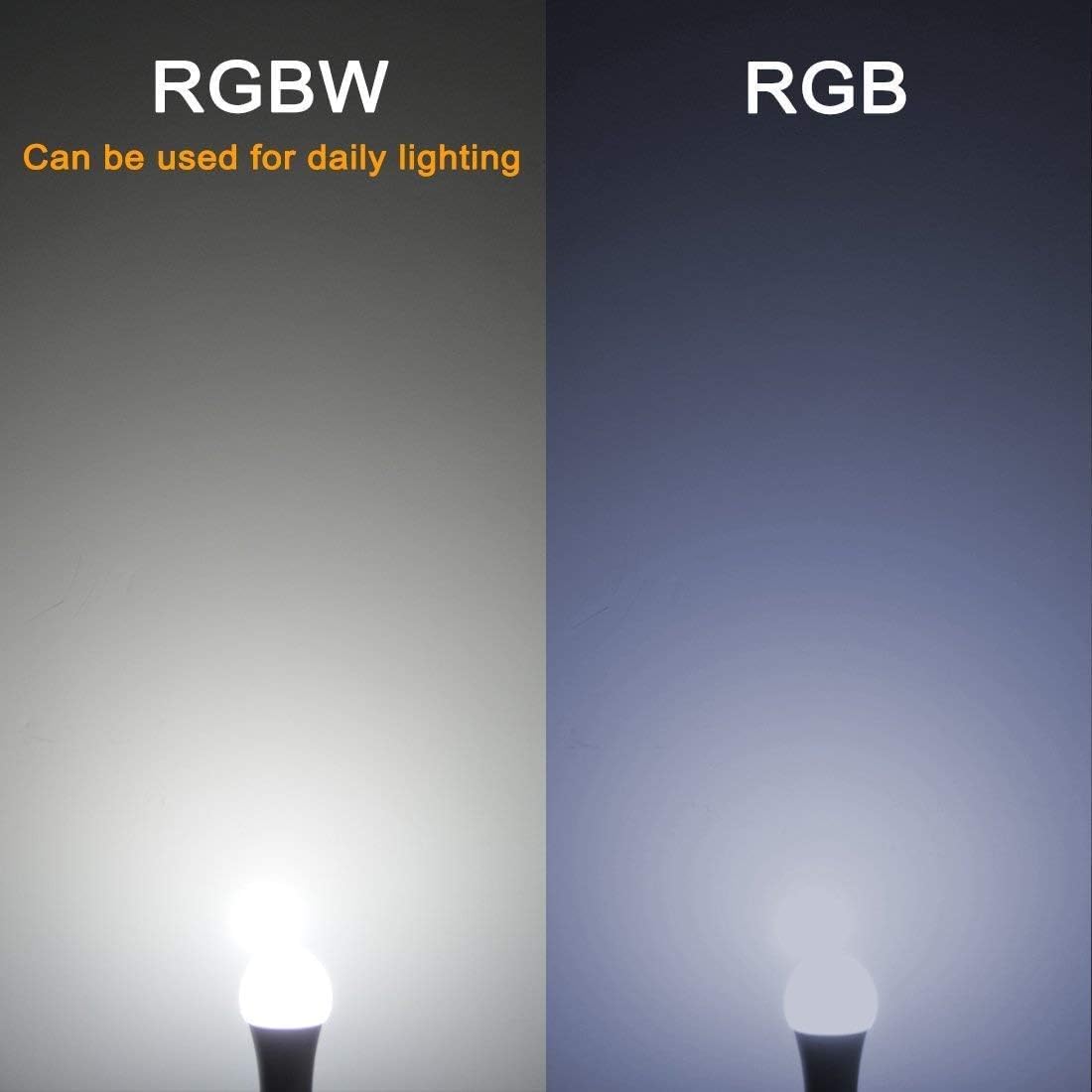
Image: A side-by-side comparison illustrating the difference between RGBW white light (brighter, suitable for daily lighting) and standard RGB white light (dimmer), emphasizing the enhanced white light output of the RGBW bulb.
6. Specifications
Detailed technical specifications for the iLC RGBW LED Bulb:
| Specification | Value |
|---|---|
| Model Number | BR18-SH4Q |
| Power | 10 Watts |
| Light Color | RGB + Daylight White (5700K) |
| Base Type | E27 |
| Lifespan | 60,000 hours |
| Housing Material | Aluminum and Plastic |
| Dimensions (L x W x H) | 6 x 0.03 x 13 cm (2.4 x 0.01 x 5.1 inches) |
| Weight | 80 grams |
| Voltage | 5 Volts |
| Luminous Flux | 900 lm |
| Beam Angle | 330 Degrees |
| Energy Efficiency Class | E |

Image: A visual representation of the iLC RGBW LED Bulb with its dimensions clearly marked in centimeters and inches, providing a scale reference.
For more detailed product information and energy efficiency data, please refer to the official EPREL database:
7. Maintenance
- Cleaning: Ensure the bulb is off and cool before cleaning. Wipe with a soft, dry cloth. Do not use liquid cleaners or abrasive materials.
- Storage: If storing the bulb for an extended period, keep it in its original packaging in a cool, dry place.
- Remote Control Battery: If the remote control's range decreases or it becomes unresponsive, replace the battery (type not specified, but typically CR2025 or CR2032 coin cell).
8. Troubleshooting
| Problem | Possible Cause | Solution |
|---|---|---|
| Bulb does not light up. | No power to the socket; Bulb not screwed in properly; Bulb is faulty. | Check the light fixture's power supply; Ensure the bulb is securely screwed into the socket; Test the bulb in another working socket. |
| Remote control not working. | Battery is dead or incorrectly inserted; Remote is too far from the bulb or obstructed; Infrared sensor on bulb is blocked. | Replace the remote control battery and ensure correct polarity; Move closer to the bulb and ensure a clear line of sight; Check for any obstructions around the bulb's sensor area. |
| Colors are not accurate or responsive. | Interference from other devices; Remote control signal issue. | Ensure no other infrared devices are interfering; Try resetting the bulb by turning it off and on at the wall switch. |
| Bulb flickers. | Incompatible dimmer switch; Loose connection. | This bulb is dimmable via its remote, not necessarily compatible with external dimmer switches. Ensure it's connected to a standard on/off switch. Check the bulb is screwed in tightly. |
9. Warranty and Support
iLC provides the following warranty and support for this product:
- 30-Day Money-Back Guarantee: If you are not satisfied with your purchase, you may return it within 30 days for a full refund.
- 2-Year Warranty: The iLC RGBW LED Bulb is covered by a 2-year warranty from the date of purchase against defects in materials and workmanship.
- Customer Support: For any questions, technical assistance, or warranty claims, please contact iLC customer support through your purchase platform or the official iLC website.
Ask a question about this manual
Ask about setup, troubleshooting, compatibility, parts, safety, or missing instructions. Manuals+ will review the question and use this page’s manual context to help answer it.