
Introduction
This manual provides comprehensive instructions for the proper installation, operation, and maintenance of your Pokin Humidifier Filter. This filter is designed for use with Essick Air humidifier models 5D6-700 and 5D6700. Adhering to these guidelines will ensure optimal performance of your humidifier and extend the life of the filter.
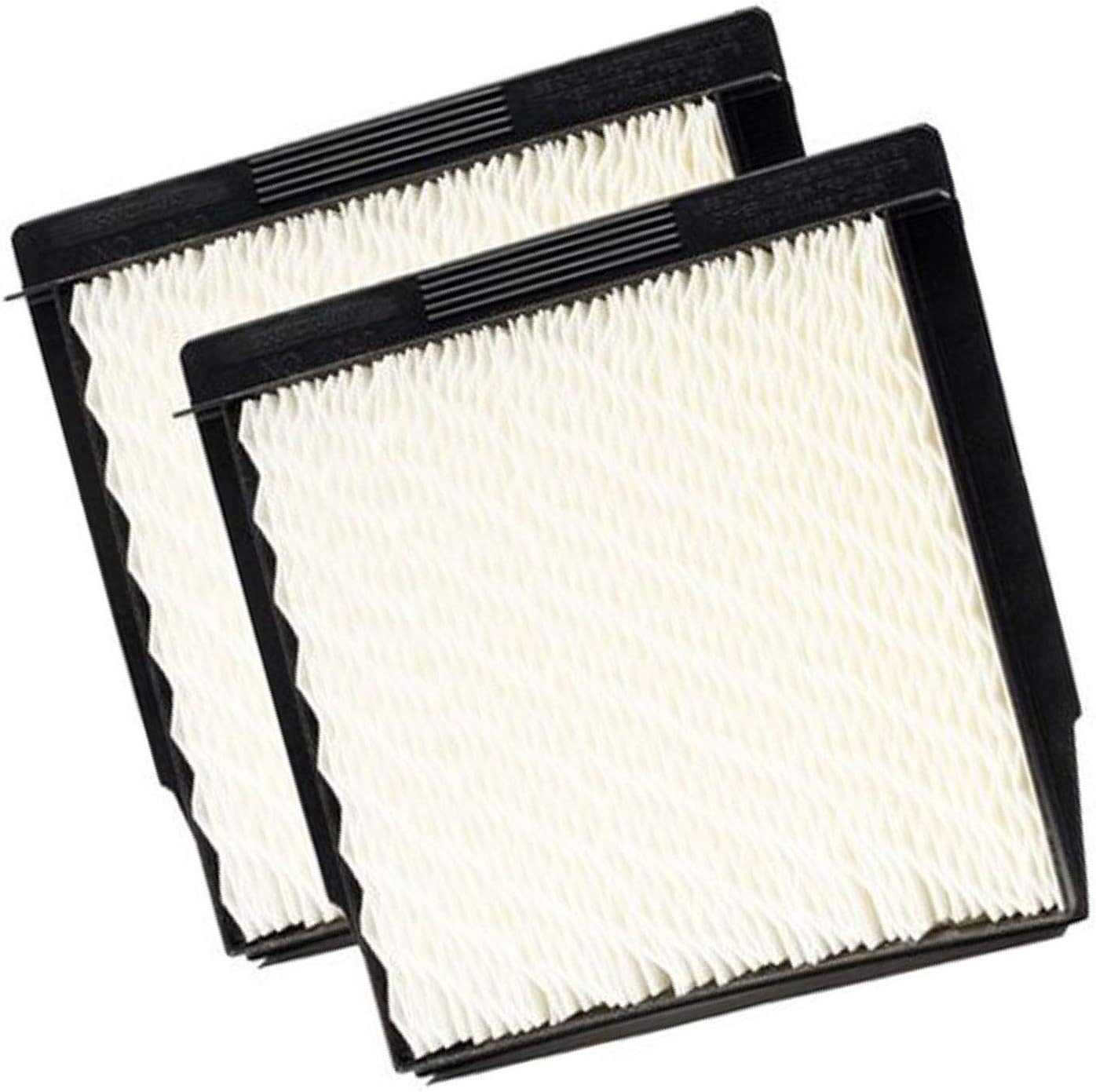
Figure 1: Pokin Humidifier Filters (2-pack)
This image displays two new Pokin humidifier filters. Each filter features a white, pleated wicking material encased in a black plastic frame, designed for efficient moisture absorption and release.
Setup and Installation
Follow these steps to correctly install the Pokin Humidifier Filter into your Essick Air 5D6-700 or 5D6700 humidifier.
- Power Off: Before beginning, ensure your humidifier is unplugged from the power outlet to prevent electrical hazards.
- Access Filter Compartment: Refer to your humidifier's original manual to locate and open the filter compartment. This typically involves removing the top cover or a specific access panel.
- Remove Old Filter: Carefully remove the old, used humidifier filter. Dispose of it according to local waste disposal guidelines.
- Unpack New Filter: Remove the new Pokin Humidifier Filter from its packaging.
- Install New Filter: Insert the new filter into the designated slot within the humidifier. Ensure it is seated firmly and correctly, with the wicking material facing the appropriate direction as indicated by your humidifier's design.

Figure 2: Filter Installation Example
This image shows a humidifier filter being placed into the water reservoir of a black humidifier unit. The filter's pleated white material is visible above the water line, indicating proper positioning for wicking.
- Close Compartment: Securely close the filter compartment and reassemble any parts removed during the process.
- Refill Water Tank: Fill the humidifier's water tank with clean, fresh water.
- Restore Power: Plug the humidifier back into the power outlet.
Operating Guidelines
Once the new filter is installed, the humidifier is ready for operation. The filter's primary function is to absorb water from the reservoir and allow it to evaporate into the air, humidifying the room. For optimal performance:
- Initial Saturation: Allow the new filter to fully saturate with water for approximately 15-30 minutes before turning on the humidifier. This ensures efficient wicking from the start.
- Water Quality: Use clean, cool tap water. Distilled or demineralized water can help reduce mineral buildup on the filter, potentially extending its life.
- Regular Use: Operate your humidifier as needed to maintain desired humidity levels. The filter will continuously wick water as long as the humidifier is running and has water in its tank.
Maintenance and Replacement
Regular maintenance of your humidifier filter is crucial for efficient operation and healthy air quality. The Pokin Humidifier Filter is a consumable item and requires periodic replacement.
- Replacement Frequency: Filters should typically be replaced every 1 to 3 months, depending on water hardness, frequency of use, and air quality. Signs that a filter needs replacement include:
- Reduced humidifier output (less mist or humidity).
- Hardened or discolored filter material (e.g., brown, green, or white mineral buildup).
- Unpleasant odors emanating from the humidifier.
- Cleaning: Do not attempt to wash or clean the filter. Cleaning can damage the wicking material and reduce its effectiveness. Replace with a new filter when necessary.
- Disposal: Dispose of used filters with regular household waste.
Troubleshooting
If you encounter issues after installing your new Pokin Humidifier Filter, consider the following:
- Humidifier Not Producing Humidity:
- Ensure the filter is fully saturated with water. It may take some time for a new filter to become completely wet.
- Check that the water tank is full and properly seated.
- Verify the humidifier is powered on and set to an appropriate humidity level.
- If the filter is old, it may be clogged with mineral deposits and require replacement.
- Unpleasant Odor from Humidifier:
- This often indicates bacterial growth or mold on the filter or in the water tank. Replace the filter immediately.
- Thoroughly clean the humidifier's water tank and base with a mild disinfectant solution before installing a new filter.
- Ensure you are using fresh water daily and not letting water sit in the tank for extended periods.
- Filter Does Not Fit:
- Double-check your humidifier model number against the compatibility listed for the Pokin filter (Essick Air 5D6-700 / 5D6700).
- Ensure the filter is oriented correctly according to your humidifier's design.
Specifications
| Feature | Detail |
|---|---|
| Product Type | Humidifier Filter (Replacement Wick) |
| Brand | Pokin |
| Compatible Humidifier Models | Essick Air 5D6-700, 5D6700 |
| Manufacturer Part Number | 4328253043 |
| ASIN | B071WBMF61 |
| Item Weight | 12.6 ounces |
| Package Dimensions | 9.13 x 8.86 x 3.31 inches |
| Item Package Quantity | 1 (contains 2 filters) |
| Date First Available | October 30, 2015 |
Warranty Information
Specific warranty details for the Pokin Humidifier Filter are not provided within this manual. For information regarding product warranty, please refer to the product packaging or contact the retailer or manufacturer directly.
Customer Support
For further assistance or inquiries regarding your Pokin Humidifier Filter, please contact the seller or manufacturer through the platform where the purchase was made. Please have your order details and product information (ASIN: B071WBMF61) available when contacting support.