
Introduction
Thank you for purchasing the Auraglow Plugin GU10 Wall Spot Light. This manual provides essential information for the safe and efficient use of your new lighting product. Please read these instructions carefully before installation and retain them for future reference.
The Auraglow Plugin GU10 Wall Spot Light is designed to transform standard wall sockets into modern, versatile light fixtures, enhancing the ambiance of any room with a wash of light against your walls. Its simple plug-in operation requires no complex wiring.
Safety Information
- Indoor Use Only: This product is designed for indoor use in dry locations. Do not expose to water or high humidity.
- Electrical Safety: Always ensure the power socket is switched off before inserting or removing the light fixture or changing the bulb.
- Bulb Type: Use only GU10 LED bulbs. Do not exceed the maximum wattage of 10 Watts.
- Bulb Installation: Ensure the GU10 bulb is securely fitted into the socket before plugging the unit into a power outlet.
- Ventilation: Ensure adequate ventilation around the light fixture to prevent overheating. Do not cover the unit.
- Cleaning: Disconnect from power before cleaning. Use a soft, dry cloth. Do not use liquid cleaners.
- Children and Pets: Keep out of reach of children and pets.
Package Contents
- 1 x Auraglow Plugin GU10 Wall Spot Light (Model AG286)
- 1 x Instruction Manual (this document)
Note: A GU10 LED bulb is not included and must be purchased separately.
Specifications
| Model Number | AG286 |
| Brand | Auraglow |
| Dimensions (L x W x H) | 2.17 x 3.94 x 6.3 cm |
| Weight | 105 grams |
| Material | Acrylic |
| Color | White |
| Power Source | Mains Powered (Plug-in) |
| Voltage | 220 Volts |
| Bulb Base | GU10 |
| Max Wattage | 10 Watts (LED) |
| Number of Bulbs | 1 (not included) |
| Control Type | Manual (via wall switch or plug) |
| Installation Type | Socket Mounted |
| Usage Environment | Indoor Only |
Setup
- Unpack: Carefully remove the Auraglow Plugin GU10 Wall Spot Light from its packaging. Inspect for any damage.
- Insert Bulb: Ensure the power socket is switched off. Gently insert a GU10 LED bulb (max 10W, not included) into the fixture's bulb holder. Twist the bulb clockwise until it is securely seated.
- Plug In: Insert the light fixture's plug into a standard wall power socket.
- Power On: Switch on the power at the wall socket. The light should illuminate.


Operating Instructions
- Turning On/Off: The light can be turned on or off using the switch on your wall socket.
- Adjusting Light Direction: The fixture features a rotatable design. Gently rotate the light head to direct the light beam upwards, downwards, or to the side, creating various wall wash effects.
- Creating Effects:
- Uplighter: Rotate the fixture to direct light upwards for an ambient wall wash.
- Downlighter: Rotate the fixture to direct light downwards.
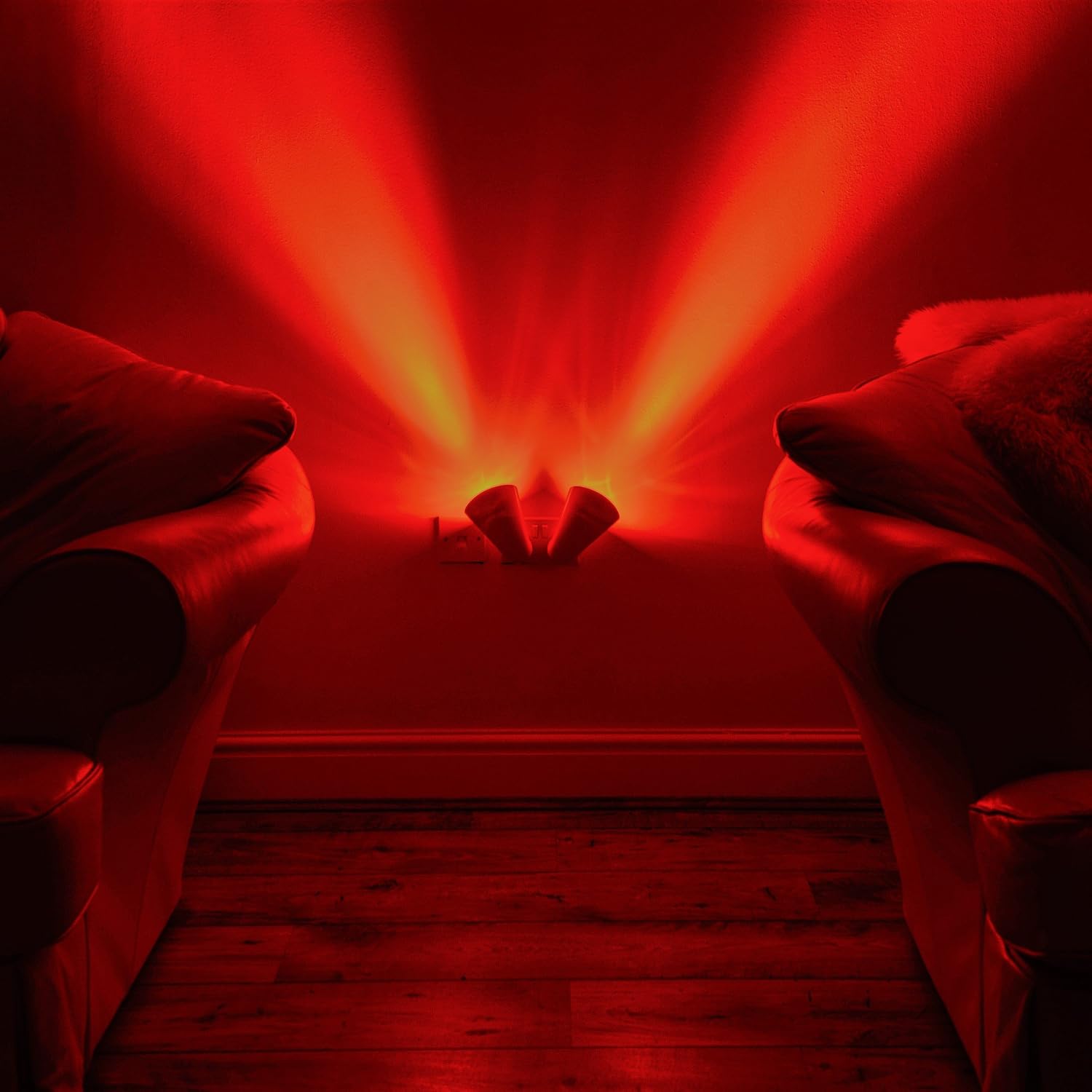
- 'V' Beam Effect: When using two units in a double wall socket, rotate them to create a 'V' shaped light beam on the wall.
- Bulb Choice: Use different GU10 LED bulbs (e.g., warm white, cool white, or color-changing smart bulbs) to customize the light color and ambiance.


Maintenance
- Cleaning: Before cleaning, ensure the light is unplugged from the power socket. Wipe the exterior of the fixture with a soft, dry, lint-free cloth. Do not use abrasive cleaners, solvents, or liquid sprays, as these can damage the finish or electrical components.
- Bulb Replacement:
- Switch off the power at the wall socket and unplug the fixture.
- Allow the bulb to cool completely if it has been recently in use.
- Gently twist the old GU10 bulb counter-clockwise and pull it out.
- Insert the new GU10 LED bulb by aligning its pins with the socket holes and twisting clockwise until secure.
- Plug the fixture back into the socket and restore power.
Troubleshooting
| Problem | Possible Cause | Solution |
|---|---|---|
| Light does not turn on. | No power to the socket. Bulb is loose or faulty. Fixture is not properly plugged in. | Check if the wall socket is switched on and functional (test with another appliance). Ensure the GU10 bulb is securely inserted. Replace the bulb if necessary. Unplug and re-insert the fixture firmly into the socket. |
| Light flickers. | Loose bulb connection. Incompatible or faulty bulb. | Switch off power, unplug, and re-seat the GU10 bulb. Try a different GU10 LED bulb. |
| Fixture feels hot. | Bulb wattage too high. Poor ventilation. | Ensure the GU10 bulb does not exceed 10 Watts. Do not cover the fixture. Ensure it has clear space around it. If overheating persists, discontinue use. |
Warranty Information
Auraglow products are manufactured to high-quality standards. This product comes with a standard manufacturer's warranty against defects in materials and workmanship. Please refer to the specific warranty terms provided at the point of purchase or visit the official Auraglow website for detailed information. Keep your proof of purchase for warranty claims.
Support
For technical assistance, troubleshooting not covered in this manual, or general inquiries, please contact Auraglow customer support through their official website or the retailer from whom you purchased the product. Please have your model number (AG286) and proof of purchase ready when contacting support.
Official Website: www.auraglow.co.uk