
1. Introduction
This manual provides essential instructions for the installation and maintenance of your Vintage Electronics Drive Belt, specifically designed for the Panasonic RE-8146 tape deck. This drive belt is manufactured to meet original equipment manufacturer (OEM) specifications, ensuring optimal performance and longevity for your audio equipment.
Proper installation and care are crucial for the correct operation of your Panasonic RE-8146. Please read these instructions carefully before proceeding with installation.
2. Installation Guide
2.1 Safety Precautions
- Always disconnect the Panasonic RE-8146 from its power source before beginning any installation or maintenance.
- Use appropriate tools and exercise caution to avoid damaging internal components.
- If you are unsure about any step, consult a qualified technician.
2.2 Replacing the Drive Belt
Follow these steps to replace the drive belt in your Panasonic RE-8146:
- Access the Mechanism: Carefully open the casing of your Panasonic RE-8146 to expose the tape deck mechanism. This may involve removing screws from the bottom or back panel. Refer to your Panasonic RE-8146 service manual for specific disassembly instructions.
- Locate the Old Belt: Identify the existing drive belt, which typically connects the motor pulley to the flywheel or capstan assembly.
- Remove the Old Belt: Gently remove the old belt. Note its path and tension for reference. If the old belt is broken or deteriorated, remove any remaining fragments.
- Clean Pulleys: Clean any residue from the motor pulley and flywheel using isopropyl alcohol and a cotton swab. Ensure these surfaces are free of grease or old belt material for optimal grip.
- Install the New Belt: Carefully place the new Vintage Electronics drive belt onto the motor pulley and then stretch it over the flywheel or capstan assembly. Ensure the belt is seated correctly and is not twisted.
- Verify Tension: The new belt should have appropriate tension, allowing smooth rotation of the flywheel without excessive slack or tightness.
- Reassemble: Carefully reassemble the casing of your Panasonic RE-8146, ensuring all connections are secure and no wires are pinched.
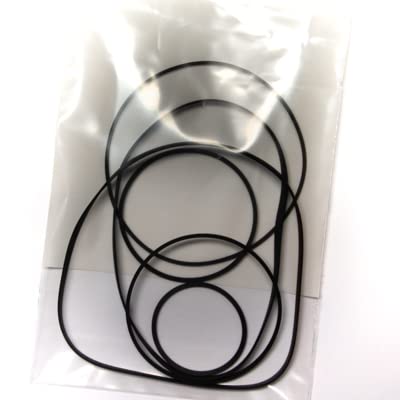
Image 1: The Vintage Electronics Drive Belt. This belt is designed for precise fit and function within the Panasonic RE-8146 tape deck mechanism.
3. Operating Your Device After Belt Replacement
After successfully installing the new drive belt, reconnect your Panasonic RE-8146 to its power source. Test all tape functions (Play, Fast Forward, Rewind) to ensure the new belt is functioning correctly and providing consistent speed and torque. Listen for any unusual noises or inconsistencies in playback.
4. Maintenance
To ensure the longevity of your new drive belt and the optimal performance of your Panasonic RE-8146, consider the following maintenance tips:
- Keep Clean: Periodically clean the tape path, including the capstan, pinch roller, and tape heads, to prevent debris from affecting belt performance or tape playback.
- Avoid Extreme Temperatures: Store and operate your device in a stable environment, avoiding extreme heat or cold, which can degrade rubber components over time.
- Regular Use: Occasional use of the tape deck can help keep the mechanism lubricated and prevent components from seizing.
5. Troubleshooting
If you encounter issues after replacing the drive belt, consider these common troubleshooting steps:
- Tape Not Playing / Slow Playback:
- Verify the belt is correctly seated on both pulleys and not slipping.
- Ensure pulleys are clean and free of oil or old belt residue.
- Check for any obstructions in the tape path.
- Fast Forward/Rewind Issues:
- Confirm the belt has proper tension. A loose belt may not provide enough torque for these functions.
- Inspect other belts if your device has multiple (though this product is for the main drive belt).
- Unusual Noises:
- Ensure the belt is not rubbing against any internal components.
- Check for proper lubrication of moving parts within the tape mechanism (refer to the Panasonic RE-8146 service manual).
6. Product Specifications
| Product Type | Drive Belt |
| Compatibility | Panasonic RE-8146 Tape Deck |
| Condition | Brand New Stock |
| Manufacturing Standard | Manufactured to OEM Specifications |
| Brand | Vintage Electronics |
| UPC | 710827789407 |
7. Warranty and Support
7.1 Lifetime Warranty
All Vintage Electronics drive belts come with a Lifetime Warranty. This warranty covers defects in materials and workmanship under normal use. For warranty claims, please contact our support team.
7.2 Technical Support
Vintage Electronics offers outstanding technical support with over 45 years of experience in vintage audio equipment. If you require assistance with installation, troubleshooting, or have any questions regarding your drive belt, please contact our support team. Contact information can typically be found on the Vintage Electronics website or through your purchase platform.
