
1. Product Overview
The EchoMaster Rearview Mirror Monitor and Backup Camera system provides enhanced visibility for vehicle operation, particularly during reversing maneuvers. This kit includes a durable, waterproof backup camera and a rearview mirror with an integrated 4.3-inch HD LCD display. The system is designed to offer a wide 170-degree field of view and features tri-color parking guidelines to assist with parking.
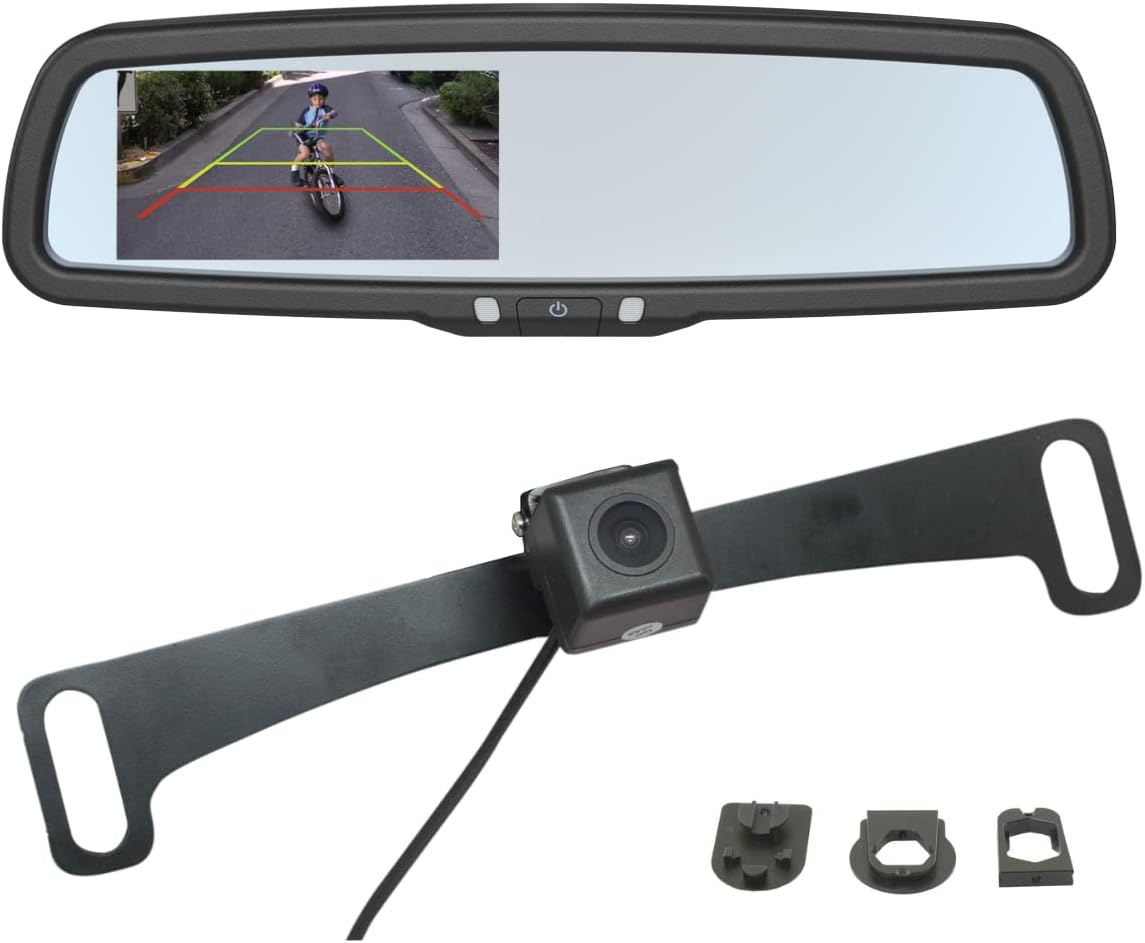
Figure 1.1: Overview of the EchoMaster Rearview Mirror Monitor and Backup Camera components, including the mirror with integrated display, the backup camera, and various mounting accessories.
2. What's in the Box
Verify that all components are present before beginning installation:
- Rearview mirror monitor with 4.3" HD LCD display
- Backup camera
- Wiring harness
- Wire harness cover
- Two camera mounting brackets
- Three mirror mounting adapters
- Instruction Manual (this document)
3. Specifications
| Feature | Specification |
|---|---|
| Model Number | MRC-LP01CP |
| Field of View | 170 degrees |
| Screen Resolution | 1080p |
| Screen Size | 4.3 inches |
| Product Height | 4 inches |
| Product Length | 10 inches |
| Product Depth | 1.25 inches |
| Product Weight | 2.4 pounds |
| Color | Black |
| Waterproof Rating | IP68 |
| Voltage | 12 Volts |
| Optical Sensor Technology | CMOS |
4. Setup and Installation
The EchoMaster system is designed for straightforward installation. All necessary harnesses, brackets, and mirror mounting adapters are included. Professional installation is recommended for optimal performance and safety, especially for electrical connections.
4.1. Mirror Monitor Installation
The rearview mirror monitor is designed to replace your factory mirror. Select the appropriate mirror mounting adapter from the three included options to ensure a secure fit for your vehicle's existing mirror mount.
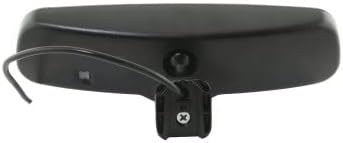
Figure 4.1: Rear view of the mirror monitor, illustrating the attachment point for the wiring harness and the mirror mount.
4.2. Backup Camera Installation
The backup camera is typically mounted near the license plate using one of the two provided mounting brackets. Ensure the camera has a clear, unobstructed view of the area behind the vehicle.

Figure 4.2: The backup camera attached to a license plate mounting bracket, ready for installation on the vehicle.

Figure 4.3: Detailed view of the backup camera lens, highlighting its compact design.
4.3. Wiring Connections
Connect the camera to the monitor using the provided wiring harness. The system typically requires connection to the vehicle's reverse light circuit to automatically activate the display when the vehicle is shifted into reverse. Consult a professional if you are unsure about electrical connections.
5. Operating Instructions
Once installed, the EchoMaster system operates automatically. When the vehicle is put into reverse, the 4.3-inch HD LCD display integrated into the rearview mirror will activate, showing the live feed from the backup camera.
5.1. Using Parking Guidelines
The display features tri-color parking guidelines (red, yellow, green) overlaid on the camera feed. These guidelines provide visual cues to estimate distance to obstacles behind the vehicle, assisting with safe parking maneuvers.
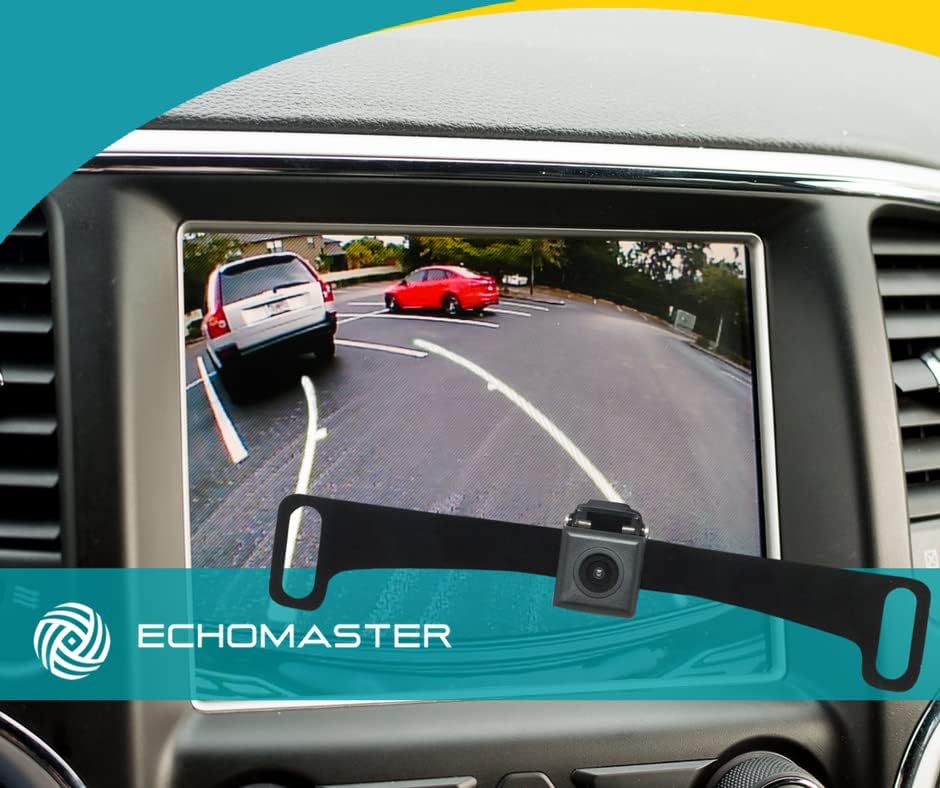
Figure 5.1: View from inside a vehicle showing the backup camera feed on a dashboard screen, with tri-color parking guidelines visible.

Figure 5.2: The rearview mirror monitor displaying the backup camera feed with tri-color parking guidelines in a parking garage setting.

Figure 5.3: An illustrative diagram demonstrating how the backup camera and parking guidelines assist in parallel parking scenarios.
6. Maintenance
The EchoMaster Rearview Mirror Monitor and Backup Camera system is designed for durability and minimal maintenance. The camera is IP68-rated, providing protection against dust and water ingress, ensuring reliable operation in various weather conditions.
- Cleaning the Camera Lens: Periodically inspect the camera lens for dirt, mud, or snow accumulation. Clean gently with a soft, damp cloth to ensure a clear image. Avoid abrasive cleaners.
- Cleaning the Mirror Monitor: Use a soft, lint-free cloth to clean the mirror surface and display. Do not spray cleaning solutions directly onto the mirror.
- Wiring Inspection: Occasionally check the wiring connections for any signs of wear or damage. Ensure all connections remain secure.
7. Troubleshooting
If you encounter issues with your EchoMaster system, refer to the following common troubleshooting steps:
- No Image on Display:
- Ensure the vehicle is in reverse.
- Check all wiring connections for looseness or damage.
- Verify power supply to the mirror monitor and camera.
- Inspect the fuse for the reverse light circuit.
- Distorted or Unclear Image:
- Clean the camera lens thoroughly.
- Check for any obstructions blocking the camera's view.
- Ensure the camera is securely mounted and not vibrating.
- Verify the video cable connection is secure and not damaged.
- Parking Guidelines Not Appearing:
- Confirm the system is receiving a signal from the reverse gear.
- Refer to the full instruction manual for specific settings if applicable (though this model typically has fixed guidelines).
For further assistance, please contact customer support.
8. Warranty and Support
This EchoMaster product is covered by a manufacturer's warranty.
- Manufacturer's Warranty (Parts): 1 year from the date of purchase.
- Technical Support: Free Florida-based phone support is available from CarTeck Now for installation assistance and troubleshooting.
Please retain your proof of purchase for warranty claims.


