
Emerson ER100301
Emerson Smartset Alarm Clock Radio with Bluetooth Speaker and USB Port
Model: ER100301 | Brand: Emerson
Introduction
Thank you for choosing the Emerson Smartset Alarm Clock Radio. This device combines an alarm clock, FM radio, Bluetooth speaker, and a convenient USB charging port. Featuring Emerson's patented Smartset technology, it automatically sets the correct time and date upon initial setup and maintains it during power outages. This manual provides detailed instructions for setting up and operating your new device.
Setup
Power Connection
Connect the provided AC adapter to the DC IN jack on the back of the unit and plug it into a standard wall outlet. The unit will power on automatically.
Automatic Time Setting (Smartset Technology)
Upon the first connection to power, the ER100301 will automatically set itself to the correct year, month, date, day, and time. This patented Smartset technology eliminates the need for manual time setting. The clock radio also adjusts automatically for Daylight Saving Time and leap years, and maintains the correct time after power returns from outages.
Battery Backup
For continuous time and alarm settings during power interruptions, ensure the button cell battery (included) is properly installed. This battery ensures that your settings are retained even if the main power is disconnected.

Front view of the Emerson Smartset Alarm Clock Radio, showing the large cyan LED display with time and day of the week.
Operating Instructions
Display Brightness Control
The 1.4-inch Cyan LED display features dimmer control. Use the dedicated button on the top panel to adjust the brightness to your preferred level for optimal visibility day or night.
Night Light Feature
A soft blue night light is integrated into the unit, enhancing usability in low-light conditions. Activate or deactivate the night light using the designated control on the top panel.

Diagram illustrating the night light and Bluetooth wireless connection features.
Top Panel Controls Overview
The top panel features intuitive controls for various functions, including time setting, alarm management, volume adjustment, and radio tuning. The buttons are designed for ease of use.

Top view of the alarm clock, highlighting the control buttons for various functions.
Bluetooth Connectivity
The ER100301 features Bluetooth V4.1 for seamless wireless audio streaming. To pair your device:
- Ensure Bluetooth is enabled on your smartphone, tablet, or other Bluetooth-enabled audio device.
- Press the 'BT PAIR' button on the alarm clock. The Bluetooth indicator on the display will flash.
- Select 'ER100301' from the list of available devices on your audio device.
- Once paired, the Bluetooth indicator will stop flashing and remain solid. You can now stream audio wirelessly to the alarm clock.
The connection is designed for effortless pairing and enhanced audio streaming quality.
USB Charging Port
The alarm clock is equipped with a convenient USB output port (2.1A 5V) located on the back of the unit. This allows you to charge your mobile devices, such as iPhones, iPads, iPods, Android phones, and tablets, directly from the clock radio.
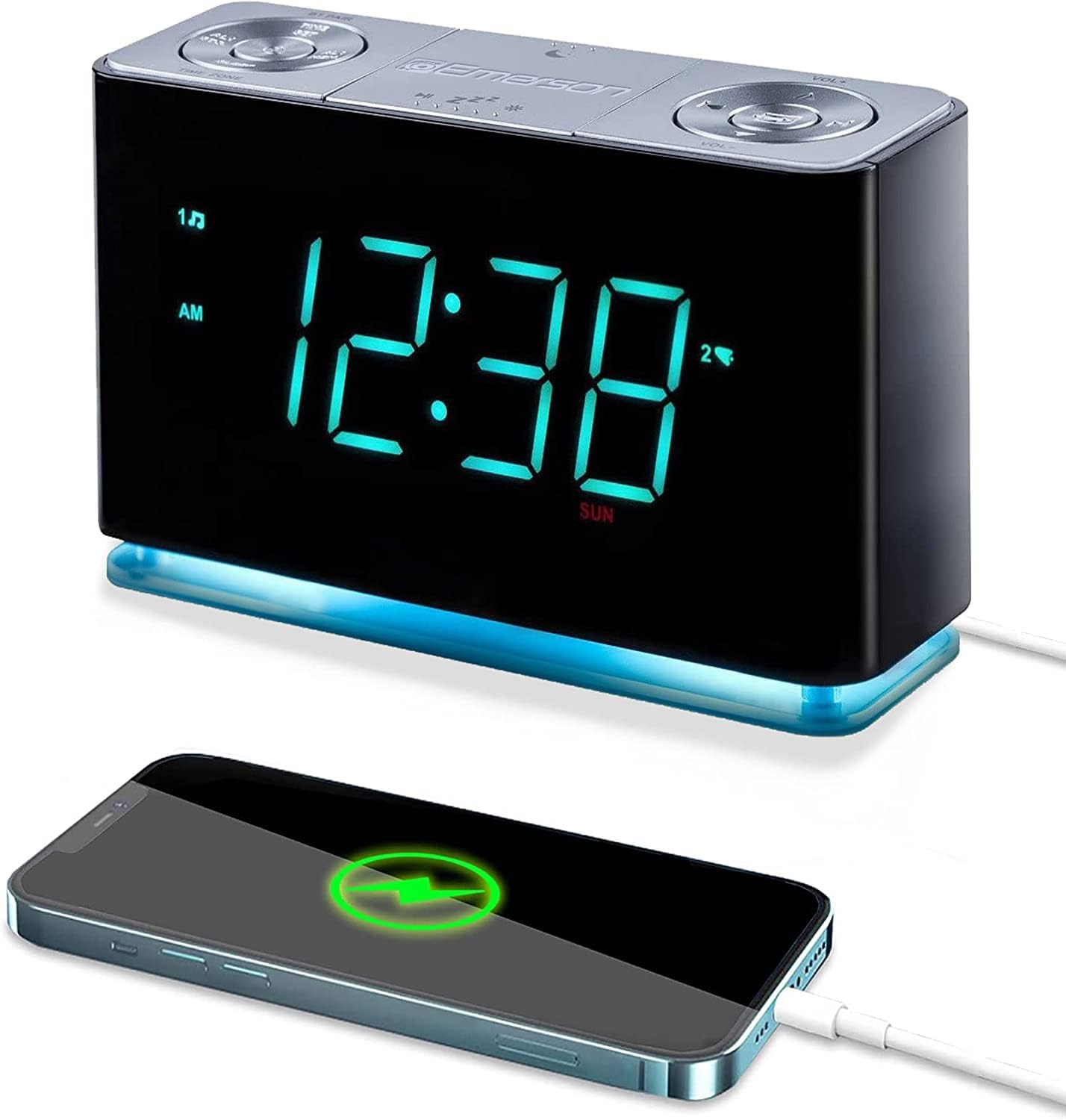
The alarm clock providing power to a smartphone via its USB charging port.

Rear view diagram highlighting the Auxiliary Port and USB Charging Port.
Alarm Features
The ER100301 offers a personalized wake-up experience with flexible alarm programming:
- Dual Alarms: Set two independent alarms to accommodate different schedules.
- Programmable Operation: Each alarm can be programmed to operate on weekdays only, weekends only, or all seven days of the week.
- Wake-Up Options: Choose to wake up to your favorite FM music or news station, or opt for the traditional buzzer alarm.
- Progressive Alarm Volume: The alarm volume starts softly and gradually increases, providing a gentler wake-up experience.
- Snooze Function: A large, easy-to-find snooze button allows for temporary silencing of the alarm.
- Sleep-to-Music Timer: Program the unit to play music for a set duration before automatically turning off, allowing you to fall asleep to your preferred audio.
FM Radio
Enjoy clear reception with the digital tuning FM radio. The unit allows you to store up to 20 of your favorite FM stations for quick access. Use the tuning controls on the top panel to scan and select stations.
Specifications
| Feature | Detail |
|---|---|
| Brand | Emerson |
| Model Number | ER100301 |
| Color | Black |
| Display Type | Digital, 1.4" Cyan LED |
| Special Features | Alarm, Radio, Bluetooth Speaker, USB Charge Out, Night Light |
| Product Dimensions | 4"W x 2.75"H (Note: Full dimensions are 9"L x 4"W x 2.75"H) |
| Power Source | AC adapter |
| Item Weight | 1 Pound |
| Bluetooth Version | V4.1 |
| USB Output | 2.1A 5V |
| Batteries Included | Yes (for button cell backup) |
| Country of Origin | China |

Product dimensions for the Emerson Smartset Alarm Clock Radio.
Maintenance
To ensure the longevity and optimal performance of your Emerson Smartset Alarm Clock Radio, follow these simple maintenance guidelines:
- Cleaning: Gently wipe the unit with a soft, dry cloth. Do not use abrasive cleaners, waxes, or solvents as they may damage the finish.
- Placement: Place the unit on a stable, flat surface away from direct sunlight, heat sources, and excessive moisture. Ensure adequate ventilation around the unit.
- Power Cord: Regularly inspect the power cord for any signs of damage. If damaged, discontinue use and contact customer support.
- Battery Replacement: If the clock loses time during power outages, the backup battery may need replacement. Refer to the setup section for battery type and installation.
Troubleshooting
If you experience issues with your alarm clock, please refer to the following common problems and solutions:
| Problem | Solution |
|---|---|
| Clock display is blank or not working. | Ensure the AC adapter is securely plugged into both the unit and a working wall outlet. Check if the power outlet is functional. |
| Time is incorrect after power outage. | Verify that the backup battery is installed and functional. The Smartset technology should automatically correct the time once power is restored. If not, check the time zone setting. |
| Cannot pair Bluetooth device. | Ensure the alarm clock is in Bluetooth pairing mode (flashing indicator). Make sure your audio device's Bluetooth is on and within range. Try restarting both devices. |
| No sound from radio or Bluetooth. | Check the volume level on both the alarm clock and your connected Bluetooth device. Ensure the correct mode (FM or Bluetooth) is selected. For FM, extend the antenna fully. |
| USB charging is not working. | Verify the USB cable is securely connected to both the alarm clock and your mobile device. Ensure your device is compatible with 5V USB charging. |
If the problem persists after trying these solutions, please contact Emerson customer support.
Warranty Information
This Emerson product is covered by a 90-day warranty from the date of purchase with valid proof of purchase. Please retain your receipt as proof of purchase for any warranty claims.
Customer Support
For further assistance, technical support, or warranty inquiries, please visit the official Emerson brand store or contact their customer service. Emerson is committed to providing quality products and support.
Related documentsER100301


Ask a question about this manual
Ask about setup, troubleshooting, compatibility, parts, safety, or missing instructions. Manuals+ will review the question and use this page’s manual context to help answer it.