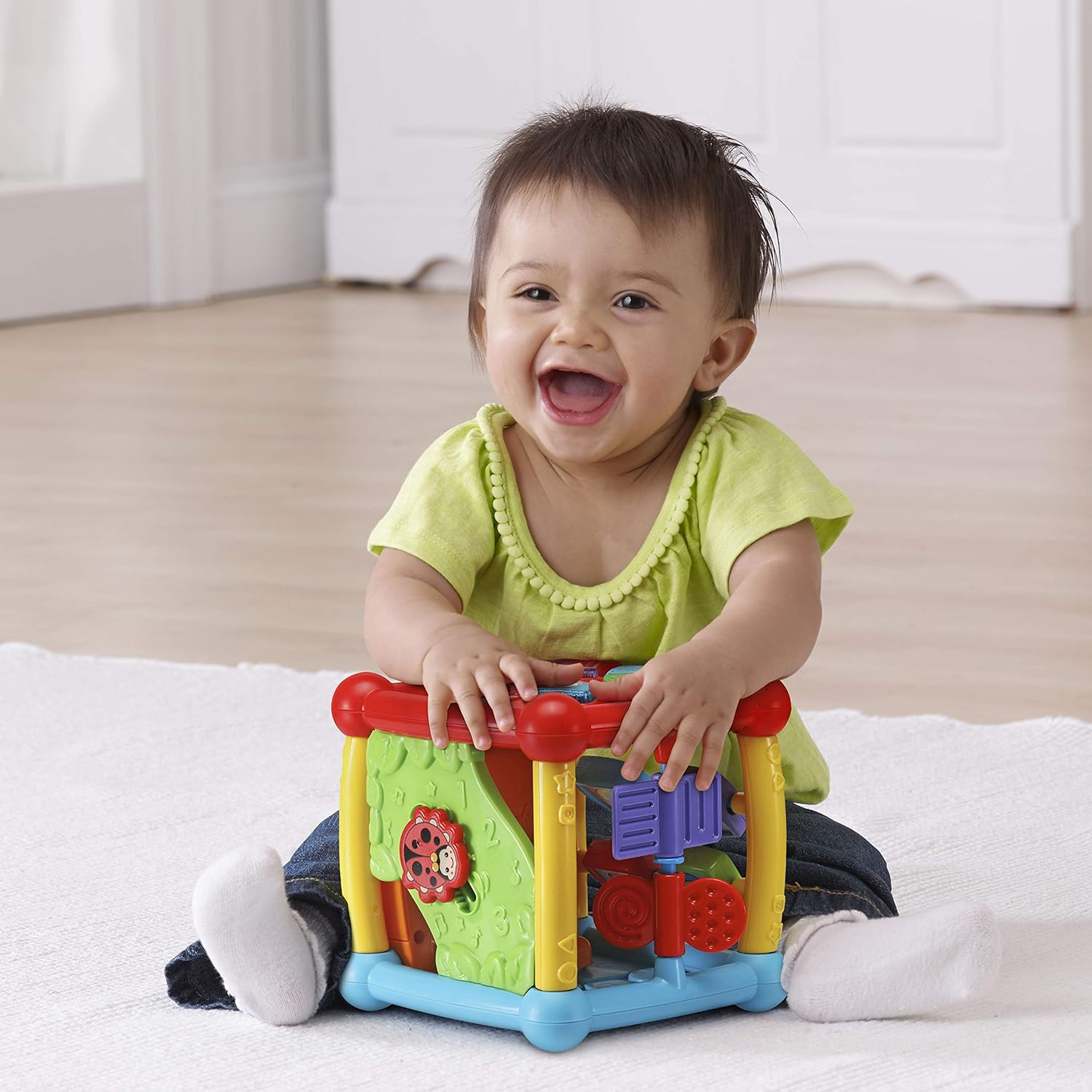
The VTech Busy Learners Activity Cube is an interactive educational toy designed to stimulate a child's senses and encourage exploration. With five sides of discovery and 14 manipulative features, it helps develop fine motor skills and introduces concepts like animal names, sounds, shapes, colors, and musical instruments through engaging activities, lights, and sounds.
Image 1.1: The VTech Busy Learners Activity Cube, showcasing its vibrant colors and multiple interactive surfaces.
2. Safety Information
Please read and follow these safety guidelines before allowing a child to use the product:
Ensure all packaging materials, such as tape, plastic sheets, packaging locks, wire ties, and tags, are removed before giving the toy to a child.
Do not immerse the toy in water or expose it to excessive moisture.
Regularly inspect the toy for any damage or loose parts. Discontinue use if any damage is found.
This toy is intended for children aged 6 months to 3 years. Adult supervision is recommended during play.
Keep batteries out of reach of children.
3. Package Contents
The VTech Busy Learners Activity Cube package includes:
1 x VTech Busy Learners Activity Cube (Frustration Free Packaging)
2 x AAA Batteries (for demonstration purposes only)
4. Battery Installation
The activity cube requires 2 AAA batteries. For optimal performance, it is recommended to replace the included demonstration batteries with new alkaline batteries.
Locate the battery compartment on the bottom of the activity cube.
Using a screwdriver, loosen the screw on the battery compartment cover.
Remove the cover.
Insert 2 new AAA batteries, ensuring they are inserted with the correct polarity (+ and -).
Replace the battery compartment cover and tighten the screw securely.
Note: Non-rechargeable batteries are not to be recharged. Rechargeable batteries are only to be charged under adult supervision. Exhausted batteries are to be removed from the toy. Do not mix old and new batteries. Do not mix alkaline, standard (carbon-zinc), or rechargeable (nickel-cadmium) batteries.
5. Operating the Activity Cube
The VTech Busy Learners Activity Cube features five interactive sides, each offering unique learning opportunities. Turn the cube to explore each side.
5.1. Top Panel: Light-Up Buttons and Slider
The top panel features four light-up buttons that introduce animal names, animal sounds, and shapes. A colorful slider bar also provides additional interactive play.
Image 5.1: A child interacting with the light-up buttons and slider on the top surface of the activity cube.
5.2. Musical Instrument Side
This side includes press and slide musical instrument buttons that introduce instrument names, sounds, and colors. Spin the drum for additional sounds.
Image 5.2: The side of the cube featuring interactive musical instrument buttons and a spinning drum.
5.3. Shape and Animal Button Side
Engage with shape and animal buttons that introduce animal names, animal sounds, and shapes. Pressing these buttons activates corresponding sounds and phrases.
Image 5.3: This side of the cube features colorful buttons shaped like animals and geometric forms.
5.4. Ladybug and Gear Side
This side features a sliding ladybug and spinning gears, promoting fine motor skill development and cause-and-effect understanding. The ladybug can be moved along a track, and the gears can be rotated.
Image 5.4: The side of the cube with a movable ladybug and interconnected spinning gears.
Image 5.5: A child engaging with the ladybug and gear mechanism on the activity cube.
5.5. Sliding Alphabet Blocks Side
This side features sliding, spinning blocks with letters and images, promoting interaction and fine motor skill development. Children can slide the blocks along the rails and spin them to reveal different sides.
Image 5.6: The side of the cube featuring colorful sliding blocks with letters and pictures.
The activity cube also features a motion sensor that activates fun sounds when the cube is moved, encouraging crawling and further interaction. It plays 25 sing-along songs and melodies to keep toddlers engaged.
6. Care and Maintenance
To ensure the longevity of your VTech Busy Learners Activity Cube, follow these care instructions:
Keep the unit clean by wiping it with a slightly damp cloth. Do not use harsh chemicals or abrasive cleaners.
Keep the unit out of direct sunlight and away from any direct heat sources.
Remove the batteries if the unit will not be used for an extended period.
Do not drop the unit on a hard surface or expose it to excessive moisture or water.
7. Troubleshooting
If you encounter any issues with your activity cube, please refer to the following table:
Problem
Solution
Unit does not turn on or respond.
Check battery polarity. Replace with new AAA batteries. Ensure the On/Off switch is in the 'On' position.
Sound is too low or distorted.
Adjust the volume switch. Replace batteries if they are low.
Lights are dim or not working.
Replace batteries.
Toy stops responding during play.
Turn the unit off and then on again. If the problem persists, replace batteries.
8. Product Specifications
Feature
Detail
Model Number
80-150501
Dimensions (LxWxH)
15.8 x 15.8 x 16.41 cm
Weight
635.03 g
Material
BPA-free Plastic
Batteries Required
2 x AAA (not included for regular use)
Recommended Age
6 months and up
Educational Objectives
Color Recognition, Shape Recognition, Fine Motor Skills
9. Warranty and Support
This product comes with a 90-day warranty from the date of purchase. Please retain your proof of purchase for warranty claims.
For technical support, replacement parts, or warranty inquiries, please visit the official VTech website or contact their customer service department. Contact information can typically be found on the product packaging or the VTech official website.
Ask about setup, troubleshooting, compatibility, parts, safety, or missing instructions. Manuals+ will review the question and use this page’s manual context to help answer it.