
1. Product Overview
The WAC Lighting Tube Architecture ilumenight is a sophisticated single light fixture designed for both indoor and outdoor use. It features advanced LED color-changing technology, controllable via an iOS application. The ilumenight system allows users to adjust color and brightness directly from a smartphone or tablet. This model, in Graphite, provides a 33° flood beam directed away from the wall, utilizing energy-efficient LED technology with a built-in reflector for optimal light distribution. Its cylindrical profile is suitable for accent and wall wash lighting applications.
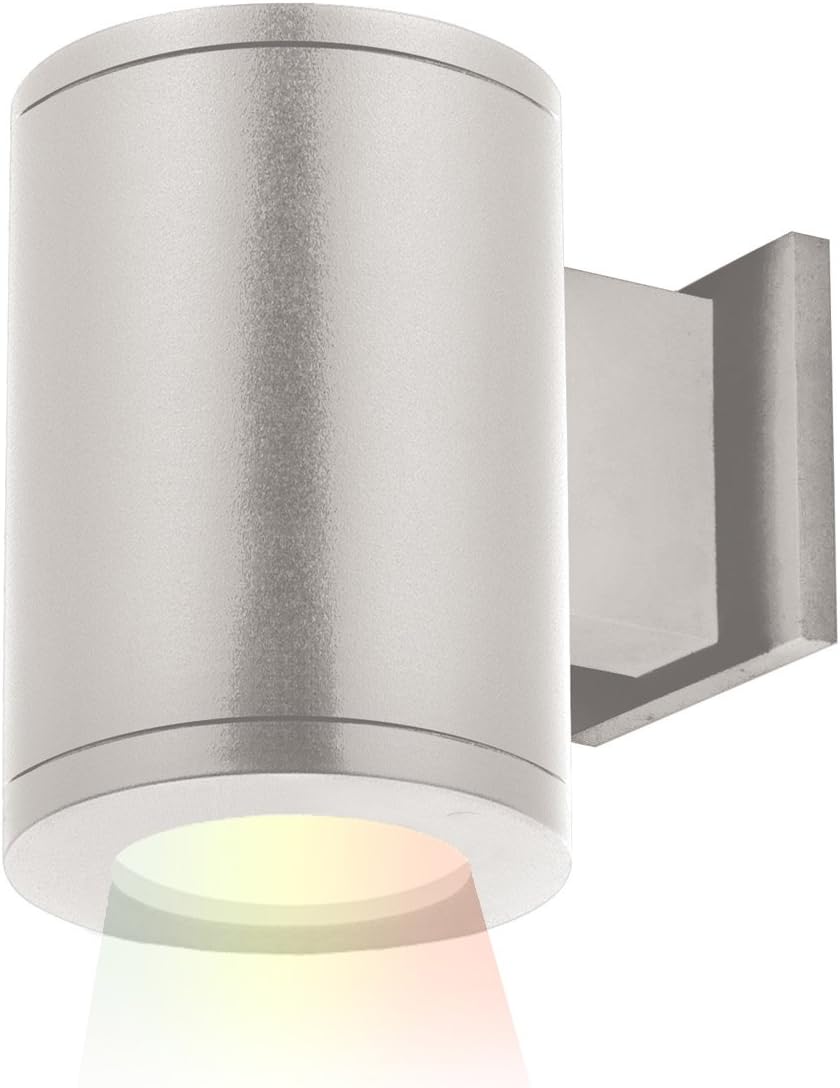
Image 1.1: The WAC Lighting DS-WS05-FA-CC-GH Graphite Single Light fixture.
2. Important Safety Information
- WARNING: Risk of electric shock. Disconnect power at the circuit breaker before installation or servicing.
- All wiring connections must be in accordance with local and national electrical codes. If you are unfamiliar with proper electrical wiring connections, consult a qualified electrician.
- Do not install this fixture in areas with explosive atmospheres.
- Ensure the fixture is securely mounted to prevent falling.
- Do not attempt to modify the fixture. Any modifications may void the warranty and create safety hazards.
- This product is rated for 120V-277V applications. Ensure your power supply matches this requirement.
3. Package Contents
Verify that all components are present before beginning installation:
- WAC Lighting DS-WS05-FA-CC-GH Fixture (1)
- Instruction Manual (1)
4. Setup and Installation
Installation of this lighting fixture should be performed by a qualified electrician in accordance with local electrical codes. Ensure power is disconnected at the circuit breaker before beginning installation.
- Prepare Mounting Surface: Identify the desired mounting location. The fixture is designed for ceiling mount.
- Mounting Hardware: Securely attach the provided mounting hardware to the junction box.
- Wiring: Connect the fixture's electrical wires to the building's wiring according to local codes. Ensure proper grounding. The universal driver supports 120V-220V-277V applications.
- Secure Fixture: Attach the fixture to the mounting hardware, ensuring it is firmly in place.
- Power On: Restore power at the circuit breaker.
Refer to the dimension diagram below for precise measurements during installation.

Image 4.1: Dimensional drawing for single and double light fixtures. The single light fixture measures approximately 4.88"W x 7.13"H with a 7.76"L projection.
5. Operating Instructions
The WAC Lighting ilumenight fixture is controlled via the free iOS ilumenight app.
- Download App: Download the 'ilumenight' app from the Apple App Store onto your iOS smartphone or tablet.
- Pair Device: Follow the in-app instructions to pair your iOS device with the ilumenight fixture via Bluetooth. Ensure Bluetooth is enabled on your device.
- Control Lighting: Once paired, use the app to adjust the light's color, brightness, and other available settings. This model provides a 33° flood beam. The app offers smooth and continuous brightness control.
6. Maintenance
To maintain the appearance and performance of your WAC Lighting fixture:
- Cleaning: Clean the fixture with a soft, damp cloth. Do not use abrasive cleaners, harsh chemicals, or solvents, as these can damage the finish or electrical components.
- LED Longevity: The high-powered replaceable LED has a rated life of 50,000 hours. No routine bulb replacement is necessary under normal operating conditions.
- Wet Location Rating: This fixture is IP65 rated and ETL & cETL wet location listed, making it suitable for outdoor use and exposure to water. Ensure all seals and connections remain intact to maintain its wet rating.

Image 6.1: Icon indicating the product is rated for wet locations.
7. Troubleshooting
If your WAC Lighting fixture is not operating as expected, consult the following:
- No Light:
- Check the circuit breaker to ensure power is supplied to the fixture.
- Verify all wiring connections are secure and correct.
- Ensure the fixture is properly paired with the ilumenight app and not set to minimum brightness or off.
- App Connectivity Issues:
- Ensure Bluetooth is enabled on your iOS device.
- Move closer to the fixture to improve Bluetooth signal strength.
- Restart the ilumenight app or your iOS device.
- Inconsistent Brightness/Color:
- Ensure the ilumenight app is updated to the latest version.
- Check for any physical obstructions that might interfere with the Bluetooth signal between your device and the fixture.
8. Specifications
| Brand | WAC Lighting |
| Model Name | Tube Architectural ilumenight |
| Part Number | DS-WS05-FA-CC-GH |
| Color | Graphite |
| Material | Aluminum (Fixture), Glass (Shade) |
| Style | 33° Flood Beam (Away From The Wall) |
| Size | Single Light |
| Product Dimensions | 7.76"L x 4.88"W x 7.13"H |
| Item Weight | 6.09 pounds |
| Power Source | Corded Electric |
| Voltage | 120 Volts (Universal Driver for 120V-220V-277V) |
| Wattage | 31 watts |
| Brightness | 960 Lumens |
| Number of Light Sources | 1 |
| Control Method | App (iOS) |
| Special Feature | Heavy Duty, Bluetooth Enabled |
| Specific Uses For Product | Indoor and Outdoor |
| Fixture Type | Non Removable LED |
| Mounting Type | Ceiling Mount |
| Standards | IP65 rated, ETL & cETL wet location listed |
| UPC | 790576438344 |
9. Warranty and Support
This WAC Lighting product comes with a 5-year functional warranty and a 2-year finish warranty. This warranty covers defects in materials and workmanship under normal use.
For technical support, warranty claims, or further assistance, please contact WAC Lighting customer service. Contact information can typically be found on the manufacturer's official website (www.waclighting.com) or on the original product packaging.
Please have your model number (DS-WS05-FA-CC-GH) and proof of purchase available when contacting support.

