
Timex TW2R40100JT
User Manual
Timex Men's TW2R40100 Easy Reader 40th Anniversary 38mm Tan/White Leather Strap Watch
Product Overview

This image shows the front of the Timex Easy Reader 40th Anniversary watch, highlighting its classic white dial with large, easy-to-read black Arabic numerals, a gold-tone case, and a tan leather strap accented with red details.
The Timex Men's TW2R40100 Easy Reader 40th Anniversary watch is a special edition timepiece designed for clear readability and classic style. It features a durable brass case, a comfortable leather strap, and Timex's signature Indiglo night-light.
Key Features:
- Adjustable tan 20mm genuine leather strap with red accents, fitting up to an 8-inch wrist circumference.
- White easy-to-read dial with a date window at 3 o'clock and full Arabic numerals.
- Gold-tone 38mm brass case with a mineral glass crystal for durability.
- Indiglo light-up watch dial, which reveals a unique 40th anniversary logo when activated.
- Water resistant to 30 meters (100 feet), suitable for splashes or brief immersion, but not for swimming or bathing.
Initial Setup
To ensure battery life during shipping, your Timex watch arrives with a crown guard. Follow these steps to activate your watch and set the time.
Step 1: Remove the Crown Guard
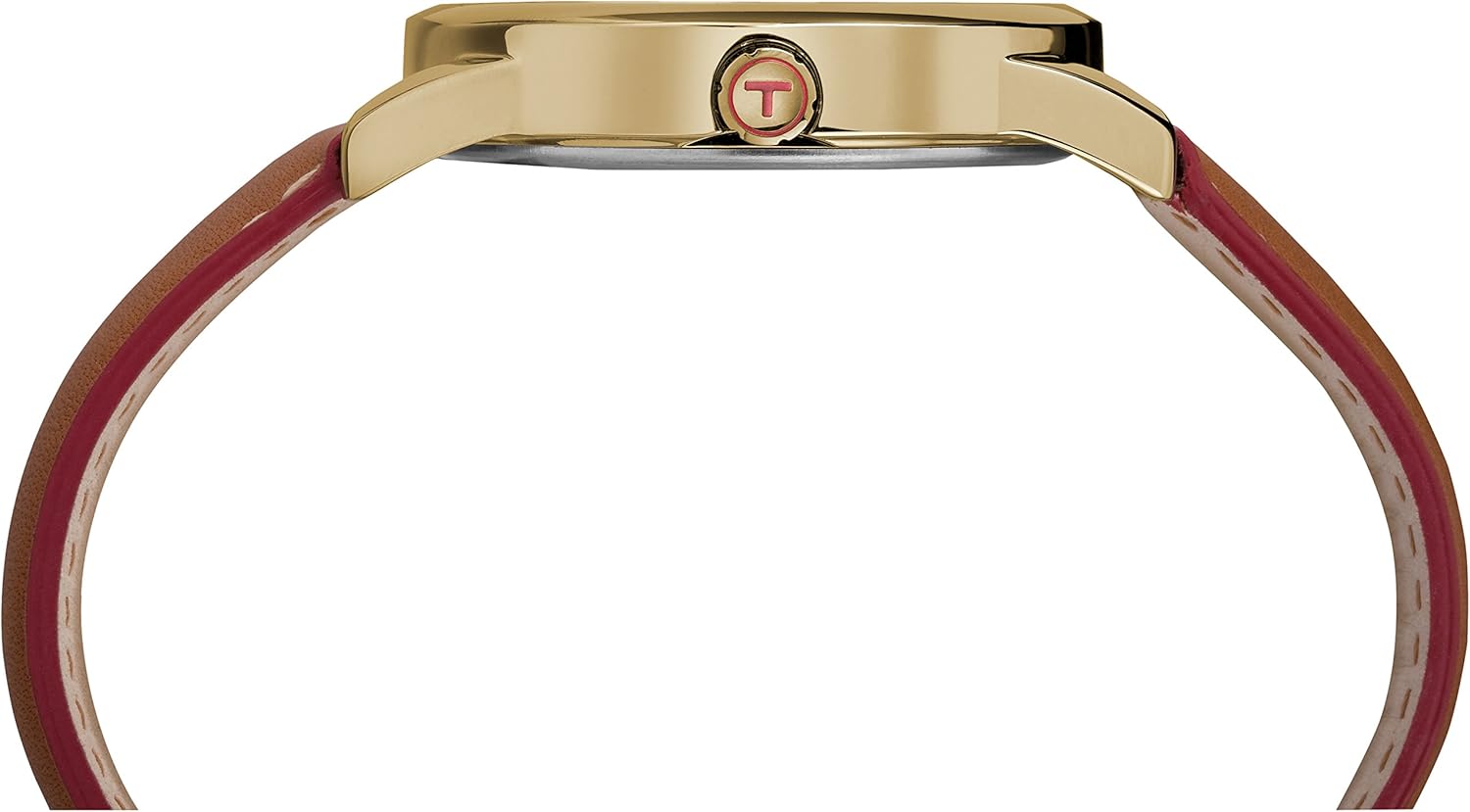
This image displays the side profile of the watch, illustrating the small plastic guard positioned under the crown, which prevents the watch from running and conserves battery life.
Gently pull out the small plastic guard located between the watch case and the crown (the knob on the side of the watch).
Step 2: Push the Crown In
Once the crown guard is removed, push the crown fully inwards towards the watch case. The second hand should begin to move, indicating the watch is now active.
Video Guide: Crown Guard Removal
This video demonstrates the process of removing the crown guard and pushing the crown in to activate your Timex watch, ensuring it starts ticking.
Operating Instructions
Setting the Time:
- Pull the crown out to the outermost position (position 2).
- Turn the crown clockwise or counter-clockwise until the hour and minute hands indicate the correct time.
- Push the crown back in to position 0 to start the watch.
Setting the Date:
- Pull the crown out to the middle position (position 1).
- Turn the crown clockwise or counter-clockwise to adjust the date.
- Once the correct date is displayed, push the crown back in to position 0.
- Note: To avoid changing the date at midnight, it is recommended to set the date when the watch hands are between 6 AM and 6 PM.
Using Indiglo Night-Light:
To illuminate the watch dial in low-light conditions, simply press and hold the crown. The Indiglo feature will light up the entire dial, revealing the time and the special 40th anniversary logo.
Care and Maintenance
- Cleaning: Wipe the watch case and strap regularly with a soft, dry cloth. For the leather strap, avoid excessive moisture.
- Water Resistance: This watch is water resistant to 30 meters (100 feet). It is suitable for splashes or brief immersion in water, but not for swimming, bathing, or diving. Do not operate the crown or pushers when the watch is wet.
- Temperature: Avoid exposing your watch to extreme temperatures (hot or cold) or sudden temperature changes, as this can affect its accuracy and lifespan.
- Chemicals: Keep the watch away from solvents, detergents, perfumes, and cosmetic sprays, which can damage the case, strap, or gaskets.
- Battery Replacement: When the watch stops, the battery needs to be replaced. It is recommended to have the battery replaced by a qualified watch technician to ensure proper sealing and water resistance.

This image provides a detailed view of the watch's tan leather strap, showcasing its stitching and the gold-tone buckle, which requires regular cleaning to maintain its appearance.
Troubleshooting
| Problem | Possible Cause | Solution |
|---|---|---|
| Watch is not ticking. | Crown guard still in place or crown not pushed in. Depleted battery. | Remove crown guard and push crown in. Replace battery. |
| Indiglo light is dim or not working. | Low battery. | Replace battery. |
| Watch loses or gains time. | Exposure to strong magnetic fields. Extreme temperatures. Needs service. | Keep away from magnets. Avoid extreme temperatures. Contact Timex service. |
| Date does not change at midnight. | Date set during PM hours. | Adjust time past 12 AM to see if date changes. If not, reset time and date during AM hours. |
Technical Specifications
| Feature | Detail |
|---|---|
| Model Number | TW2R40100JT |
| Case Material | Brass |
| Case Diameter | 38mm |
| Strap Material | Genuine Leather |
| Strap Width | 20mm |
| Water Resistance | 30 meters (100 feet) |
| Battery Type | 1 Lithium Metal battery (included) |
| Product Dimensions | 7.99 x 1.5 x 0.39 inches |
| Item Weight | 1.6 ounces |
Warranty and Support
Specific warranty details for the Timex Men's TW2R40100 Easy Reader 40th Anniversary watch are typically provided with the product packaging or can be found on the official Timex website. Please refer to these resources for comprehensive warranty information and customer support contacts.
For further assistance or inquiries, please visit the official Timex Store on Amazon or their corporate website.
Related documentsTW2R40100JT


Ask a question about this manual
Ask about setup, troubleshooting, compatibility, parts, safety, or missing instructions. Manuals+ will review the question and use this page’s manual context to help answer it.