
Introduction
This manual provides detailed instructions for the assembly, operation, and maintenance of your Explore Scientific Discovery Bresser 900X Microscope, Model 44-50101. Please read this manual thoroughly before using the microscope to ensure proper function and longevity of the device. This microscope is designed for educational exploration and observation of microscopic specimens.
Safety Information
WARNING: Small Parts. Not for children under 3 years. Adult supervision is recommended for all users, especially children, during assembly and operation.
Always handle the microscope and its accessories with care. Avoid dropping the device or exposing it to extreme temperatures or moisture. Do not attempt to disassemble the microscope beyond the instructions provided in this manual.
What's in the Box
Carefully unpack all components and verify that you have received the following items:
- 1x Discovery Bresser 900X Microscope
- 1x Hard Carrying Case
- 1x 45+ Piece Lab Set (includes prepared slides, blank slides, collection tools, vials, dyes, and other accessories)
- 1x Experimental Booklet
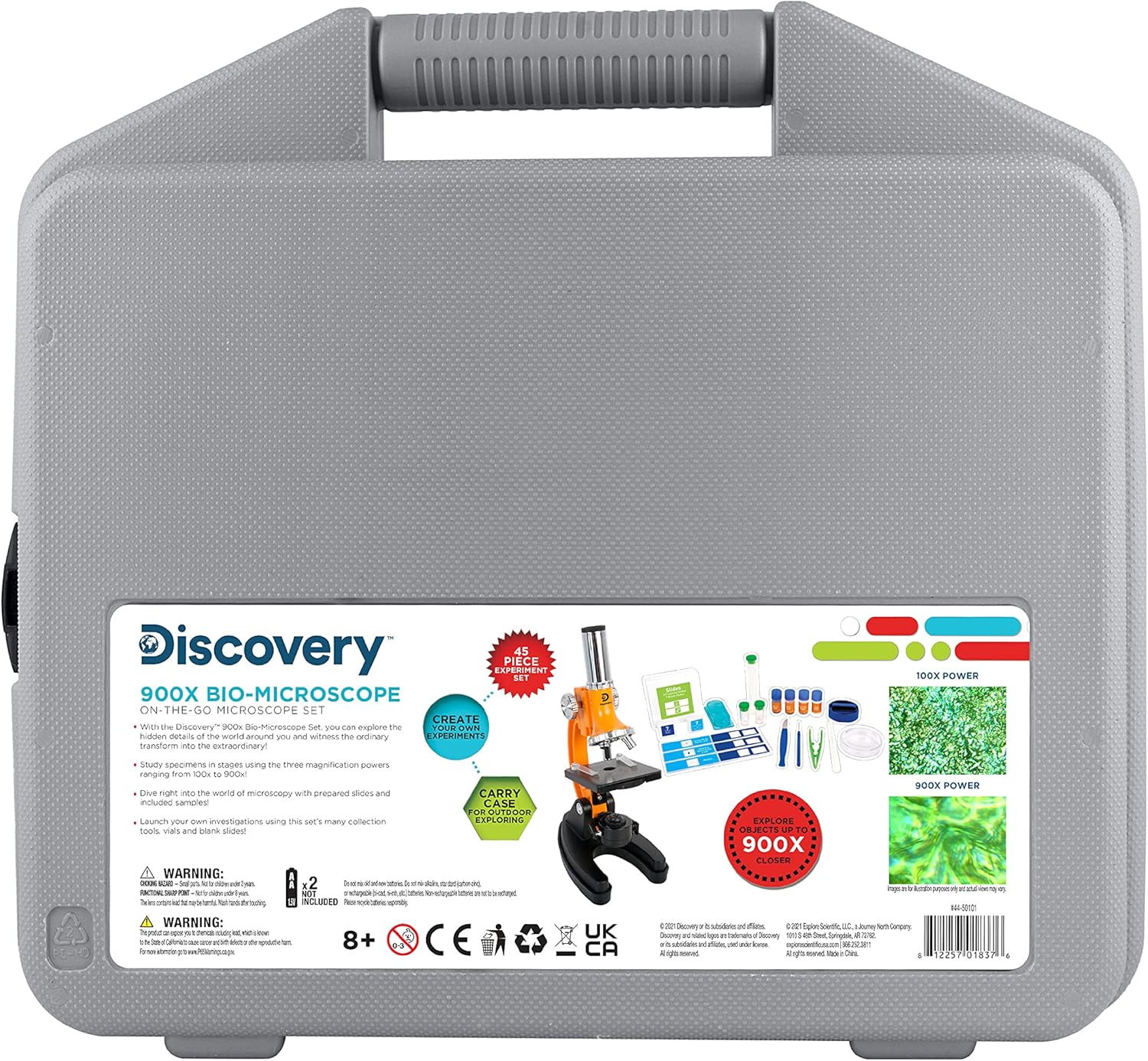
Image: The complete Discovery Bresser 900X Microscope kit, showcasing the microscope and all included accessories within its protective carrying case.
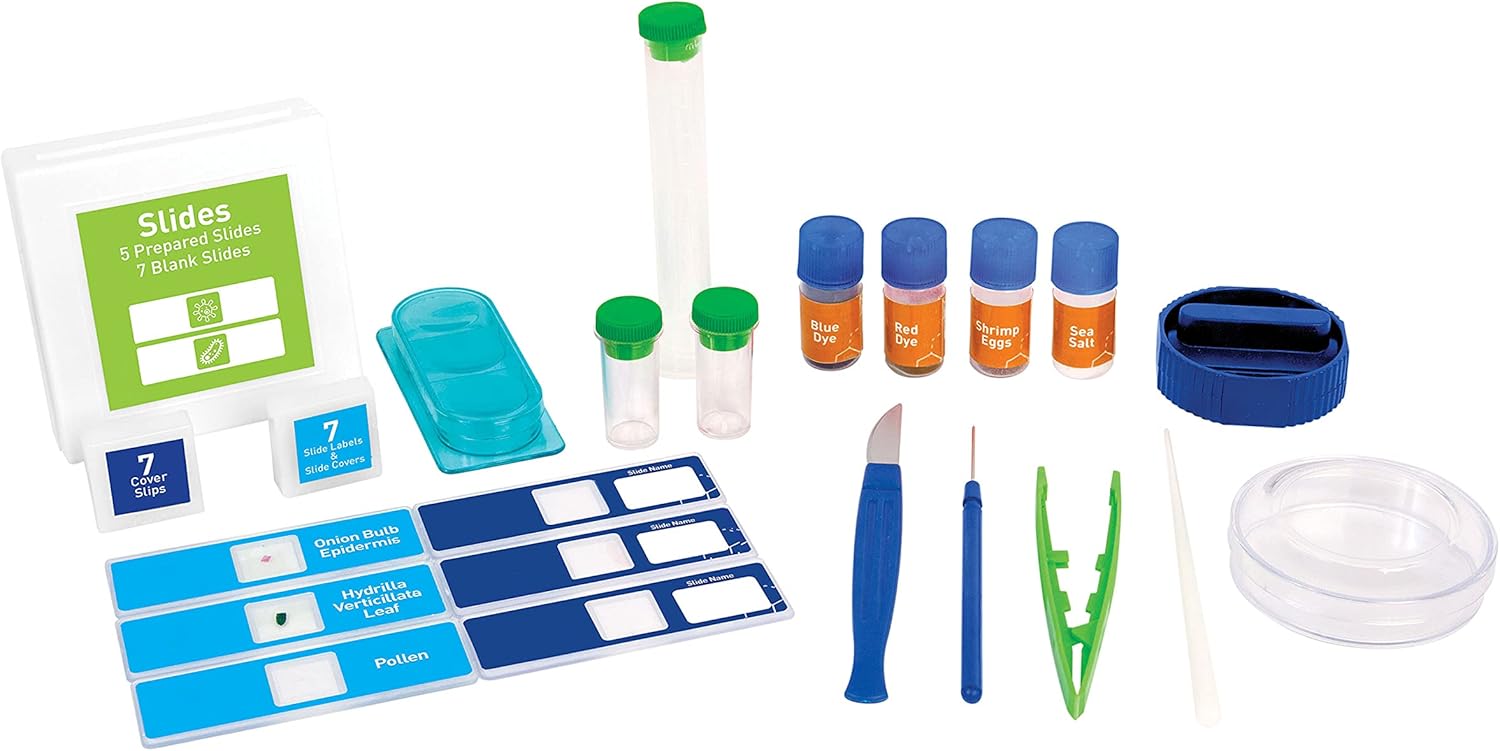
Image: A detailed view of the various lab tools and prepared slides that come with the microscope set, laid out for inspection.
Setup
- Unpack the Microscope: Carefully remove the microscope and all accessories from the carrying case. Place the microscope on a stable, flat surface.
- Power Source: The microscope's LED illumination requires batteries (not included). Locate the battery compartment, usually at the base of the microscope, and insert the required batteries according to the polarity indicators.
- Adjust Eyepiece: Ensure the eyepiece is securely seated in the top tube of the microscope.
- Select Objective Lens: Rotate the revolving nosepiece to select the lowest power objective lens (e.g., 4x or 10x) for initial observation.
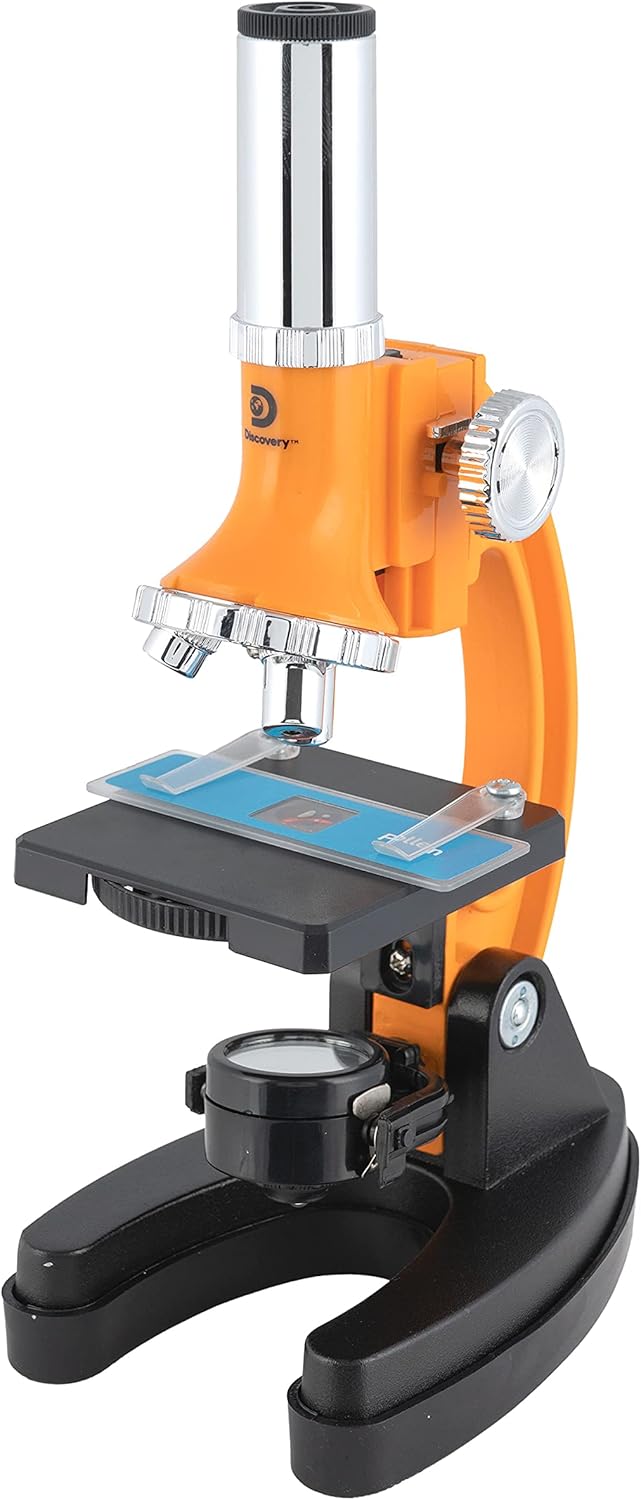
Image: The Discovery Bresser 900X Microscope, showing its main components.
Operating Instructions
- Prepare a Specimen Slide:
- For prepared slides: Simply place the slide onto the microscope stage.
- For blank slides: Place a small, thin specimen in the center of a blank slide. Add a drop of water or a suitable mounting medium if necessary, then gently lower a cover slip over the specimen at an angle to avoid air bubbles.
- Place the Slide: Secure the prepared slide onto the microscope stage using the stage clips. Position the specimen directly over the opening in the stage.
- Turn on Illumination: Locate the light switch, usually at the base, and turn on the LED illuminator. Adjust the brightness if a dimmer is available.
- Adjust Color Filter Wheel: If your microscope has a color filter wheel (located beneath the stage), rotate it to select a filter that enhances the contrast of your specimen. This is particularly useful for colorless or transparent samples.
- Focusing:
- While looking through the eyepiece, slowly turn the coarse focus knob (larger knob) to bring the specimen into approximate focus.
- Once roughly focused, use the fine focus knob (smaller knob) for precise adjustments until the image is sharp and clear.
- Change Magnification: To increase magnification, rotate the revolving nosepiece to a higher power objective lens (e.g., 40x, 100x, 400x, 900x). You will need to re-adjust the fine focus after changing objectives.

Image: A specimen slide secured on the microscope stage with stage clips.
Maintenance
- Cleaning Lenses: Use only specialized lens cleaning paper or a soft, lint-free cloth with a small amount of lens cleaning solution. Never use abrasive materials or harsh chemicals.
- Cleaning Body: Wipe the microscope body with a soft, damp cloth. Avoid getting moisture into electronic components.
- Storage: When not in use, store the microscope in its protective carrying case in a dry, dust-free environment. Cover the microscope with a dust cover if available.
- Battery Replacement: Replace batteries when the illumination becomes dim or stops working. Ensure correct polarity.
Troubleshooting
- No Light: Check if batteries are inserted correctly and are not depleted. Ensure the light switch is in the 'ON' position.
- Image is Blurry: Adjust the coarse and fine focus knobs. Ensure the objective lens is properly clicked into place. Verify the slide is correctly positioned and the specimen is thin enough for observation.
- Dark or Obscured View: Check if the objective lens is clean. Ensure the light path is unobstructed and the diaphragm/aperture is open sufficiently.
- Difficulty Seeing Transparent Specimens: Utilize the color filter wheel to enhance contrast.
Specifications
| Feature | Detail |
|---|---|
| Model Number | 44-50101 |
| Brand | Explore Scientific |
| Magnification Maximum | 900X |
| Light Source Type | LED |
| Objective Lens Description | Achromatic |
| Material | Metal, Plastic |
| Product Dimensions | 15 x 4 x 14 inches |
| Item Weight | 3.5 pounds |
| Manufacturer Recommended Age | 8 - 18 years |
Warranty and Support
For warranty information or technical support, please refer to the documentation included with your purchase or visit the official Explore Scientific website. Keep your proof of purchase for warranty claims.


